Block landing · staircase with window cad block
Free staircase with window CAD block in DWG
By Saumyajit Maity · Published 31 Jan 2026 · Updated 10 Mar 2026
Where a stair runs up an external or party wall, there is almost always a window lighting the half-landing or the flight, and drawing the stair and that window together is a recurring task on sections and elevations. A staircase with window CAD block bundles the two so you do not redraw the relationship every time. This page offers one free in DWG, drawn so the stair and its window read as a single coordinated detail.
The block shows the flight, the strings and treads and the window opening positioned to suit the half-landing, set out to believable storey and opening heights so it reads correctly when you scale it into a real section. Use it on stairwell elevations, sections and presentation drawings, and crosslink to the stairs and windows categories for other variants. It is free for personal and commercial use, with no signup, no watermark and no attribution required.
What this combined block shows
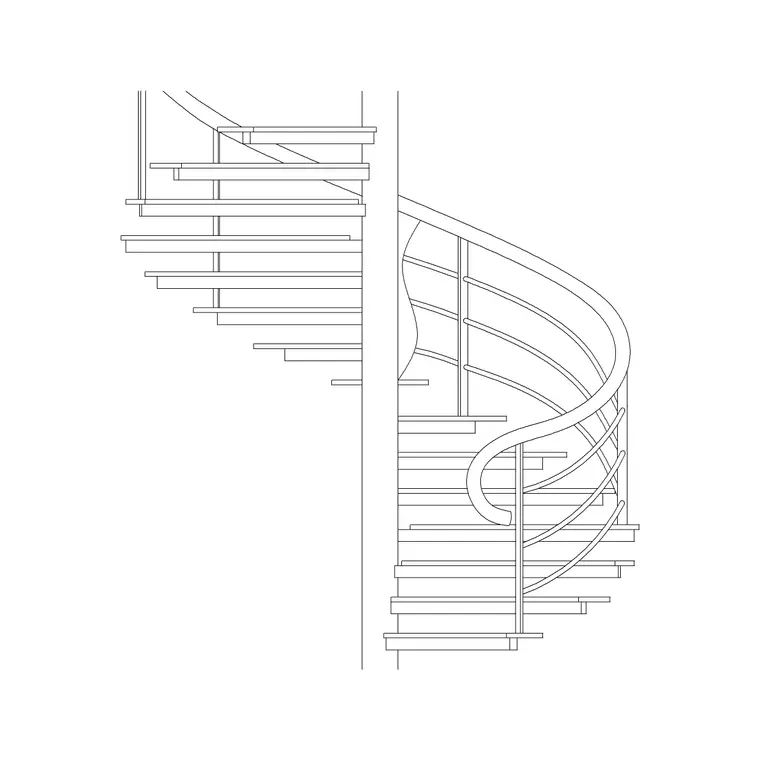
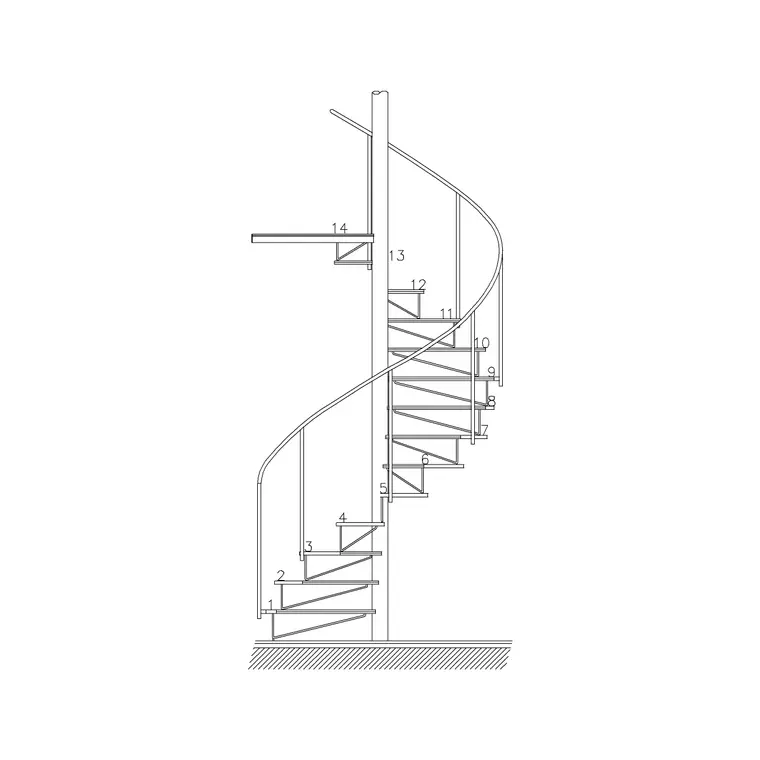
This is an elevation or section block that draws a stair flight against a wall together with the window that lights it. You get the treads and risers, the string lines, the handrail and balustrade, and the window opening — head, sill and frame divisions — placed at a height that clears the half-landing and the passing flight. The value is in the relationship: the window sits where it can actually light the stair without being blocked by the rising treads.
The download is flat 2D line work with the stair and the window on sensible layers so you can control them independently. Because both elements come pre-coordinated, you avoid the common mistake of dropping a generic window into a stairwell elevation only to find the rising flight cuts across the sill.
Why the window position is the whole point
On a straight or dog-leg stair against a wall, the window has to clear the highest passing tread and still bring light to the half-landing, which usually pushes it higher than a window in an adjacent habitable room. On a spiral or helical stair wrapped against a curved wall, a tall vertical window or a stack of openings follows the rise of the flight. Getting that height wrong is the classic stairwell-elevation error.
This block fixes the window at a height that works for the stair it is drawn with, so when you build the section the light, the sill and the flight all agree. If your storey height or stair type differs, you adjust the window up or down to suit, but you start from a relationship that already makes sense rather than from two unrelated blocks.
Typical heights to design around
Stairwell sections are governed by storey height, the rise per tread and the going, and by the headroom you must keep above the flight. The window's sill and head are then set so the opening clears the passing treads and lights the landing — typically higher than a room window, with the head kept below the soffit of the flight above. Balustrade and handrail heights follow your local guidance.
Treat all of these as design-around ranges and confirm them against your building regulations and the actual stair and window products. The block is drawn to believable storey and opening heights so the section reads correctly at a glance, but the final dimensions belong to your project, not to a generic block.
How to insert and align the block
The block is in millimetres. Insert at scale 1 in a millimetre drawing, 0.001 in metres, or set INSUNITS so AutoCAD rescales automatically. Use INSERT and snap a reference point — the foot of the bottom riser or the finished floor line — to the matching point in your section, so the stair sits on the right datum.
Check the window head against the soffit of the flight or floor above, and the sill against the half-landing, then move the window within its layer if your storey height differs from the block's. Align the wall line, floor lines and any adjacent room datums so the stair, the window and the surrounding fabric all read as one coordinated section rather than a collage.
Where a stair-with-window detail is used
This combination appears on house and apartment sections, stairwell elevations, loft and extension drawings, and presentation views where the lit stair is a feature of the design. It is especially common in tall, narrow stairwells where a single well-placed window does the whole job of daylighting the core.
Pair the block with floor, wall, roof and balustrade blocks to complete the section, and bring in alternative windows from the windows category or alternative flights from the stairs category if the design changes. On a section, showing the stair and its window together communicates the daylighting strategy of the core in a single drawing.
Layering and coordination
Keep the stair and the window on separate, clearly named layers so you can adjust either without disturbing the other — raise the window for a taller storey, swap the balustrade, or restyle the window frame independently. An annotation layer for levels and dimensions keeps the labels controllable too.
Because stairwell windows recur across a project — and often repeat at every floor of a tall core — a coordinated stair-and-window block is worth saving to your library once you have it tuned to your storey height. WBLOCK the tuned detail so each level of the stairwell starts from the same agreed relationship rather than being re-coordinated by hand floor by floor.
Free download
Browse the full library — DWG & DXF, no signup.
Questions
Frequently asked
Is the staircase-with-window block free for commercial use?+
Yes. It downloads free in DWG with no signup, no watermark and no attribution requirement, and it is cleared for commercial project work.
Is this a plan or an elevation?+
It is an elevation/section block: it shows the stair flight and its window seen from the side, with the treads, strings, balustrade and the window opening at a coordinated height. For footprints, use a plan stair block from the stairs category.
Can I move the window for a different storey height?+
Yes. The window is on its own layer, so you can raise or lower it within the section to suit your storey height while keeping it clear of the passing flight and lighting the half-landing. Confirm the heights against your building regulations.
Will the heights meet building regulations?+
Treat the block as a starting geometry. Storey height, rise, going, headroom, balustrade height and sill height all depend on your local regulations and the chosen products, so verify the final dimensions rather than relying on the generic block.
Related downloads
Blocks for this guide
Related categories
Related guides
Block landing
Free Spiral Staircase CAD Blocks — DWG Download
Download free spiral staircase CAD blocks in DWG and DXF — plan and elevation, drawn to real tread radii for AutoCAD. No signup, free for commercial use.
Block landing
Free Circular Staircase CAD Blocks — DWG Download
Download free circular staircase CAD blocks in DWG and DXF — curved stairs in plan and elevation, drawn to scale for AutoCAD. No signup, commercial-use OK.
Block landing
Free Metal Staircase CAD Blocks — DWG Download
Download free metal staircase CAD blocks in DWG and DXF — steel stairs in plan and elevation with stringers and balustrade. No signup, commercial OK.