Block landing · metal staircase cad block
Free metal staircase CAD blocks for AutoCAD
By Sumana Kumar · Published 22 Jan 2025 · Updated 24 Feb 2026
A metal staircase is the workhorse stair of industrial, commercial and modern residential buildings — fabricated from steel stringers, formed or grating treads, and a welded or bolted balustrade. This page collects free metal staircase CAD blocks in DWG and DXF, drawn in plan and elevation with the steel members shown, ready to insert into AutoCAD 2004 or later. Everything is free for personal and commercial work, with no signup and no watermark.
What sets a metal stair block apart from a generic stair is that the drawing has to show how it is made. A timber or concrete stair hides its structure; a steel stair wears it. The blocks here draw the stringers, the tread profile, the landing framing and the balustrade posts as separate, recognisable members, so the block reads correctly on a fabrication or shop drawing as well as on an architectural layout.
What a metal staircase block shows
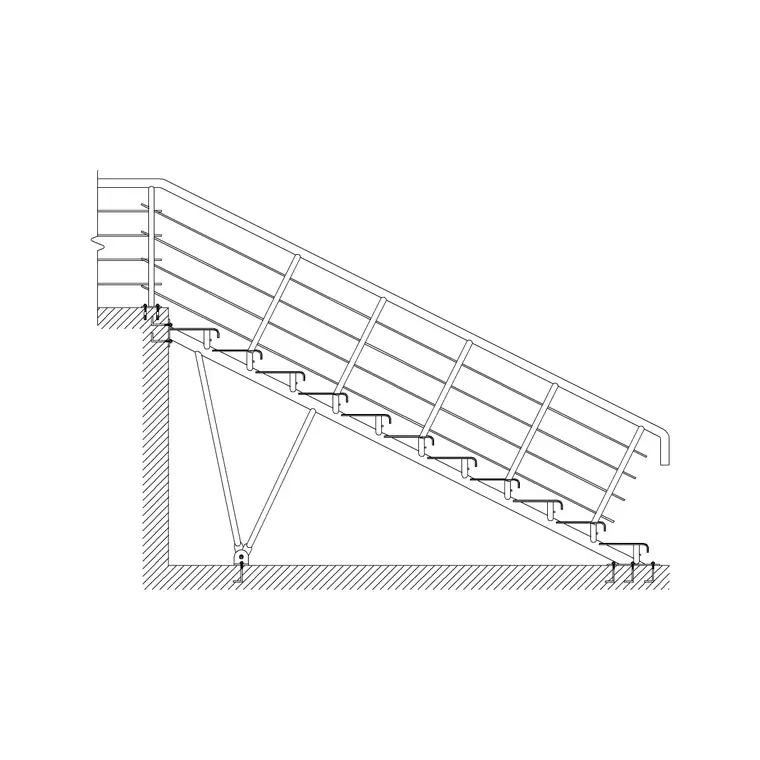
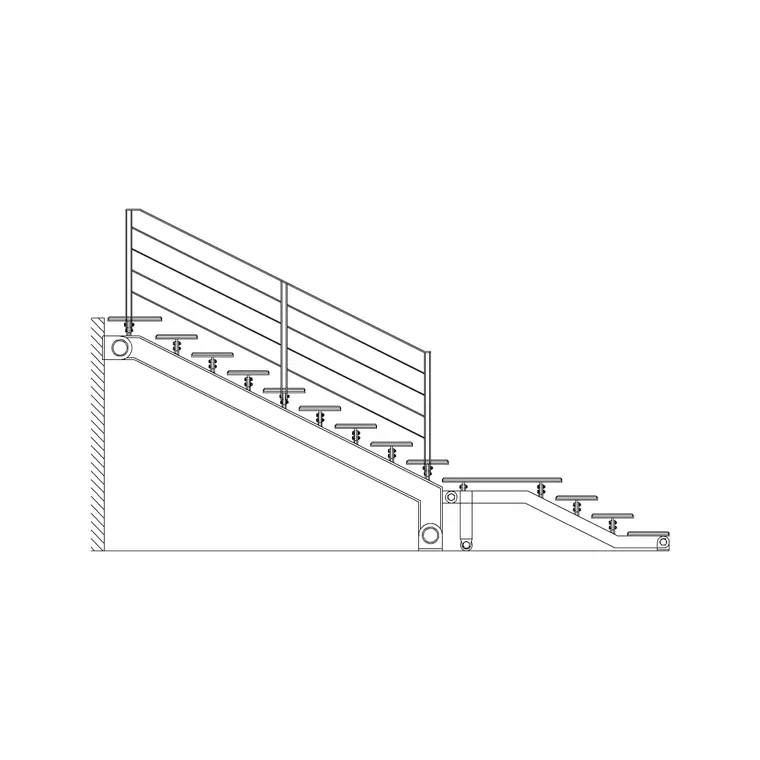
A metal stair block carries more structural detail than a generic stair symbol. In elevation you see the stringers — the inclined steel members carrying the treads — drawn as channels or plates, the individual treads (often chequer plate or open grating), the landing framing, and the balustrade with its posts, top rail and infill. The connection points, where the stringer lands on a floor or a beam, are the detail a fabricator looks for.
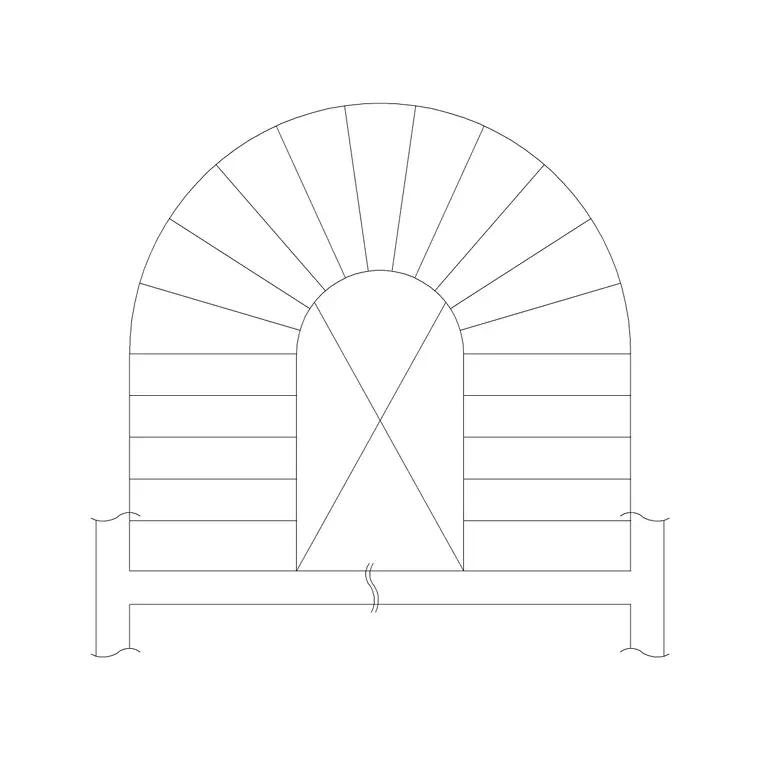
In plan the stair shows the tread arrangement, the stringer lines, any landing, and the balustrade run, with the up/down arrow and break line as on any stair. Because metal stairs are frequently straight flights or dog-leg arrangements with intermediate landings, the plan often pairs naturally with the matching elevation and a section to fully describe the steelwork.
Views and disciplines that use them
Metal stair blocks here typically ship a plan, an elevation and often a side elevation or section, because steel needs to be described from more than one direction. The architectural plan places the stair in the building; the elevation and section describe the structure for the steelwork drawings.
That makes these blocks useful across disciplines. Architects place them in the general arrangement. Structural engineers use the elevation and section to coordinate the connections to the primary frame. Steel fabricators and detailers take the geometry as the basis for shop drawings of the stringers, treads and balustrade. Keeping the structural members, the treads and the balustrade on separate layers lets each discipline show what it needs without redrawing the stair.
Typical metal staircase dimensions
Metal stairs follow the same human geometry as any stair — rise per tread in the normal comfortable band, a usable going on each tread — but the structural members add their own dimensions. Stringers are typically steel channels or plates a few hundred millimetres deep depending on the span; treads may be chequer plate with a turned-down nosing or open steel grating; the balustrade commonly runs to around 900–1100 mm high for guarding, with the higher figure common on industrial and access stairs.
Flight width depends on use: a private access stair is narrower, while an escape or commercial stair is wider to carry the required flow of people. Landing sizes follow the flight width. Treat these as ranges to design within: the structural depths in particular depend on the span and loading, so size the steel for the actual job and confirm the rise, going, guarding height and width against the relevant building and access regulations.
Inserting the block and working with layers
The blocks are drawn full size in millimetres. Insert at scale 1 in a millimetre drawing, 0.001 in a metre drawing, or set INSUNITS to millimetres so AutoCAD rescales on insertion. Pick an insertion point that suits how you set out steel — often the base of the bottom stringer or a corner of the landing — so the stair lands at a known datum you can dimension from.
Because a metal stair is described by its members, the layering matters more than on a simple stair. Keep the stringers and structural framing on a structural layer, the treads on their own layer, and the balustrade on a third, so you can produce a clean architectural elevation, a structural-only drawing, and a balustrade detail from the same block. When a flight or balustrade module repeats, ARRAY or copy it; when the stair design is settled, WBLOCK the whole assembly as a reusable unit for similar buildings.
Where metal staircase blocks are used
Metal stairs are everywhere structure is exposed or fire-resistance and durability are wanted: industrial plants and warehouses, plant rooms and access platforms, external fire-escape stairs, car parks, commercial fit-outs, and contemporary homes where an exposed steel stair is a deliberate aesthetic. They suit both heavy-duty access and sleek architectural feature stairs.
Because the blocks are free and licence-clear, they cover a quick industrial access concept as readily as a developed architectural stair that has to coordinate with a steel frame. Pair them with the other stair blocks in the stairs category when a building mixes a feature stair with utilitarian steel access stairs, and use the side-elevation and plan blocks together so the steelwork is fully described for the fabricator.
From architectural block to fabrication drawing
The value of a metal stair block is that it carries cleanly from the architectural layout into the steelwork. On the general arrangement the stair just needs to occupy the right footprint and connect to the right levels. But the same block, with its stringers, treads and connection points drawn, becomes the starting geometry for the fabricator's shop drawings — where every member is sized, every weld and bolt is specified, and the tread fixing is detailed.
That is why drawing the members rather than a hollow stair outline is worth it. A fabricator can take the elevation and section, lift the setting-out, and detail the actual steel without reinterpreting a vague symbol. Keep the geometry true to size and on sensible layers, and one coordinated set of blocks serves the architect, the structural engineer and the steel detailer in turn, so the stair that gets built matches the stair that was drawn.
Free download
Browse the full library — DWG & DXF, no signup.
Questions
Frequently asked
What does a metal staircase CAD block include?+
It shows the steel structure: stringers, the tread profile (chequer plate or grating), landing framing and the balustrade with posts and rails, plus the connection points to the floor or frame. Plan, elevation and often a section are provided so the steelwork is fully described.
Are the metal staircase blocks free for commercial use?+
Yes. Every block downloads free in DWG and DXF with no signup, no watermark and no attribution requirement, and they are cleared for commercial project work.
Can I use these blocks for steel fabrication drawings?+
Yes. The structural members are drawn to scale on their own layers, so the elevation and section provide the setting-out a detailer needs as a starting point. Size the actual steel and specify connections for your job — the block is the geometry, not the engineering.
What units are the metal staircase blocks drawn in?+
Full size in millimetres. Insert at scale 1 in a millimetre drawing, or set INSUNITS to millimetres so AutoCAD rescales automatically if your template uses different units.
Related downloads
Blocks for this guide
Related categories
Related guides
Block landing
Free Spiral Staircase CAD Blocks — DWG Download
Download free spiral staircase CAD blocks in DWG and DXF — plan and elevation, drawn to real tread radii for AutoCAD. No signup, free for commercial use.
Block landing
Free Circular Staircase CAD Blocks — DWG Download
Download free circular staircase CAD blocks in DWG and DXF — curved stairs in plan and elevation, drawn to scale for AutoCAD. No signup, commercial-use OK.
Block landing
Free Dog-Leg Staircase CAD Blocks — DWG Download
Download free dog-leg staircase CAD blocks in DWG and DXF — half-turn stairs with a mid-landing in plan and elevation for AutoCAD. No signup, commercial OK.