Block landing · sliding shutter window cad block
Free sliding shutter window CAD block in DWG
By Sumana Kumar · Published 8 Jun 2026 · Updated 28 Jun 2026
A sliding shutter window opens by sliding its leaves sideways along tracks rather than swinging them out, which makes it the natural choice wherever an outward-opening leaf would foul a balcony, a walkway or a tight external space. It is one of the most common window types in modern residential and commercial work, so a clean sliding shutter window CAD block is something you reach for constantly. This page offers one free in DWG.
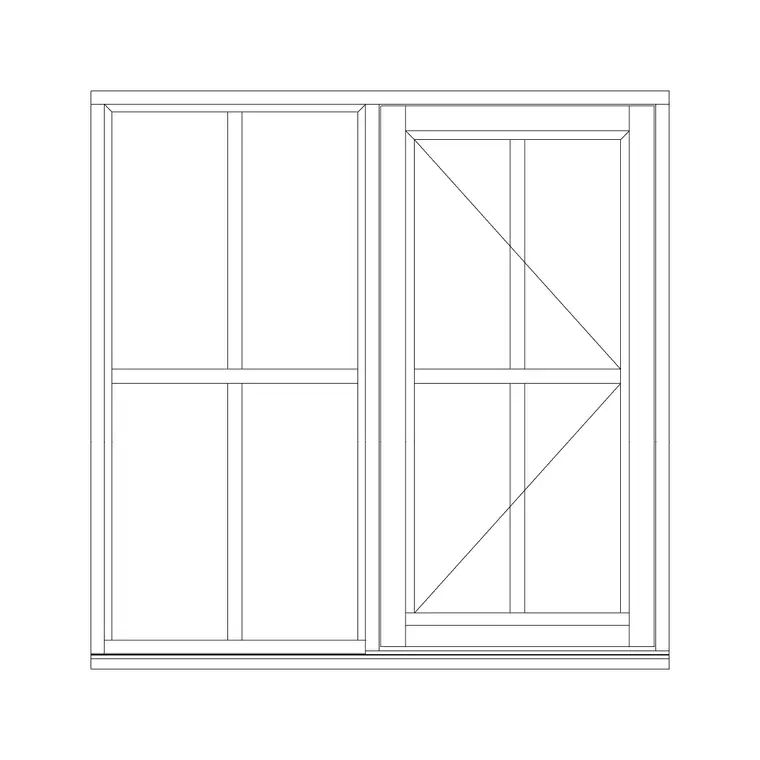
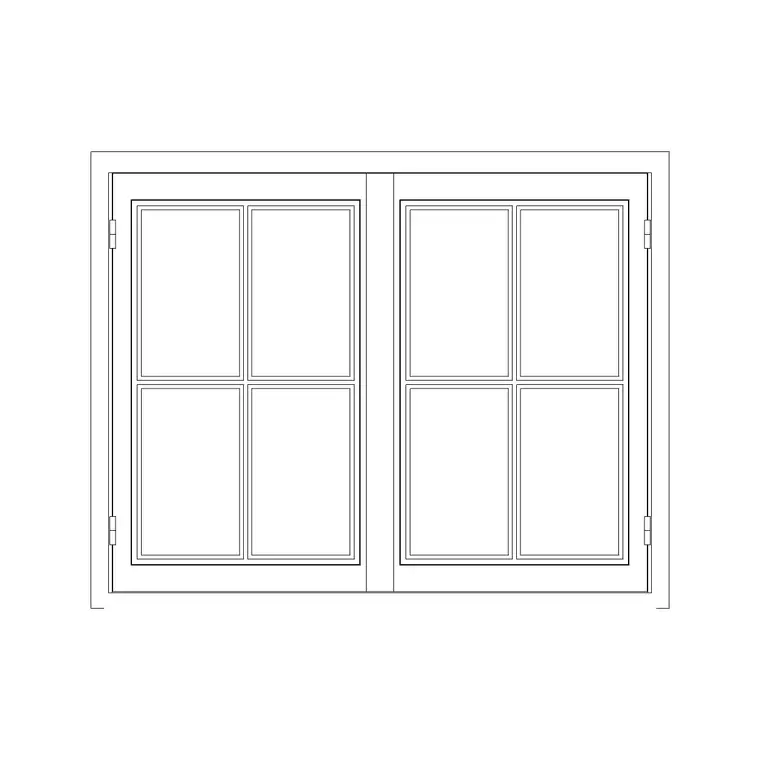
The block is drawn to a believable module in plan and elevation, with the sliding leaves, the tracks and the overlap where the leaves pass, so it reads correctly when scaled into a real opening. Use it on house and apartment elevations, plans and window schedules, and crosslink to the windows category for openable, fixed and patio-sliding variants. It is free for personal and commercial use, with no signup, no watermark and no attribution required.
What a sliding shutter window block shows
A sliding window divides the opening into leaves that slide horizontally past each other on tracks, so one leaf overlaps the other when open and the window never projects beyond the wall. In elevation the block draws the frame, the leaves, the glazing and the meeting stile where the leaves overlap, often with an arrow indicating the direction of slide. In plan it shows the frame in the wall and the two tracks with the leaves offset on them.
The download keeps the frame, glazing and the sliding indication on sensible layers so you can control the line work and screen the glass back for a presentation elevation. Because nothing swings, the plan is cleaner than a casement — there is no arc to keep clear — which is one of the practical reasons sliding windows are specified so often.
Sliding versus openable casement windows
The defining difference is how the leaf moves. A casement (openable) window hinges and swings out or in, needing clear space for the leaf and showing a swing arc on the plan. A sliding window moves the leaf sideways along a track, so it needs no projection space and shows an overlap rather than an arc. That makes sliding windows ideal next to balconies, walkways, narrow side passages and anywhere an open leaf would be a hazard or an obstruction.
The trade-off is ventilation area: a sliding window can only ever open half its width at once because one leaf slides behind the other, whereas a casement can open a leaf fully. Choose the sliding type where space and safety matter more than maximum opening area, and this block draws that decision clearly.
Typical window sizes to design around
Sliding windows suit wider openings because the horizontal slide works best across a generous width, and they are made in standard sizes a supplier offers. The overall width and height come from the elevation and the room, the leaf widths from dividing the opening between the tracks, and the sill height from the room's function. Two-track and three-track arrangements give different numbers of leaves and openable proportions.
Treat these as design-around ranges and confirm the actual window size, track count and sill height against your project and the chosen product. The block is drawn to a believable module so the leaf proportions and the overlap read correctly when scaled into a real elevation, but the final sizes belong to the project.
How to insert and place the window
The block is in millimetres. Insert at scale 1 in a millimetre drawing, 0.001 in metres, or set INSUNITS so AutoCAD rescales automatically. On an elevation, snap the window into the opening in the wall and align the sill to the right height above the finished floor. On a plan, set the frame within the wall thickness — there is no swing to clear, so the plan is straightforward.
If your opening differs, scale the block to fit, then check the leaf widths and the overlap still make sense for the track count. Keep the slide indication pointing the way the leaves actually move, and record the window in your schedule with its reference, size and operation type so the drawing and the schedule stay consistent.
Where sliding shutter windows are used
Sliding windows are everywhere in modern construction: apartments and houses, balcony and terrace walls, kitchens over worktops where a swinging leaf would be awkward, offices, schools and commercial frontages, and any opening beside a walkway or external route. Their flush operation makes them the default where an outward-opening casement would project into a circulation space.
Pair the block with wall, sill and lintel details and with the patio-sliding-door blocks in the windows category where a full-height sliding opening is wanted. On an elevation, a correctly-drawn sliding window with its overlap and track indication tells the reader at a glance how the opening works.
Layering, schedules and reuse
Put the window on a dedicated windows or openings layer, keeping frame, glazing and the sliding indication separable so you can produce a clean elevation, a glazing plan and a schedule from the same geometry. An annotation layer for the reference and dimensions keeps the labels controllable.
Sliding windows repeat heavily across a building — often the same unit on every floor of an apartment block — so a tuned sliding block is a prime candidate for your project library. WBLOCK it once its size and operation match your specification so every instance is identical and the schedule count is reliable, and tag each with a type reference to extract a window schedule directly from the drawing.
Free download
Browse the full library — DWG & DXF, no signup.
Questions
Frequently asked
Is the sliding shutter window block free for commercial use?+
Yes. It downloads free in DWG with no signup, no watermark and no attribution requirement, and it is cleared for commercial project work.
How is a sliding window different from a casement?+
A casement hinges and swings, needing clear space and showing a swing arc on plan; a sliding window moves its leaves sideways on tracks, needs no projection space and shows an overlap. Sliding suits balconies, walkways and tight external spaces.
Does the block show plan and elevation?+
Yes — the elevation shows the leaves, glazing and slide direction, and the plan shows the frame in the wall with the leaves offset on their tracks. There is no swing arc, so the plan stays clean.
Can I resize it for a wider opening?+
Yes. Scale the inserted block to fit your opening, then check the leaf widths and the overlap suit the track count. Confirm the final size, track count and sill height against your project and the chosen product.
Related downloads
Blocks for this guide

Related categories
Related guides
Block landing
Free Casement Window CAD Blocks — DWG Download
Free casement (openable) window CAD blocks in DWG — side-hung sashes in plan, elevation and section for AutoCAD. No signup, free for commercial use.
Block landing
Free Single-Shutter Window CAD Blocks — DWG
Free single-shutter window CAD blocks in DWG — one-panel openable sashes in elevation and plan for AutoCAD. Left/right-hung, no signup, commercial OK.
Block landing
Free Double-Shutter Window CAD Blocks — DWG
Free double-shutter window CAD blocks in DWG — two-leaf openable windows with glass, in elevation and plan for AutoCAD. No signup, commercial-use OK.