Block landing · casement window cad block
Free casement (openable) window CAD blocks for AutoCAD
By Sumana Kumar · Published 23 Mar 2026 · Updated 14 Jun 2026
A casement window is the side-hung, outward- or inward-opening sash that turns on hinges at one jamb, and it is the workhorse of residential and small commercial elevations. Drafters reach for a casement window CAD block constantly, because the opening sash, its hinge side and its swing arc all carry information a builder and a window supplier need to read off the drawing. This page collects free casement / openable window CAD blocks in DWG, drawn to true millimetre sizes and ready to drop into AutoCAD 2004 or later. Every file is free for personal and commercial work, with no signup, no watermark and no attribution.
Use these blocks to populate house elevations, schedule window types, set out openings in a masonry plan and detail the head, jamb and sill in section. Because the sash and the swing are drawn to scale, you can immediately check whether an outward-opening casement clashes with a path, a downpipe or a neighbouring window, and whether an inward-opening sash fouls a radiator or a curtain track.
The casement is also the type where the hinge side genuinely matters, so the blocks here mark it clearly. A left-hung and a right-hung casement read differently on an elevation, and getting the handing right on the drawing is what stops the wrong window arriving on site.
What a casement window block actually shows
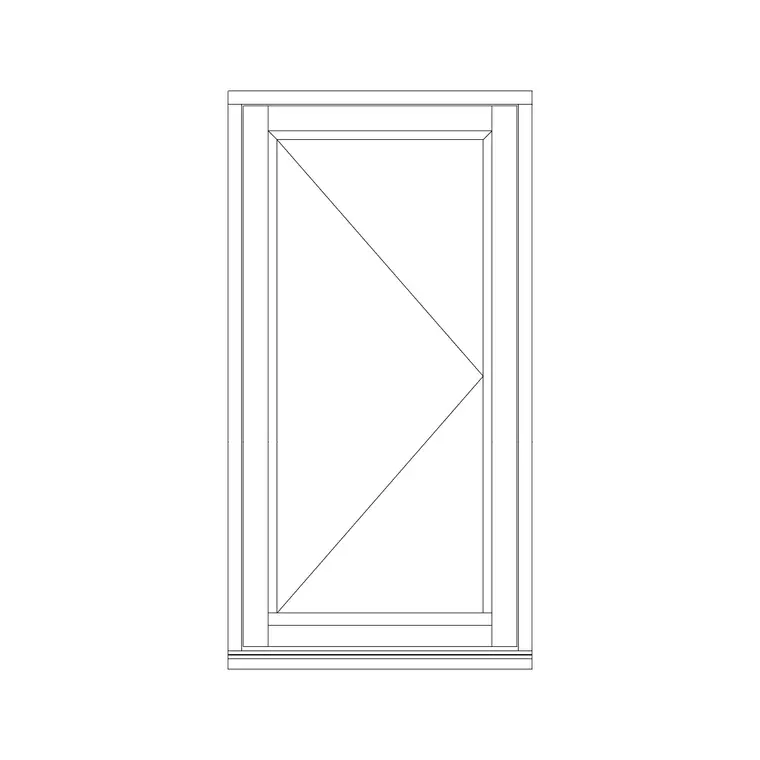
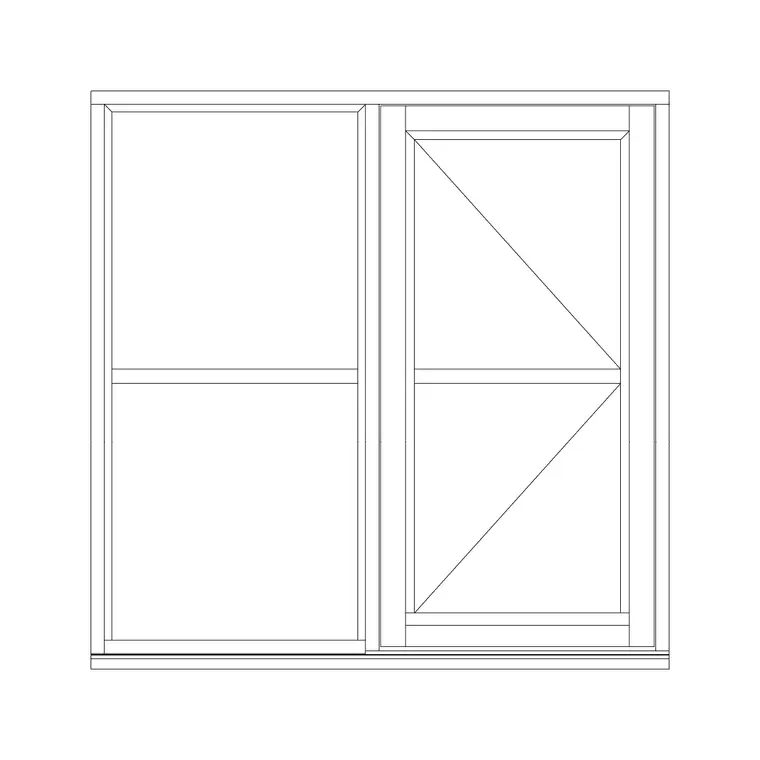
A casement window is hinged at the side and swings open like a door, so the block has to communicate three things that a fixed pane never does: which jamb carries the hinges, which way the sash swings, and how far it projects when open. On the elevation, the convention is a pair of dashed lines forming a shallow triangle (or 'V') whose point sits at the hinge side — the apex marks the hinges, the open base marks the handle stile.
The block typically ships the frame outline, the opening sash within it, the glazing line and the swing indicator. In plan and section you also get the reveal, the frame depth and the sill projection, which is what lets you set the window into a wall correctly rather than just pasting a rectangle onto an elevation.
Views the casement block comes in
Elevation is the view you use most for a casement, because the opening symbol and the proportions of the sash are read face-on. The elevation block carries the frame, the transom or mullion divisions, the glazing and the hinge/swing notation.
Plan view shows the window cut horizontally through the wall: frame, reveal, glass line and, for an inward-opening casement, the sash swing into the room. Section (a vertical cut) shows the head, the sill and the way the frame sits in the opening — essential for a window detail. Several blocks here ship more than one view in a single DWG, so you can build the elevation and the matching section from one download and freeze the views you don't need.
Typical casement window sizes to design around
Casements span a wide range, so treat these as planning figures rather than fixed specs. A single openable casement sash commonly runs 450–600 mm wide; push much wider and the sash gets heavy on its hinges, which is why broad openings are split into two or three lights. Heights for a standard casement light sit around 900–1500 mm, with smaller top-hung vents above a fixed pane often 300–500 mm deep.
Overall window openings vary with the room: a bedroom window might be 1200 mm wide by 1200 mm high, a living-room window 1800 mm wide split into a fixed centre with openable casements either side. Always confirm the manufacturer's module before you finalise an opening, because brick and uPVC systems both work to their own size increments.
How to insert and set out a casement
These blocks are drawn full size in millimetres. In a millimetre drawing, run INSERT and place at scale 1; in a metre drawing insert at 0.001; or set INSUNITS to millimetres so AutoCAD rescales automatically and you avoid the 'window the size of a wall' mistake.
Pick an insertion point that suits your setting-out — the bottom of the structural opening or a frame corner are both sensible handles. Once placed, mirror the block to flip the hinge side rather than redrawing it, so a right-hung casement becomes a left-hung one in a single command. Put the windows on their own layer (often something like A-GLAZ) so you can produce a clean structural plan by freezing them, and a fully glazed elevation by thawing them.
Where casement windows are used
The casement is the default opening light across house design: bedrooms, living rooms, kitchens, bathrooms, hallways and stairwells. It is favoured because it seals well, throws the opening sash fully clear for ventilation, and suits both traditional timber and modern aluminium or uPVC frames. Architects use the blocks to draw and schedule the window set; interior designers use them to check daylight and views; window fabricators read the handing and sizes straight off the drawing.
Because a casement opens outward into the path of people and objects outside (or inward into furniture), the scaled swing is genuinely useful on a coordinated set — it is the quickest way to spot a sash that will clash with an external stair, a boundary wall or an opening above.
Casements in a window schedule
On any project with more than a handful of windows, the casements end up in a window schedule keyed to the elevations. The trick is to make each window block carry an attribute — a type reference like W01, W02 — so you can extract a schedule directly from the drawing rather than re-typing the list. The schedule records the opening size, the configuration (fixed plus casement, two-light, three-light), the hinge side and the glazing spec.
Keeping the handing correct between the elevation symbol and the schedule is the detail that saves a remake on site. Mirror the block to set the handing visually, note it in the attribute, and the elevation, the plan and the schedule all agree. When the type recurs across the building, you insert the same block again rather than redrawing, so a repeated bedroom window stays identical everywhere it appears.
Free download
Browse the full library — DWG & DXF, no signup.
Questions
Frequently asked
What is the difference between a casement and an openable window?+
They are the same thing in everyday drafting terms. A casement window is hinged at the side and swings open, so 'casement' and 'side-hung openable window' describe the same opening light. Top-hung and bottom-hung sashes are variations within the casement family.
How do I show which way a casement opens on the elevation?+
Use the standard dashed triangle: two dashed lines meeting at a point on the hinge side, opening out toward the handle stile. The apex marks the hinges, so a left-pointing apex reads as a left-hung casement. The blocks here include this swing notation.
Can I flip a casement block from left-hung to right-hung?+
Yes. Select the block and run MIRROR about a vertical line through the centre of the opening. The sash, glazing and swing symbol all flip together, turning a right-hung casement into a left-hung one without redrawing.
What units and AutoCAD version are the blocks in?+
They are drawn full size in millimetres and saved to the AutoCAD 2004 DWG format, which opens in current AutoCAD, AutoCAD LT, BricsCAD, DraftSight and free DWG viewers. Insert at scale 1 in a millimetre drawing or set INSUNITS to millimetres.
Related downloads
Blocks for this guide

Related categories
Related guides
Block landing
Free Single-Shutter Window CAD Blocks — DWG
Free single-shutter window CAD blocks in DWG — one-panel openable sashes in elevation and plan for AutoCAD. Left/right-hung, no signup, commercial OK.
Block landing
Free Double-Shutter Window CAD Blocks — DWG
Free double-shutter window CAD blocks in DWG — two-leaf openable windows with glass, in elevation and plan for AutoCAD. No signup, commercial-use OK.
Block landing
Free Sliding Window CAD Blocks — DWG Download
Free sliding window CAD blocks in DWG — horizontal sliding sashes drawn in plan, elevation and section for AutoCAD. No swing arc, no signup, commercial-use OK.