Block landing · sliding gate cad block
Free sliding gate CAD block in DWG and DXF
By Saumyajit Maity · Published 13 Feb 2024 · Updated 9 Feb 2026
A sliding gate solves the problem a swing gate cannot: it opens with no arc, sliding sideways along a track or cantilever beam instead of sweeping into the drive. This page offers a free sliding gate CAD block in DWG and DXF, drawn so the slide-back path is honest — because that path, not the gate face, is the thing you have to keep clear. It is free for personal and commercial use, with no signup, no watermark and no credit required.
The sliding arrangement is worth a dedicated block because the geometry is different from a swing gate. The gate needs a clear run behind the opening at least as long as the gate itself, plus the track or the cantilever counterweight tail. Drawing the slide-back path in plan is what catches a gate that runs into a wall, a tree or a parked car. Drop the block into plan to test the slide, and into elevation to show the gate face.
Because it is licence-clear, the sliding gate carries from an entrance study to a planning drawing and into a fabrication or automation layout.
What the sliding gate block shows
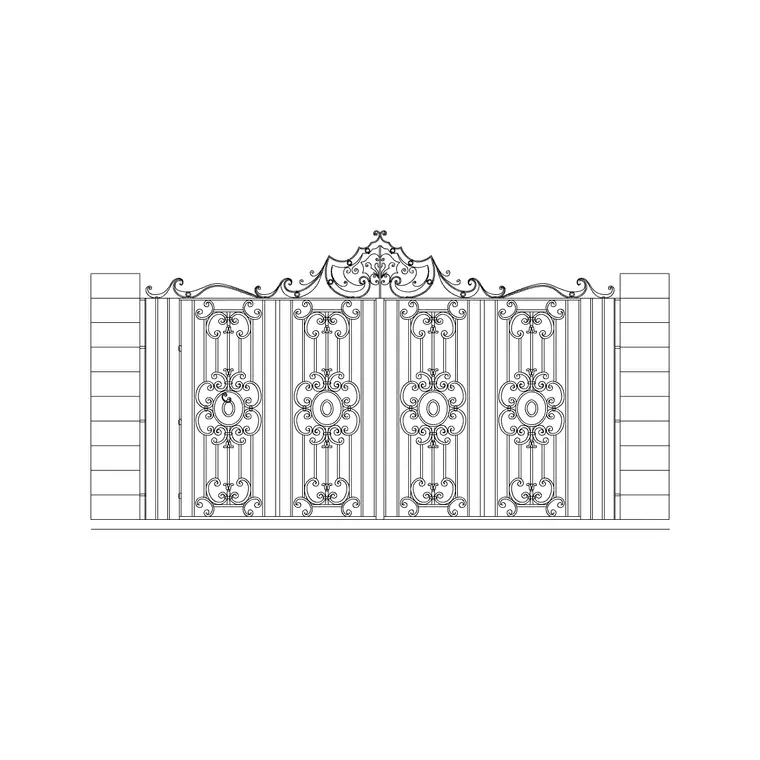
The block carries the gate panel — frame and bar or sheet infill — the opening, the hanging or guide posts, and the slide-back path the gate travels along when open. For a cantilever gate it also shows the counterweight tail that runs past the opening. Gate, track and slide path sit on separate layers so you can show the slide on a clearance plan and hide it on an elevation.
A sliding vehicle gate opening commonly sits around 3.0–6.0 m; the slide-back run behind it needs to be at least the gate width (more for a cantilever, to house the tail). Because the gate is a block, the slide path is drawn to the true gate length and moves with it.
Why the slide-back path is the key view
The plan showing the open position is the most important drawing of a sliding gate. The gate retreats fully behind the opening, so you need a clear, straight run alongside the boundary at least as long as the gate, and for a cantilever gate roughly half as long again for the counterweight tail. Draw that path and you immediately see whether it runs into a return wall, a step, a tree or a parking bay.
This is the sliding gate's whole advantage: zero swing into the drive. But it trades that for length alongside the boundary, so the plan check is about the run, not the arc — and it is far cheaper made on the drawing than discovered on site.
Tracked vs cantilever sliding gates
A tracked sliding gate runs on a ground rail with rollers, which is simple but needs a clean, level track kept clear of debris and ice. A cantilever sliding gate hangs from rollers on posts and spans the opening with no ground track, carried by a counterweight tail behind the opening — better where the threshold must stay clear or the ground is uneven.
The block can represent either: the tracked version shows the ground rail across the opening; the cantilever version shows the longer slide-back tail and no threshold rail. Decide which suits the site early, because it changes the slide-back length you must keep clear.
Typical sliding gate sizes
Use these as planning ranges. A sliding vehicle gate opening commonly sits around 3.0–6.0 m; gate height usually matches the boundary at around 1500–2100 mm. The clear slide-back run behind the opening should be at least the gate width for a tracked gate, and roughly 1.4–1.5 times the opening for a cantilever gate to house the counterweight tail.
These are sketching ranges, not a spec — the vehicle, the boundary length, the track or cantilever system and any local rule set the real figures. The block lets you test the opening and the slide-back run at a realistic size before detailing the automation.
Inserting and checking the slide
The block is drawn full size in millimetres: insert at scale 1 in a millimetre drawing, 0.001 in a metre drawing, or set INSUNITS to millimetres for automatic rescaling. Snap the insertion point to a guide-post centre on the boundary line.
In plan, copy the gate panel along the slide path to its fully open position so you can see the open footprint, then keep that open ghost on its own layer for the clearance check. If the open gate runs into an obstruction, the plan tells you to flip the slide direction or lengthen the boundary run before you commit — the same decision a swing gate makes with its arc.
Where sliding gates are used
Sliding gates suit tight urban drives with no room to swing, sloping entrances where a swing leaf would foul a falling drive, industrial and commercial yards with wide openings, and automated entrances where a single motor drives one panel. Pair the gate with the boundary wall, fence, pedestrian-gate and pier blocks in the outdoor set to complete the entrance.
The file is licence-clear, so it carries from a concept entrance to a planning drawing and into a fabrication or gate-automation layout without a redraw. It suits residential, industrial and student work alike.
Free download
Browse the full library — DWG & DXF, no signup.
Questions
Frequently asked
Does the block show the slide-back path?+
Yes. The plan carries the gate's open position and slide-back path on its own layer so you can confirm the run behind the opening is clear, then hide it for the final drawing.
How much room does a sliding gate need behind the opening?+
At least the gate width for a tracked gate, and roughly 1.4–1.5 times the opening for a cantilever gate to house the counterweight tail. Draw the open position in plan to confirm the run is clear.
Can it represent a cantilever gate?+
Yes. The cantilever arrangement shows the longer slide-back tail and no ground track, while the tracked arrangement shows a ground rail across the opening — choose the one that suits your threshold and ground.
What scale should I insert it at?+
Full size in millimetres. Insert at scale 1 in a millimetre drawing, 0.001 in a metre drawing, or set INSUNITS to millimetres for automatic rescaling on insertion.
Which programs open the DWG?+
It targets AutoCAD 2004 and later and opens in current AutoCAD, AutoCAD LT, BricsCAD, DraftSight and free online DWG viewers.
Related downloads
Blocks for this guide
Related categories
Related guides
Block landing
Free Bar Table CAD Blocks — DWG Download
Download free bar table CAD blocks in DWG and DXF — round, square and rectangular high bar tables in plan and elevation for AutoCAD. No signup, commercial-use OK.
Block landing
Free Restaurant Table CAD Blocks — DWG Download
Download free restaurant table CAD blocks in DWG and DXF — 2, 4 and 6 cover tables with chairs drawn in plan and elevation for AutoCAD. No signup, commercial-use OK.
Block landing
Free Restaurant Chair CAD Blocks — DWG Download
Download free restaurant chair CAD blocks in DWG and DXF — dining, cafe and side chairs plus baby high chairs in plan and elevation. No signup, commercial-use OK.