Block landing · sink with counter cad block
Sink with counter CAD block in DWG and DXF
By Sumana Kumar · Published 23 Jan 2022 · Updated 29 Apr 2026
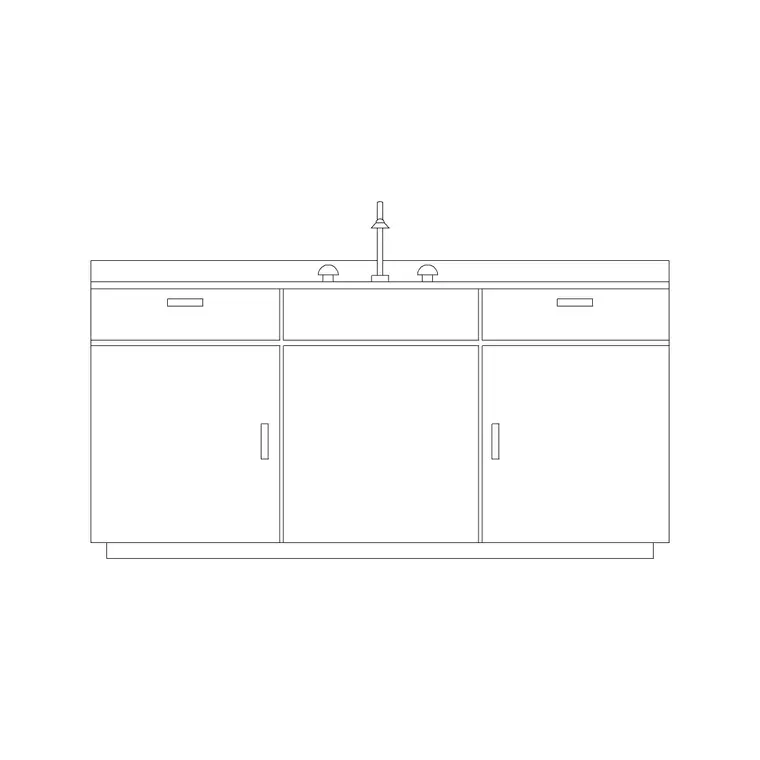
A sink with counter block draws the basin together with a length of worktop, so you are not just placing a bowl but a whole wet-zone slab — the sink, the surrounding counter and, on a section, the worktop edge and the bowl dropping below it. This is the block to reach for when you want the sink shown in context as part of the counter run, especially on a section or a joinery drawing where the relationship between bowl and worktop is the point. This page gives you a free sink with counter CAD block in DWG and DXF, drawn at true millimetre dimensions for AutoCAD 2004 or later, free for personal and commercial work with no signup or watermark.
Because the counter is included, the block tells you how the sink reads within the worktop depth, where the tap deck falls on the slab, and how the basin sits relative to the front and back edges. Drop it onto a plan or a section and the wet zone is drawn in one move instead of assembling a bowl and a separate counter line by hand.
What a sink with counter block shows
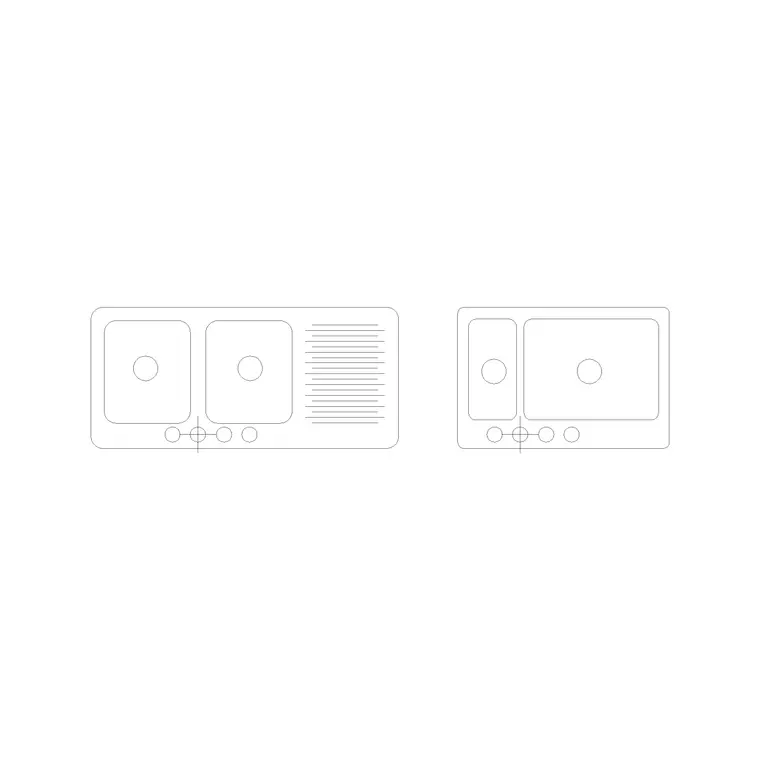
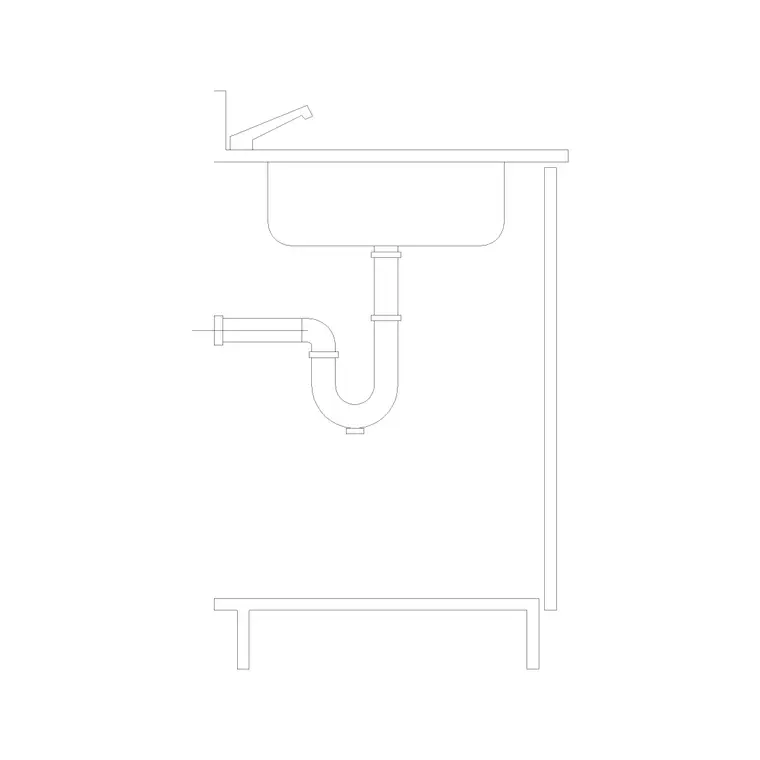
The block combines a sink bowl with a length of worktop around it. In plan you see the counter outline, the bowl cut-out within it and the tap deck behind; in section you see the worktop slab, the bowl hanging below and the tap rising above. The counter is the defining inclusion — it places the sink in the worktop rather than floating it in space, which is exactly what a section or joinery drawing needs.
It is built as a single block reference so the counter, bowl and tap move together. The worktop edge, the bowl line and the tap are drawn as sensible sub-elements so you can recolour the counter for a joinery sheet or freeze it on a general arrangement plan where only the bowl matters.
Views and what's included
This block is most useful in plan and section together. The plan sets the sink within the counter run for the layout; the section, where supplied, is the strong view, showing the worktop slab, the bowl dropped beneath it and the tap deck — the assembly a joiner or worktop fabricator works from. A side elevation may also be supplied to show the counter front and the sink within it.
Use the plan to position the wet zone and the section to detail it. Keep the tap as a separate element so you can specify the right mixer for the counter material from the faucet category. Because the counter is drawn to a real depth, the block reads honestly against the cabinet run below it.
Typical sink and counter sizes
Use these as ranges. The counter is conventionally drawn at 600 mm deep with a 900 mm finished worktop height, which is the standard kitchen module the bowl sits within. The sink itself follows the usual bowl family — a single bowl in the region of 450–600 mm, a double wider — set back from the front edge to leave a tap-deck strip and forward of the back edge to clear any upstand.
Bowl depth typically runs about 150–220 mm below the worktop. The length of counter drawn around the sink is the part that varies by block; it shows enough worktop to read the sink in context, and you extend or trim the counter line to suit your run. Check the bowl position against the cabinet beneath so the cut-out clears the carcass sides.
How to insert, scale and place the block
The block is drawn full size in millimetres. Insert at scale 1 in a millimetre drawing, 0.001 in a metre drawing, or set INSUNITS to millimetres so AutoCAD rescales an imperial template on insertion. Use INSERT or drag the DWG from a tool palette.
Snap the insertion to a counter corner or the bowl centre so the slab registers against your worktop run, then rotate to align with the cabinets. Place the section block on the sheet where you detail the worktop, not just the plan. Put the counter on a joinery layer and the sink on a sanitary-ware layer so you can produce a clean plan, a fitted plan and a detailed section from one drawing, and use BEDIT once if you adjust the bowl or counter.
Where sink-with-counter blocks are used
This block suits any drawing where the sink needs to be read as part of the worktop: kitchen sections, joinery and millwork sheets, bathroom vanity counters, utility-room worktops and reception or pantry counters. It is the natural choice when you are detailing the worktop rather than just laying out the room, and it carries the bowl-to-counter relationship that a bare sink block leaves out.
Plan the sink-with-counter alongside the cabinet run and the worktop material, and coordinate the section with the joiner or worktop supplier. Pair the block with the cabinet, hob and appliance blocks in the kitchen set, and keep the joinery and sanitary-ware on layered drawings so the section detail stays clear of the general plan.
Free download
Browse the full library — DWG & DXF, no signup.
Questions
Frequently asked
What does the sink-with-counter block include?+
It draws the sink bowl together with a length of worktop around it, so you see the basin within the counter in plan and, where supplied, the worktop slab with the bowl beneath it in section.
Why use a sink-with-counter block instead of a bare sink?+
When you are detailing the worktop rather than just laying out the room, the counter shows how the bowl sits in the slab — the relationship a joiner or worktop fabricator needs and a bare bowl block leaves out.
What height is the counter drawn at?+
The counter is conventionally drawn at a 900 mm finished worktop height and 600 mm depth, the standard kitchen module. The block is true-scale, so check it against your cabinet run.
Is the sink with counter block free for commercial use?+
Yes. It downloads free in DWG and, where available, DXF, with no signup, watermark or attribution, and it is cleared for commercial project drawings.
Related downloads
Blocks for this guide
Related categories
Related guides
Block landing
Free Sanitary Fixtures CAD Blocks — DWG Download
Download free sanitary fixtures CAD blocks in DWG and DXF — WCs, wash basins, urinals and sinks in plan and section for AutoCAD sanitary plans.
Block landing
Free Kitchen Faucet / Mixer Tap CAD Block — DWG
Download free kitchen faucet and mixer tap CAD blocks in DWG and DXF — monobloc and pull-out mixers in plan and elevation. No signup, commercial OK.
Block landing
Free Kitchen Sink Unit CAD Block — DWG Download
Download free kitchen sink unit CAD blocks in DWG and DXF — single, double and 1.5-bowl sinks with drainers in plan and section. AutoCAD 2004+, no signup.