Block landing · kitchen faucet cad block
Free kitchen faucet and mixer tap CAD blocks
By Saumyajit Maity · Published 2 Oct 2022 · Updated 4 Jun 2026
The kitchen faucet is a small block with an outsized job: it fixes where the sink can go, how far the spout reaches, and how much clearance you need behind the worktop. Although it is a minor object on the plan, drawing it to scale matters because the spout reach and swing govern whether the tap actually serves the bowls beneath it. This page collects free kitchen faucet and mixer tap CAD blocks in DWG and DXF — single-lever monobloc mixers, high-arc gooseneck mixers, pull-out and pull-down spray taps, and bridge mixers — drawn full size for AutoCAD 2004 or later, free for personal and commercial use with no signup or watermark.
A tap is one of the few kitchen blocks where the elevation carries as much weight as the plan, because the spout height and arc are what clear the bowl and the splashback. Used well, a scaled faucet block lets you set out the tap hole, check the reach over a double bowl, and confirm the clearance to a wall cabinet or window above — all the things that turn into site problems when the tap is just a symbol.
What a kitchen faucet block represents
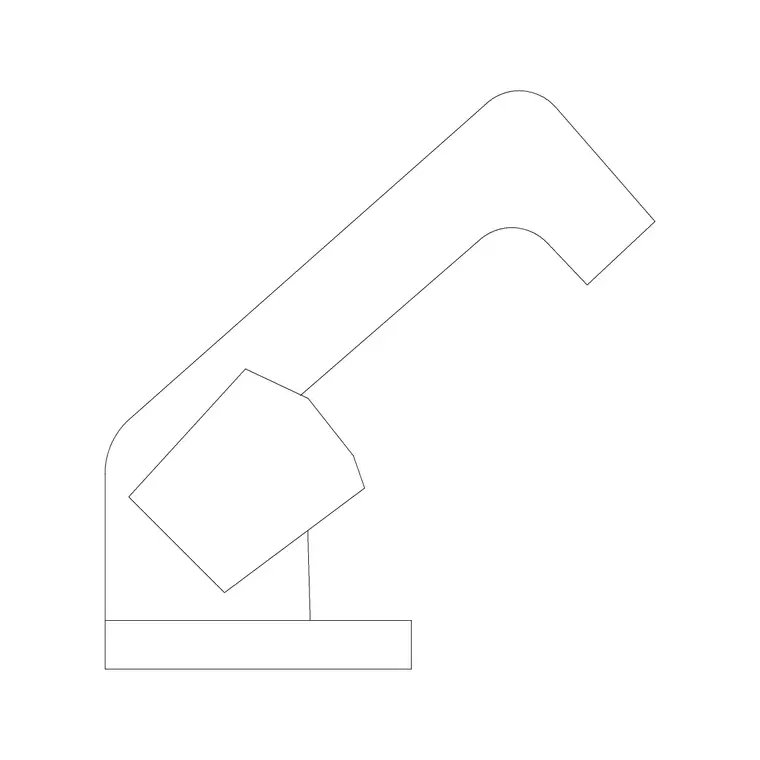
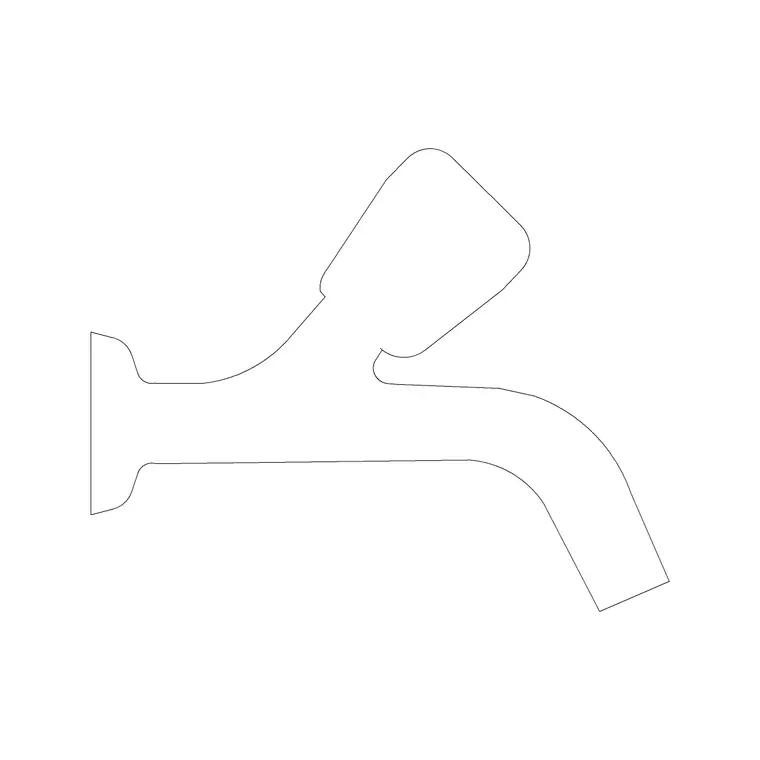
A kitchen faucet — or mixer tap — is the single fitting that delivers hot and cold water to the sink, usually from one body with a single lever. In a CAD block it is drawn as the spout and body in elevation, showing the height and the arc, and as a compact footprint in plan marking the tap hole and the spout's swing radius over the bowls. The plan footprint is small but important: it is what you snap to the sink's tap ledge and what tells you whether the spout can swing between a double bowl.
The set covers the mixer types you actually specify: a low single-lever monobloc, a high-arc gooseneck mixer for filling tall pots, a pull-out or pull-down spray mixer whose head detaches on a hose, a professional spring-neck tap, and a two-handle bridge mixer. Each is a single block you place on the sink and rotate to the run, and because it is a block reference you can swap one mixer style for another across a drawing in seconds.
Elevation for height and reach, plan for the tap hole
The elevation is where a faucet block earns its place, because what matters about a tap is vertical: the spout height above the worktop, the arc of the spout, and the clearance up to a wall cabinet, a window or a splashback. The block draws the spout profile so you can check that a high gooseneck clears the underside of a wall unit, or that a pull-down spray has room above the bowl. On a sanitary elevation or a presentation drawing this profile is what reads as the tap.
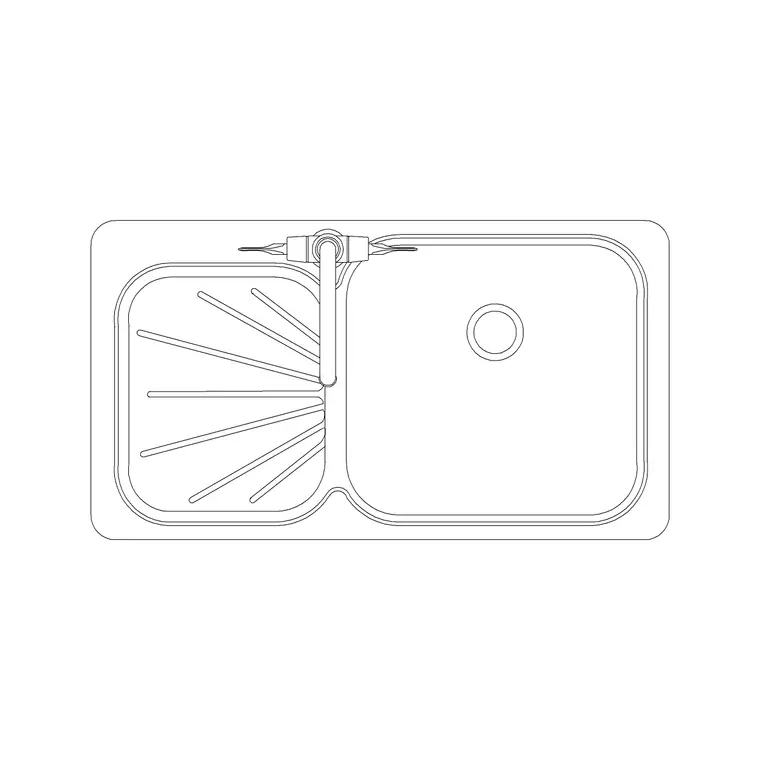
The plan view fixes the setting-out. It marks the tap-hole position on the sink ledge and shows the spout's swing radius so you can confirm the outlet reaches over both bowls of a double sink and into a drainer. Keep the elevation and plan on separate layers in the file so a layout plan pulls only the footprint and the tap hole, while the elevation pulls the full spout profile. The reach dimension in plan is the one that prevents a tap that looks fine but can't actually fill the far bowl.
Faucet dimensions to design around
Taps vary widely by style, so design around ranges rather than fixed numbers. Overall height of a standard monobloc: roughly 250–350 mm to the top of the spout; a high-arc gooseneck runs taller, around 350–500 mm. Spout reach (horizontal projection from the body to the outlet): commonly 200–250 mm, which is the figure that has to cover the bowl. Spout swing: many mixers rotate to serve a double bowl, so the swing radius in plan should reach both centres.
The tap hole is a single hole of around 32–35 mm diameter set in the sink ledge or the worktop behind the bowl. Clearance behind: leave room for the spout to clear a splashback or a low wall cabinet — a high tap under a low wall unit is a classic clash. Treat all of these as design-stage ranges that make the elevation and the reach check correct, and confirm against the chosen tap before final setting-out.
Placing the faucet on the sink
Insert the sink block first, then drop the faucet onto its tap ledge so the two coordinate as a set; in a millimetre drawing place at scale 1, or set INSUNITS to millimetres so AutoCAD rescales on insertion. In plan, snap the tap-hole point to the sink's ledge centre (or off-centre for a corner sink) and rotate the body so the spout faces the bowls. Then check the swing radius reaches both bowls of a double sink and clears the drainer.
In the elevation, place the spout profile rising from the worktop behind the bowl and confirm two clearances: up to any wall cabinet, window or splashback, and the spout height over the bowl so a tall pot or a pull-out spray has room to work. Because the faucet is a block reference, you can swap a monobloc for a gooseneck or a pull-out mixer in a moment if the clearance check fails, without redrawing the sink. For a run of basins in a utility or a commercial kitchenette, COPY the coordinated sink-and-tap pair along the run rather than placing taps individually.
Where kitchen faucet blocks are used
Faucet blocks appear wherever a sink does, which is more places than just the kitchen: residential kitchens and utility rooms, kitchenettes in offices and breakout areas, café and bar back-of-house, and laundry rooms. The same mixer block stands in on a utility-room sink or a boot-room trough, so the block does more than its name suggests, and it pairs naturally with the sinks-and-faucets fittings across a project.
Kitchen and interior designers use the faucet on presentation elevations where the tap is a visible part of the design. Plumbing and services designers use the plan footprint to set out the tap hole and coordinate the supply. Architects use it to confirm the reach over the bowl and the clearance under wall cabinets and windows. Pair the faucet with the sink unit, the base cabinets and the worktop to complete the wet zone, and keep it on the sanitaryware or fittings layer so it reads with the other plumbing fixtures.
Reach, swing and the clearances people get wrong
Two faucet mistakes recur often enough that a scaled block is worth the small effort. The first is reach over a double bowl: a tap whose spout is too short or whose swing radius doesn't reach the far bowl centre looks fine in elevation but is useless in practice. Drawing the swing radius in plan and checking it against both bowl centres catches this before it reaches site. The second is overhead clearance: a high-arc gooseneck or a pull-down spray placed under a low wall cabinet or a low window head fouls when the lever is raised, so the elevation has to test the tap against whatever sits above it.
For pull-out and pull-down spray taps there is a third consideration — the hose needs room to travel below the worktop, and the head needs clearance to be drawn out over the bowl — which the elevation and section should accommodate. Keep the faucet, the sink and the worktop on coordinated layers so a single drawing tests all three clearances together, and where a sink-and-tap pairing recurs across a project, WBLOCK the coordinated set so every wet zone reuses a known-good arrangement.
Free download
Browse the full library — DWG & DXF, no signup.
Questions
Frequently asked
How tall should a kitchen mixer tap be drawn?+
A standard monobloc is roughly 250–350 mm to the top of the spout, while a high-arc gooseneck runs around 350–500 mm. The block draws the spout profile so you can check clearance up to a wall cabinet, window or splashback in the elevation.
How do I check the tap reaches a double-bowl sink?+
Place the faucet on the sink in plan and check the spout's swing radius against both bowl centres. Spout reach is commonly 200–250 mm; if the swing doesn't cover the far bowl, swap to a longer-reach mixer block before the layout is fixed.
Do the faucet blocks include pull-out spray taps?+
Yes. The set covers single-lever monobloc mixers, high-arc gooseneck mixers, pull-out and pull-down spray taps, professional spring-neck taps and two-handle bridge mixers, each in plan and elevation.
Are the kitchen faucet blocks free for commercial use?+
Yes. Every faucet block downloads free in DWG and, where available, DXF, with no signup, no watermark and no attribution requirement, and they are cleared for commercial project use.
Related downloads
Blocks for this guide
Related categories
Related guides
Block landing
Free Kitchen Sink Unit CAD Block — DWG Download
Download free kitchen sink unit CAD blocks in DWG and DXF — single, double and 1.5-bowl sinks with drainers in plan and section. AutoCAD 2004+, no signup.
Curated pack
15 Free Kitchen Sink CAD Blocks — DWG & DXF in 2026
Download 15 free kitchen sink CAD blocks in DWG and DXF — single, double, 1.5-bowl, Belfast and corner sinks with drainers in plan. No signup needed.
How-to guide
How to Insert a Kitchen Sink Block in AutoCAD
How to insert a kitchen sink block in AutoCAD — download the DWG, fix units, run INSERT, snap it to the cabinet run and centre the bowl under the window.