Block landing · kitchen sink cad block
Free kitchen sink unit CAD blocks in plan and elevation
By Sumana Kumar · Published 19 Aug 2025 · Updated 19 Jun 2026
The sink is the fixed point a kitchen layout is built around — its position is usually set by the window, the plumbing and the drainage long before the cabinets are placed, so a correctly-drawn kitchen sink unit CAD block is one of the first things you drop into a plan. Get the sink right and the work triangle, the worktop cut-out and the tap all fall into place around it. This page collects free kitchen sink blocks in DWG and DXF — single-bowl, double-bowl and 1.5-bowl sinks, with and without drainers, in inset and undermount versions — drawn full size for AutoCAD 2004 or later, free for personal and commercial use with no signup or watermark.
A sink is read first in plan, because what matters is the footprint of the bowls and drainer on the worktop and the base unit it needs beneath. The section then carries the bowl depth and the way the sink sits in the worktop. Drawing it to scale lets you set the cut-out, coordinate the tap, and confirm the base unit width — the things that turn into expensive errors when the sink is just a rough box.
What a kitchen sink unit block represents
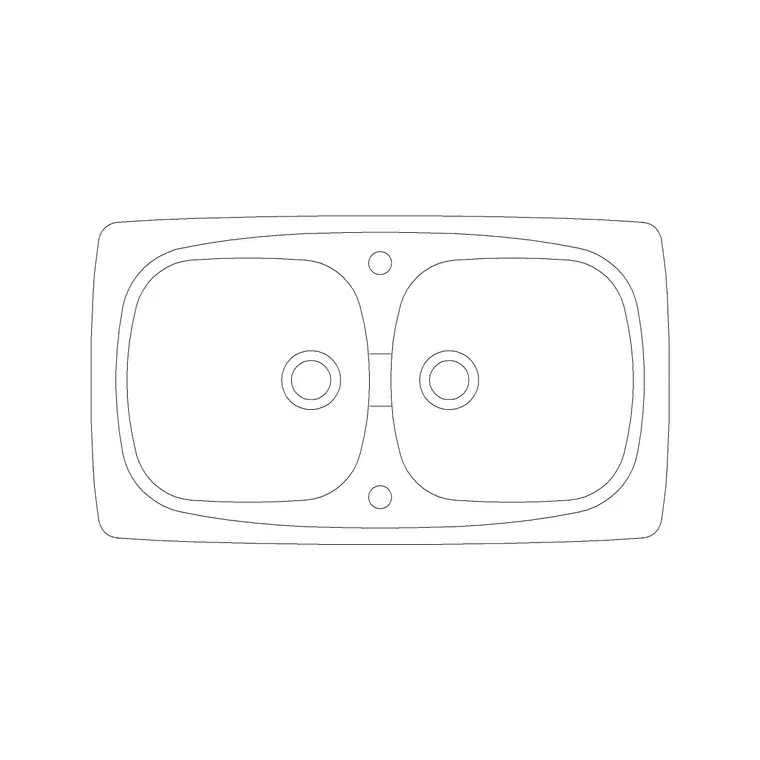
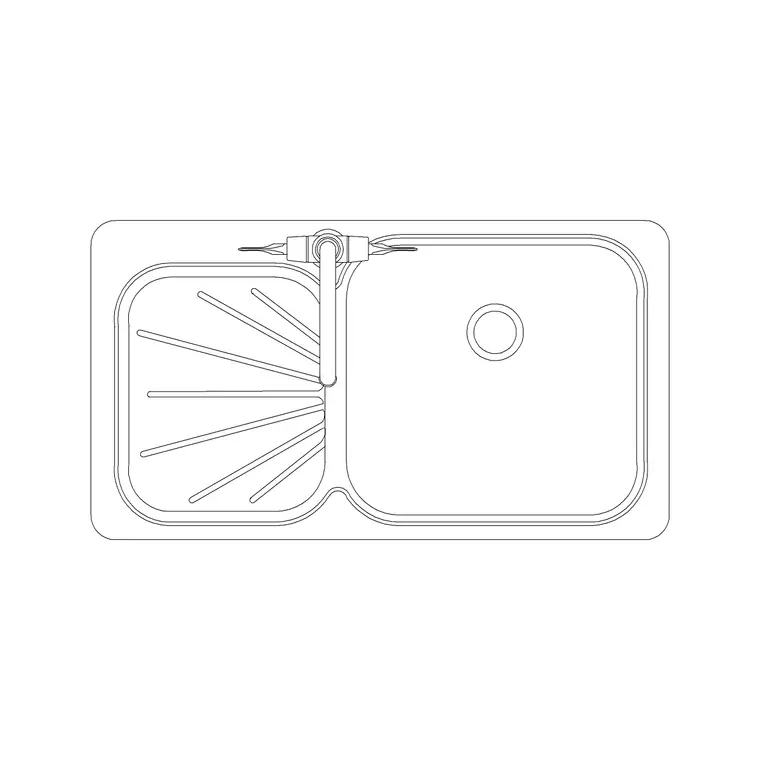
A kitchen sink unit is the bowl (or bowls) and drainer that sit in the worktop over a sink base cabinet, fed by the tap and connected to the waste below. In a CAD block it is drawn in plan as the bowl and drainer footprint on the worktop, with the tap-hole position marked and the cut-out outline shown, and in section as the bowl depth, the rim and the way the sink meets the worktop — inset (sitting on top with a rim) or undermount (fixed below for a seamless edge). The plan footprint is the key view because it sets the worktop cut-out and the base unit width.
The set covers the sinks you actually specify: a single-bowl sink for compact runs, a double-bowl for a busy kitchen, a 1.5-bowl that pairs a full bowl with a half, and versions with a single or double drainer. Inset and undermount variants are both included. Each is a single block you place on the worktop over the sink base, and because it is a block reference you can swap a single bowl for a double if the run changes.
Plan for the cut-out and base unit, section for the bowl
In plan the sink block shows the bowl and drainer footprint, the tap-hole position behind the bowl, and the cut-out outline for the worktop. This is the view that drives three coordinated decisions: the worktop aperture, the width of the sink base cabinet beneath, and the position of the tap. You place the sink in plan first because its location is usually fixed by the window and the drainage, and the rest of the layout settles around it.
The section carries the depth and the fixing. It shows the bowl depth, the rim detail, and whether the sink is inset (rim sitting on the worktop) or undermount (fixed below the worktop for a flush edge that wipes straight into the bowl). The section also shows the waste connection point under the bowl, which feeds the drainage coordination. Keep the plan footprint and the section on separate layers so a layout plan pulls the cut-out and the tap hole, while the joinery and services drawings pull the depth and waste detail.
Sink sizes and base units to design around
Sinks follow standard footprints that pair with standard base units, which is exactly what makes scaled blocks useful. Single-bowl sink: commonly around 500–600 mm wide overall, sitting in a 600 mm sink base. Double-bowl or sink-with-drainer: typically 800–1000 mm wide, needing an 800 or 1000 mm base. 1.5-bowl: around 1000 mm. Bowl depth in section: usually 150–200 mm. Add a drainer and the overall footprint grows by roughly 350–450 mm along the worktop.
The sink base cabinet must be wide enough to take the bowl, so a double-bowl sink needs a wider base than a single — a coordination the plan footprint makes obvious. Leave worktop surface in front of and behind the bowl for the rim and the tap ledge. As with every figure here, treat these as design-stage ranges that make the cut-out and the base unit coordinate correctly, and confirm the cut-out against the specific sink before the worktop is templated.
Placing the sink and coordinating the cut-out
Place the sink first in the plan, fixed by the window and the drainage; in a millimetre drawing insert at scale 1, or set INSUNITS to millimetres so AutoCAD rescales on insertion. Centre the bowl on the chosen base unit and snap the cut-out outline onto the worktop. Then coordinate three things around it: the sink base cabinet beneath (wide enough for the bowls), the tap behind the bowl (drop the faucet block onto the tap-hole position), and the waste below (which sets the drainage run).
In the section, set the inset or undermount detail — an undermount needs the worktop edge finished for a flush fit, an inset sits with its rim on top — and mark the bowl depth and the waste connection. Because the sink is a block reference, you can swap a single bowl for a 1.5- or double-bowl version if the run grows, then re-cut the worktop aperture to match. For a row of sinks in a utility or commercial kitchenette, COPY the coordinated sink-tap-base set along the run rather than placing each element separately.
Where kitchen sink blocks are used
Sink blocks anchor the wet zone in every kitchen drawing: residential kitchens, apartments, utility rooms and the back-of-house in cafés and light commercial kitchens. The same bowl-and-drainer block stands in on a utility-room sink, a boot-room trough or a laundry sink, so it serves across the plumbing fixtures of a whole project, and it pairs naturally with the faucet block from the sinks-and-faucets fittings.
Kitchen and interior designers use the sink to fix the work triangle and to develop the wet-zone elevation. Plumbing and services designers use the plan footprint and the section to set out the waste and supply and coordinate the drainage. Architects use it to confirm the sink base width and the worktop cut-out. Pair the sink with the base cabinets, the worktop and the faucet to complete the wet zone, and keep it on the sanitaryware or fittings layer so it reads with the other plumbing fixtures and the drainage coordination.
Drainage, the base unit and the cut-out, where sinks go wrong
A sink looks simple but coordinates three trades, which is why drawing it to scale repays the effort. The first coordination is the base cabinet: the sink base has to be wide enough for the bowls and is usually an open or false-front unit because the bowl and waste fill the carcass, so the plan footprint has to confirm the bowl fits the base — a double-bowl sink on a 600 mm base is a classic clash. The second is the worktop cut-out: the aperture must match the specific sink and the inset-versus-undermount detail, and a wrong cut-out in a stone top is costly, so the cut-out outline goes to the fabricator from the same block.
The third is the drainage: the sink's waste position sets where the trap and the waste pipe run, and on a sink against a wall that is straightforward, but on an island sink the waste has to travel under the floor — a constraint worth flagging early. Keep the sink, the base unit, the worktop cut-out and the waste on coordinated layers so the layout, the joinery and the services drawings each read from the same sink, and WBLOCK a coordinated sink-tap-base set so every wet zone reuses a known-good arrangement.
Free download
Browse the full library — DWG & DXF, no signup.
Questions
Frequently asked
What base unit does a double-bowl kitchen sink need?+
A double-bowl or sink-with-drainer is typically 800–1000 mm wide and needs an 800 or 1000 mm sink base, while a single bowl suits a 600 mm base. The plan footprint shows the bowl against the carcass so you can confirm it fits before fixing the run.
Do the sink blocks include inset and undermount versions?+
Yes. The set includes both inset sinks (rim sitting on the worktop) and undermount sinks (fixed below for a flush edge), shown in the section so you can detail the worktop cut-out correctly for each.
How deep are the sink bowls drawn?+
Bowl depth in section is usually 150–200 mm, with the overall footprint set by the bowl and drainer in plan. Treat these as design-stage ranges and confirm the cut-out against the specific sink before the worktop is templated.
Are the kitchen sink blocks free for commercial use?+
Yes. Every kitchen sink block downloads free in DWG and, where available, DXF, with no signup, no watermark and no attribution requirement, and they are cleared for commercial project use.
Related downloads
Blocks for this guide
Related categories
Related guides
Block landing
Free Kitchen Faucet / Mixer Tap CAD Block — DWG
Download free kitchen faucet and mixer tap CAD blocks in DWG and DXF — monobloc and pull-out mixers in plan and elevation. No signup, commercial OK.
Curated pack
15 Free Kitchen Sink CAD Blocks — DWG & DXF in 2026
Download 15 free kitchen sink CAD blocks in DWG and DXF — single, double, 1.5-bowl, Belfast and corner sinks with drainers in plan. No signup needed.
How-to guide
How to Insert a Kitchen Sink Block in AutoCAD
How to insert a kitchen sink block in AutoCAD — download the DWG, fix units, run INSERT, snap it to the cabinet run and centre the bowl under the window.