Block landing · roman composite column cad block dwg
Roman composite column CAD block in DWG
By Saumyajit Maity · Published 7 Jun 2026 · Updated 27 Jun 2026
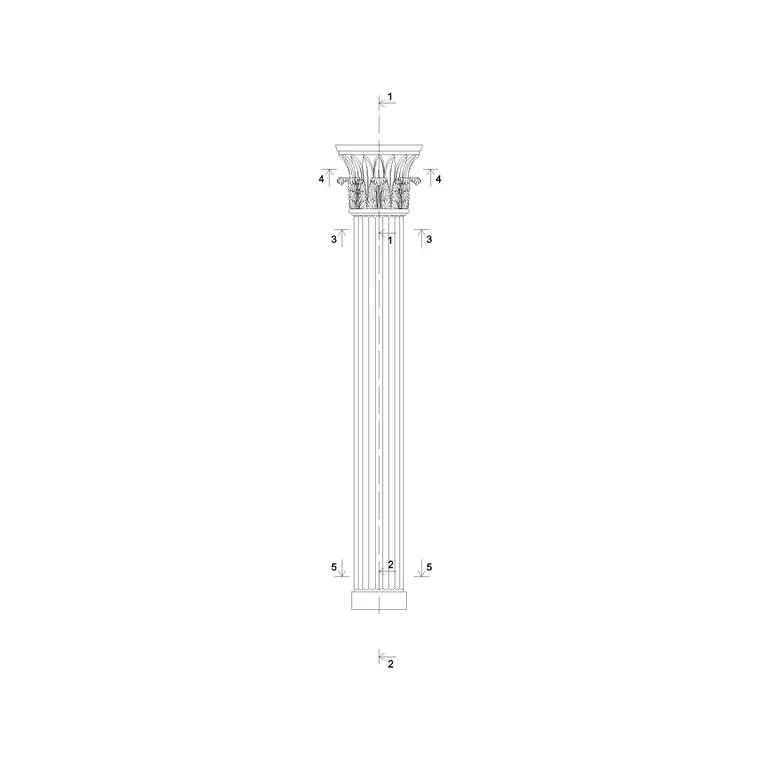
The Roman composite order is the showpiece of the classical family: its capital fuses the diagonal volutes of the Ionic with the acanthus leaves of the Corinthian, giving a column that is both tall and richly carved. This free Roman composite column CAD block puts that hybrid capital and its slender shaft into one DWG, drawn to scale and ready for AutoCAD 2004 or later. Like everything here it is free for personal and commercial work, with no signup, watermark or attribution line.
The composite order was the Romans' grandest, used on triumphal arches and imperial buildings, so this block suits the most formal facades — civic monuments, memorial arches, hotel and theatre fronts, and any scheme quoting Roman magnificence. Because it is correctly proportioned, you can set the colonnade rhythm and align the capitals to an entablature without wrestling with the geometry.
What the composite order combines
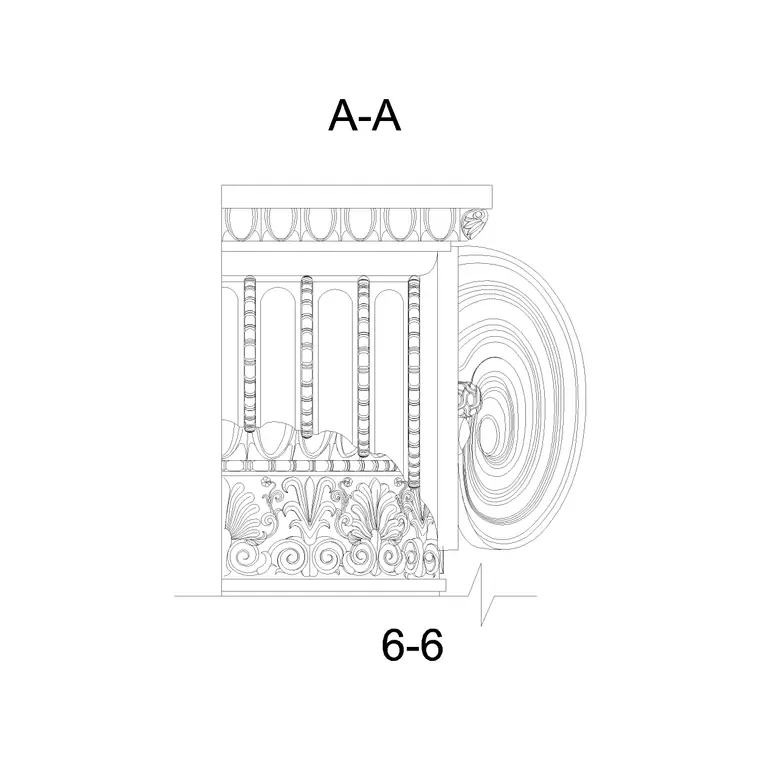
The composite capital takes the four large corner volutes of the Ionic order and sets them above a double row of Corinthian acanthus leaves, often with an egg-and-dart astragal between. The result is taller and bolder than a pure Corinthian cap, and it is the feature that makes this block worth downloading rather than drawing from scratch. The shaft beneath is slender, like the Corinthian, and usually fluted.
The drawing is 2D elevation linework, so the volutes, leaves and flutes are editable curves. You can hatch the shaft, thin the capital for a small scale, or push the carving detail further for a large-scale moulding sheet. Nothing is locked into a raster image.
Views and components in the file
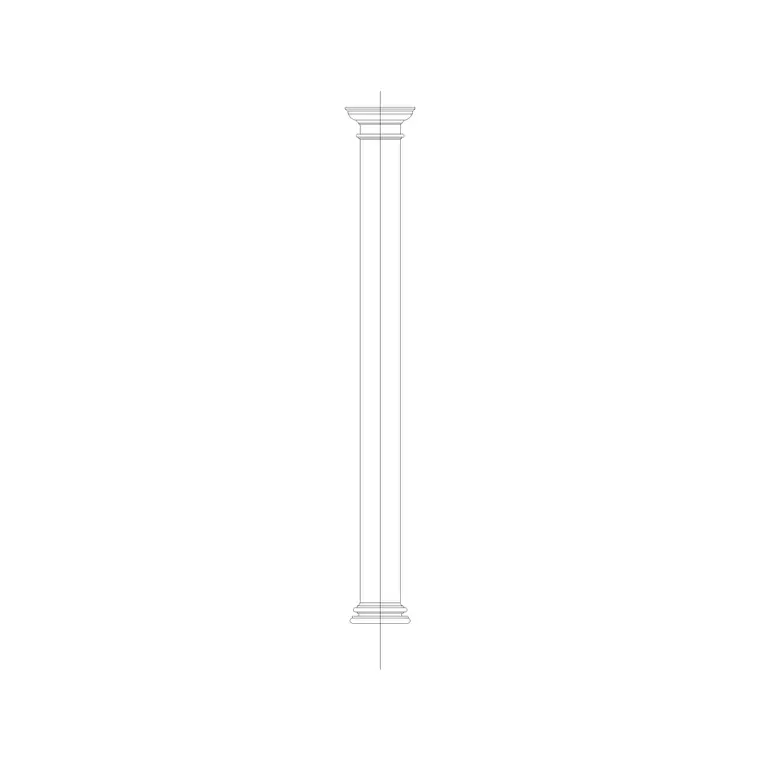
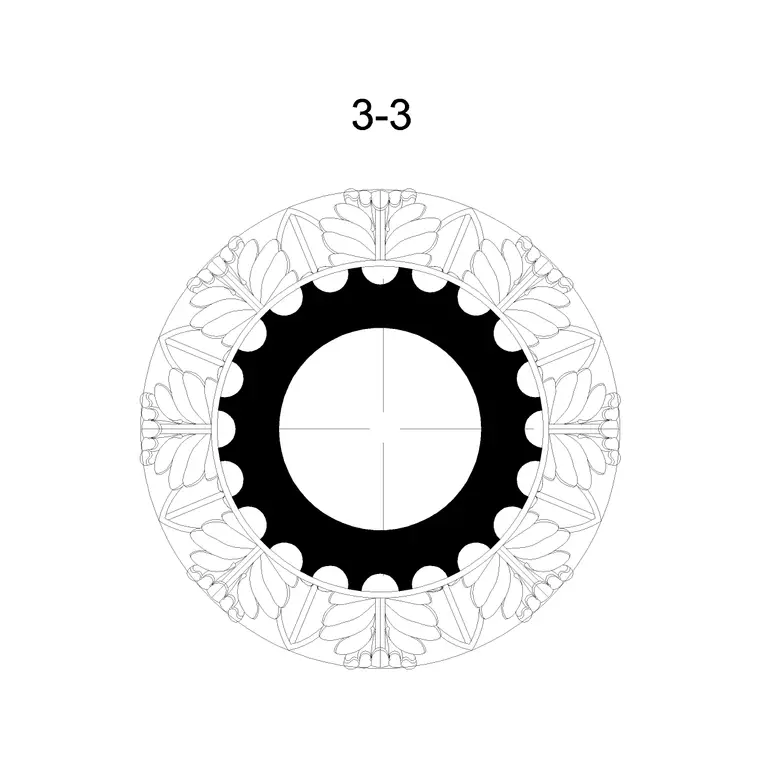
You are downloading the front elevation — the full column from base to abacus, the view that reads against a wall on a facade or portico. For arraying a colonnade you will also want a round column plan footprint, and for a shaft-profile drawing a column cross section; built on a single centreline they stay coordinated.
The composite capital is the standout component, so it is worth WBLOCKing the cap out on its own for reuse on engaged columns and pilasters elsewhere in the scheme. Keep the base, shaft and capital on separate sub-layers within the block so each can be controlled independently when you plot at different scales.
Proportions and sizing
Like the Corinthian, the composite column is slender — the shaft commonly runs around 9–10 lower diameters tall — but the capital is even taller than the Corinthian, often a little over one lower diameter high because of the stacked volutes and leaves. A column with a 600 mm lower diameter might therefore reach roughly 5.5–6 m to the top of the shaft, with the capital adding more again.
Fix the lower shaft diameter first, scale the whole block to it, and base, capital and flutes follow in proportion. External monumental columns can be very large; engaged composite pilasters in interiors are far smaller. Treat published proportions as ranges and confirm the exact column size against your own setting-out and any structural core the column conceals.
Inserting and scaling in AutoCAD
The block is full-size in millimetres. Insert at scale 1 in a millimetre drawing, 0.001 in metres, or set INSUNITS to millimetres in an imperial template so AutoCAD rescales on insertion. Run INSERT, browse to the DWG, snap to the base centre at floor level, and place on the column line; ARRAY at exact bay centres for a colonnade rather than eyeballing copies.
The composite capital carries the most vertices of any classical cap, so a long arcade of them can feel heavy in the editor. Keep the full-detail capital for the presentation issue and consider a simplified capital on the working drawings, swapping back for the final sheet. Put the column on its own layer so you can isolate the order from the wall behind.
Where the composite column is used
Its natural home is the grandest classical work: triumphal and memorial arches, government and court buildings, banks, theatres and the most formal hotel and house facades. Interior designers use composite columns and pilasters in double-height lobbies, ballrooms and grand stairs where the richest order is wanted. Exhibition and set designers reach for the silhouette as instant shorthand for imperial grandeur.
It is equally at home in restoration and record drawings of Roman-revival buildings, giving you an accurate, proportioned column to measure against. Being licence-clear, it drops onto student and competition boards with no sourcing concern. Combine it with the arch, entablature and cornice blocks in the same family to assemble a complete triumphal-arch or grand-portico composition.
Adapting the hybrid capital
The composite capital is where most edits happen. For a smaller scale, simplify the inner acanthus and keep only the strong volute silhouette so it plots cleanly. For a large detail, you can add the egg-and-dart astragal and the small rosette on the abacus face for full richness. Keep volutes, leaves and abacus on separate sub-layers so lineweights stay under control.
When you settle on a version, save it back through BEDIT so all instances update together, or WBLOCK the capital for reuse. Because the composite cap is symmetrical, mirroring it around a corner pilaster wraps the order cleanly without redrawing the carving.
Free download
Browse the full library — DWG & DXF, no signup.
Questions
Frequently asked
What is the composite capital made of?+
It combines the Ionic order's four corner volutes with the Corinthian order's acanthus leaves, usually with an egg-and-dart band between. That hybrid is the composite capital, and it is drawn here as editable elevation linework.
How does the composite column differ from the Corinthian?+
Both are slender and fluted, but the composite capital is taller and bolder because it stacks large Ionic volutes above the acanthus leaves. The shaft proportions are similar; the capital is the main visual difference.
Is the Roman composite column block free for commercial projects?+
Yes. It downloads free in DWG with no signup, no watermark and no attribution requirement, and it is cleared for commercial as well as personal and student use.
Can I use it for a triumphal-arch composition?+
That is one of its best uses. Pair it with arch, entablature and cornice blocks from the same family, set the columns to a colonnade rhythm with ARRAY, and align the capitals to the entablature line.
Related downloads
Blocks for this guide
Related categories
Related guides
Block landing
Free Classical Column CAD Blocks — DWG Download
Download free classical column CAD blocks in DWG — shaft, capital and base drawn in elevation and plan for AutoCAD. No signup, free for commercial use.
Block landing
Free Greek & Ionic Column CAD Blocks — DWG
Free Greek and Ionic column CAD blocks in DWG — fluted shafts and volute capitals drawn in elevation for AutoCAD. No signup, free for commercial use.
Block landing
Free Decorative Arch CAD Blocks — DWG Download
Download free decorative arch CAD blocks in DWG — round, segmental and classical archways drawn in elevation for AutoCAD. No signup, free for commercial use.