Block landing · rectangular dining table cad block
Rectangular dining table CAD block in DWG
By Saumyajit Maity · Published 24 May 2026 · Updated 18 Jun 2026
A rectangular dining table is the classic shape for formal dining and long rooms, and this page supplies it as a scaled DWG block across seat counts. The rectangle is the most space-efficient table footprint: it seats diners along both long sides and at the ends, runs neatly along a wall, and scales from a 1100mm four-seater up to a 3000mm ten-seater. The block is drawn full size in millimetres so it inserts at real dimensions into AutoCAD 2004 or later, and it is free for personal and commercial use with no signup, no watermark and no attribution.
Most dining rooms are rectangular, so a rectangular table usually packs the most covers into the space. Insert the correctly-scaled block and you can read straight away how many chairs fit each side, whether the ends are usable, and what circulation is left around the table.
What the rectangular dining table block is
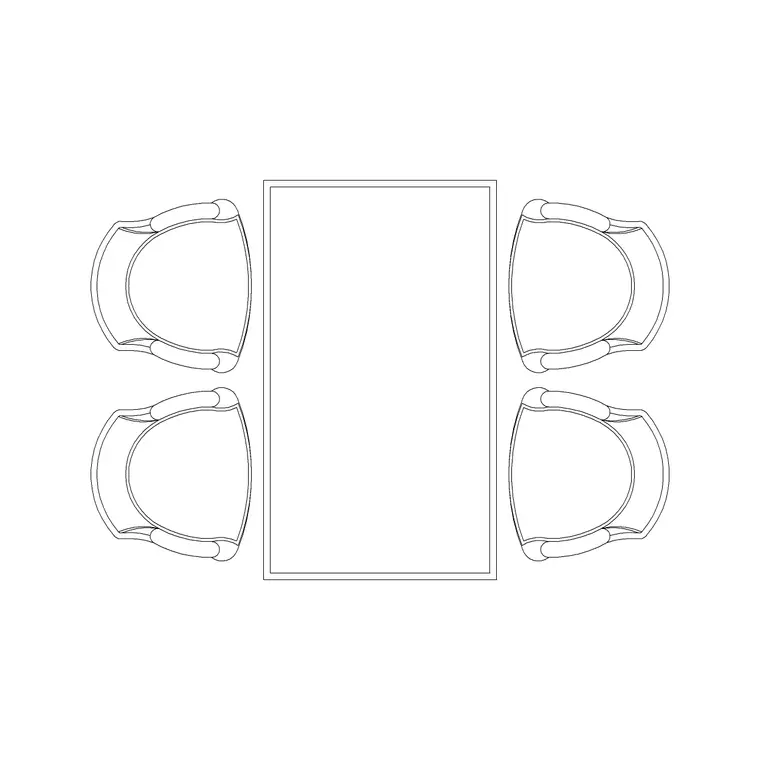
This block represents a rectangular dining table, supplied as a single plan-view block reference. The outline is the long four-sided top, with the legs or trestle base shown inside so you can judge knee room and where chairs tuck along the sides and ends. Depending on the version, it seats anywhere from four to ten.
As a block it copies, rotates and arrays as one object, and several rectangular tables push end to end into banquet runs. Editing the definition updates every instance at once. The geometry is drawn to true dimensions, so the length, width and chair spacings you measure are reliable. Where the source DWG carries an elevation, you also get the side profile for interior elevations and sections.
Views and what is included
The plan view is the working view: the long top from above, placed and then flanked with chairs along the sides and ends. It governs clearance checks against walls, sideboards, serveries and the circulation around and behind the table.
Keep the table on a dedicated furniture layer so you can freeze it for a structural plan and thaw it for the furnished layout from the same drawing. When a download bundles several views in the same DWG, insert the plan for layout work and freeze or explode the rest. The file is AutoCAD 2004 format and opens in current AutoCAD, AutoCAD LT, BricsCAD, DraftSight and free DWG viewers without conversion.
Typical sizing to design around
Rectangular dining tables scale with seat count: about 1100–1200mm long for four, 1500–1800mm for six, 2000–2400mm for eight and 2700–3000mm for ten, all around 850–1100mm wide. Allow about 600mm of edge per diner along the sides, and add a chair at each end where the length allows.
Dining height holds around 720–760mm with the apron clearing roughly 600mm for chairs. A rectangular table is efficient on floor for its capacity, but still keep at least 900mm of clear space behind each chair, rising to 1100mm where people circulate, and leave room to pull out the end chairs. Use these as ranges to verify the room, not fixed specs on the block.
How to insert and scale the block
The DWG is drawn in millimetres. Insert at scale 1 in a millimetre drawing, 0.001 in a metre drawing, or set INSUNITS to millimetres so AutoCAD rescales on insertion; 0.03937 converts to inches on a US imperial template.
Run INSERT or drag the file from a palette, and pick the insertion point at the geometric centre of the top so the table rotates predictably when you align it to a wall or axis. Set the current layer to your furniture layer first. As a single block reference the rectangular table arrays end to end into banquet runs, and BEDIT lets you change the definition once to update every copy together.
Where the rectangular table is used
The rectangular table suits formal dining rooms, long open-plan kitchen-diners, apartments, restaurants and bistros, function and banquet rooms, boardroom-style settings and any room where the table runs along an axis. Its efficient footprint and the way it pushes into runs make it the default for seating larger parties.
Pair it with dining-chair, bench, sideboard and servery blocks from the furniture category to assemble a full dining or function scheme. As a licence-clear file it carries from concept to a coordinated FF&E or events drawing without re-drawing, and its versatility makes it a mainstay of student and competition boards needing correctly-scaled furniture.
Free download
Browse the full library — DWG & DXF, no signup.
Questions
Frequently asked
How long is a rectangular dining table for six or eight?+
Roughly 1500–1800mm long for six and 2000–2400mm for eight, both around 850–1100mm wide. Plan about 600mm of table edge per diner along the sides, plus end chairs where length allows.
Why choose a rectangular over a round table?+
A rectangle is the most space-efficient footprint, runs neatly along a wall, seats more for its area, and pushes end to end into banquet runs. Choose a round instead when sociability and a corner-free shape matter more than capacity.
What units and scale is the block drawn at?+
Full size in millimetres. Insert at scale 1 in a millimetre drawing, 0.001 in a metre drawing, or set INSUNITS to millimetres so AutoCAD rescales automatically when you insert the block.
Is the rectangular table block free for commercial use?+
Yes. It downloads free with no signup, no watermark and no attribution, and it is cleared for commercial use including restaurant, hotel, banquet and residential layouts.
Related downloads
Blocks for this guide
Related categories
Related guides
Block landing
Free Office Chair CAD Blocks — DWG Download
Download free office chair CAD blocks in DWG and DXF — task chairs, swivel chairs and executive seats drawn in plan and elevation, AutoCAD 2004+, no signup.
Block landing
Free Bar Table CAD Blocks — DWG Download
Download free bar table CAD blocks in DWG and DXF — round, square and rectangular high bar tables in plan and elevation for AutoCAD. No signup, commercial-use OK.
Block landing
Free Restaurant Table CAD Blocks — DWG Download
Download free restaurant table CAD blocks in DWG and DXF — 2, 4 and 6 cover tables with chairs drawn in plan and elevation for AutoCAD. No signup, commercial-use OK.