Block landing · porch swing cad block
Free porch swing plan CAD block in DWG and DXF
By Saumyajit Maity · Published 18 Nov 2024 · Updated 14 Jan 2026
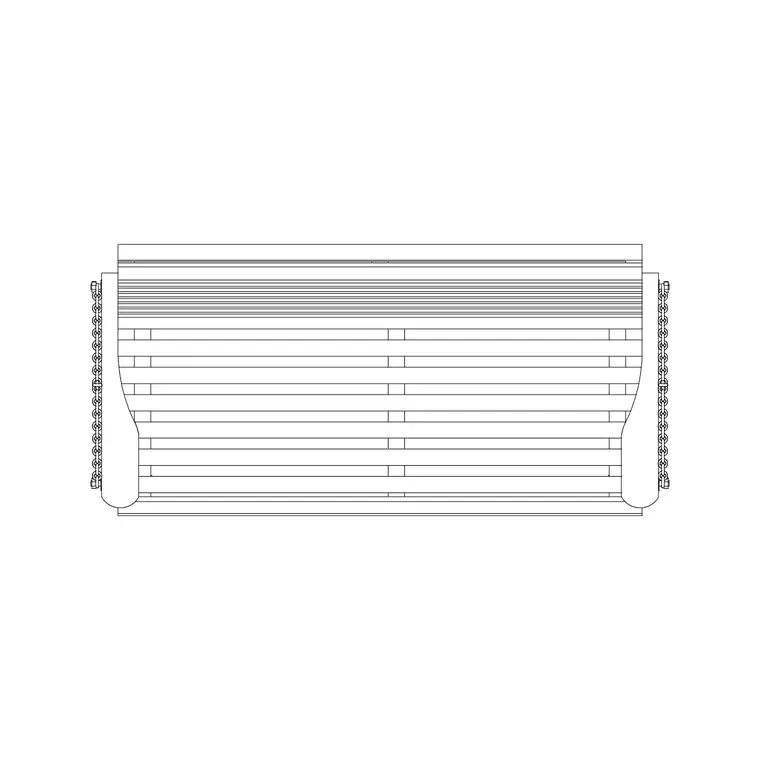
A porch swing is the classic suspended bench that hangs from a porch ceiling or a freestanding A-frame, and it is a small detail that makes a veranda or front-porch plan feel like somewhere you would actually sit. This page offers a free porch swing plan CAD block in DWG and DXF, drawn to scale from above and ready to insert into AutoCAD 2004 or later. It is free for personal and commercial use with no signup, no watermark and no attribution needed.
Unlike a single-seat hanging pod, a porch swing is a wide bench for two or three people, so its plan footprint is long and shallow, and the way it hangs matters: it needs depth in front and behind to rock without striking the rail or the wall. Dropping this scaled block into your porch plan lets you check exactly that, and confirm the swing leaves a clear path past it onto the porch.
What the porch swing block represents
This is a plan-view porch swing: a long bench seat seen from above, with the two or three hanging points that carry it back to the ceiling joists or the support frame. The plan reads as a shallow rectangle — the seat depth — stretched out to the bench width, which is the figure that decides whether the swing fits between two posts or spans the open bay of a porch.
What the plan gives you that a photo cannot is the hang geometry. The chains or ropes splay slightly outward to the fixing points, and the seat sits a set distance off the wall so it can rock. Drawing the swing to its real footprint, with that standoff included, is what keeps the porch layout honest.
Typical sizing for a porch swing
Use these ranges to scale and place the block. A two-seat porch swing bench is commonly in the order of 1100–1400 mm wide, and a three-seat bench runs longer; seat depth is typically in the 500–650 mm region, similar to an indoor bench. The seat hangs at a comfortable sitting height off the porch floor.
The critical clearances are front and back. Leave room behind the swing for it to rock toward the wall, and a clear band in front so a moving swing does not catch someone walking past. Keep a circulation path of porch floor clear of the swing's arc. Treat all of these as planning ranges and confirm the bench size and chain length from the real product before fixing anchor points.
Inserting the block in a porch plan
The block is drawn full size in millimetres. Insert at scale 1 in a millimetre drawing, 0.001 in a metre drawing, or set INSUNITS to millimetres so AutoCAD rescales on insertion. Run INSERT or drag the DWG in from a palette, and pick the centre of the bench as the insertion point so the swing is easy to position between porch posts.
Rotate the swing to hang parallel to the porch edge, usually facing the view or the street, and slide it back from the rail so the rocking clearance reads correctly. As a single block reference it copies and mirrors cleanly if you want a swing at each end of a long wrap-around porch.
Where porch swing blocks are used
Porch swings belong on residential front-porch and veranda plans, farmhouse and cottage schemes, cabin and lodge drawings, and hospitality projects with covered outdoor seating. They sit well alongside the decking, railing, planter and outdoor-bench blocks in the outdoor category when you are dressing a porch.
Because this block is free and clear to use, it is handy for concept elevations and lifestyle plans where a porch needs to read as inviting. The plan block also helps a builder: shown to scale against the ceiling joists, it makes clear where the hanging hardware has to land and whether the joist spacing supports it.
Layering and reuse
Keep the porch swing on a site-furniture or furniture layer so you can freeze it for a structural porch-framing plan and thaw it for the furnished version. Giving it its own colour separates the loose furniture from the porch construction, which a contractor will thank you for.
If the swing hangs from the structure, draw the swing on the furniture layer and note the fixing points on the framing layer so the two coordinate. Once the porch is resolved you can WBLOCK the swing with its side table and a planter as a porch vignette and reuse the arrangement across a row of similar units in a residential scheme.
Coordinating the swing with the porch framing
A porch swing is unusual among furniture blocks because it loads the building, so the plan is most useful when it talks to the structure above. When you place the swing in plan, mark where the chains or ropes rise to the ceiling, and check those points land on or near the ceiling joists rather than between them. A swing fixed to an unsupported board will eventually pull loose, and showing the hang points against the joist layout on the drawing is how you catch that before it is built.
The block also helps you confirm the swing fits the bay. A porch is divided into bays by its posts, and a wide bench swing has to hang within one bay without fouling a post when it rocks. Drop the scaled swing between two posts on the plan and you can see immediately whether the bench width and its swing arc clear the structure, or whether you need a narrower swing or a wider bay. Getting that relationship right on paper saves a return visit to re-hang a swing that catches a post on every backward push.
Free download
Browse the full library — DWG & DXF, no signup.
Questions
Frequently asked
Is the porch swing CAD block free for commercial drawings?+
Yes. It downloads free in DWG and, where offered, DXF, with no signup, watermark or attribution, and it is cleared for commercial use.
Is this a hanging swing or a freestanding one?+
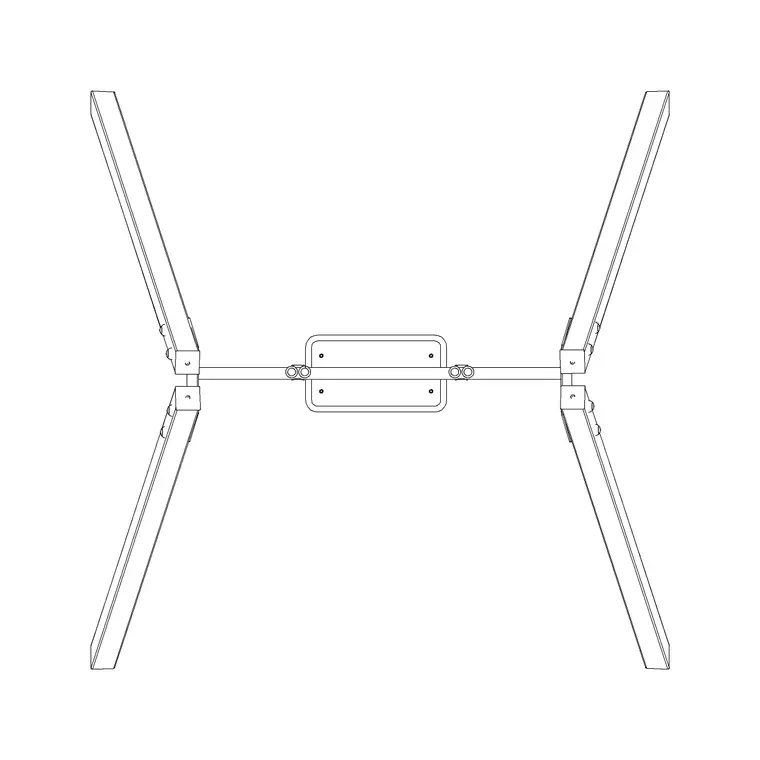
The plan block represents a hanging bench swing with its suspension points. The same footprint also suits a freestanding A-frame version once you add the frame legs around it.
How far off the wall should the swing hang?+
Leave enough standoff for the bench to rock toward the wall without striking it, plus a clear band in front for passers-by. Confirm the swing arc against the real chain length when fixing anchors.
Will the DWG open in free viewers and older AutoCAD?+
Yes. It targets AutoCAD 2004 and later and opens in AutoCAD, AutoCAD LT, BricsCAD, DraftSight and free online DWG viewers.
Related downloads
Blocks for this guide
Related categories
Related guides
Block landing
Free Bar Table CAD Blocks — DWG Download
Download free bar table CAD blocks in DWG and DXF — round, square and rectangular high bar tables in plan and elevation for AutoCAD. No signup, commercial-use OK.
Block landing
Free Restaurant Table CAD Blocks — DWG Download
Download free restaurant table CAD blocks in DWG and DXF — 2, 4 and 6 cover tables with chairs drawn in plan and elevation for AutoCAD. No signup, commercial-use OK.
Block landing
Free Restaurant Chair CAD Blocks — DWG Download
Download free restaurant chair CAD blocks in DWG and DXF — dining, cafe and side chairs plus baby high chairs in plan and elevation. No signup, commercial-use OK.