Room guide · poolside cad blocks
Free poolside area CAD blocks for AutoCAD
By Sumana Kumar · Published 27 May 2023 · Updated 28 Mar 2026
The poolside area is the apron of deck, paving, seating and planting that wraps a swimming pool — and it is governed by rules that no other outdoor room shares. Wet feet need slip-resistant, generous paving. Safety demands a compliant fence and self-closing gate around the water. Loungers and a dining set need their own dry zones out of the splash. These free poolside area CAD blocks give you the deck paving, loungers, seating, planters and pool fencing to lay one out at scale in AutoCAD, all in DWG.
The pool itself is usually drawn already; your job is the zone around it. That means a continuous walkable surround wide enough to circulate safely, a sunbathing zone of loungers, a shaded dining or lounge zone, a safety barrier with controlled access, and planting that softens without dropping leaves into the water. Each of those has a clearance and a position that the plan has to respect.
Everything is free for personal and commercial use, no signup, no watermark, and opens in AutoCAD 2004 or later. Start from the pool edge and the safety fence line, because the surround width and the barrier are what make a poolside safe and legal before it is beautiful.
What a poolside area must provide
A poolside area is the surfaced and furnished zone surrounding a swimming pool, used for sunbathing, dining, supervising swimmers and circulating safely around the water. It appears in homes, hotels, resorts and clubs, and wherever it appears it carries safety obligations that an ordinary patio does not. The water is an attraction and a hazard at once, so the design has to make movement around it safe and access to it controlled.
That gives the plan a fixed core of requirements: a continuous, slip-resistant surround wide enough to walk and place furniture without crowding the edge; a compliant barrier between the pool and the rest of the property; and clearly separated wet and dry zones so furniture and electrics stay out of the splash. Get those right and the loungers, shade and planting fall into place.
The surround: width and surface
The deck surround is the poolside's main surface and its main safety feature. Keep a continuous walkable margin around the entire pool — commonly 1.2 m or more on the circulation sides and wider where loungers sit — so no one has to edge along a narrow strip beside the water. Lay it in a slip-resistant paver pattern; the paving blocks give you textured options suited to a wet surface.
Fall the surround away from the pool so splash and rain drain to perimeter channels rather than back into the water or toward the house. Keep the exact fall for your section and let the paving direction carry it in plan. Where the surround widens into a sunbathing terrace, treat that as a furniture zone in its own right with room for loungers plus a path behind them.
Safety fencing and controlled access
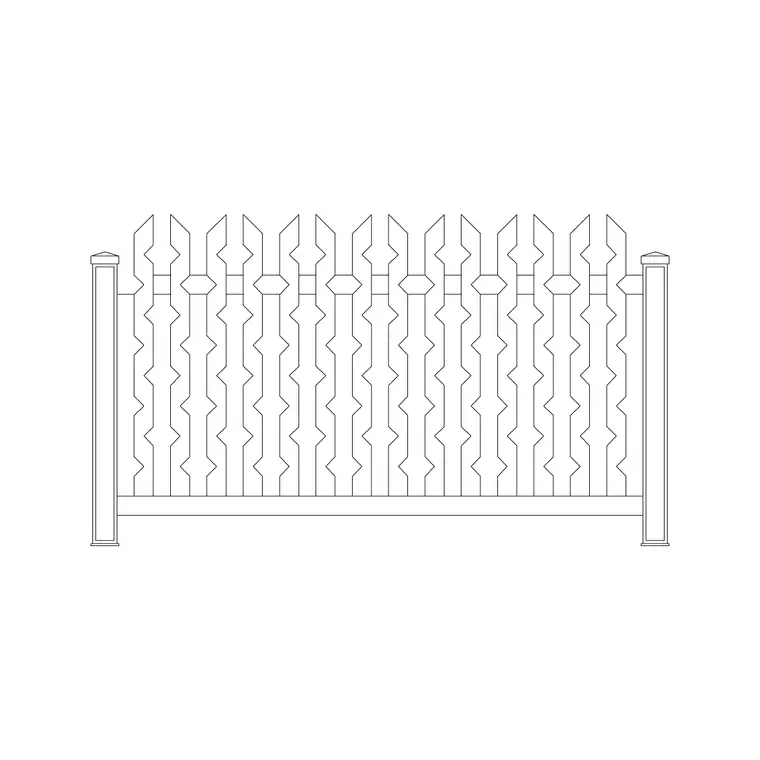
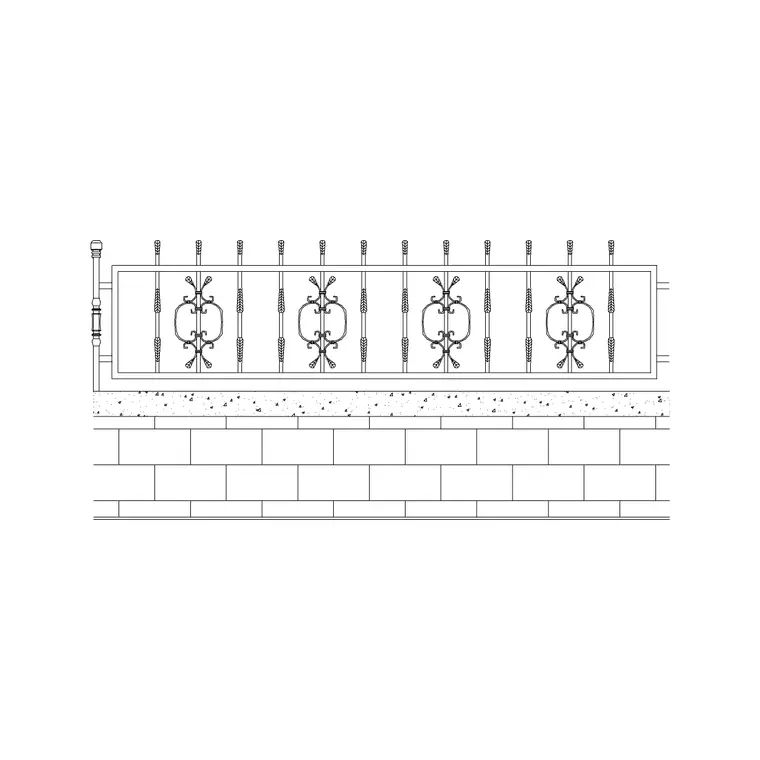
A pool fence is not optional in most jurisdictions, and it is the first safety element to draw. Run a barrier of compliant height around the pool zone with no climbable horizontal members, using a metal or iron fence block, and place a self-closing, self-latching gate as the only controlled entry. The blocks include iron and metal fencing, a metal fence with wall, and gate options.
Draw the gate swing and confirm it does not open onto the water or foul a lounger. Keep furniture and planters set back from the fence so they cannot be used to climb it — a lounger against a pool fence defeats the barrier. Let your local pool-safety regulation set the exact height, latch and gap figures; your plan's job is to show a continuous barrier with a single controlled access point.
Loungers, seating, shade and planting
Furnish poolside in dry zones set back from the water. A sunbathing zone of loungers lines the sunniest side, angled to the sun with a path behind them; a shaded lounge or dining zone with a three-seat sofa, swing seat or round table sits under cover or a pergola for relief from the heat. Keep a clear walking route between the furniture and the pool edge at all times.
Planting softens the hard surround but must be chosen and placed with the water in mind: keep leaf-dropping plants back from the pool so debris does not foul the water and the skimmer. Use potted plants and raised beds around the perimeter and as screens between zones, set back from both the pool edge and the safety fence. The goal is shade, privacy and softness without contaminating the water.
Laying out the poolside plan
Sequence from water to edge. First, draw the pool outline (and coping) and the drainage channels. Second, draw the continuous surround at a safe width, falling away from the pool. Third, run the safety fence around the pool zone with a single self-closing gate, swing shown. Fourth, set the sunbathing zone of loungers on the sunny side and a shaded dining or lounge zone out of the splash. Fifth, add perimeter planting and screens, set back from water and fence.
Keep pool, surround, fencing, furniture, planting and drainage on separate layers, and insert furniture, fences and gates as named blocks. Dimension the surround width, the clear route around the pool, and the fence line — these are the safety-critical figures a reviewer will check first on any poolside drawing.
Poolside mistakes to avoid
- A narrow surround: a strip too thin to walk safely around the water is dangerous and cramped. Keep a generous continuous margin. - A token or missing fence: the pool barrier is a legal requirement, not a nicety. Draw a continuous compliant fence with one controlled gate. - Climbable furniture at the fence: loungers or planters against the barrier let it be climbed. Set them back. - Leaf-droppers over the water: planting that sheds into the pool fouls the water and the skimmer. Keep it back from the edge. - Wet and dry zones mixed: dining and electrics in the splash zone is a hazard. Separate the wet surround from the dry furniture areas.
Free download
Browse the full library — DWG & DXF, no signup.
Questions
Frequently asked
How wide should the pool surround be?+
Keep a continuous walkable margin around the whole pool — commonly 1.2 m or more on circulation sides, wider where loungers sit — so no one edges along a thin strip beside the water. Lay it in a slip-resistant paver pattern and fall it away from the pool.
Do I have to draw a pool fence?+
In most jurisdictions, yes. A compliant barrier of the right height with no climbable members and a single self-closing, self-latching gate is a legal requirement around a pool. Draw it as a continuous fence and set furniture and planters back so the barrier cannot be climbed.
Where do loungers and dining furniture go?+
In dry zones set back from the water: loungers on the sunny side with a path behind them, and a shaded dining or lounge zone out of the splash, ideally under cover. Always keep a clear walking route between the furniture and the pool edge.
What planting suits a poolside?+
Use potted plants and raised beds as perimeter softening and screens, set back from both the water and the safety fence. Avoid leaf-dropping species near the pool so debris does not foul the water and the skimmer — keep messy planting well back from the edge.
Are the poolside blocks free for commercial projects?+
Yes. Every block downloads as DWG free for personal and commercial use, no signup or watermark, and opens in AutoCAD 2004 or later and most DWG-compatible CAD applications.
Related downloads
Blocks for this guide


Related categories
Related guides
Room guide
Free Balcony CAD Blocks — DWG Download
Free balcony CAD blocks in DWG — railings, compact seating, planters and pavers drawn to scale for AutoCAD apartment plans. No signup, commercial use OK.
Room guide
Terrace Garden CAD Blocks — Free DWG
Free terrace garden CAD blocks in DWG — raised planters, potted greenery, seating and paving to design a green roof terrace in AutoCAD. No signup.
Room guide
Rooftop Deck CAD Blocks — Free DWG
Free rooftop deck CAD blocks in DWG — lounge seating, railings, planters and decking pavers for roof terrace plans in AutoCAD. No signup, commercial OK.