Block landing · person on bicycle figure cad block
Free person on bicycle figure CAD block
By Sumana Kumar · Published 24 Feb 2026 · Updated 19 Jun 2026
A cyclist in a drawing is two pieces of information at once — a human scale and a mode of movement — which is why a person-on-bicycle figure does more work than a plain standing figure in any street or landscape scene. The block shows a rider on a bike in elevation, ready to populate a cycle lane, a streetscape, a park path or a campus route with believable active travel. This page provides a free person on bicycle figure CAD block in DWG and DXF for AutoCAD 2004 or later, free for personal and commercial use with no signup or watermark.
The figure suits the way places are increasingly drawn around movement. A cyclist on a cycle lane shows the lane being used and sets the scale of the carriageway, the kerb and the surrounding buildings in one move. For urban designers, landscape architects and transport-minded schemes, the rider communicates an active, contemporary street far more directly than a lone pedestrian, while still doing the scale job a figure is there for.
What the person on bicycle block shows
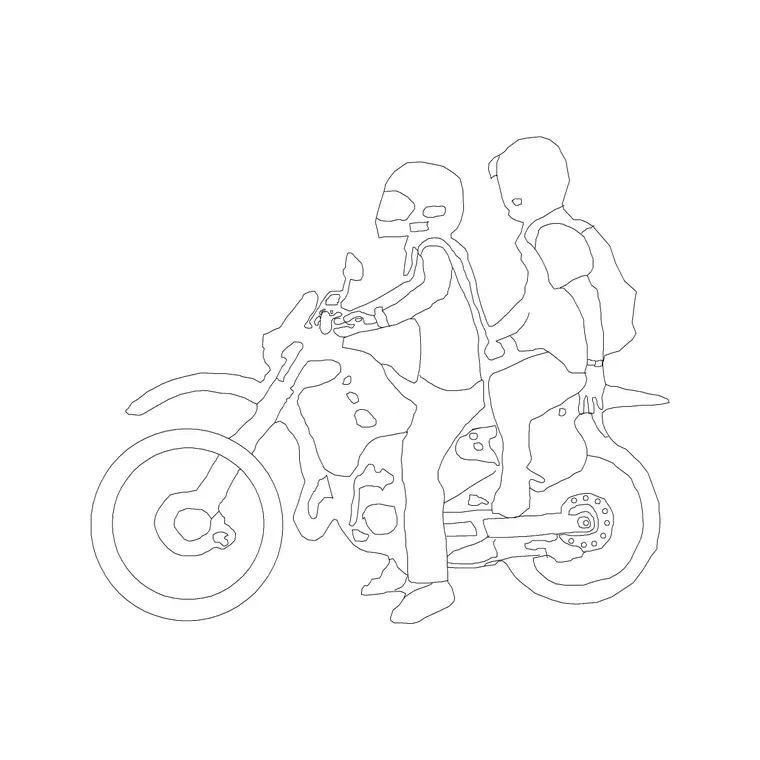
The block is a side-on elevation of a rider on a bicycle — the cyclist leaning slightly forward over the handlebars, with the bike's wheels, frame and the rider composed as a single recognisable unit. It is drawn as a clean silhouette so it reads instantly as someone cycling, animating the scene without cluttering it. The rider and bike together carry both the human scale and the activity.
Because it is one block reference, the cyclist inserts and moves as a unit and keeps the rider-and-bike relationship intact. As a block it never needs redrawing, so a single rider populates a whole cycle route, and editing the master updates every cyclist on the sheet at once — far tidier than redrawing a bike under each figure.
Streetscapes, cycle lanes, parks and campuses
The cyclist belongs in any scheme drawn around movement and active travel. In a streetscape or cycle-lane elevation it shows the lane in use and sets the scale of the road, kerb and frontage. In a park or greenway it animates a shared path and communicates the route's purpose. On a campus or in a masterplan it reads as everyday active travel, which is exactly the story those drawings often need to tell.
As a scale device the rider is useful because its overall height is familiar and its length gives a horizontal reference too — handy for judging the width of a lane or the length of a frontage. Combined with pedestrian figures at different distances, a few cyclists quickly build a believable, moving street scene rather than a static one.
Rider and bicycle dimensions to design around
The rider is at adult scale and the bike at typical adult-bicycle scale, so the combined figure carries a familiar overall height and length. As a design-stage guide, the top of a seated rider's head commonly sits somewhere around 1600 to 1800 mm above the ground depending on posture and bike type, and an adult bicycle is commonly around 1700 to 1900 mm long; treat both as ranges to read the streetscape against rather than fixed dimensions.
Keep the figure full size and uniform — do not stretch the rider or the bike independently, as that breaks the believable proportion of the pair. Set INSUNITS to millimetres so AutoCAD rescales on insertion if the block was built in other units, and mirror the whole block when the cyclist should travel the other way so rider and bike flip together.
Placing the cyclist in AutoCAD
INSERT the block and snap the wheels' contact point to your ground or road line with an endpoint OSNAP so the bike sits on the surface rather than floats. Place the cyclist along the cycle lane or path you have drawn, and use MIRROR on the whole block to set the direction of travel. Several cyclists at varied positions and a couple mirrored the other way read as two-way movement.
Keep the cyclist on a dedicated scale-figure or entourage layer, screened or non-plotting if it is presentation-only, so it shows in client PDFs but can be removed for construction. Maintain one master block for consistency, and avoid exploding it, which would separate the rider from the bike and lose the cycling read.
Building a moving street scene
A cyclist is a strong ingredient for an active streetscape. Mix it with walking pedestrians, standing figures and pairs at different distances, and add cyclists travelling both ways for a believable two-direction lane. For a top-down plan, use plan-view people and a plan cyclist if available, kept on their own block so elevation and plan stay separate.
The full people category collects walking, standing, group and active figures so you can populate a scheme from one consistent set. Keep the cyclist in the same drawing as your other entourage so they share insertion scale and layer conventions, and the finished street reads as one coherent, moving scene.
Free download
Browse the full library — DWG & DXF, no signup.
Questions
Frequently asked
Does the block include the bicycle?+
Yes — the rider and the bicycle are drawn together as a single elevation block, composed so they read instantly as someone cycling. They insert and move as one unit so the pairing stays intact.
How do I show cyclists travelling both ways?+
Place some instances as inserted and mirror others with MIRROR so the whole rider-and-bike flips together. Varying their positions along the lane reads as believable two-direction movement.
What overall height is the rider drawn at?+
At adult scale, with a seated rider's head commonly somewhere around 1600 to 1800 mm above the ground depending on posture and bike type. Treat that and the bike length as design-stage ranges, not fixed dimensions.
Is the cyclist free for commercial drawings?+
Yes. The DWG and DXF download is free for personal and commercial use with no signup, watermark or attribution, so it can go straight into streetscape, cycle-lane and masterplan presentations.
Can I use it to check cycle-lane scale?+
It gives a useful scale reference for lane width and frontage length thanks to its familiar height and length. For actual lane-width standards, confirm against the relevant local design guidance rather than the figure alone.
Related downloads
Blocks for this guide
Popular blocks to download
Related categories
Related guides
Block landing
Human Figure Plan CAD Blocks — Free DWG
Download free human figure plan-view CAD blocks in DWG — people seen from above, drawn to scale for floor plans and circulation. AutoCAD 2004+, no signup.
Block landing
Human Figure Elevation CAD Blocks — Free DWG
Free human figure elevation CAD blocks in DWG — people drawn front-on and in profile to scale your sections and streetscapes. AutoCAD 2004+, no signup.
Block landing
Standing Person Scale Figure CAD Blocks (Free)
Free standing person scale figure CAD blocks in DWG — clean, true-height figures to set the scale of plans, sections and elevations. AutoCAD 2004+, no signup.