Block landing · human figure elevation cad block
Free human figure elevation CAD blocks
By Saumyajit Maity · Published 14 Jan 2025 · Updated 23 Jan 2026
An elevation drawing without a person in it is hard to read. Show a wall, a doorway or a shopfront on its own and the eye has nothing to measure it against; add a human figure and the whole drawing snaps into scale. This page collects free human figure elevation CAD blocks in DWG — people drawn front-on and in profile at true height — ready to insert into AutoCAD 2004 or later. Everything is free for personal and commercial work, with no signup and no watermark.
Elevation figures are what architects call scale figures: their main job is to give a section, an elevation or a streetscape a believable human reference. A person standing beside a door instantly tells the viewer how tall that door is, and a figure on a pavement sets the storey heights of the building behind. Use these blocks in building elevations, interior elevations, sections, shopfront drawings and presentation views wherever the drawing is seen from the side.
What an elevation human figure includes
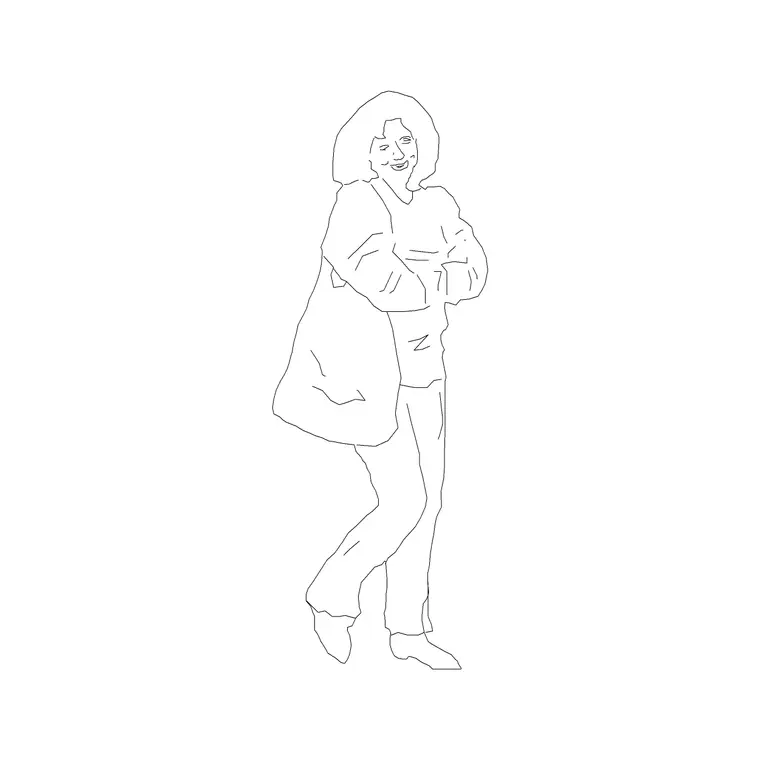
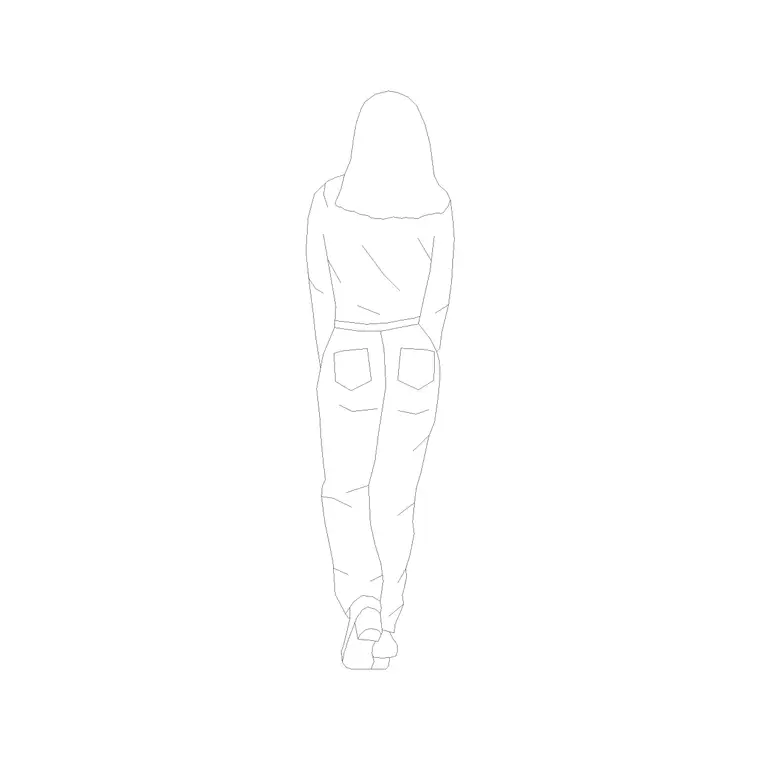
An elevation figure is a side-on or front-on silhouette of a standing person, drawn at full height so it reads correctly against the building. The best blocks keep the outline clean and slightly stylised rather than photo-realistic, because a busy figure pulls attention away from the architecture, which is supposed to be the subject of the drawing.
Many figures are drawn in relaxed standing or walking poses, and a good set will include a mix so a streetscape does not look like a row of identical mannequins. Some come as outline-only silhouettes for technical drawings, others with a light internal line indicating clothing for richer presentation work. Either way the height is what matters most, because that is the reference the whole elevation borrows.
Typical heights to design around
When you place an elevation figure, height is the dimension that does the work. An adult figure is usually drawn at around 1700-1850 mm, which sits comfortably in the middle of the adult range. Eye level lands roughly 1500-1650 mm above the floor, which is useful when you want to set a sightline or the centre of a view.
These numbers let you sanity-check the architecture instantly. A standard door is about 2000-2100 mm tall, so a 1750 mm figure should clear it with a sensible gap above the head. A domestic storey is typically 2700-3000 mm floor to floor, so a figure should reach a bit over half the height of one storey in an elevation. If your person looks wrong against the building, it is usually the building, not the figure, that needs checking.
Front view, profile and which to choose
Elevation figures come in two main flavours. A front view, where the person faces the viewer, works best in interior elevations and shopfront drawings where you want the figure to feel present and engaged with the space. A profile or three-quarter view, where the person is seen from the side or walking, suits streetscapes and long elevations, because a row of people moving along a pavement looks natural and gives the drawing life.
Mix the two for variety. A presentation elevation reads as stiff and artificial when every figure faces the same way, so rotating, mirroring and swapping between front and profile poses across a crowd makes the scene believable. The download pages note which view each block ships in so you can build a varied set.
How to insert and scale the figure
These figures are drawn full size in millimetres. Insert at scale 1 in a millimetre drawing, 0.001 in a metre drawing, or set INSUNITS to millimetres so AutoCAD rescales the block on insertion. Use INSERT or drag the DWG from a tool palette, then place the figure with its feet on the ground line of your elevation.
Getting the feet onto the correct datum is the one thing to be careful about, because a figure floating above or sinking below the pavement immediately looks wrong and breaks the sense of scale. Snap the base of the figure to the finished floor or ground line, then mirror or rotate copies to vary the crowd. Keep all the people on their own layer so you can dim them down behind the architecture or freeze them entirely for a clean technical elevation.
Where elevation figures are used
Elevation scale figures appear across almost every presentation drawing set. In building elevations they set the storey heights and prove the entrance reads at a human scale. In sections they show how people occupy each floor and how generous the ceilings feel. In interior elevations they bring a kitchen, a reception desk or a retail fixture to life and confirm that worktops, counters and handles sit at usable heights.
Streetscape and urban-design drawings rely on them heavily, because a pavement full of people is what makes a proposed building feel like part of a real place. Landscape sections, shopfront designs and competition boards all benefit from the same trick. Drop a few figures in and a flat technical drawing reads as a space that people will actually inhabit.
Making a crowd look natural
The fastest way to spoil a presentation elevation is to line up identical figures at identical spacing. Real groups of people are uneven: some stand, some walk, they cluster and they leave gaps. So when you populate an elevation, vary three things between figures - the pose, the facing direction, and the spacing - and the scene immediately reads as believable rather than stamped.
It also helps to think about depth. Place a couple of figures slightly larger and darker in the foreground, and keep the more distant ones lighter and a touch smaller, and the elevation gains a sense of space even though it is a flat drawing. When you have built a good crowd, WBLOCK the group so you can reuse it on the next elevation rather than assembling people one by one each time.
Free download
Browse the full library — DWG & DXF, no signup.
Questions
Frequently asked
What height are the elevation figures drawn at?+
Adult figures are typically drawn at around 1700-1850 mm tall, which sits in the middle of the adult range. Insert at scale 1 in a millimetre drawing so the figure sets the scale of your elevation correctly.
Do the figures come in front view or profile?+
Both. Front-view figures suit interior elevations and shopfronts, while profile and walking figures suit streetscapes and long elevations. Each download page lists the view so you can build a varied crowd.
Are these human figure elevation blocks free to use?+
Yes. Every figure downloads free in DWG with no signup, no watermark and no attribution requirement, and they are cleared for commercial project use.
Why does my figure look the wrong size against the building?+
Usually the figure is fine and the building geometry or a units mismatch is the issue. Check INSUNITS is set to millimetres, and confirm your storey and door heights are realistic, since the figure is the honest reference.
Related downloads
Blocks for this guide
Popular blocks to download
Related categories
Related guides
Block landing
Human Figure Plan CAD Blocks — Free DWG
Download free human figure plan-view CAD blocks in DWG — people seen from above, drawn to scale for floor plans and circulation. AutoCAD 2004+, no signup.
Block landing
Standing Person Scale Figure CAD Blocks (Free)
Free standing person scale figure CAD blocks in DWG — clean, true-height figures to set the scale of plans, sections and elevations. AutoCAD 2004+, no signup.
Block landing
Sitting Person Figure CAD Blocks — Free DWG
Download free sitting person figure CAD blocks in DWG — seated people for desks, sofas, restaurants and waiting areas, drawn to scale. AutoCAD 2004+, no signup.