Block landing · patient bed plan cad block dwg
Free patient bed plan CAD block in DWG
By Saumyajit Maity · Published 16 Mar 2025 · Updated 20 Feb 2026
A patient bed is the unit that everything in a hospital room is planned around — the bedside clearances, the access for staff and equipment, the position of the headwall services and the route a trolley takes all start from where the bed sits. This page offers a free patient bed plan CAD block in DWG, drawn at true millimetre size so you can place a hospital bed into a ward, a single room or an ICU bay and immediately check the clearances a healthcare layout demands. It is free for personal and commercial work, with no signup or attribution.
In healthcare drawing, the bed is not just furniture — it is the datum for accessibility. Drawing it to scale lets you confirm the clear space on the transfer side, the foot-of-bed circulation and the room for a hoist or a second member of staff, all of which are easy to underestimate without a correctly sized block.
What the patient bed block represents
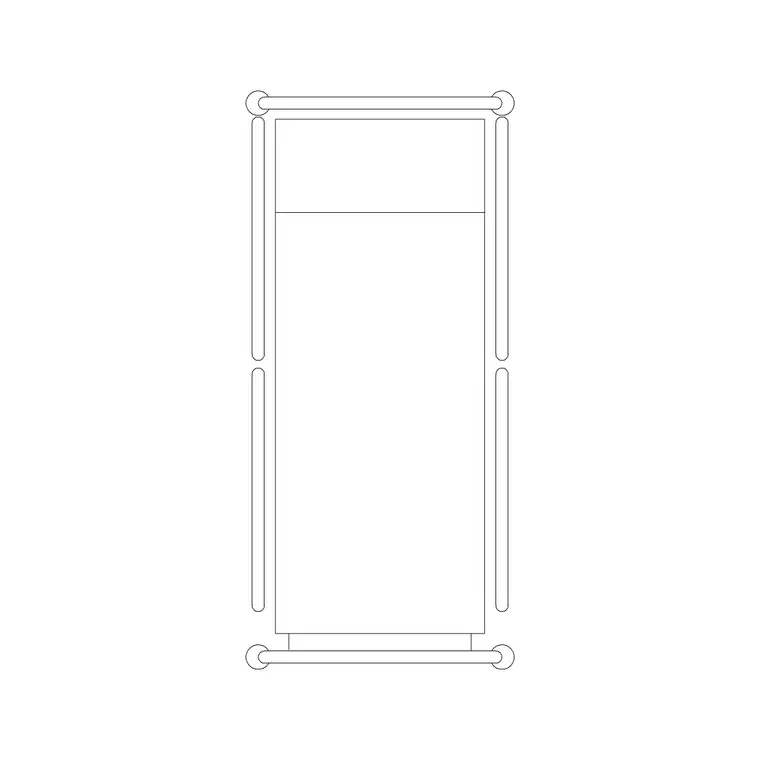
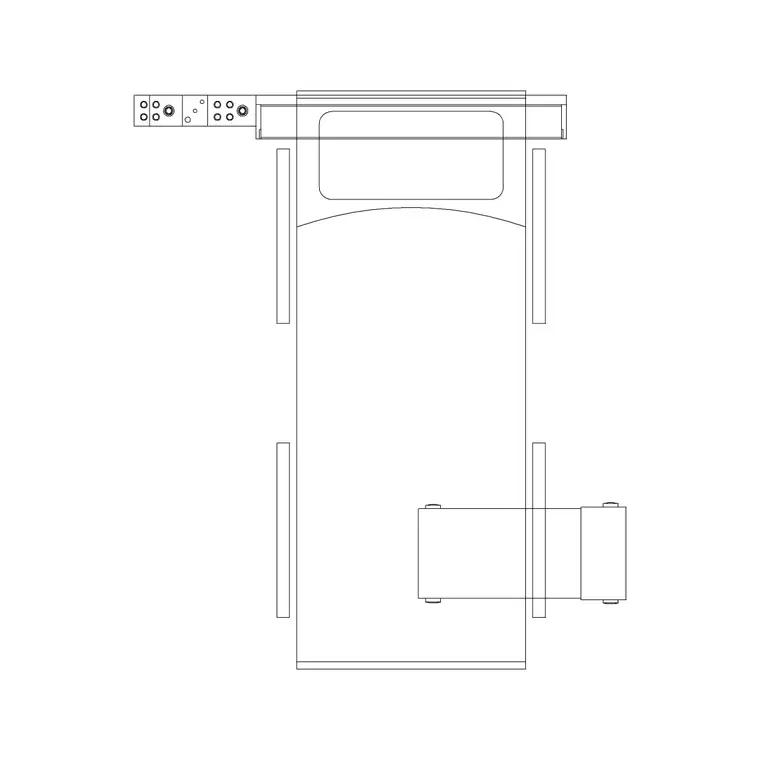
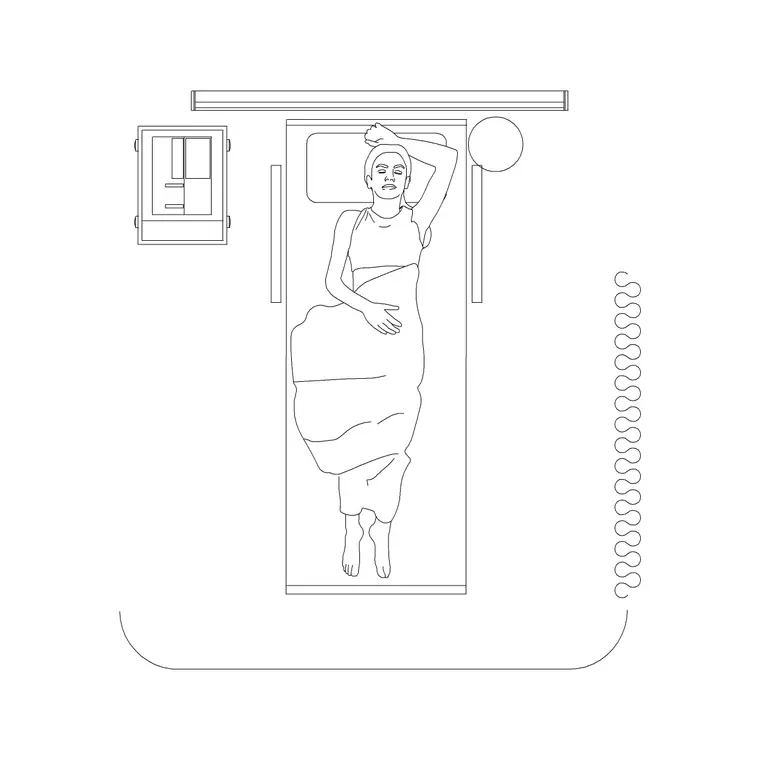
The block stands in for an adjustable hospital bed seen from above: the mattress platform, the head and foot boards, and the frame footprint including the castors. In plan it shows the bed outline and, where included, the side rails, because the rails define the working edge a nurse reaches over and the line a chair or locker sits against.
A well-drawn block keeps the mattress, the frame and the boards on tidy layers so you can show a simple bed outline for a room-data sheet or a fuller bed with rails for a detailed layout. As a single block reference it inserts, rotates and copies as one object, which keeps a multi-bed ward consistent.
Views and what is included
Ward and room planning is a plan-view exercise, and the plan footprint is what this block is built for. It is what you place against the headwall, repeat down a Nightingale ward, or set into a single room with its ensuite. Where a download pairs an elevation of the bed, that view supports a headwall elevation showing the bed against the medical services and the bed-head unit.
Keep the bed on its own layer so you can freeze it for a clean architectural plan and thaw it for the furnished healthcare layout, both from the same drawing, and so the bed reads distinctly from the locker, chair and over-bed table.
Typical sizing to design around
Use these as planning ranges and confirm against the healthcare design guidance for the project. An adult hospital bed is roughly 2000–2200 mm long and 900–1050 mm wide over the frame; bariatric beds are wider. Mattress-top height is adjustable, often around 400–700 mm.
The clearances are what really govern the room. Healthcare guidance typically asks for a generous clear zone on the transfer side of the bed for staff and equipment, a clear space at the foot of the bed for circulation, and room on the far side for a bedside chair and locker. The exact figures vary by country and room type, so check the relevant standard — but placing the scaled bed turns those checks into a glance.
How to insert and place the bed
The block is full size in millimetres. Insert at scale 1 in a millimetre drawing, 0.001 in a metre drawing, or set INSUNITS to millimetres so AutoCAD rescales automatically. Run INSERT, pick the centre of the mattress or the head-board midpoint as the insertion point, then rotate so the head board meets the headwall where the medical services run.
Move the bed onto a healthcare-furniture layer, then check the transfer-side and foot-of-bed clearances against the guidance, and place the bedside chair, locker and over-bed table around it. For a multi-bed ward, COPY at the bed pitch so each bay is identically planned and the headwall services align bed to bed.
Where the patient bed block is used
Patient bed plan blocks belong in hospital ward layouts, single and multi-bed rooms, ICU and HDU bays, day-surgery recovery, care-home and rehabilitation rooms, and clinic observation areas. They pair with bedside lockers, over-bed tables, the bed-head unit and the broader medical library to build a complete healthcare room layer.
Because the file is free and licence-clear, it suits feasibility studies and concept ward plans where you need to test bed numbers against a footprint. The same bed block carries from an early capacity study through to a coordinated room-data and equipment drawing without being redrawn.
Planning bed clearances properly
A ward reads best when each bed bay is planned to the same clearance rules, so keep the beds on one layer and the bedside furniture on another, and set out the bay from the bed datum. You can then freeze the furniture for a clean architectural plan and thaw it for the fully furnished healthcare layout, from a single drawing.
If you attribute each bed with a bay number, a schedule can list bed count and room type straight from the drawing, which supports both planning and equipment procurement. When a bay is settled, WBLOCK a bed-plus-locker-plus-chair unit so the next ward reuses a tested, properly cleared bay layout.
Free download
Browse the full library — DWG & DXF, no signup.
Questions
Frequently asked
Is the patient bed plan CAD block free for commercial use?+
Yes. It downloads free in DWG with no signup, no watermark and no attribution, and it is cleared for commercial healthcare ward and room drawings.
What size is the patient bed drawn at?+
It is drawn full size in millimetres, with an adult bed footprint of roughly 2000–2200 mm long by 900–1050 mm wide over the frame. Confirm clearances against your healthcare design guidance.
Does the block show bedside clearances?+
The block fixes the bed footprint. You then check the transfer-side, foot-of-bed and far-side clearances against the relevant healthcare standard, which placing the scaled bed makes easy to read.
Can I use it to lay out a multi-bed ward?+
Yes. Copy the bed at the bay pitch so each bay is identically planned and the headwall services align bed to bed, then add the locker, chair and over-bed table around each one.
Related downloads
Blocks for this guide
Related categories
Related guides
Block landing
Free Hospital Bed CAD Block — DWG & DXF Download
Download a free hospital bed CAD block in DWG and DXF — electric patient bed in plan and elevation with bedside clearances for ward layouts. No signup.
Block landing
Free Patient Stretcher CAD Block — DWG Download
Download a free patient stretcher CAD block in DWG and DXF — wheeled trolley/gurney in plan and elevation for A&E and recovery layouts. No signup.
Block landing
Free Medical Trolley CAD Block — DWG Download
Download a free medical trolley CAD block in DWG and DXF — dressing, treatment and crash carts in plan and elevation for clinical layouts. No signup.