Block landing · outdoor 3 seater sofa cad block
Free outdoor 3 seater sofa CAD block in DWG and DXF
By Sumana Kumar · Published 18 May 2023 · Updated 10 Feb 2026
A three-seater outdoor sofa is the backbone of most patio and terrace lounge arrangements — the long, deep-cushioned bench you build a seating group around. This page offers a free outdoor 3 seater sofa CAD block in DWG and DXF, drawn to scale and ready to insert into AutoCAD 2004 or later. It is free for personal and commercial work, with no signup, no watermark and no credit required.
Outdoor lounge sofas sit deeper and lower than their indoor cousins, so their plan footprint is generous, and getting that footprint right is what makes or breaks a patio layout. Drop this scaled block in and you can immediately test the conversation distance to facing chairs, the gap to a coffee table, and whether the group still leaves a clear route across the terrace.
What's in the outdoor sofa block
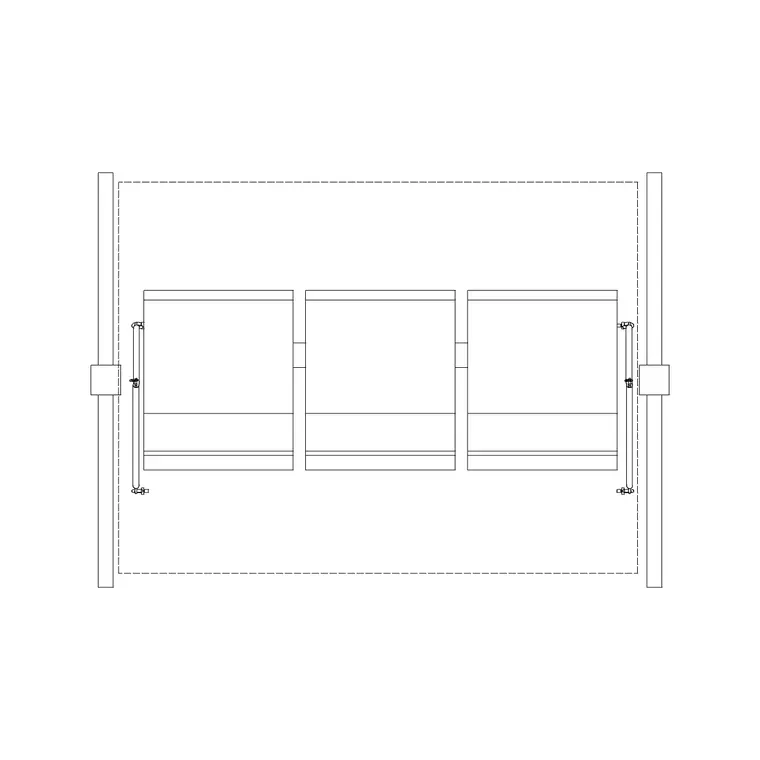
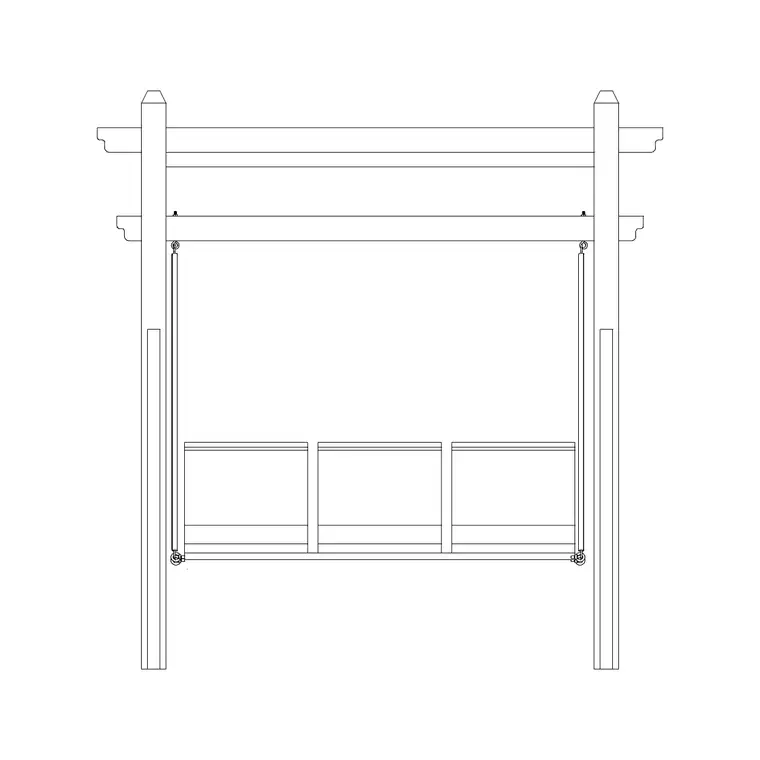
This is a plan-view three-seater outdoor sofa: the seat and back cushions, the arms and the overall frame seen from above, which is the view you use to arrange a lounge group. The plan shows the cushion line set in from the frame edge, so you can read both the comfortable seating width and the full footprint the piece occupies on the deck.
Because outdoor sofas are modular by nature, this single three-seater is also a useful building block: line two up to read as a corner sectional, or pair it with a matching armchair to close a seating square. Drawing it to its true frame footprint keeps those combinations correct when they snap together.
Typical sizing for a 3 seater outdoor sofa
Use these ranges when you place the block. A three-seater outdoor sofa is commonly in the order of 1900–2300 mm wide overall, with a seat depth around 750–950 mm — noticeably deeper than an indoor sofa because of the chunky outdoor cushions. Seat height tends to sit low for a lounge posture.
For the layout around it, leave roughly 400–600 mm between the sofa front and a coffee table so people can reach a drink without barking a shin, and keep a clear circulation route of at least 700–900 mm where someone has to pass behind seating. These are planning ranges to design around — confirm the real cushion depth and frame size against the chosen product before finalising.
How to insert and scale it
The sofa is drawn full size in millimetres. Insert at scale 1 in a millimetre drawing, 0.001 in a metre drawing, or set INSUNITS to millimetres so AutoCAD rescales the block automatically on insertion.
Use INSERT or drag the DWG from a tool palette, pick the centre of the sofa as the insertion point, and rotate it to face the table or the view. As a single block reference it copies and mirrors cleanly, so you can build a facing pair or an L-shaped group quickly, and any later change to the definition flows through to every placed instance.
Where outdoor 3 seater sofas appear
These sofas anchor patio lounges, roof terraces, poolside seating, garden rooms, balcony lounges and hospitality outdoor areas such as rooftop bars and resort cabanas. They pair with the outdoor armchair, coffee-table, planter and parasol blocks in the outdoor category to compose a full lounge vignette.
Because the block is free and licence-clear, it suits concept layouts and presentation plans where a terrace needs to look genuinely usable. The same sofa can carry from an early furniture-placement sketch through to a coordinated landscape FF&E drawing without redrawing the centrepiece.
Layering and building a set
Put the outdoor sofa on a dedicated furniture or site-furniture layer so you can freeze it for a clean paving plan and thaw it for the furnished version. Its own colour and lineweight keep the loose furniture distinct from the hardscape underneath.
When the lounge group is resolved — sofa, facing chairs, coffee table, side planting — you can WBLOCK the whole arrangement as a single reusable group and array it down a long terrace or repeat it across several balconies in an apartment scheme. That turns a worked-out vignette into a fast, consistent block you reuse rather than rebuild.
Composing a lounge group around the sofa
The three-seater is the anchor, and a good outdoor lounge reads as a loose square or L built out from it. The simplest arrangement sets the sofa along one edge with a pair of armchairs facing it across a low coffee table, leaving the fourth side open as the way in. Because the sofa is drawn to its true depth, you can set the facing chairs at a real conversation distance — close enough to talk across the table, far enough that legs do not tangle — and see whether the whole group still fits the terrace.
For a larger space, two three-seaters meeting at a corner form a sectional that wraps a coffee table, and a single armchair closes the open side. The block makes these variations quick to test: copy the sofa, rotate it, and slide it against the first to read the corner, then check the footprint against the paving and the circulation route before you commit. Working from one correctly-sized sofa means every arrangement you try is honest about the space it needs, so the layout you settle on actually lands when the furniture arrives.
Free download
Browse the full library — DWG & DXF, no signup.
Questions
Frequently asked
Is the outdoor 3 seater sofa CAD block free to use?+
Yes. It downloads free in DWG and, where available, DXF, with no signup, no watermark and no attribution requirement, and it is cleared for commercial use.
Why is an outdoor sofa drawn deeper than an indoor one?+
Outdoor lounge sofas use thick weatherproof cushions and a low, relaxed seat, so the plan footprint is deeper. The block is drawn to that real outdoor depth so clearances stay accurate.
Can I combine two sofas into a corner sectional?+
Yes. Because the block is drawn to its true frame footprint, you can line two three-seaters at right angles to read as an L-shaped sectional, or add a matching chair to close a group.
What software opens the DWG file?+
It targets AutoCAD 2004 and later and opens in AutoCAD, AutoCAD LT, BricsCAD, DraftSight and free DWG viewers.
Related downloads
Blocks for this guide
Popular blocks to download
Related categories
Related guides
Block landing
Free Bar Table CAD Blocks — DWG Download
Download free bar table CAD blocks in DWG and DXF — round, square and rectangular high bar tables in plan and elevation for AutoCAD. No signup, commercial-use OK.
Block landing
Free Restaurant Table CAD Blocks — DWG Download
Download free restaurant table CAD blocks in DWG and DXF — 2, 4 and 6 cover tables with chairs drawn in plan and elevation for AutoCAD. No signup, commercial-use OK.
Block landing
Free Restaurant Chair CAD Blocks — DWG Download
Download free restaurant chair CAD blocks in DWG and DXF — dining, cafe and side chairs plus baby high chairs in plan and elevation. No signup, commercial-use OK.