Block landing · microwave oven cad block
Microwave oven CAD blocks for AutoCAD kitchens
By Sumana Kumar · Published 14 Oct 2024 · Updated 13 Apr 2026
A microwave is a small appliance with an outsized influence on a kitchen elevation, because where it sits — on the worktop, built into a tall unit, or stacked above a wall oven — changes how the whole run reads. This page collects free microwave oven CAD blocks in DWG and DXF, drawn to true millimetre sizes for AutoCAD 2004 or later, free for personal and commercial use with no signup and no watermark.
The design question with a microwave is rarely whether it fits but where it lives, and a scaled block lets you test the options: claiming worktop space, housing it in a tall unit at a comfortable height, or stacking it with the oven in a built-in tower. Drawn to scale, the block shows the door swing and the housing gap so the chosen position actually works.
What a microwave block shows
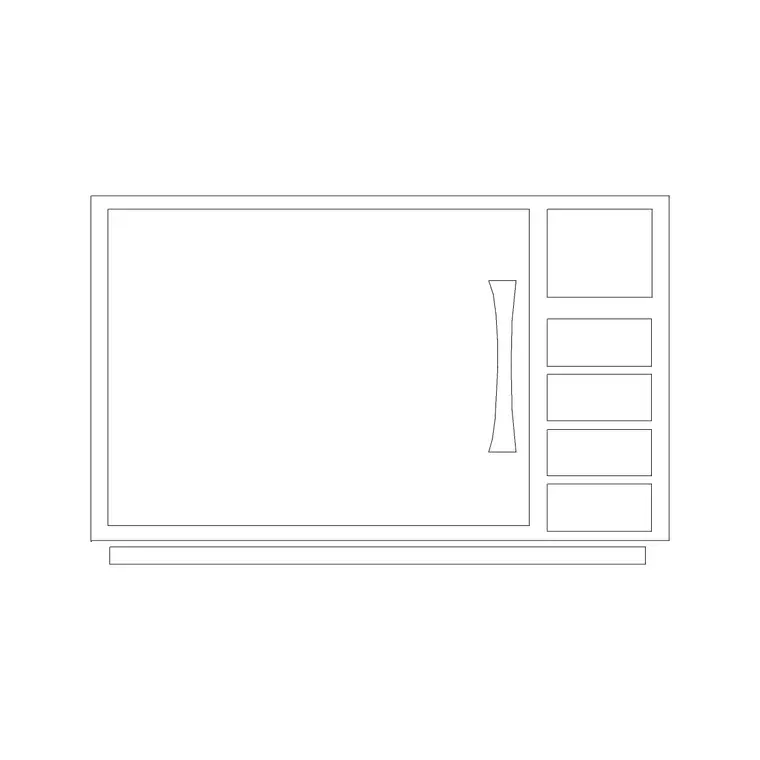
A microwave block is simple but worth getting right. The plan view shows the body footprint and, for a built-in unit, the door swing forward into the room. The elevation is usually the more useful view, drawing the door, the control panel and the height, because the microwave's level in a tall unit is a real ergonomic decision — too high and it is awkward and unsafe to lift a hot dish down.
For a built-in microwave the block also represents the housing aperture, so you can confirm it fits the cabinet opening with the ventilation gap the appliance needs. The body, door and controls sit on separate layers so the elevation reads cleanly whether the microwave is countertop or integrated.
Countertop, built-in or stacked
A microwave lands in one of three places, and the block supports all of them. A countertop microwave sits on the worktop or a shelf — quick to specify but it eats prep space, which the plan block makes obvious. A built-in microwave drops into a tall unit at a chosen height, which keeps the worktop clear and is the tidiest option on the elevation. A stacked arrangement sits the microwave directly above a built-in oven in a tower, sharing one tall housing.
For the layout you work in plan to confirm the footprint and any door swing; for the real decision — the height and how it reads in the run — you work in elevation. Many downloads carry both views in one DWG.
Typical microwave dimensions
Design around these and confirm against the model. A countertop microwave is commonly around 450 to 550 mm wide, 350 to 450 mm deep and 280 to 350 mm tall, though compact and large-capacity models vary. A built-in microwave is sized to drop into a tall-unit aperture on the kitchen module — often around 595 mm wide to suit a standard housing, with a defined aperture height the cabinet is built around.
For a built-in unit, allow the ventilation gap the manufacturer specifies around the appliance, and set the height so the base of the microwave is at a comfortable, safe level for lifting out hot food — somewhere between worktop and eye level for most users, never above shoulder height.
Inserting and placing the microwave
The blocks are full size in millimetres. Insert at scale 1 in a millimetre drawing, 0.001 in a metre template, or set INSUNITS to millimetres so AutoCAD rescales on insertion. Run INSERT, snap to a corner or the centre of the body, and rotate to face into the room.
For a countertop microwave, place it on the worktop in plan and check it does not eat into a working prep zone. For a built-in unit, set it into the tall-unit elevation at the chosen height, confirm the aperture and ventilation gap, and align it with the oven if you are stacking the two. Keep the microwave on its own appliance layer and freeze it for a cabinet-only plan.
Where microwave blocks are used
Microwave blocks appear in residential kitchen plans and elevations, apartment and studio kitchenettes, office and breakout tea points, and hotel and serviced-apartment units. Interior designers use them to decide where the microwave reads best in the run; architects use the built-in aperture to coordinate the tall-unit housing; developers use the footprint to confirm a standard appliance fits a compact kitchen.
Pair the microwave with the built-in oven, tall-unit and worktop blocks in the kitchen category so a stacked tower aligns, a built-in unit fits its housing, and a countertop unit does not steal prep space.
Getting the microwave height right on the elevation
The decision a microwave block really helps you make is its height, and that is an ergonomic and safety question more than an aesthetic one. A microwave set too high means lifting a hot, full dish down at or above shoulder level — awkward at best and a scald risk at worst. Set it too low and a user has to crouch. The comfortable zone for most people puts the base of the microwave between worktop height and just below eye level, and drawing the appliance to scale in the tall-unit elevation lets you place it precisely in that band.
The stacked-with-the-oven arrangement adds its own coordination. When a microwave sits directly above a built-in oven in a single tower, the two apertures and the housing have to align, and the combined height of both appliances plus the gaps has to fit the tall unit. Drawing both to scale in the elevation confirms the tower works and that the microwave still lands at a sensible height above the oven below it. These are small decisions, but a microwave placed badly is the kind of detail a client notices every day, so it is worth settling on the drawing.
Free download
Browse the full library — DWG & DXF, no signup.
Questions
Frequently asked
What size is a microwave CAD block?+
A countertop microwave is commonly around 450 to 550 mm wide, 350 to 450 mm deep and 280 to 350 mm tall. A built-in unit is sized to a tall-unit aperture, often around 595 mm wide. Confirm the exact dimensions and housing aperture against the appliance datasheet.
What's the best height to set a built-in microwave?+
Put the base of the microwave between worktop height and just below eye level — never above shoulder height — so a user can lift a hot dish out safely. Draw the appliance to scale in the tall-unit elevation to place it precisely in that comfortable band.
Can I stack the microwave above the oven?+
Yes, in a built-in tower. The microwave sits directly above the oven sharing one tall housing. Draw both to scale in the elevation so the apertures align and the combined height plus gaps fits the tall unit, with the microwave still at a sensible height.
Are these microwave CAD blocks free to download?+
Yes. They download free in DWG and, where available, DXF, with no signup, no watermark and no attribution requirement, and they are cleared for commercial project use.
Related downloads
Blocks for this guide
Popular blocks to download
Related categories
Related guides
Block landing
Free Bathroom Fixtures CAD Blocks — DWG Download
Download free bathroom fixtures CAD blocks in DWG and DXF — toilets, wash basins, bathtubs, showers and vanities drawn in plan and elevation. No signup, commercial OK.
Block landing
Free Gas Stove / Cooktop CAD Blocks — DWG
Free gas stove and cooktop CAD blocks in DWG and DXF — drawn in plan and elevation at true kitchen-module sizes for AutoCAD 2004+. No signup, commercial-use OK.
Block landing
Single Burner Hob CAD Block — Free DWG
Free single burner hob CAD blocks in DWG and DXF for compact kitchens and studios — plan and elevation, true sizing for AutoCAD 2004+. No signup, commercial OK.