Block landing · landscape art frame cad block
Free landscape art frame CAD block in DWG and DXF
By Sumana Kumar · Published 31 Mar 2023 · Updated 14 Feb 2026
A landscape art frame — wider than it is tall — is the piece you hang over a sofa, a sideboard or a headboard to fill a broad horizontal wall, and a ready-made landscape art frame CAD block lets you place that wide artwork without redrawing the moulding. This page offers a free landscape art frame CAD block in DWG and DXF, drawn as a horizontal framed panel so it reads as wall art on any interior elevation. It is free for personal and commercial use, with no signup, watermark or attribution.
The landscape orientation anchors a wide piece of furniture and calms a tall room, which is why it is the default choice over a three-seat sofa or a long credenza. Because the block is drawn to scale, you can judge at a glance whether the piece spans the furniture below in a balanced proportion and hangs at a sensible height.
What a landscape art frame block contains
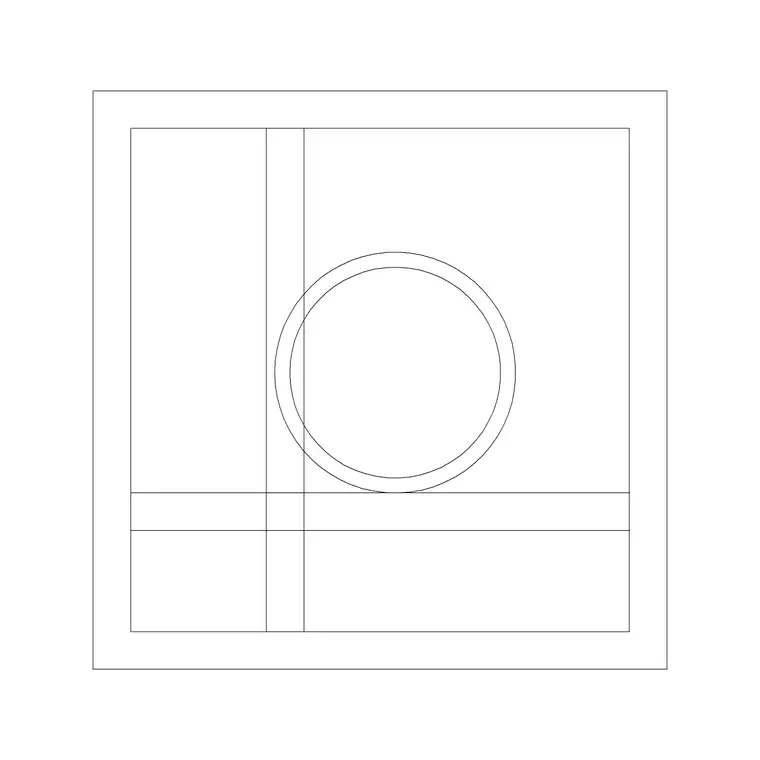
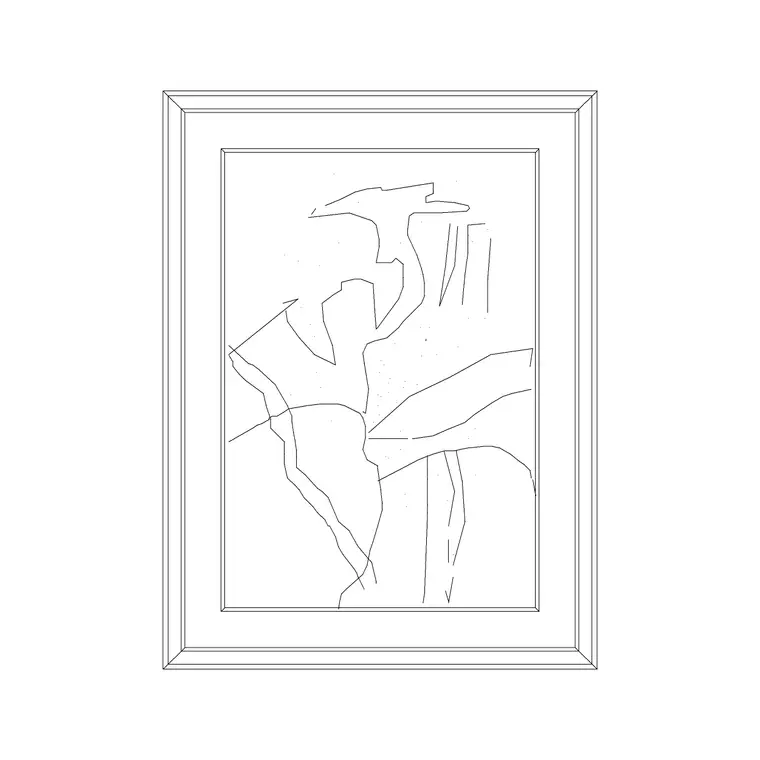
A landscape frame block is a horizontal framed panel: a rectangular moulding wider than it is tall, enclosing an artwork or image area. The frame border is drawn with a visible width so it reads as moulding rather than a hairline, and the inner area can be plain or carry a simple motif. The wide proportion is the defining feature that distinguishes it from the upright portrait frame.
It is an elevation element, drawn as clean single-layer linework. You can recolour the frame, simplify the inner area for small plots, or explode it to adjust the proportion. As a single block reference it copies cleanly, and its width makes it the natural anchor at the centre of a gallery composition.
When the landscape orientation works best
Reach for the landscape frame to fill a wide wall and relate to wide furniture: over a sofa, a sideboard, a bed or a long console. Its horizontal sweep settles a room and balances tall vertical elements like windows or columns. In a gallery wall it usually sits at the centre as the largest piece, with portrait and smaller frames arranged around it.
Because it is an elevation block, you place it on interior elevations and presentation boards where the wall is shown face-on. Matching the frame width to the furniture beneath — a piece roughly two-thirds to three-quarters of the sofa width is a common rule of thumb — is what makes the elevation feel resolved.
Typical landscape frame sizes
Treat these as ranges. A landscape statement piece over a sofa commonly sits in the 800–1500 mm width and 500–900 mm height band, the wider-than-tall proportion being the point. A smaller landscape accent for a corridor or a gallery grid might be 400–600 mm wide. The moulding border is typically a slim 20–50 mm.
The placement figures that matter are the width relative to the furniture below and the hanging centre height — conventionally around eye level, often taken near 1500 mm from the floor, adjusted up over furniture so the art relates to the piece beneath. Draw the frame to scale and set its centre at that height for a correct elevation.
How to insert and scale the landscape frame
The block is drawn full size in millimetres. In a millimetre drawing, INSERT at scale 1 for real size; in a metre template insert at 0.001; in an imperial drawing set INSUNITS to millimetres so AutoCAD rescales the frame on insertion, avoiding a tiny or oversized result.
Pick the centre of the frame as the insertion point and snap it to a guide line at the hanging height and to the centre line of the sofa or sideboard below, so the art lands centred and level. Because the frame is a single block reference, a symmetrical arrangement is built from a mirrored copy, and editing the block definition updates every instance at once.
Where landscape art frame blocks are used
Landscape frames appear over sofas and sideboards in living rooms, above beds in bedrooms and hotel rooms, along corridors, behind reception desks, and in restaurant and café interiors. Pair the landscape frame with the portrait and abstract art frame blocks in the accessories category to build a balanced gallery wall, and with sofa, console and clock blocks to dress a complete elevation.
Because the file is free and licence-clear, it suits interior student projects, mood boards and concept elevations. The same block carries from a styling sketch to a finished presentation board without the frame being redrawn each time.
Centring and layer discipline
The landscape frame's main job is to centre over its furniture, so draw a centre line up from the sofa or sideboard and snap the frame to it — an off-centre piece is the most common thing that makes an elevation look wrong. Allow the art to span a sensible fraction of the furniture width rather than floating as a small square on a big wall.
Keep all artwork on a dedicated dressing or art layer so you can freeze it for a clean technical elevation and thaw it for the styled version. At small plot scales, simplify the inner area so the frame reads as a panel. If a hotel corridor repeats the same hanging, group the frame with its centre guide and array it, then edit the master definition to adjust the whole run together.
Free download
Browse the full library — DWG & DXF, no signup.
Questions
Frequently asked
Is the landscape art frame CAD block free for commercial use?+
Yes. It downloads free in DWG and, where available, DXF, with no signup, watermark or attribution, and is cleared for paid client projects.
How wide should a landscape frame be relative to the sofa?+
A common rule of thumb is for the piece to span roughly two-thirds to three-quarters of the furniture width below it, centred on the furniture's centre line.
What is the difference between landscape and portrait frames?+
A landscape frame is wider than it is tall and anchors wide furniture; a portrait frame is taller than it is wide and suits narrow walls. Mixing both gives a gallery wall rhythm.
Will the file open in free DWG viewers?+
Yes. The DWG targets AutoCAD 2004 and later, so it opens in AutoCAD, AutoCAD LT, BricsCAD, DraftSight and free DWG viewers.
Related downloads
Blocks for this guide
Popular blocks to download
Related categories
Related guides
Block landing
Wine Rack CAD Block DWG — Free Download
Download a free wine rack CAD block in DWG and DXF — bottle storage drawn in plan and elevation for kitchens, bars and cellars. AutoCAD 2004+, no signup.
Block landing
Wine Glass CAD Block DWG — Free Download
Download a free wine glass CAD block in DWG and DXF — red and burgundy stemware in elevation and plan for bar and table settings. AutoCAD 2004+, no signup.
Block landing
Cement Planter Pot CAD Block DWG — Free
Download a free cement planter pot CAD block in DWG and DXF — concrete-finish planter drawn in plan and elevation for interiors and terraces. AutoCAD 2004+.