Block landing · kitchen mixer tap cad block dwg
Kitchen mixer tap CAD blocks for AutoCAD layouts
By Saumyajit Maity · Published 5 Jun 2023 · Updated 5 Apr 2026
A mixer tap is the workhorse fitting of a modern kitchen: one lever, one spout, hot and cold blended through a single body. Drawing it to scale settles the tap position behind the sink and the spout reach over the bowl, which is exactly the detail a plumber and a joiner both need. This page collects free kitchen mixer tap CAD blocks in DWG, drawn at true millimetre size for AutoCAD 2004 or later.
You will find single-lever monobloc mixers and tall gooseneck mixers here, in plan and elevation, ready to deck-mount behind a sink. Every file is free for personal and commercial use, with no signup and no watermark. Use the mixer tap with the sink, worktop and window blocks to coordinate the wet zone, so the lever clears the splashback and the spout lands water where it should.
What a mixer tap block sets out
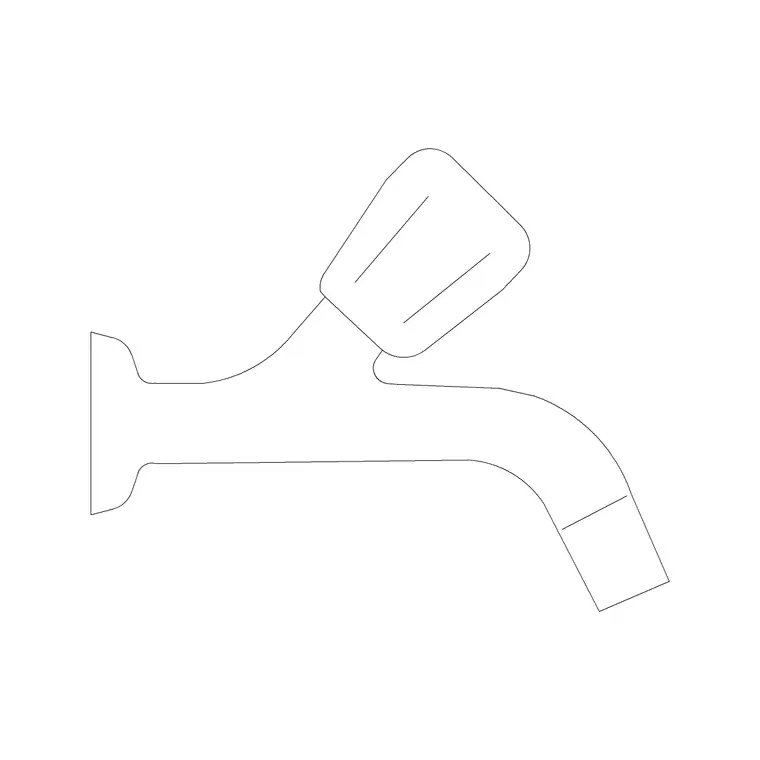
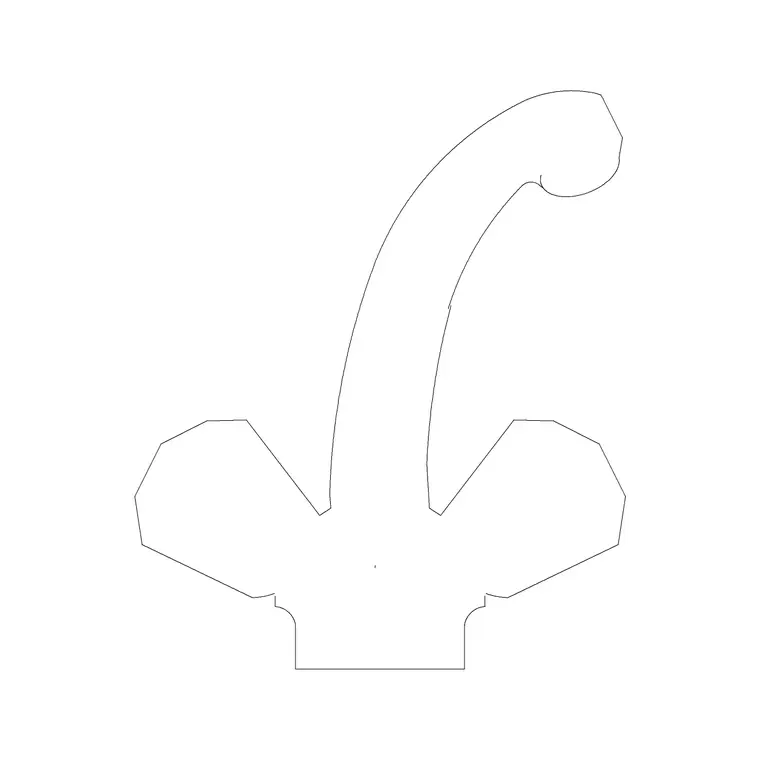
A mixer tap CAD block fixes the deck-mounted tap position behind the sink and shows how the single lever and spout occupy the space. In plan it draws the base and the spout arc seen from above; in elevation it draws the body height, the lever and the gooseneck or straight spout profile. The job is to confirm the spout reaches over the bowl and the lever has room to lift, not to dimension any structure.
A monobloc mixer needs a single hole through the worktop or the sink ledge, so showing it to scale also reminds you to coordinate that hole. Catching a tap that fouls a window or a wall cabinet at the drawing stage is far cheaper than discovering it after the worktop is templated.
Mixer styles and views included
The downloads cover the common single-control kitchen mixers: a compact monobloc with a swivel spout, and a tall gooseneck or swan-neck mixer that clears bigger pots. Each ships a plan symbol — the deck base and the spout swing — and an elevation showing the body and spout height above the worktop.
Use the plan to position the tap and check spout reach over the sink; use the elevation to show the tap on a kitchen wall and confirm it clears any wall cabinet or window above. Where both views are in one file they share a DWG, so you can insert the one you need and freeze the other, keeping the tap on its own fittings layer for a clean wet-zone drawing.
Typical mixer tap sizing to design around
Use these as ranges, not fixed specs. A kitchen mixer commonly stands around 250–450 mm tall to the spout, with gooseneck models at the taller end. The spout typically reaches around 200–250 mm out over the bowl so water lands near the sink centre, and the swivel arc sweeps a similar radius. The deck base is small — usually a single hole.
Because models differ, never letter an exact dimension from a block. The value is in getting the proportions right: a tall gooseneck looks correct only if it clears the wall cabinet above, and the swivel arc only reads as usable if it stays over the bowl and clear of a tiled return. Place the scaled block and let the drawing confirm those clearances.
How to insert and place the mixer tap
The blocks are drawn full size in millimetres. Insert at scale 1 in a millimetre drawing, 0.001 in a metre drawing, or set INSUNITS to millimetres so AutoCAD rescales on insertion. Place the sink first, then INSERT the mixer and snap it to the tap deck behind the bowl, rotating so the spout swings over the centre of the sink in plan.
In elevation, drop the mixer onto the worktop or sink-rim line at the correct height and check it against any window sill or wall cabinet above. Keep the tap on a sanitary or fittings layer, separate from the appliances, so the wet zone is legible. As a block reference, an edit to the definition updates every instance across your drawings.
Where mixer tap blocks are used
Mixer tap blocks belong in residential kitchen plans and elevations, apartment and house fit-outs, utility rooms, and plumbing or joinery sets where the sink zone is coordinated. On the plan the tap confirms it reaches the bowl and clears the window; on the elevation it makes the wet zone look finished and shows the lever clearance.
They help the trades agree on one picture: the worktop fabricator needs the tap-hole position, and the installer needs the headroom under any cabinet above. Pair the mixer with the sink, drainer and under-sink cabinet to set out the wet zone, all on the shared kitchen grid so the run stays coordinated.
Mixer tap versus separate hot and cold taps
A single mixer differs from a pillar-tap pair in how much deck space it claims and how the spout behaves. A monobloc mixer uses one hole and a swivel spout, so it suits a single-bowl sink where you want the spout to reach the whole basin. Twin pillar taps use two holes and fixed spouts, which is a more traditional look but less flexible over a large bowl.
Showing the mixer to scale lets you choose between the two on the drawing rather than in the showroom. If a project standardises on one mixer, WBLOCK the tap with the sink and drainer as a single unit so the coordinated wet zone drops into the next kitchen unchanged, keeping tap-hole positions consistent across the job.
Free download
Browse the full library — DWG & DXF, no signup.
Questions
Frequently asked
Are the kitchen mixer tap blocks free for commercial use?+
Yes. Every mixer tap block here downloads free in DWG, with no signup, no watermark and no attribution, and is cleared for commercial project use.
Do you have tall gooseneck mixers as well as standard ones?+
Yes. The downloads cover compact monobloc mixers and tall gooseneck or swan-neck mixers. Where several styles or views ship in one file they share a DWG so you insert the one you need.
How do I check the spout clears my wall cabinet?+
Use the elevation block. Place it on the worktop line at the tap height and compare the spout top against the underside of the wall cabinet or the window sill above the sink.
What units are the mixer tap blocks drawn in?+
Full-size millimetres. Insert at scale 1 in a millimetre drawing, 0.001 in a metre drawing, or set INSUNITS to millimetres so AutoCAD rescales them on insertion.
Related downloads
Blocks for this guide
Related categories
Related guides
Block landing
Free Bathroom Fixtures CAD Blocks — DWG Download
Download free bathroom fixtures CAD blocks in DWG and DXF — toilets, wash basins, bathtubs, showers and vanities drawn in plan and elevation. No signup, commercial OK.
Block landing
Free Gas Stove / Cooktop CAD Blocks — DWG
Free gas stove and cooktop CAD blocks in DWG and DXF — drawn in plan and elevation at true kitchen-module sizes for AutoCAD 2004+. No signup, commercial-use OK.
Block landing
Single Burner Hob CAD Block — Free DWG
Free single burner hob CAD blocks in DWG and DXF for compact kitchens and studios — plan and elevation, true sizing for AutoCAD 2004+. No signup, commercial OK.