Block landing · kitchen faucet cad block dwg
Kitchen faucet CAD blocks for sinks in AutoCAD
By Sumana Kumar · Published 8 Aug 2023 · Updated 14 Feb 2026
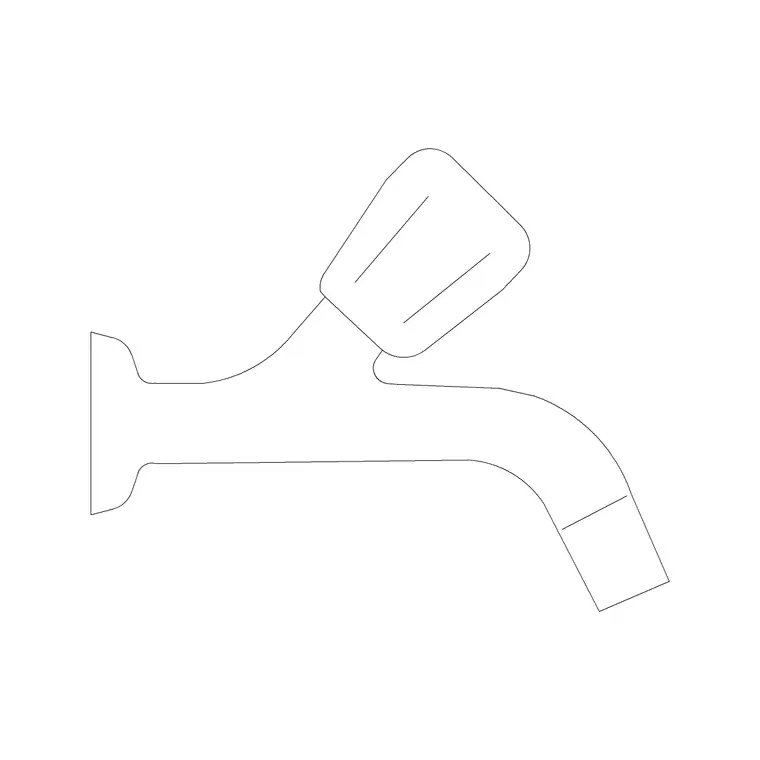
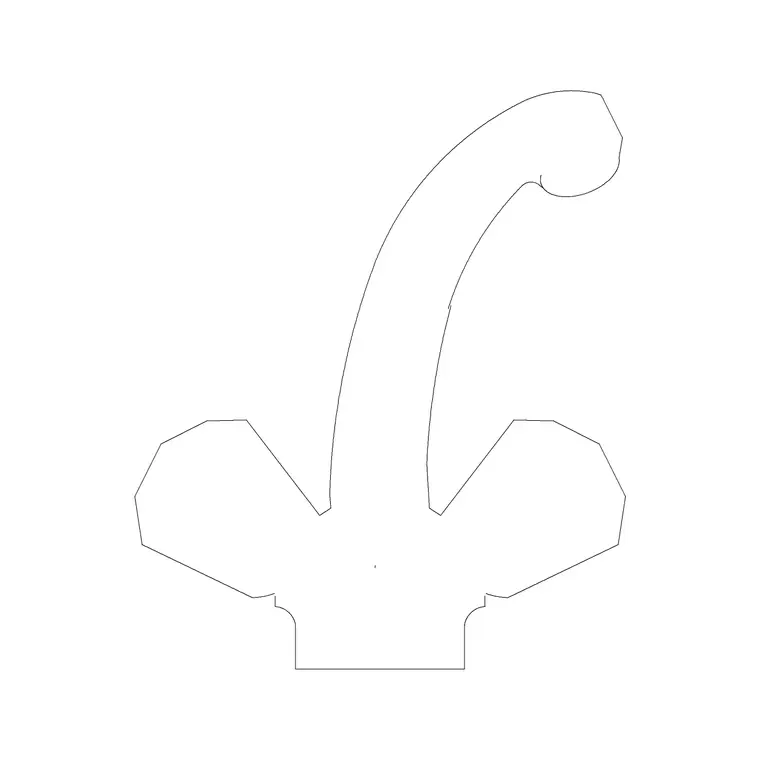
A kitchen faucet is small, but it pins down the sink zone: where the tap sits governs the splashback, the window relationship and the worktop you keep clear behind the bowl. A scaled kitchen faucet CAD block lets you place that detail correctly on plan and show it convincingly on an elevation. This page collects free kitchen faucet blocks in DWG, drawn at true millimetre size for AutoCAD 2004 or later.
You will find single-lever mixer taps and pull-out or pull-down spray faucets here, in plan and elevation, ready to sit behind a sink. Every file is free for personal and commercial use, with no signup and no watermark. Use the faucet with the sink, worktop and cabinet blocks in the kitchen category to set out the wet zone so the plumber and joiner are working to the same picture.
What a faucet block does on the drawing
A kitchen faucet CAD block marks the tap position behind the sink: the plan shows the base and the spout reach seen from above, and the elevation shows the body, the lever and the gooseneck or straight spout. Its job is to fix where the tap deck-mounts and how far the spout reaches over the bowl, which is the detail that actually governs splash, clearance to a window, and the worktop you leave clear.
It is not a structural element, so you are not dimensioning a building off it. But a tap placed too close to a wall or window is a real install problem, so showing the spout reach to scale lets you catch that on the drawing rather than on site.
Faucet types and views included
The downloads cover the common kitchen tap styles: a single-lever monobloc mixer, a tall gooseneck mixer, and a pull-out or pull-down spray faucet where the spout head detaches. Each ships a plan symbol — the deck footprint and the spout arc — and an elevation showing the body height and spout profile.
The plan is what you place behind the sink to check spout reach over the bowl; the elevation is what you draw on a kitchen wall to show the tap above the worktop and any window behind. Where both views ship in one file they share a DWG, so you can insert the view you need and freeze the other, and recolour the tap on its own clean layer.
Typical faucet sizing to design around
Treat these as planning ranges. A kitchen mixer commonly stands around 250–450 mm tall to the spout, with gooseneck taps at the higher end to clear tall pots. The spout reaches roughly 200–250 mm out over the bowl so the water lands near the centre of the sink. The deck base is small — a single hole or a compact footprint behind the bowl.
These vary a lot by model, so do not letter an exact figure from a block. What matters is that the spout reach and height look right relative to the sink and the worktop, so you can confirm the water lands in the bowl, the lever has room to lift, and a tall gooseneck does not foul a wall cabinet or window above.
How to insert and place the faucet
The blocks are drawn full size in millimetres. Insert at scale 1 in a millimetre drawing, 0.001 in a metre drawing, or set INSUNITS to millimetres so AutoCAD rescales on insertion. Place the sink block first, then INSERT the faucet and snap it to the tap deck position behind the bowl, rotating so the spout reaches over the centre of the sink in plan.
For the elevation, drop the faucet onto the worktop or sink rim line at the right height and check it against any window or wall cabinet above. Keep the tap on a sanitary or fittings layer separate from the appliance layer, so the wet zone reads clearly. As a block reference it updates everywhere if you edit the definition.
Where kitchen faucet blocks are used
Faucet blocks belong in residential kitchen plans and elevations, apartment and house fit-outs, utility-room layouts, and any plumbing or joinery drawing where the sink zone has to be coordinated. On the plan they confirm the tap clears the window and reaches the bowl; on the elevation they make the wet zone look complete.
They also help the trades line up: a deck-mounted mixer needs holes drilled in the worktop or sink, and a tall tap needs headroom under a wall cabinet, so showing the faucet to scale flags both. Pair the tap with the sink, the worktop and the under-sink cabinet to set out a coordinated wet zone on the shared kitchen grid.
Coordinating the tap with sink and window
The faucet only makes sense in context, so place it with the sink and the window in view. The spout reach should put water near the centre of the bowl, the lever needs clear travel without hitting a tiled splashback, and a tall gooseneck has to clear a window sill or a cill-mounted blind when it swings. Checking those on the plan and elevation together is the whole point of a scaled tap block.
Keep the faucet, the sink and the waste on the same wet-zone layer split so you can produce a clean plumbing drawing and a finished presentation from one file. If a project repeats the same sink-and-tap arrangement, WBLOCK the bowl, tap and drainer as one unit so the coordinated wet zone drops straight into the next kitchen.
Free download
Browse the full library — DWG & DXF, no signup.
Questions
Frequently asked
Are the kitchen faucet CAD blocks free to use?+
Yes. Every kitchen faucet block here downloads free in DWG, with no signup, no watermark and no attribution, and is cleared for personal and commercial project use.
Do you have pull-out spray faucets as well as standard mixers?+
Yes. The downloads cover single-lever mixers, gooseneck taps and pull-out or pull-down spray faucets. Where several styles or views ship in one file they share a DWG so you insert the one you need.
How do I show the spout reaching over the sink?+
Use the plan symbol, which draws the spout arc seen from above. Place it behind the sink and rotate so the spout reaches over the centre of the bowl, then check the clearance to any window or wall behind.
What scale are the faucet blocks drawn at?+
Full size in millimetres. Insert at scale 1 in a millimetre drawing, 0.001 in a metre drawing, or set INSUNITS to millimetres so AutoCAD rescales on insertion.
Related downloads
Blocks for this guide
Related categories
Related guides
Block landing
Free Bathroom Fixtures CAD Blocks — DWG Download
Download free bathroom fixtures CAD blocks in DWG and DXF — toilets, wash basins, bathtubs, showers and vanities drawn in plan and elevation. No signup, commercial OK.
Block landing
Free Gas Stove / Cooktop CAD Blocks — DWG
Free gas stove and cooktop CAD blocks in DWG and DXF — drawn in plan and elevation at true kitchen-module sizes for AutoCAD 2004+. No signup, commercial-use OK.
Block landing
Single Burner Hob CAD Block — Free DWG
Free single burner hob CAD blocks in DWG and DXF for compact kitchens and studios — plan and elevation, true sizing for AutoCAD 2004+. No signup, commercial OK.