Block landing · kitchen detail cad block
Free kitchen detail CAD block for AutoCAD
By Sumana Kumar · Published 26 Jun 2022 · Updated 23 Jun 2026
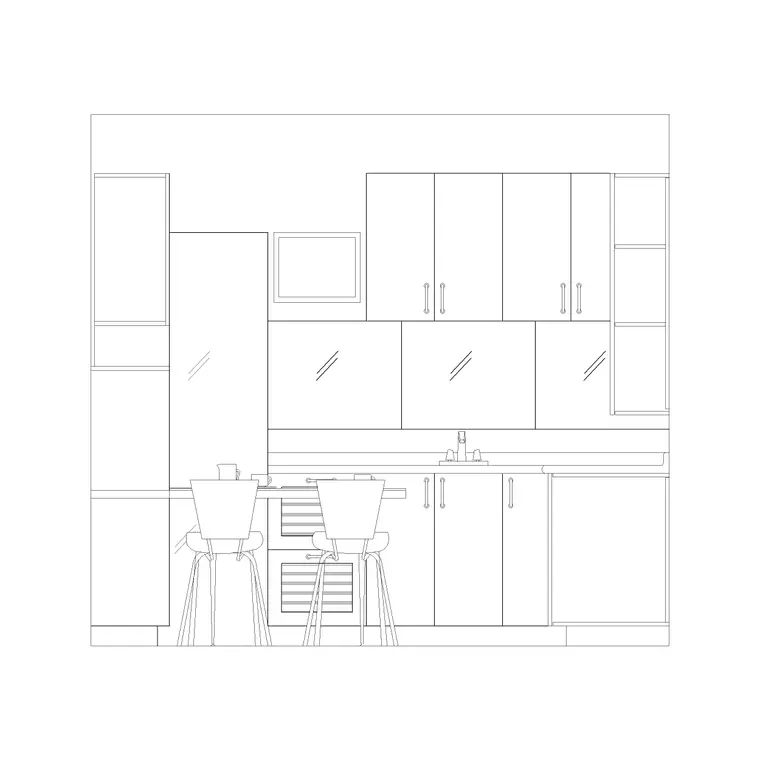
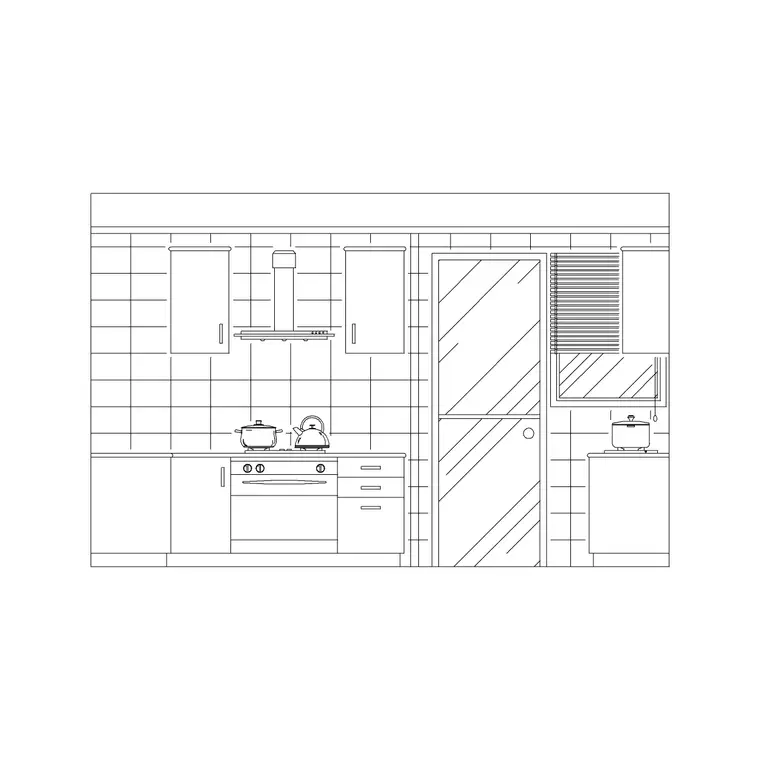
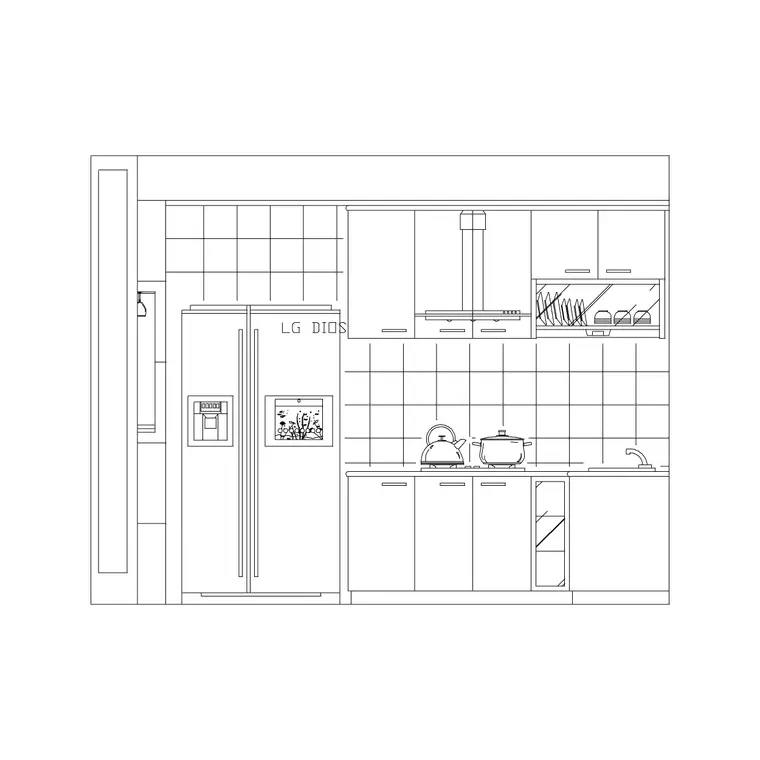
A kitchen detail block is the close-up drawing that shows how the cabinetry is actually built — the carcass, the worktop, the plinth, the wall-unit fixing — drawn in section or large-scale elevation rather than as a layout symbol. This page gives you a free kitchen detail CAD block in DWG, the kind of joinery detail you drop into a drawing set when a contractor needs to know how the units go together, not just where they sit. It works in AutoCAD 2004 and later, free for personal and commercial use, no signup, no watermark.
Where a plan block answers 'where', a detail block answers 'how'. It carries the construction information: the base-unit height built up from plinth and carcass, the worktop overhang, the gap to the wall units, the splashback zone. That is the information a joiner or fitter reads to build the kitchen correctly, and it is what turns a layout into a buildable drawing set.
Use it on kitchen working drawings, joinery packages and tender sets, alongside the plan and elevation blocks that show the overall arrangement.
What a kitchen detail block contains
A typical kitchen detail is a vertical section or a large-scale elevation through a run of units. In section you see the base unit sitting on its plinth, the carcass, the worktop with its front edge and overhang, the splashback rising to the underside of the wall cabinets, and the wall cabinet itself fixed to the wall. Lines mark the key setting-out heights and the build-ups that matter to the fitter.
Because it is drawn at a larger scale than a layout, the detail carries information a plan symbol cannot: edge profiles, the relationship between worktop and cabinet door, the recess for the plinth. It is a single block reference you can drop into a detail sheet, and on its own detail layer it sits cleanly apart from the general-arrangement geometry.
The standard heights a kitchen detail sets out
Kitchen details are organised around a handful of reference heights that the block lets you draw to scale and dimension. The worktop height is the headline figure — the standard domestic worktop sits around 900 mm above finished floor, built up from the plinth, the base carcass and the worktop thickness. The base cabinet depth is the familiar 600 mm.
Above the worktop, the wall cabinets leave a clearance — commonly somewhere in the 450–600 mm range — so there is working room and the splashback zone is sensible. Wall cabinets themselves are shallower than base units. Treat these as the standard ranges to set out within and confirm the exact build-up against the carcass system and worktop you are detailing; the value of the detail is showing how those heights stack into a coherent section.
How to use the detail in a drawing set
Insert the detail block full size in millimetres — scale 1 in a millimetre drawing, or set INSUNITS to millimetres so AutoCAD rescales on insertion. Place it on a detail sheet at a larger plotted scale (1:10 or 1:20 is typical for kitchen sections) so the construction information reads clearly.
Tie the detail back to the plan and elevation with a section mark or a detail bubble, so anyone reading the set can see where this slice is taken. Then adjust the detail to the specific run: change the worktop thickness, the plinth height or the wall-cabinet clearance to match what you are actually specifying. Because it is a block, you can copy it and edit one instance into a sink detail or a corner detail without redrawing the whole section.
Why a detail block beats redrawing from scratch
The build-up of a kitchen run — plinth, carcass, worktop, splashback, wall unit — is essentially the same on every job, with the dimensions tuned to the system. Starting from a detail block means the relationships are already correct and you only adjust the numbers, rather than reconstructing the section line by line each time and risking a mistake in the stack.
It also keeps a practice's drawings consistent: the same detail convention reads across every kitchen the office produces, which is exactly what a standard detail library is for. Over time you build a small set of these — base-unit section, sink section, corner detail, tall-housing detail — and a kitchen working-drawing package comes together from proven parts.
Who uses the kitchen detail block
Architects and architectural technologists use it to produce the working-drawing and tender sections of a kitchen. Kitchen and interior designers use it to communicate the joinery to the maker. Joiners, cabinet-makers and fitters read it to build the run to the right heights and build-ups. Students use it for technology and detailing modules where a clean, correct kitchen section is the exercise.
It complements the plan blocks that lay out the floor and the elevation blocks that show the cooking wall, completing the trio of views — plan, elevation, detail — that a full kitchen drawing set needs.
Layering and annotating the detail
Keep the detail on dedicated layers — outline, hatching, dimensions and notes separated — so you can control its appearance independently of the general-arrangement drawing. A section through joinery usually carries material hatching (timber, worktop, wall) that benefits from sitting on its own layer for clean printing.
Dimension the key heights and build-ups directly on the detail and add short notes for the things a section cannot show — the worktop material, the edge profile, the fixing method. When the detail is finalised, WBLOCK it into your standard-details library so the same proven kitchen section is one drag away on the next project, ready to be tuned to that job's specification.
Free download
Browse the full library — DWG & DXF, no signup.
Questions
Frequently asked
What does a kitchen detail block show that a plan block doesn't?+
A plan block shows where units go; a detail block shows how they are built — the section through the plinth, carcass, worktop, splashback and wall cabinet, with the setting-out heights and build-ups a fitter needs. It is the construction view, not the layout view.
What scale should I plot a kitchen detail at?+
Kitchen sections are typically plotted at 1:10 or 1:20 so the construction information reads clearly. The block is drawn full size in millimetres; set your plotted scale on the detail sheet and tie it back to the plan with a section mark.
What worktop height does the detail use?+
A standard domestic worktop sits around 900 mm above finished floor, built up from the plinth, base carcass and worktop thickness. Treat that as the standard and confirm the exact build-up against your carcass system and worktop.
Is the kitchen detail CAD block free to use?+
Yes. It downloads free in DWG with no signup, no watermark and no attribution requirement, and it is cleared for commercial project use.
Related downloads
Blocks for this guide
Related categories
Related guides
Block landing
Free Bathroom Fixtures CAD Blocks — DWG Download
Download free bathroom fixtures CAD blocks in DWG and DXF — toilets, wash basins, bathtubs, showers and vanities drawn in plan and elevation. No signup, commercial OK.
Block landing
Free Gas Stove / Cooktop CAD Blocks — DWG
Free gas stove and cooktop CAD blocks in DWG and DXF — drawn in plan and elevation at true kitchen-module sizes for AutoCAD 2004+. No signup, commercial-use OK.
Block landing
Single Burner Hob CAD Block — Free DWG
Free single burner hob CAD blocks in DWG and DXF for compact kitchens and studios — plan and elevation, true sizing for AutoCAD 2004+. No signup, commercial OK.