Block landing · kid figure cad block
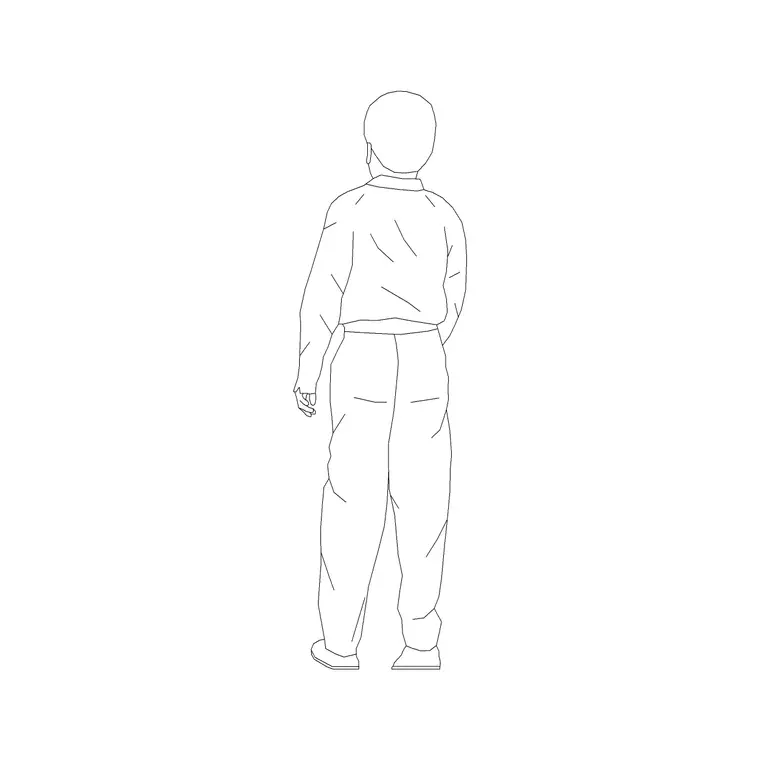
Free kid figure CAD block for child-scale drawings
By Saumyajit Maity · Published 2 Jan 2024 · Updated 17 Apr 2026
Design a nursery, a paediatric clinic or a primary school with adult figures only and everything looks fine on paper and wrong in life — the worktops are too high, the rails are at the wrong reach, and nobody notices until a small person is standing there. The kid figure is the antidote: a child-scale human you drop into the drawing to test whether a space actually fits the people who use it. This page provides a free kid figure CAD block in DWG and DXF, drawn in elevation at child proportions and ready to place in AutoCAD 2004 or later, free for personal and commercial use with no signup or watermark.
A child figure does something an adult figure cannot: it makes the gap between adult and child scale visible in a single view. Stand a kid figure next to a standard counter and the counter is suddenly too tall; put one beside a play structure and you can see whether the handhold is reachable. That is why architects, landscape designers and interior teams working on anything for children keep a child figure in their scale-figure set rather than relying on shrunk-down adults.
What the kid figure block represents
The block is the elevation silhouette of a child — shorter than an adult, with the larger head-to-body ratio that reads correctly as young rather than as a small grown-up. It is a recognisable standing child, drawn cleanly so it works as both a scale device and an ergonomic check. Because children vary so much by age, treat the figure as representing a typical primary-age child unless you scale it deliberately for toddlers or older children.
It is a single block you insert wherever you need to test child reach or read child scale. As a block reference it never needs redrawing: one master figure populates a whole classroom, a clinic waiting area or a playground elevation, and editing the master updates every instance at once.
Schools, nurseries, clinics and play areas
The kid figure belongs in any brief written around children. In a school or nursery it checks worktop, sink and coat-hook heights against a real child's reach, and it sets the scale of low furniture, doors and windows. In a paediatric or family clinic it shows that seating and reception counters work for accompanied children, not just adults. In a children's retail or library space it tests shelf reach and aisle scale.
Landscape and play design is where it is hardest to do without. Equipment heights, fall zones, handrails and step risers all read differently against a child, and a kid figure beside a play structure communicates safety and scale far better than a dimension alone. Pair it with an adult figure to show a supervising parent and the drawing tells the whole story of who uses the space.
Child proportions and heights to design around
Children grow fast, so any figure is a representative height rather than a fixed one. As a rough design-stage guide, a toddler stands around 850 to 1000 mm tall, a primary-age child around 1100 to 1350 mm, and an older child approaches adult height; always treat these as ranges and confirm critical reaches against the relevant guidance for the age group you are designing for. The point of the figure is to show the relationship between child and fitting, not to certify a dimension.
When you need a different age, scale the block uniformly rather than stretching it, so the head-to-body ratio stays believable. Keep the figure full size in the drawing and set INSUNITS to millimetres so AutoCAD handles the unit on insertion. If you place several children of different ages, scale separate copies rather than reusing one figure at the wrong height.
Placing the kid figure in AutoCAD
INSERT the block and snap its feet to the floor or ground line with an endpoint OSNAP, exactly as you would an adult figure. Stand the child next to the fitting you are testing — a counter, a sink, a rail, a window cill — and read the reach directly off the drawing. If the figure cannot reach what it needs to, that is a finding to fix, not to draw around.
Keep children on the same scale-figure layer as your adults so you can toggle all the people together, and use a non-plot or screened layer if the figures are for presentation only. Mirror the block to face the other way with MIRROR, and uniform-scale a copy when you need a younger or older child. Maintaining one master block keeps every child on the sheet consistent.
Combining child and adult figures
A child figure is most powerful in company. Place it with an adult to show a parent and child, with a couple or family group for a domestic scene, or with several children of staggered ages for a classroom. The contrast between the figures is what makes scale legible — a lone figure of any size only tells you so much.
The full people category collects adults, children, couples, groups and plan-view figures so you can build a complete cast from one consistent set. Keep the kid figure in the same drawing as the rest of your people blocks so they share insertion scale and layer conventions and the populated scene reads as one coherent set.
Free download
Browse the full library — DWG & DXF, no signup.
Questions
Frequently asked
What age of child does the figure represent?+
It reads as a typical primary-age child by default, with the larger head-to-body ratio that distinguishes a child from a scaled-down adult. For a toddler or an older child, uniformly scale a copy of the block rather than stretching it.
Why not just shrink an adult figure?+
A scaled-down adult has adult proportions and reads wrong — children have proportionally larger heads and shorter limbs. A dedicated kid figure looks right and gives a more honest reach and scale check for child-focused spaces.
Can it check whether a counter or rail is reachable?+
Yes. Stand the figure beside the fitting and read the reach off the elevation. If the child cannot reach a worktop, sink or handhold, the figure has flagged a real ergonomic problem to resolve.
Is the kid figure free to use in client work?+
Yes — the DWG and DXF download is free for personal and commercial use, with no signup, watermark or attribution required, so it can go straight into school, clinic and play-area drawings.
How do I show different ages in one drawing?+
Insert separate copies and uniformly scale each one to the height you need, keeping the proportions intact. Place them together to show a mixed-age group such as a classroom or a family.
Related downloads
Blocks for this guide
Popular blocks to download
Related categories
Related guides
Block landing
Human Figure Plan CAD Blocks — Free DWG
Download free human figure plan-view CAD blocks in DWG — people seen from above, drawn to scale for floor plans and circulation. AutoCAD 2004+, no signup.
Block landing
Human Figure Elevation CAD Blocks — Free DWG
Free human figure elevation CAD blocks in DWG — people drawn front-on and in profile to scale your sections and streetscapes. AutoCAD 2004+, no signup.
Block landing
Standing Person Scale Figure CAD Blocks (Free)
Free standing person scale figure CAD blocks in DWG — clean, true-height figures to set the scale of plans, sections and elevations. AutoCAD 2004+, no signup.