Block landing · juicer cad block
Juicer and mixer CAD blocks for kitchen worktops
By Sumana Kumar · Published 17 Nov 2024 · Updated 15 Mar 2026
A juicer, blender or stand mixer is a worktop appliance that does double duty on a kitchen drawing: it dresses the elevation to read as a real kitchen, and it stakes out the small-appliance and food-prep zone where the worktop, the sockets and the storage all need to come together. This page collects free juicer and mixer CAD blocks in DWG and DXF, drawn to true millimetre sizes for AutoCAD 2004 or later, free for personal and commercial use with no signup and no watermark.
These are the appliances that signal how a kitchen is actually used — a stand mixer says baking, a juicer says a health-focused household — so on a presentation drawing they carry character. Drawn to scale, the block dresses the worktop believably and marks the prep zone where the power and the working space have to be.
What a juicer or mixer block is for
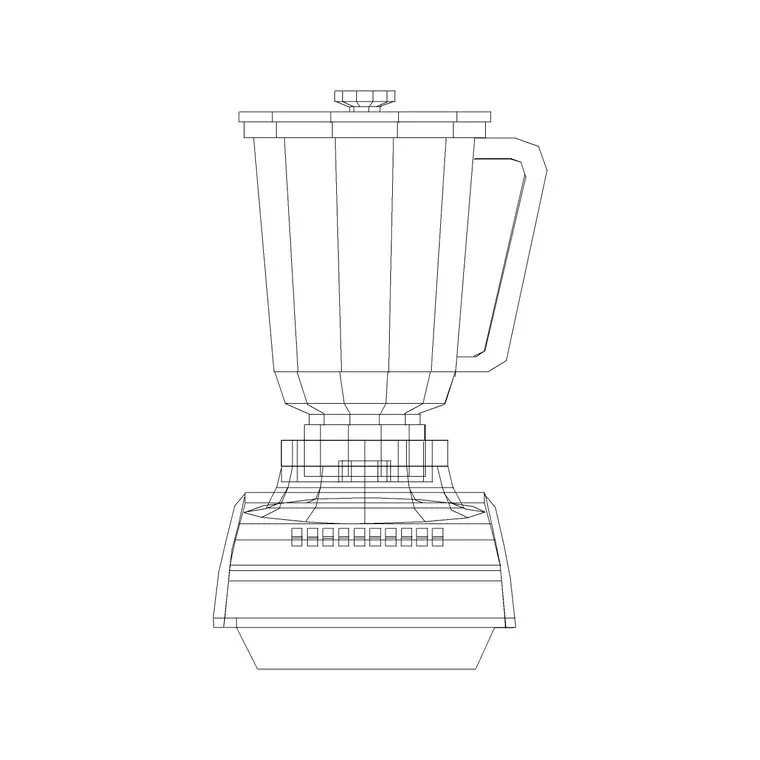
Like the toaster, a juicer or mixer block is a worktop dressing and zoning element rather than a fitted appliance, but these units are taller and more characterful. The plan view shows the footprint on the worktop, and the elevation draws the appliance face-on — the tall body of a stand mixer with its bowl and head, the jug of a blender, the chute and pulp container of a juicer — at its real height, which is what gives a kitchen elevation life.
Because a stand mixer or juicer is taller than a toaster, it matters for the elevation against the wall units: a tall stand mixer with the head raised needs headroom under the wall cabinets. The block lets you check that on the elevation. The body and accessories sit on their own layer so the prop toggles off for a technical plan.
Plan and elevation for the food-prep zone
For the plan you place the juicer or mixer on the worktop to claim its patch and mark the food-prep zone — the stretch of worktop near the sockets where the messy, powered prep happens. For the elevation, where these appliances earn their keep, you draw them face-on so the kitchen reads as a working, used space.
The height check is more important here than for a toaster: a stand mixer with its head tilted back, or a tall juicer, must clear the underside of the wall cabinets above the worktop, so the elevation block confirms there is headroom. Keep the appliances on a dressing or accessories layer for presentation drawings, frozen on technical ones. Many downloads carry both views in one DWG.
Typical juicer and mixer sizes
Design around these and confirm against the model if it matters. A countertop blender is commonly around 180 to 220 mm in plan and 400 to 500 mm tall with the jug fitted. A stand mixer is heavier and wider, roughly 240 to 300 mm wide, 350 to 400 mm deep, and 350 to 400 mm tall, taller again when the head is tilted back to add ingredients. A juicer varies widely — a slow masticating juicer is tall and narrow, a centrifugal one squat and wide.
The figure that earns its place on the drawing is the height with accessories fitted, because that is what has to clear the wall cabinets. Leave a clear patch of worktop for the appliance and its bowls or jugs, and keep the prep zone near a socket bank and within easy reach of the sink for filling and rinsing.
Inserting and placing the appliance
The blocks are full size in millimetres. Insert at scale 1 in a millimetre drawing, 0.001 in a metre template, or set INSUNITS to millimetres so AutoCAD rescales on insertion. Run INSERT, snap to a point on the worktop, and rotate so the appliance faces the way a user would work at it.
Place the juicer or mixer in the food-prep zone, near the sockets and within reach of the sink. Check the elevation height against the wall cabinets above — a tall stand mixer with the head up may want to sit clear of a low wall unit. Keep the appliance on a dressing or accessories layer so it appears on presentation drawings and disappears from technical ones, and cluster it with the toaster and kettle blocks for a believable worktop.
Where juicer and mixer blocks are used
Juicer and mixer blocks appear in kitchen presentation drawings, interior visuals, show-home and marketing sheets, and any layout where the worktop should read as a real, used food-prep space. Interior designers use them to dress elevations and characterise how a kitchen is lived in; architects use them to bring a plan to life on a presentation sheet; students use them on portfolio boards to make a kitchen read as occupied.
Pair the juicer and mixer with the toaster, kettle and coffee-machine blocks in the kitchen category to build a complete small-appliance cluster, and with the sink and worktop blocks so the food-prep zone sits within reach of water and clear of the hob.
Marking the food-prep zone with the right props
Where a toaster marks a general small-appliance corner, a juicer or stand mixer marks the food-prep zone specifically — the part of the worktop where ingredients are blended, mixed and processed, usually close to both the sink and a generous run of clear surface. Placing these blocks on the plan is a quiet way of telling the rest of the design where that working zone is, so the socket bank, the bin and the storage for bowls and attachments all gather sensibly around it rather than ending up across the room.
The height of these appliances is the detail that distinguishes them from a toaster on the drawing. A stand mixer with the head raised, or a tall juicer, can foul a low wall cabinet, so drawing them to scale in the elevation is a genuine clash check, not just dressing. As always, keep the props on their own layer so they enrich the client-facing drawings and vanish from the working set. Used with restraint — a believable two or three appliances, not a cluttered countertop — a juicer or mixer block gives a kitchen elevation the character that makes a client recognise their own life in the drawing, while quietly coordinating the prep zone the trades will build.
Free download
Browse the full library — DWG & DXF, no signup.
Questions
Frequently asked
What size is a stand mixer or juicer CAD block?+
A blender is around 180 to 220 mm in plan and 400 to 500 mm tall with the jug; a stand mixer is roughly 240 to 300 mm wide and 350 to 400 mm tall, taller with the head tilted back. Juicers vary widely. The height with accessories fitted is the figure that matters on the drawing.
Why does the height of a mixer matter on the drawing?+
Because a tall stand mixer with the head raised, or a tall juicer, can foul the underside of a wall cabinet above the worktop. Drawing the appliance to scale in the elevation is a real clash check, confirming there is headroom under the wall units.
What's the difference between a toaster prop and a mixer prop?+
Both dress the worktop, but a juicer or stand mixer specifically marks the food-prep zone near the sink and clear worktop, and it is tall enough to need a headroom check against the wall units. A toaster marks a more general small-appliance corner and rarely affects the elevation height.
Are these juicer and mixer CAD blocks free to download?+
Yes. They download free in DWG and, where available, DXF, with no signup, no watermark and no attribution requirement, and they are cleared for commercial project use.
Related downloads
Blocks for this guide
Popular blocks to download
Related categories
Related guides
Block landing
Free Bathroom Fixtures CAD Blocks — DWG Download
Download free bathroom fixtures CAD blocks in DWG and DXF — toilets, wash basins, bathtubs, showers and vanities drawn in plan and elevation. No signup, commercial OK.
Block landing
Free Gas Stove / Cooktop CAD Blocks — DWG
Free gas stove and cooktop CAD blocks in DWG and DXF — drawn in plan and elevation at true kitchen-module sizes for AutoCAD 2004+. No signup, commercial-use OK.
Block landing
Single Burner Hob CAD Block — Free DWG
Free single burner hob CAD blocks in DWG and DXF for compact kitchens and studios — plan and elevation, true sizing for AutoCAD 2004+. No signup, commercial OK.