Block landing · glass railing cad block
Free glass railing CAD block in DWG and DXF
By Sumana Kumar · Published 12 Mar 2022 · Updated 22 Apr 2026
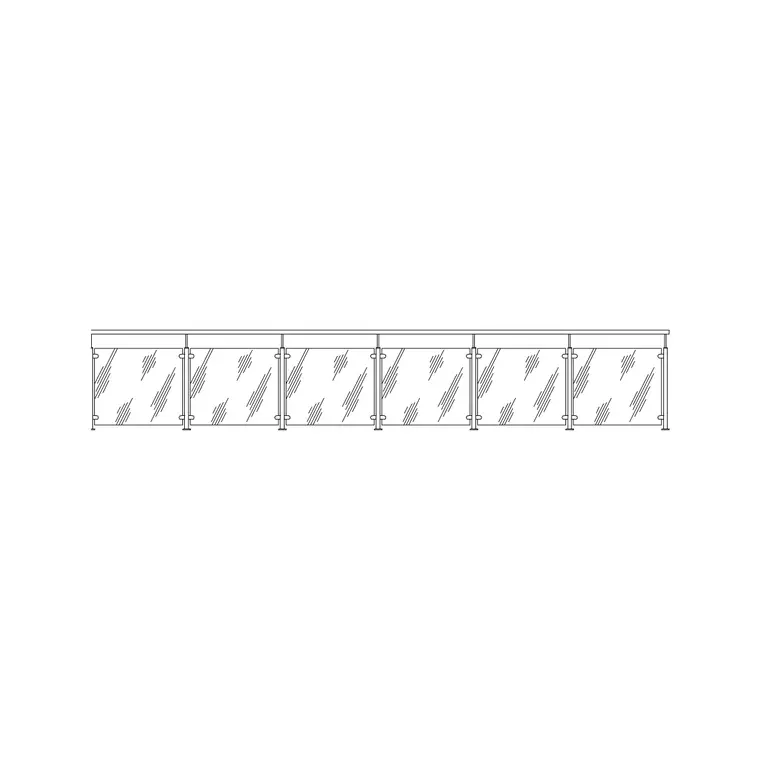
A glass railing is the balustrade you barely see — toughened glass panels held by spigots, a base channel or slim posts, used where the brief asks for protection without blocking the view. This page offers a free glass railing CAD block in DWG and DXF, drawn in elevation and section so the panel module, the fixings and the handrail line are honest. It is free for personal and commercial use, with no signup, no watermark and no credit required.
Glass balustrade is worth a dedicated block because, although the glass itself is almost invisible, the fixings and the handrail are not — and those are what you actually draw. The spigot or channel positions, the panel joints and the cap-rail line all repeat down the run and need to read consistently. Drop the block into an elevation for a balcony or stair, and into section to show the fixing detail.
Because it is licence-clear, the glass railing carries from a concept balcony study to a planning elevation and into a coordinated balustrade detail.
What the glass railing block contains
The block is drawn as one panel module: the glass panel as a thin double line or single line with a fill hint, the spigots or base channel that hold it, the panel joints, and the cap or handrail along the top where one is used. Glass, fixings and handrail sit on separate layers so you can fade the glass to a ghost line on a plan and pull the fixings forward on a detail.
Glass balustrade panels commonly span around 1.0–1.5 m between fixings, with a guarding height usually around 1000–1100 mm. Frameless types show only spigots or a slot channel at the base; framed types add slim posts. Because the panel is a block, the joint rhythm stays even down the whole run.
Frameless vs framed glass balustrade
A frameless glass railing holds each panel with point-fixed spigots or a continuous base channel and often has no top rail at all, giving the cleanest, most transparent line — the choice for a view-led balcony or a feature stair. A framed system uses slim metal posts between panels and usually a cap handrail, which is more forgiving on tolerance and load.
The block can show either: the frameless version draws as glass plus spigots or channel; the framed version adds the posts and the cap rail. Deciding which to draw early matters, because the fixing type is most of what is visible in the elevation.
Typical glass railing dimensions
Use these as planning ranges. Guarding height commonly sits around 1000–1100 mm where there is a drop to protect; panel width between fixings around 1.0–1.5 m; spigots set in from each panel edge. A base channel runs continuously where one is used; point spigots typically sit two per panel.
These are sketching ranges, not a spec — the glass thickness, the loading, the fixing system and the applicable guarding rules set the real figures, and glass balustrade in particular is governed by structural and safety requirements. The block exists to test the look and the module at a realistic size before the detailing is engineered.
Inserting and repeating the panels
The block is drawn full size in millimetres: insert at scale 1 in a millimetre drawing, 0.001 in a metre drawing, or set INSUNITS to millimetres for automatic rescaling. Snap the insertion point to a fixing or panel-joint position along the balustrade line and step the panel along the run.
For a straight balcony, place one panel and use a measured COPY or rectangular ARRAY at the panel module so the joints line up. On a stair or a curved balcony, place the panels individually so each follows the rake or the radius — glass balustrade turns a curve in short straight or shaped panels rather than one continuous sheet.
Where glass railing is used
Glass balustrade suits view-led balconies and terraces, feature staircases and landings, mezzanines and atria, pool surrounds, and shopfront and reception edges where transparency matters. Pair it with the stainless-steel and metal railing blocks in the outdoor set when a project mixes glass with metal, and with the stair and balcony blocks to complete the assembly.
The file is licence-clear, so it carries from a concept balcony to a planning elevation and into a coordinated balustrade detail without a redraw. It suits residential, commercial and student work alike.
Showing glass honestly on the drawing
Glass is the one balustrade where less line is more. Draw the panel as a thin single or double line with a light fill hint rather than a heavy outline, so the elevation reads as transparent. Keep the glass on its own layer so you can fade it on a busy plan and still show the fixings clearly. On a section, show the glass thickness, the spigot or channel embedment and the handrail fixing, because that detail is what the contractor actually builds — the panel itself is the easy part.
Free download
Browse the full library — DWG & DXF, no signup.
Questions
Frequently asked
Is the glass railing CAD block free for commercial use?+
Yes. It downloads free in DWG and, where available, DXF, with no signup, no watermark and no attribution clause, cleared for commercial project work.
Does it show frameless or framed glass balustrade?+
It can represent either — the frameless version draws glass plus spigots or a base channel, while the framed version adds slim posts and a cap handrail. Choose the fixing type that suits your detail.
What guarding height is it drawn at?+
Commonly around 1000–1100 mm where there is a drop to protect. Treat that as a planning range — the actual height is set by the applicable guarding and safety rules for your project.
What scale should I insert it at?+
Full size in millimetres. Insert at scale 1 in a millimetre drawing, 0.001 in a metre drawing, or set INSUNITS to millimetres for automatic rescaling on insertion.
Which CAD programs open the file?+
It targets AutoCAD 2004 and later and opens in current AutoCAD, AutoCAD LT, BricsCAD, DraftSight and free online DWG viewers.
Related downloads
Blocks for this guide
Related categories
Related guides
Block landing
Free Bar Table CAD Blocks — DWG Download
Download free bar table CAD blocks in DWG and DXF — round, square and rectangular high bar tables in plan and elevation for AutoCAD. No signup, commercial-use OK.
Block landing
Free Restaurant Table CAD Blocks — DWG Download
Download free restaurant table CAD blocks in DWG and DXF — 2, 4 and 6 cover tables with chairs drawn in plan and elevation for AutoCAD. No signup, commercial-use OK.
Block landing
Free Restaurant Chair CAD Blocks — DWG Download
Download free restaurant chair CAD blocks in DWG and DXF — dining, cafe and side chairs plus baby high chairs in plan and elevation. No signup, commercial-use OK.