Block landing · gate with column cad block
Free gate with column CAD block in DWG and DXF
By Saumyajit Maity · Published 9 Aug 2023 · Updated 30 Jan 2026
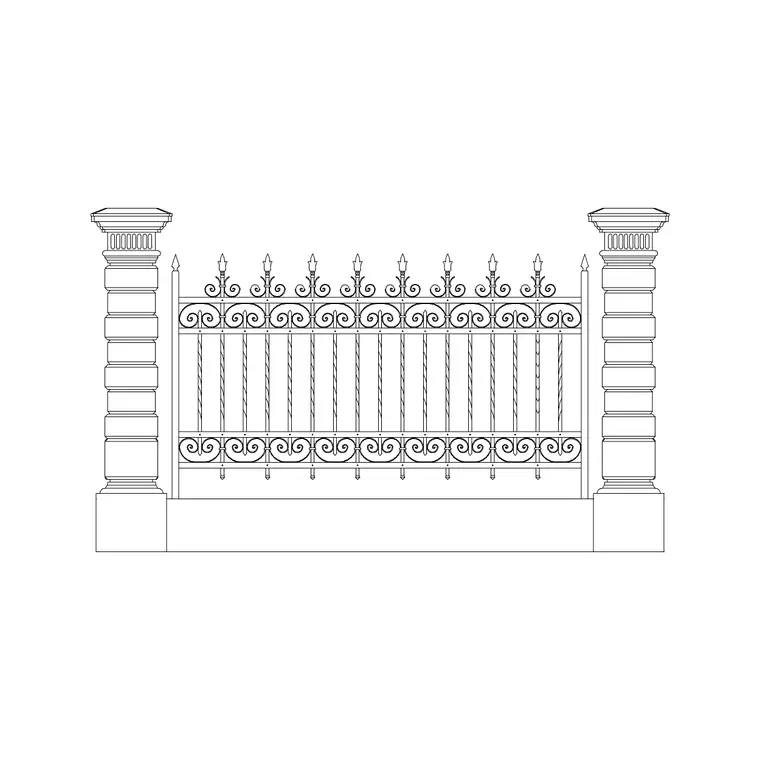
A gate with columns is the complete entrance picture: the gate leaf flanked by a masonry column or pier on each side, capped and sometimes lit, so the opening reads as a framed gateway rather than a bare leaf in a wall. This page offers a free gate with column CAD block in DWG and DXF, drawn in elevation as the gate-and-column composition so you can place a finished entrance facade in one move. It is free for personal and commercial use, with no signup, no watermark and no credit required.
This composition is worth a dedicated block because the column and the gate are designed together — the column width frames the leaf, the cap sits above the gate height, and the hinge or roller fixes into the column face. Drawing them as one block keeps that relationship right when you place or copy the entrance. Drop it into a street elevation to show the framed gateway, and set the opening out in plan to check the swing and the column footprint.
Because it is licence-clear, the same gate-with-column entrance carries from a concept frontage to a planning elevation and into a tender drawing.
What the gate-with-column block contains
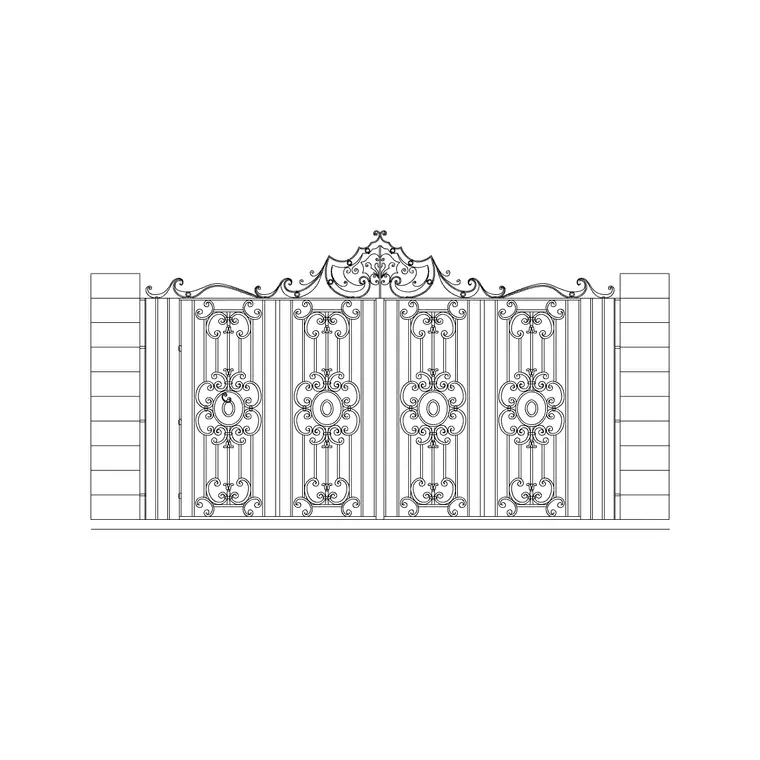
The block is drawn in elevation as the framed entrance: the gate leaf or leaves with their frame and infill, a masonry column or pier each side, the column caps, and any base or plinth. Gate, columns and caps sit on separate layers so you can isolate the metalwork for fabrication or the masonry columns for the builder.
The columns are noticeably heavier than the gate — a pier width commonly around 300–600 mm, rising to the gate height plus a cap, framing a gate opening of around 3.0–4.5 m for a vehicle entrance. Because the entrance is a block, the column-to-gate proportion stays balanced and one edit updates the whole composition.
How the column frames the gate
The columns do two jobs: they carry the gate hinges or the sliding-gate rollers, and they frame the opening so the entrance reads as a designed gateway. Their width sets the proportion — too thin and the gate looks unsupported, too heavy and it looks like a fortress. The block is drawn so the column width sits in sensible proportion to the gate opening and height.
The caps and any plinth give the columns a top and base, lifting them above a plain pier. Keeping the columns on their own layer lets a structural or foundation drawing show just the pier footprints while the elevation shows the full framed composition.
Typical gate and column sizes
Use these as planning ranges. A vehicle gate opening between columns commonly sits around 3.0–4.5 m; pier or column width around 300–600 mm; column height to match the gate at around 1500–2100 mm plus a cap above. A pedestrian gate alongside is usually 0.9–1.2 m wide, often with its own slimmer columns.
These are sketching ranges, not a spec — the gate weight, the hinge or roller fixing, the masonry unit and any local rule set the real figures. The block lets you test the framed-entrance proportion — column to gate to cap — at a realistic size before the design is detailed.
Inserting and setting out the entrance
The block is drawn full size in millimetres: insert at scale 1 in a millimetre drawing, 0.001 in a metre drawing, or set INSUNITS to millimetres for automatic rescaling. Snap the insertion point to the entrance centre line so the gate sits symmetrically between its columns on the ground line.
In plan, draw the column footprints and the gate swing arc or slide path so you can confirm the opening, the column projection and the clearance. The columns fix the hinge or roller position, so the plan check ties the elevation back to a working swing or slide — if the leaf fouls the column or the drive, the plan tells you before the elevation is finalised.
Where gate-with-column entrances are used
A gate framed by columns suits house and villa frontages, gated communities, apartment-compound entrances, school and institutional gateways, hotel and resort approaches, and any project where the entrance is meant to feel composed and substantial. Pair it with the boundary wall, railing, lantern and planting blocks in the outdoor set to complete the frontage.
The file is licence-clear, so it carries from a concept entrance to a planning elevation and into a tender or fabrication package without redrawing the composition. It suits residential, institutional and student work alike, and it pairs naturally with the iron-gate elevation when the same gate is shown with and without its columns.
Coordinating columns, gate, caps and lighting
The columns, the gate, the caps and any pier lights are one composition. Set the entrance centre line first, place the columns symmetrically about it, then drop the gate between them and the caps on top so the whole gateway is balanced. Keep the gate, the columns, the caps and the lighting on separate layers so each trade — the metalworker, the mason, the electrician — has a clean drawing. A lantern or finial on each column cap and a crest at the gate centre tie the gateway together, and carrying that motif into the adjacent railings makes the whole frontage read as one designed entrance.
Free download
Browse the full library — DWG & DXF, no signup.
Questions
Frequently asked
Does the block include the columns as well as the gate?+
Yes. It is drawn as a framed entrance — the gate leaf flanked by a masonry column each side, with caps — each element on its own layer so you can isolate the metalwork or the masonry.
Is it a plan or an elevation?+
It is drawn in elevation as the gate-and-column facade. For the clearance check, set the same opening out in plan and add the column footprints and the swing arc or slide path.
What column width does it use?+
A pier width commonly around 300–600 mm, in proportion to a gate opening of around 3.0–4.5 m. Treat these as planning ranges and tune them to your entrance.
What scale should I insert it at?+
Full size in millimetres. Insert at scale 1 in a millimetre drawing, 0.001 in a metre drawing, or set INSUNITS to millimetres for automatic rescaling on insertion.
Will the DWG open in older or free CAD software?+
Yes. It targets AutoCAD 2004 and later and opens in current AutoCAD, AutoCAD LT, BricsCAD, DraftSight and free online DWG viewers.
Related downloads
Blocks for this guide
Related categories
Related guides
Block landing
Free Bar Table CAD Blocks — DWG Download
Download free bar table CAD blocks in DWG and DXF — round, square and rectangular high bar tables in plan and elevation for AutoCAD. No signup, commercial-use OK.
Block landing
Free Restaurant Table CAD Blocks — DWG Download
Download free restaurant table CAD blocks in DWG and DXF — 2, 4 and 6 cover tables with chairs drawn in plan and elevation for AutoCAD. No signup, commercial-use OK.
Block landing
Free Restaurant Chair CAD Blocks — DWG Download
Download free restaurant chair CAD blocks in DWG and DXF — dining, cafe and side chairs plus baby high chairs in plan and elevation. No signup, commercial-use OK.