Block landing · garden arch cad block
Free garden arch CAD block in DWG and DXF
By Saumyajit Maity · Published 29 Apr 2026 · Updated 24 May 2026
A garden arch is the arched structure you set over a path or gateway for climbing plants to grow through — a rose arch, a metal arbour, a timber archway that frames a view and marks a transition in a garden. This page offers a free garden arch CAD block in DWG and DXF, drawn to scale and ready for AutoCAD 2004 or later, free for personal and commercial use with no signup and no watermark.
An arch is a vertical feature, so it lives mainly in elevation, but its plan footprint matters too: the two side posts sit either side of a path and the structure has to span a wide enough opening for someone to walk through comfortably. Drawing it to scale lets you place an arch where a path crosses a hedge or a boundary, set the opening width correctly, and show it convincingly on a presentation elevation.
What the garden arch block shows
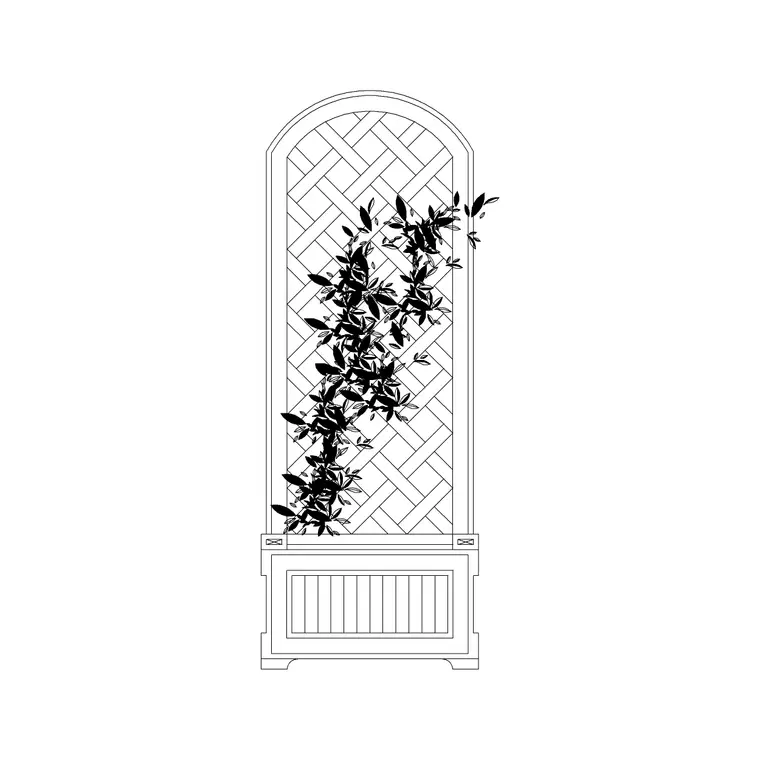
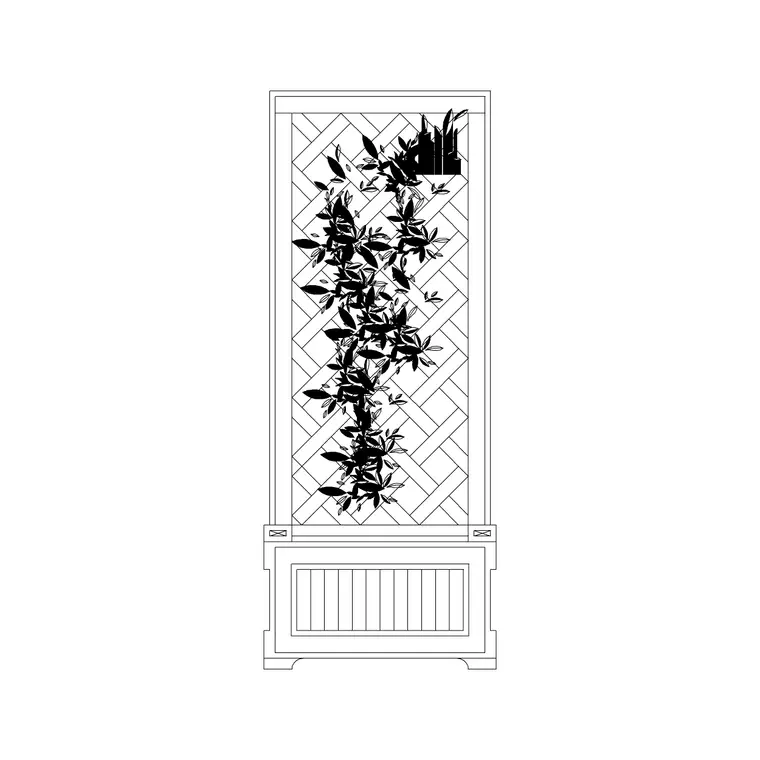
The garden arch block represents an arched garden structure in elevation and, in plan, the two posts that carry it. The elevation shows the curved or pointed top, the side uprights and any trellis infill the plants climb through; the plan reads as two small post footprints set the opening width apart, straddling the path.
Drawing the arch as a block keeps the structure consistent each time you place one — useful when a long path has a series of arches forming a covered walk. The elevation is what gives a presentation drawing its sense of arrival, while the plan posts are what you coordinate against the path edge and any planting at the base.
Typical sizing for a garden arch
Use these ranges to scale and place the block. A garden arch opening is commonly wide enough for one person to pass comfortably — often in the order of 1000–1400 mm clear between the posts — and tall enough to walk under with climbing plants hanging down, so the overall height stands well above head height. Deeper arbour-style arches add a top that spans front-to-back to form a short tunnel.
For a run of arches forming a pergola walk, space them so the structure reads as continuous and the planting can knit across the top. Treat these as planning ranges and confirm the chosen arch's real opening width, height and depth before setting it against the path.
Plan and elevation use
For the layout you work in plan: the two post footprints placed where the path crosses a boundary, hedge or threshold, on a structure or site-furniture layer. For presentation and section drawings you switch to elevation, where the arch frames the view and gives the scene height and a sense of passage.
The block is drawn full size in millimetres. Insert at scale 1 in a millimetre drawing, 0.001 in a metre drawing, or set INSUNITS to millimetres so AutoCAD rescales on insertion. Centre the arch on the path so the opening lines up with the route, and use the elevation view when you draw the garden face-on so the proportions read correctly.
Where garden arches are used
Garden arches appear on residential garden plans, public gardens and parks, wedding and event garden layouts, allotment and kitchen-garden schemes, and heritage or formal garden drawings. They pair with the hedge, climbing-plant, path, gate and pergola blocks in the outdoor and landscape categories to mark thresholds and frame views.
Because the block is free and licence-clear, it suits concept plans and presentation elevations where a garden needs moments of structure and arrival. The same arch carries from an early circulation plan, where it marks a transition, through to a detailed landscape drawing, so the structural rhythm of the garden stays consistent.
Layering and arraying
Put the arch on a structure or site-furniture layer, separate from soft planting, so you can show the built features cleanly and coordinate them with the path and any foundations. A distinct colour keeps the vertical structures legible on a busy planting plan.
To form a covered walk, use the ARRAY command to repeat the arch evenly along a path, then drop climbing-plant blocks at the base of each post. Once the threshold detail is resolved, WBLOCK an arch-plus-planting module and reuse it wherever a path crosses a boundary in the scheme, so every transition is treated consistently.
Using the arch to frame a view
An arch does more than carry a climbing rose — it directs the eye and choreographs how a garden is read on the approach. Set over a path, it frames whatever lies beyond it, so the most rewarding place for an arch is where there is a destination to reveal: a focal urn, a seat, a glimpse of the wider landscape. On the plan, sight along the path through the arch and check that the thing you want framed actually sits in line, because an arch that frames a shed wall sells the garden short.
A single arch marks one threshold; a run of arches turns a path into a tunnel that compresses the space and then releases it, which is a classic way to make a short garden feel like a journey. The plan is where you set that rhythm — the spacing of the arches and the length of the covered run — and where you confirm the path stays wide enough through the structure for the planting that will eventually clothe it. Drawing the arches to scale, rather than dropping a symbol, is what lets you judge whether the walk feels generous or claustrophobic before a single post goes in the ground.
Free download
Browse the full library — DWG & DXF, no signup.
Questions
Frequently asked
Is the garden arch CAD block free?+
Yes. It downloads free in DWG and, where available, DXF, with no signup, no watermark and no attribution requirement, cleared for commercial use.
Does the file include both plan and elevation?+
Where a block ships multiple views they are in the same DWG. Use the plan posts for layout and the elevation to show the arch framing the path in presentation drawings.
How wide should the arch opening be?+
Wide enough for someone to pass comfortably — often around 1000–1400 mm clear between posts — and tall enough to walk under with climbing plants. Confirm the real opening against the chosen arch.
Which software opens the DWG?+
It targets AutoCAD 2004 and later and opens in AutoCAD, AutoCAD LT, BricsCAD, DraftSight and free DWG viewers.
Related downloads
Blocks for this guide
Popular blocks to download
Related categories
Related guides
Block landing
Free Bar Table CAD Blocks — DWG Download
Download free bar table CAD blocks in DWG and DXF — round, square and rectangular high bar tables in plan and elevation for AutoCAD. No signup, commercial-use OK.
Block landing
Free Restaurant Table CAD Blocks — DWG Download
Download free restaurant table CAD blocks in DWG and DXF — 2, 4 and 6 cover tables with chairs drawn in plan and elevation for AutoCAD. No signup, commercial-use OK.
Block landing
Free Restaurant Chair CAD Blocks — DWG Download
Download free restaurant chair CAD blocks in DWG and DXF — dining, cafe and side chairs plus baby high chairs in plan and elevation. No signup, commercial-use OK.