Block landing · wrought iron gate cad block
Free iron and wrought-iron gate CAD blocks
By Saumyajit Maity · Published 15 Aug 2025 · Updated 6 Jan 2026
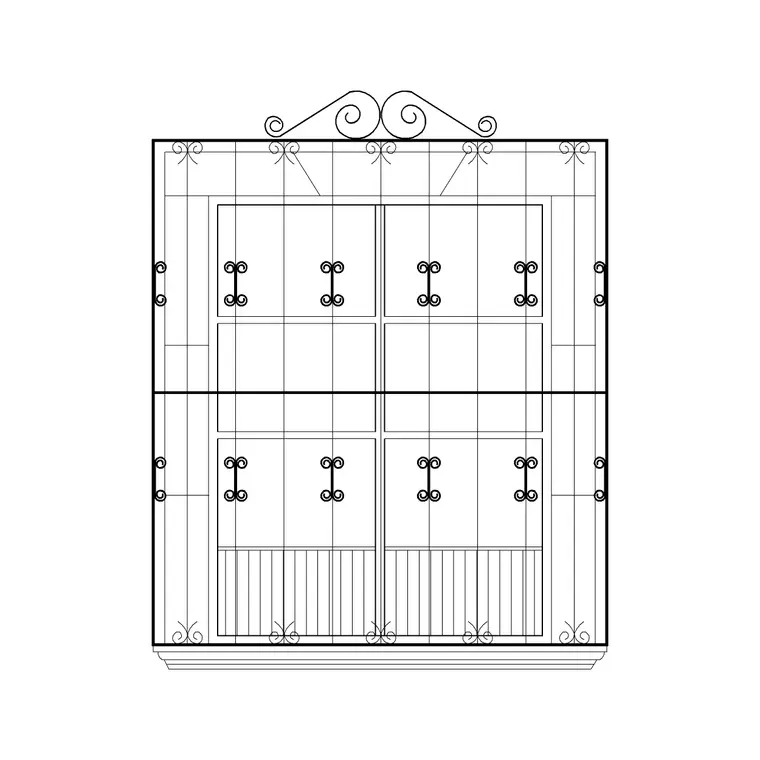
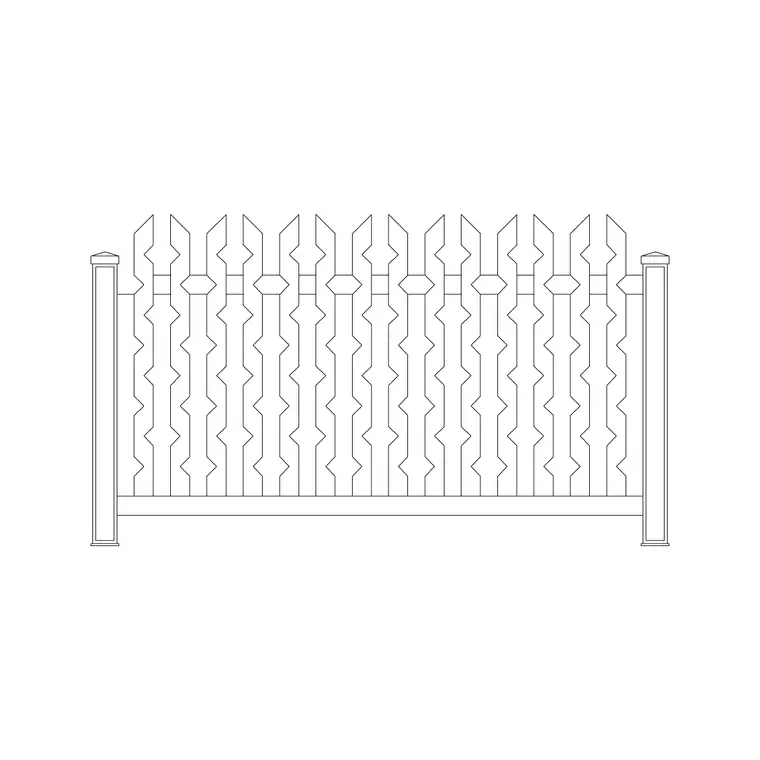
An iron gate is a detail people look at, so the elevation has to read well — the scrolls, the pickets, the cap rail and the hinge stile all carry the character of a boundary. This page collects free iron and wrought-iron gate CAD blocks in DWG and DXF — single ornamental garden gates, paired pedestrian gates and decorative panel gates — drawn at true millimetre dimensions and ready to insert into AutoCAD 2004 or later. Everything is free for personal and commercial work, with no signup and no watermark.
Unlike a fence, a gate is mostly an elevation block: you are drawing the face of it for a garden design, a streetscape or a fabrication detail. Many of these blocks also carry a plan symbol with a swing arc, so you can drop the gate into a boundary plan and check that the leaf clears the path, the planting and any step beyond it.
What's in a wrought-iron gate block
The value of an iron gate block is in the elevation. A good one draws the hinge stile and latch stile, the top and bottom rails, the vertical pickets or balusters, and any ornamental work — scrolls, finials, a curved or arched top rail. Each of those is editable geometry on sensible layers, so you can recolour the ironwork, simplify the scrolls for a small-scale plan, or keep the ornament for a presentation drawing.
The plan symbol is simpler: the gate leaf shown as a line with a swing arc from the hinge, which is what you actually use to check clearances in a layout. Some files include a paired-gate (double-leaf) version where two leaves meet at the centre, useful for a wider pedestrian or service opening. Because the gate is a single block reference, you can mirror it, flip the hinge side, and array a repeated decorative panel within the leaf.
Elevation for character, plan for the swing
For a garden design, a boundary elevation or a fabrication drawing you work in elevation: the gate seen face-on, drawn at its real height against the adjacent fence or piers. This is the view that communicates the design — whether the gate is a plain picket, a hooped top or a heavily scrolled Victorian-style leaf — and it is the view a metalworker reads to set out the bar spacing.
The plan view earns its keep when you place the gate in a boundary or site plan. The swing arc shows which way the leaf opens and how much clear space it needs, so you can confirm it doesn't foul a path edge, a planter or a level change. Drop the plan symbol at the opening, set the hinge side, and the arc tells you immediately whether the gate should open in or out.
Typical gate sizes to design around
Use these ranges as a starting point. A single pedestrian iron gate is commonly around 900 mm–1.0 m wide to suit a standard path, with the height matched to the adjacent fence or wall — often 0.9–1.2 m for a front-garden gate and up to 1.8 m where it continues a tall boundary. Picket or baluster spacing on an ornamental gate is typically kept tight, around 100 mm or less, where safety or a brief calls for it.
A double pedestrian gate spans a wider opening, with each leaf around 0.6–0.9 m so the pair clears a service route. These are typical figures rather than fixed specifications — the opening, the boundary height and any safety brief drive the real dimensions. The blocks are drawn full size so you can stretch the leaf width or adjust the picket count to suit the opening you are detailing.
How to insert the gate and set its swing
These gate blocks are drawn in millimetres. Insert at scale 1 in a millimetre drawing, 0.001 in a metre template, or set INSUNITS to millimetres so AutoCAD rescales on insertion. Run INSERT or drag the DWG onto the drawing, and pick the insertion point at the hinge for the plan symbol so the swing arc pivots correctly.
For the plan, set the hinge side and the open direction to match the design — mirror the block to flip the hinge, and rotate it to align with the boundary line. For the elevation, place the gate between the pier or post lines at its real height. If you need to widen the leaf, STRETCH the rails and re-array the pickets; because the pickets sit on their own geometry you can change their spacing without disturbing the frame.
Where iron gate blocks are used
Iron and wrought-iron gate blocks turn up in garden and landscape designs, boundary and site plans, streetscapes, heritage and conservation drawings, and metalwork fabrication details. Landscape and garden designers use the elevation to show the entrance character of a scheme; architects use the plan swing to coordinate the gate with paths and levels; metalworkers and fabricators use the elevation to set out the bar work.
Pair the gate with the fence, railing and paving categories to draw a complete entrance — a boundary fence or railing, the gate, the supporting piers and the paved threshold beyond. An ornamental iron gate is often the focal point of that entrance, so getting its elevation right lifts the whole drawing.
Coordinating the gate with piers, posts and levels
A gate never stands alone — it hangs between two supports and lands on a surface, and the block helps you coordinate all three. In elevation, draw the hinge and latch piers or posts first, then drop the gate between them so the rail heights and the latch position line up with the support. The block's stiles give you the lines to dimension the clear opening, which is the figure the fabricator and the installer both work to.
In plan, the swing arc is the coordination tool. Check it against any step or ramp on the approach, against the edge of the paving, and against planting or furniture nearby, so the gate has room to open through its full arc. Where the ground falls across the opening, an iron gate with vertical bars can be raked or stepped at the bottom rail to follow the slope — keep the gate as scaled geometry and you can show that adjustment cleanly on the elevation rather than guessing it on site.
Free download
Browse the full library — DWG & DXF, no signup.
Questions
Frequently asked
Do the iron gate blocks include a swing arc in plan?+
Many do. The plan symbol shows the gate leaf as a line with a swing arc from the hinge, so you can set the open direction and check that the leaf clears paths, planting and level changes in your layout.
Are the wrought-iron gate CAD blocks free for commercial use?+
Yes. Every gate block downloads free in DWG and, where available, DXF, with no signup, no watermark and no attribution requirement, and they are cleared for commercial project use.
Can I widen the gate leaf to match my opening?+
Yes. The blocks are drawn full size, so you can STRETCH the rails to a wider opening and re-array the pickets or balusters. Because the bars sit on their own geometry, you can change their spacing without disturbing the frame.
Which view should I use for a fabrication drawing?+
Use the elevation. It shows the gate face-on at real height with the rails, stiles, pickets and ornamental work a metalworker needs to set out the bar spacing. Use the plan symbol with its swing arc for layout coordination.
Related downloads
Blocks for this guide

Related categories
Related guides
Block landing
Free Garden Fence CAD Blocks — DWG & DXF
Download free garden fence CAD blocks in DWG and DXF — timber, panel and contemporary boundary fences drawn in plan and elevation, AutoCAD 2004+, no signup.
Block landing
Free Main Entrance Gate CAD Blocks — DWG
Download free main entrance gate CAD blocks in DWG and DXF — driveway, sliding and double-swing gates drawn in elevation and plan with swing arcs. No signup.
Block landing
Free Garden Swing CAD Blocks — DWG Download
Download free garden swing CAD blocks in DWG and DXF — A-frame swing seats and hanging swing chairs drawn in plan and elevation. No signup, commercial-use OK.