Block landing · wheelchair cad block
Free wheelchair and disabled figure CAD blocks
By Sumana Kumar · Published 25 May 2022 · Updated 13 May 2026
Accessibility is checked on the drawing board, and that check is far easier when you have a wheelchair user drawn to scale. A wheelchair figure does more than populate a drawing - it lets you test turning circles, door widths, ramp gradients and clear floor space against a real occupant. This page collects free wheelchair and disabled figure CAD blocks in DWG — wheelchair users drawn in plan and elevation at true dimensions — ready to insert into AutoCAD 2004 or later. Every file is free for personal and commercial use, with no signup and no watermark.
Designing for accessibility means meeting specific clearance and reach requirements, and a scaled wheelchair block turns those requirements from numbers into something you can see and draw around. Place the figure in an accessible WC and the turning space becomes obvious; put it at a counter and you can confirm the knee clearance and the reach. Use these blocks in accessible toilets, ramps, lifts, counters, parking bays and any space that has to work for wheelchair users.
What a wheelchair figure includes
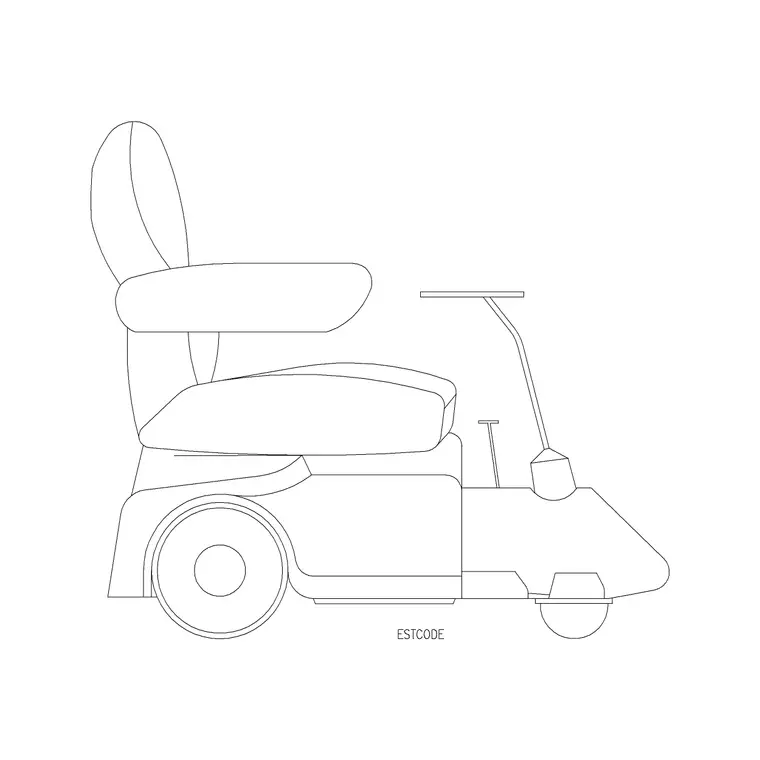
A good wheelchair block draws both the person and the chair together as a single occupant, because it is the combined footprint that governs the space they need. In plan you see the outline of the wheelchair with the seated user, including the wheels and often the footplates that project forward. In elevation you see the seated person at wheelchair height, which is essential for checking counters, basins, rails and sightlines.
The most useful sets include the turning-circle geometry or make it easy to add, because the turning space is the dimension that most often governs an accessible room. Some blocks show the chair occupied and self-propelled; others show an attendant-pushed chair, which has a slightly larger footprint. The download pages note what each block includes so you can pick the one that matches the situation you are designing for.
Wheelchair dimensions to design around
These reference dimensions are the heart of accessible design, and the figure lets you draw against them directly. A typical manual wheelchair occupies roughly 700-750 mm wide and 1100-1200 mm long including footplates. The turning circle a wheelchair needs to rotate 360 degrees is commonly taken as around 1500 mm diameter, and clear floor space to approach a fixture is often based on a 1500 mm by 1500 mm zone.
Seated reach and clearance matter just as much. A wheelchair user's eye level sits around 1100-1300 mm; comfortable forward reach is roughly 400-1200 mm above the floor; knee clearance under a counter or basin needs about 700 mm of height and 600 mm of depth. Always confirm the exact figures against the accessibility code that governs your project, since requirements vary by country and building type, but these ranges let you lay out and check a space sensibly.
Checking turning circles and clear space
The single most valuable thing a wheelchair block does is let you test the turning space. Drop the figure into an accessible WC or lobby, then draw the turning circle - commonly a 1500 mm diameter - centred where the user needs to rotate, and you can see at once whether the fixtures intrude on it. If the door swing, the basin or the pan eats into the circle, the room does not work, and the drawing shows it before construction does.
The same approach checks clear floor space at fixtures: place the figure square-on or beside a basin, WC or counter and confirm the approach space and the transfer space are clear. Doing this with a scaled figure rather than from memory is what catches the clashes that turn into expensive site problems later, which is why accessibility consultants lean on these blocks heavily.
How to insert and place the block
These figures are drawn full size in millimetres. Insert at scale 1 in a millimetre drawing, 0.001 in a metre drawing, or set INSUNITS to millimetres so AutoCAD rescales the block on insertion. Use INSERT or drag the DWG from a tool palette, and place the plan figure flat in the room for clearance checks or the elevation figure against a counter or basin for reach and knee-clearance checks.
Get the orientation right, since approach and transfer space depend on which way the user faces and which side they transfer from. Keep the wheelchair figures on a dedicated layer, and consider keeping the turning circle on its own layer too so you can show or hide the accessibility geometry independently of the architecture for different drawing issues.
Where wheelchair figures are used
Wheelchair figures are core to any accessibility-led drawing. Accessible WCs rely on them to prove the turning circle and transfer space. Ramps and level-access entrances use them to confirm widths and landings. Lifts use them to check the car is large enough to enter, turn and exit. Reception desks, retail counters, kitchens and bars use the seated figure to confirm a section is at an accessible height with proper knee clearance.
Accessible parking bays, hotel rooms, healthcare facilities and public buildings all need them, because accessibility is a requirement across almost every building type. On a planning or building-control submission, drawings that clearly show wheelchair users and their clearances make the accessibility strategy legible to the reviewer, which smooths approval.
Designing inclusively beyond the wheelchair
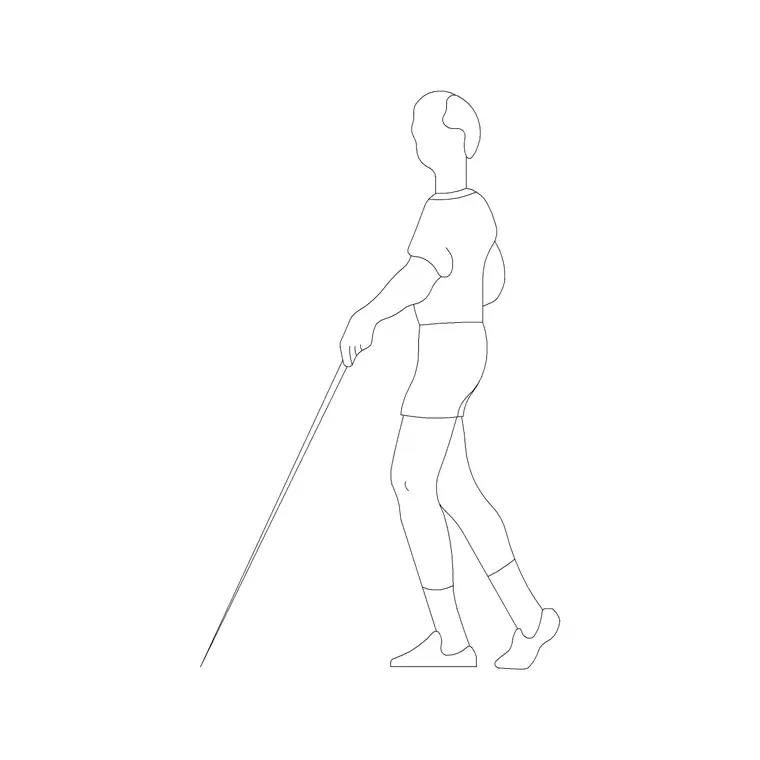
A wheelchair user is the most commonly drawn accessibility figure, but inclusive design serves a wider range of people, and it is worth thinking about that as you draw. Some users walk with sticks, frames or crutches and need wider clear paths and frequent rest points; some have visual or sensory impairments and rely on clear, uncluttered circulation. A drawing that considers this range, not just the wheelchair, produces a genuinely inclusive space.
In practice, keep the wheelchair figure as your primary accessibility tool but remember it represents a minimum many other users also benefit from - generous door widths, level thresholds and clear turning space help everyone, from a parent with a buggy to someone carrying luggage. Pair the wheelchair figure with standing and seated figures of varied builds, and always verify the specific clearances against the accessibility standard for your project, since the figure helps you draw the space but the code defines the requirement.
Free download
Browse the full library — DWG & DXF, no signup.
Questions
Frequently asked
What turning circle does a wheelchair need?+
A wheelchair turning circle is commonly taken as around 1500 mm in diameter for a 360-degree turn, with clear floor space often based on a 1500 by 1500 mm zone. Always confirm the exact figure against the accessibility code for your project.
What size is a wheelchair in plan?+
A typical manual wheelchair occupies roughly 700-750 mm wide and 1100-1200 mm long including the footplates. The combined person-and-chair footprint is what governs the clear space you need to provide.
Are the wheelchair figure blocks free for commercial use?+
Yes. Every figure downloads free in DWG with no signup, no watermark and no attribution requirement, and they are cleared for commercial project use, including accessibility submissions.
Do these blocks replace checking the accessibility code?+
No. The figure lets you lay out and check a space against realistic dimensions, but you must always verify the exact clearances and reach ranges against the accessibility standard that governs your project and country.
Related downloads
Blocks for this guide
Popular blocks to download
Related categories
Related guides
Block landing
Human Figure Plan CAD Blocks — Free DWG
Download free human figure plan-view CAD blocks in DWG — people seen from above, drawn to scale for floor plans and circulation. AutoCAD 2004+, no signup.
Block landing
Human Figure Elevation CAD Blocks — Free DWG
Free human figure elevation CAD blocks in DWG — people drawn front-on and in profile to scale your sections and streetscapes. AutoCAD 2004+, no signup.
Block landing
Standing Person Scale Figure CAD Blocks (Free)
Free standing person scale figure CAD blocks in DWG — clean, true-height figures to set the scale of plans, sections and elevations. AutoCAD 2004+, no signup.