Curated pack · streetscape cad blocks
Free urban and streetscape CAD block pack
By Saumyajit Maity · Published 4 Apr 2026 · Updated 24 Apr 2026
A streetscape drawing is the public face of urban design — the plan or section that shows how a street works for the people who walk it, the vehicles that use it and the buildings that frame it. It pulls together footways and carriageways, street trees and lighting, railings and crossings, all read against the human figures that prove the space is comfortable. This free urban and streetscape CAD block pack gathers that kit — street trees, a vehicle, paving textures, a lighting column, fencing and gates, and scale figures — in DWG and DXF, drawn to scale and ready to insert into AutoCAD 2004 or later. Everything is free for personal and commercial work, with no signup and no watermark.
Use the pack to draw street plans and cross-sections, high-street and town-centre schemes, pedestrianised areas, boulevards and the public realm around mixed-use development. Because the blocks are scaled, the drawing tests the real balance of a street — how much width goes to walking, to planting, to vehicles — rather than just illustrating it.
Street design is fundamentally about allocating a fixed width between competing uses, and a scaled drawing is the only honest way to do it. Lay the footway, the planting zone, the cycle and carriageway widths to scale, drop in the trees, lighting and figures, and the section tells you immediately whether the street is generous to people or surrendered to traffic.
What's in the streetscape pack
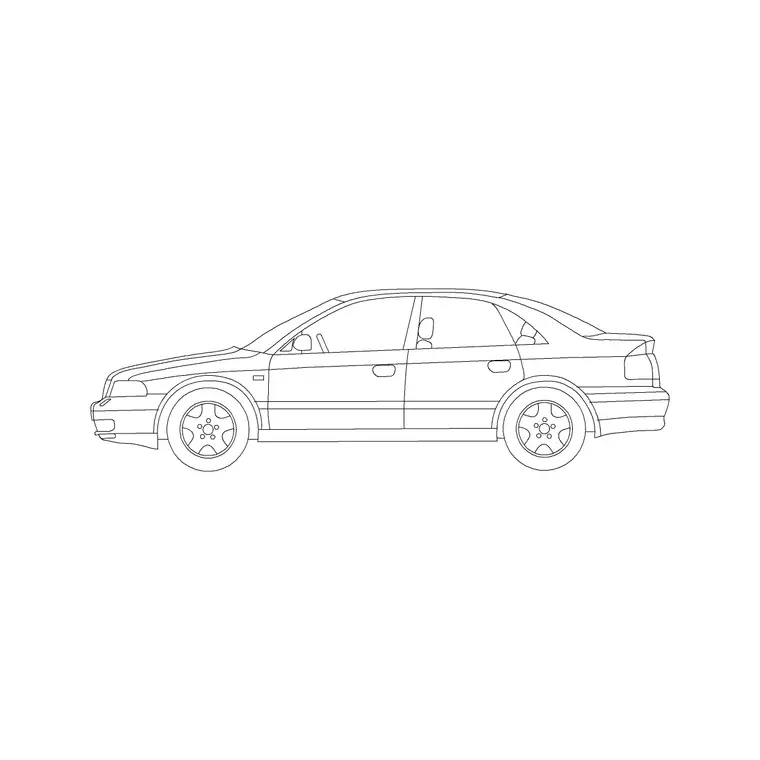
The pack assembles the urban-realm essentials. Planting: street trees, including a palm and broadleaf options, for the planting zone and the avenue effect. Movement: a car in plan for the carriageway and parking, plus scale figures for the footways. Surfaces: paving textures for footways, crossings and shared surfaces. Lighting: a column for the street lighting layer. Edges and guarding: a fence run and a gate for railings, guardrail and access points.
It is a starter kit for a street drawing. For more vehicles — buses, vans, cycles — the vehicles category extends the set; trees-and-plants deepens the avenue planting; and paving and outdoor carry more surface and guarding options.
Allocating the street width
The heart of a streetscape drawing is the cross-section, where you divide the available width between uses. Working from one building line to the other, a typical street allocates a footway, then a furniture-and-planting zone for trees and lighting, then any cycle lane, then the carriageway and parking, and the footway again on the far side. Lay each zone to scale and the section shows honestly whether the street is balanced.
Drop the blocks into the section to test it: a figure standing on the footway with the building behind, a tree in the planting zone with its canopy spreading over the footway, a car in the carriageway and another in a parking bay. If the footway feels mean once a figure and a lighting column share it, the section needs rebalancing — which is exactly the judgement a scaled drawing lets you make.
Street trees and the avenue effect
Street trees do more for an urban scheme than almost any other element: they soften the architecture, shade the footway, slow traffic visually and turn a road into a place. Use the tree blocks in the planting zone, set out at an even spacing along the street to create the avenue effect, with a path array along the street centreline for a formal, regular rhythm. Vary the spacing only where crossings, entrances or utilities force a gap.
Scale the trees to their realistic mature spread and check the canopy against the building line and the carriageway — a mature street tree's canopy reaches a long way, and the section should show it overhanging the footway, not stopping politely at the kerb. Keep the trees on a planting layer so they can be coordinated against the lighting, since a tree canopy growing into a lantern is a classic streetscape clash.
Crossings, guarding and the pedestrian experience
How a street treats people at the edges — the crossings, the guarding, the surfaces — is where good urban design shows. Use the paving textures to mark crossings and shared surfaces distinctly from the general footway, and the fence and gate blocks for pedestrian guardrail at busy crossings and the railings around planted or sunken areas. Place guardrail only where it is genuinely needed to manage where people cross, because over-railing a street makes it feel hostile and caged.
The scale figures are the test of the whole pedestrian experience. Walk a figure along the footway, across a crossing and past the guardrail, and confirm the clear width holds, the crossing lands on a dropped kerb, and nobody is funnelled into an awkward pinch. A streetscape that works for the figure on the plan is one that will work for the person on the street.
Who uses the streetscape pack
Urban designers and masterplanners use it to draw street plans, sections and public-realm schemes. Architects use it to set a building's frontage into the street and to draw the context section. Highway and landscape drafters use the trees, lighting, guarding and paving to populate street layouts. Students use it for urban-design studio work where scaled, licence-clear blocks matter.
Pair the streetscape pack with the vehicles category for buses, vans and cycles, trees-and-plants for richer avenue planting, paving for more surface and crossing options, and outdoor for additional guarding and street structures.
From the section to the plan and back
Good street design moves constantly between the cross-section and the plan, and the same scaled blocks serve both. The section sets the principle — how the width is shared between footway, planting, cycling and traffic — and the plan tests how that principle survives along the length of the street, where crossings interrupt the parking, entrances break the tree line, and the carriageway widens at a junction. Working both views from one consistent block library keeps the two honest with each other.
That consistency is what turns a streetscape drawing from an illustration into a design tool. When the tree in the section is the same scaled block as the tree in the plan, and the figure on the footway is the same in both, the drawing genuinely tests the street rather than just depicting it. Build the streetscape from scaled, layered blocks and you can develop the section and the plan together, confident that the generous footway you drew in section is the same generous footway that actually runs the length of the street.
Free download
Browse the full library — DWG & DXF, no signup.
Questions
Frequently asked
What's in the urban and streetscape pack?+
Street trees including a palm, a car in plan, paving textures for footways and crossings, a lighting column, a fence and gate for railings and guarding, and scale figures. The vehicles, trees-and-plants, paving and outdoor categories add more of each.
Are the streetscape blocks free for commercial use?+
Yes. Every block downloads free in DWG and, where available, DXF, with no signup, no watermark and no attribution requirement, and all are cleared for commercial project use.
How do I use the blocks in a street cross-section?+
Divide the width between footway, planting, any cycle lane, carriageway and parking, drawn to scale building line to building line. Drop in a figure on the footway, a tree in the planting zone and a car in the carriageway to test whether the section is balanced.
How do I set out street trees evenly?+
Use a path array along the street centreline to space the tree block at a regular interval for the avenue effect, then adjust at crossings, entrances and utilities. Scale each tree to its realistic mature spread and check the canopy against the building line and kerb.
Related downloads
Blocks for this guide



Related categories
Related guides
Curated pack
Free Landscape CAD Block Pack — DWG & DXF
A free landscape CAD block pack in DWG and DXF — trees, shrubs, fences, paving, lighting and figures for AutoCAD landscape plans. No signup, commercial-use OK.
Curated pack
Free Site Plan CAD Block Pack — DWG Download
A free site plan CAD block pack in DWG and DXF — trees, vehicles, paving, fencing, lighting and figures to dress site and block plans. No signup, commercial OK.
Curated pack
Free Landscape & Tree DWG Pack — Plan & Elevation
A free landscape and tree DWG pack — trees, palms, shrubs and potted plants in plan and elevation for AutoCAD site plans. DWG and DXF, no signup, commercial-use OK.