Block landing · 2 seater sofa cad block
Free two-seater sofa CAD blocks for AutoCAD
By Saumyajit Maity · Published 20 Sep 2024 · Updated 12 May 2026
A two-seater sofa — the loveseat — is the compact couch that fits where a three-seater won't: small living rooms, apartments, snugs, hotel rooms and reception nooks. A scaled two-seater sofa CAD block lets you slot that smaller footprint into a tight layout with confidence. This page collects free two-seater sofa CAD blocks in DWG and DXF — straight loveseats and compact upholstered two-seaters in plan and front elevation — drawn at true millimetre dimensions and ready to insert into AutoCAD 2004 or later. Everything is free for personal and commercial work, with no signup and no watermark.
Use these blocks to furnish a small living room, pair two of them facing each other across a coffee table, or fit a sofa into a room where a larger couch would block circulation. Because the block is scaled, you can confirm the two-seater fits the wall and leaves the walkway the moment it lands.
When a two-seater is the right choice
The two-seater earns its place where space is the constraint. In a small living room or apartment, a three-seater can eat the whole wall and leave no room for a side table or a clear path; a two-seater leaves breathing room. Two loveseats facing each other across a coffee table make a balanced, symmetrical seating group that works beautifully in a square room — a layout a single large sofa can't give you.
The scaled block is how you make that judgement on the plan rather than on site. Place the two-seater against the wall outline and you can see at once whether it fits with a side table, whether the walkway behind it survives, and whether two of them leave a comfortable conversation gap. That is a decision far cheaper to get right in AutoCAD than after delivery.
Typical two-seater sofa dimensions
Design around these figures. Overall width: 1500–1800 mm — the defining dimension, and what sets the two-seater apart from a three-seater's 1900–2300 mm. Overall depth: 850–1000 mm. Seat height: 400–450 mm. Arm height: 550–650 mm. Back height: 800–950 mm. A compact 'apartment' loveseat sits near 1500 mm; a more generous two-seater approaches 1800 mm.
Remember the arms are part of that width — a loveseat described as 1.5 m of seating is often 1.7 m overall once the arms are counted. Placing the scaled block against the wall and the adjacent furniture catches that real width before it causes a clash.
Plan for layouts, elevation for the scheme
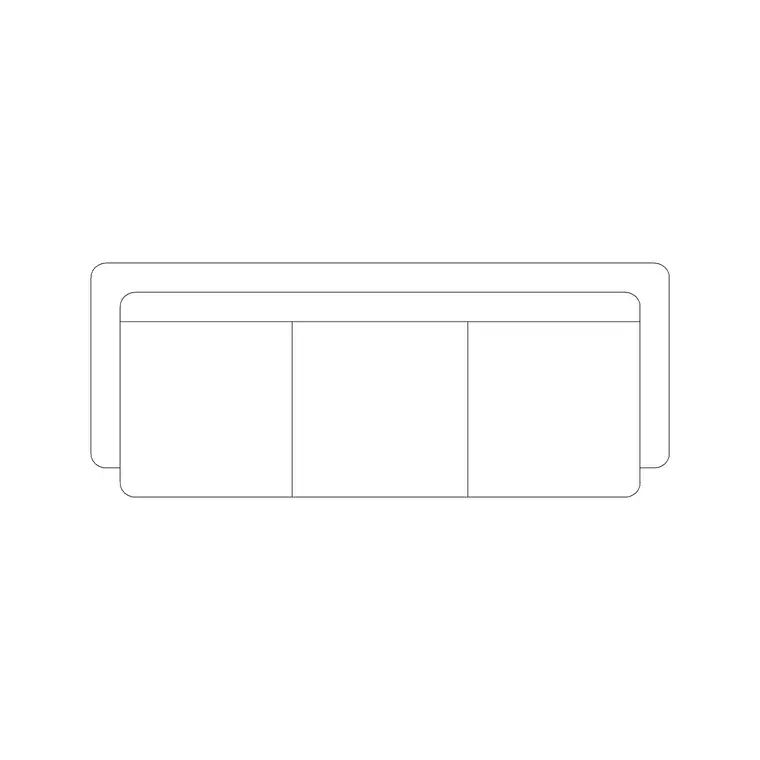
For furniture layouts you work in plan: the two-seater squared to a wall, floated to define a zone, or paired with a second loveseat across a table. The plan block anchors a compact seating group. Keep it on a furniture layer so you can freeze the seating for a clean structural plan.
For interior elevations and presentation boards you switch to elevation, where the seat, arm and back heights read face-on against the wall. A two-seater under a window or against a feature wall is a common elevation view. Many downloads here carry both views in one DWG, so a single file serves the plan and the elevation.
How to insert and place the block
The two-seater blocks are drawn full size in millimetres. Insert at scale 1 in a millimetre drawing, 0.001 in a metre template, or set INSUNITS to millimetres so AutoCAD rescales on insertion.
Use INSERT or drag from a tool palette, pick a consistent insertion point such as a back corner, and rotate the sofa to the wall it serves. For a symmetrical two-loveseat layout, place one and MIRROR it across the centreline of the coffee table so the pair sits perfectly balanced. As a single block reference it copies cleanly and updates everywhere if you edit the definition.
Where two-seater sofa blocks are used
Two-seater blocks suit space-constrained and paired-seating layouts: apartment and small-house living rooms, snugs and home offices, hotel guest rooms, reception and waiting areas, members' clubs and showrooms, and breakout corners in offices. Pair them with the armchair, coffee-table and three-seater blocks to build a seating group scaled to the room.
Because they are free and licence-clear, they suit residential refurbishments, hospitality fit-outs, student portfolios and concept plans. The same block carries from a layout sketch through to a coordinated FF&E drawing without redrawing the seating.
Pairing and mirroring two-seaters
The two-seater really comes into its own when you use two of them. Facing loveseats across a coffee table give a symmetrical, sociable arrangement that suits a square living room or a hotel lobby far better than a single long sofa, and because each is a scaled block you can set the pair up precisely. Place the first two-seater, drop the coffee table on the centreline, then MIRROR the sofa across that line so the two face each other at a matched distance — typically a conversation gap of 1800–2400 mm between the seat fronts.
Keeping each sofa as a block reference makes it easy to test the room: slide the pair apart for a more open feel, or bring them in for intimacy, and the layout updates without redrawing. When the arrangement works, WBLOCK the paired group — two sofas and the table — as a reusable cluster you can drop into the next symmetrical room straight away.
Free download
Browse the full library — DWG & DXF, no signup.
Questions
Frequently asked
How wide is a two-seater sofa block?+
Typically 1500–1800 mm overall, including the arms — narrower than a three-seater's 1900–2300 mm. A compact apartment loveseat sits near 1500 mm; a more generous two-seater approaches 1800 mm. Check the scaled block against the wall before committing.
Is a two-seater the same as a loveseat?+
Yes — 'loveseat' is the common term for a two-seater sofa, a compact couch sized for two people. The blocks on this page cover the same furniture under either name.
Are these two-seater sofa CAD blocks free for commercial use?+
Yes. Every block downloads free in DWG and, where available, DXF, with no signup, no watermark and no attribution requirement, and they are cleared for commercial project use.
What units are the two-seater sofa blocks drawn in?+
Full size in millimetres. Insert at scale 1 in a millimetre drawing, or set INSUNITS to millimetres so AutoCAD rescales automatically if your template uses different insertion units.
Related downloads
Blocks for this guide
Popular blocks to download
Related categories
Related guides
Block landing
Free Office Chair CAD Blocks — DWG Download
Download free office chair CAD blocks in DWG and DXF — task chairs, swivel chairs and executive seats drawn in plan and elevation, AutoCAD 2004+, no signup.
Block landing
Free Bar Table CAD Blocks — DWG Download
Download free bar table CAD blocks in DWG and DXF — round, square and rectangular high bar tables in plan and elevation for AutoCAD. No signup, commercial-use OK.
Block landing
Free Restaurant Table CAD Blocks — DWG Download
Download free restaurant table CAD blocks in DWG and DXF — 2, 4 and 6 cover tables with chairs drawn in plan and elevation for AutoCAD. No signup, commercial-use OK.