Block landing · toilet door cad block
Free toilet door CAD blocks for AutoCAD
By Sumana Kumar · Published 11 Jun 2026 · Updated 28 Jun 2026
A toilet door is the door to a bathroom, WC or toilet cubicle — a single leaf that, despite being an ordinary swing door, sits in one of the tightest and most clearance-critical spaces in any plan. Because toilets and en-suites are small, the toilet door's swing is often the single thing that decides whether the room works, so a correctly-scaled toilet door CAD block earns its keep on every layout. This page collects free toilet door CAD blocks in DWG and DXF, drawn full size in plan and elevation for AutoCAD 2004 or later, free for personal and commercial use.
The toilet door is a single swing door, so its plan symbol is a leaf and a swing arc. But its context is what makes it special: in a cramped toilet the inward swing fights with the WC, the basin and the person using them, which is why so many toilet doors end up narrower, outward-opening or replaced by a slider. The scaled block is what lets you see that conflict and solve it.
What a toilet door block shows
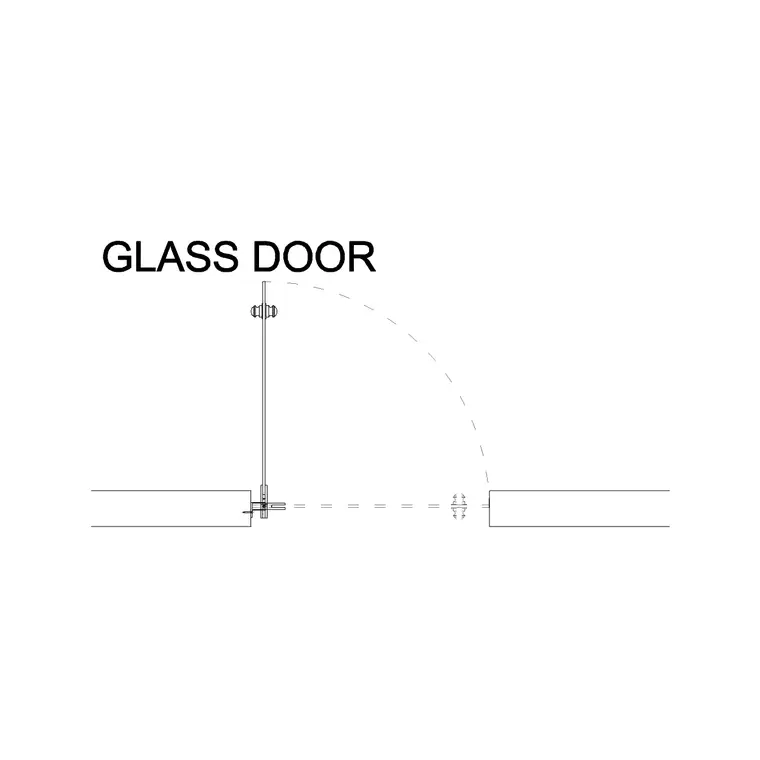
A toilet door in plan is a single-leaf swing door: a leaf drawn open with its quarter-circle swing arc and the frame in the opening, exactly like any internal door. What matters for a toilet door is reading that swing against a very small room, so the block's arc is the working tool — it shows immediately whether the open leaf clears the WC pan, the basin and the floor a person needs to stand on.
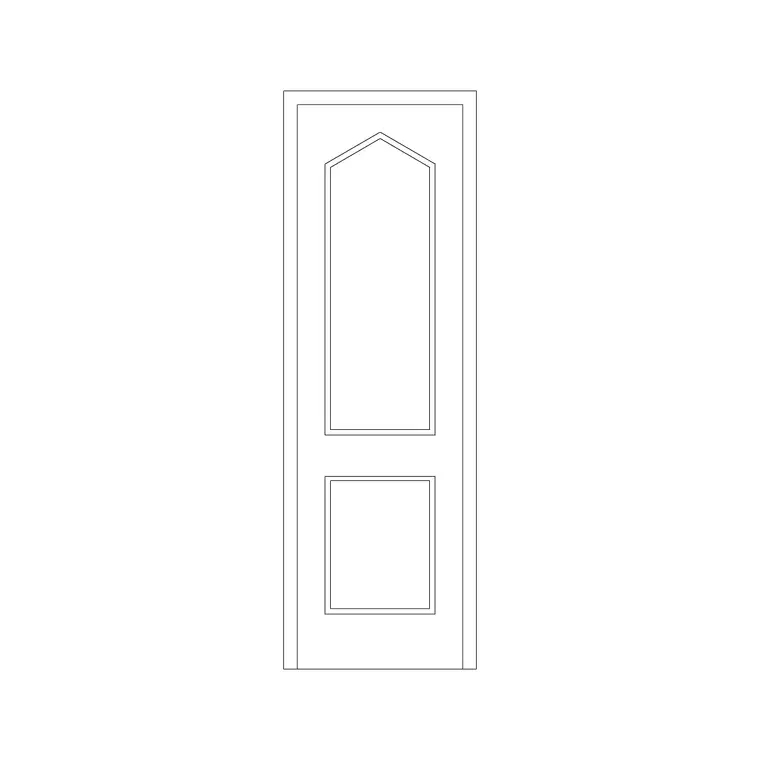
In elevation, a toilet door is usually a plain flush or simply-panelled leaf, sometimes with a vent grille at the bottom for airflow and a privacy lock indicator on the handle. In commercial washrooms the toilet door is often a cubicle door — a shorter leaf hung in a cubicle partition system, raised off the floor and stopping short of the ceiling — which draws differently from a full-height room door. The blocks here cover both the full toilet-room door and the cubicle door, on sensible layers.
Why toilet doors are clearance-critical
Toilets and en-suites are among the smallest rooms in any building, and the door swing is usually the tightest constraint. An inward-opening toilet door sweeps a quarter-circle of floor that, in a compact WC, can clash with the pan, the basin or the very spot where a person stands to use them. Drawing the door as a scaled block, rather than a plain gap, is the only reliable way to catch that clash before it is built.
When the inward swing does not fit, the scaled block also shows the fixes. Hanging the door to open outward solves the floor conflict but can block a corridor or another door — which the plan reveals. A narrower leaf reduces the swing but must still meet the minimum clear width. A sliding or pocket door removes the swing entirely, which is why those types are so common for tight bathrooms. The toilet door block is therefore as much a test of the room as a piece of furniture.
Typical toilet door dimensions
Toilet and bathroom doors are often at the narrower end of the door range because the rooms are small — leaf widths of 600, 700 or 750 mm are common for a domestic WC or bathroom, though an 800 mm leaf is used where accessibility requires a wider clear opening. Leaf height matches other internal doors at around 2000 mm. Commercial WC cubicle doors are shorter and raised, with the leaf typically hung about 100–150 mm off the floor and stopping below the ceiling, in a cubicle around 1800–2000 mm high.
For an accessible WC the door is wider — usually an 800 mm clear leaf — and frequently outward-opening so that the inward swing does not trap a person who has fallen against the door, an important safety detail. Because the blocks are drawn full size, you place the toilet door and read both the clear width and the swing against the WC layout, which is exactly the check a small bathroom needs.
Inserting a toilet door
Insert these blocks at scale 1 in a millimetre drawing, or set INSUNITS to Millimeters so AutoCAD rescales automatically. Pick the hinge side of the opening as the insertion point, then set the hand with MIRROR and the swing direction with ROTATE — and immediately check the swing against the WC, basin and floor space, because in a small toilet this is where the door succeeds or fails.
If the inward swing clashes, try reversing it to outward (ROTATE) and check it does not foul the corridor or another door, or switch to a sliding or pocket door block from the doors category if no swing fits. For an accessible WC, set an 800 mm outward-opening leaf and draw the turning circle around it. Keep the toilet door as a single block reference so it schedules cleanly, and array it where identical bathrooms or cubicles repeat, updating all with one BEDIT change.
Where toilet door blocks are used
Toilet door blocks appear in every building with a bathroom or WC: houses and flats, hotels, offices, schools, restaurants and public buildings. In residential work they are the en-suite and family-bathroom doors; in commercial work they include both the door to the washroom and the cubicle doors within it. Accessible WCs are a category of their own, with wider, usually outward-opening doors and specific clearances.
Architects and interior designers use these blocks to lay out bathrooms where the door swing is the binding constraint; accessibility consultants check the clear width and the outward-opening detail on accessible WCs; and washroom and cubicle specialists work from the cubicle-door layouts. Pair the toilet door blocks with the bathroom fixture blocks across the catalogue and with the sliding and pocket door blocks in the doors category, since those are the usual escape route when a swing will not fit a tight WC.
Privacy, ventilation and accessibility details
Beyond the swing, a toilet door carries a few details worth showing in the block. Privacy is the obvious one: toilet doors use a privacy lock with an occupied indicator, and in commercial washrooms the cubicle door has a thumb-turn lock and an indicator bolt — small details, but the things that make the door a toilet door rather than a generic one. Ventilation is another: where a toilet relies on a transfer of air, the door may have a grille or be undercut, which the elevation can note.
Accessibility is the detail that most changes the door. An accessible WC door is wider, usually opens outward for safety, often has a horizontal pull rail on the inside, and may use an emergency-release lock so the door can be opened from outside if someone collapses against it. Drawing the accessible toilet door as a scaled, outward-opening block with the turning circle around it is what proves the WC meets its access requirements. Keep all toilet doors on their own layer, tag them for scheduling, and WBLOCK a recurring cubicle or en-suite door so repeated bathrooms stay consistent.
Free download
Browse the full library — DWG & DXF, no signup.
Questions
Frequently asked
What is a toilet door block?+
A toilet door block is a single-leaf swing door for a bathroom, WC or toilet cubicle, drawn in plan as a leaf and swing arc and in elevation as a plain or vented leaf. The set covers both full toilet-room doors and shorter, raised commercial cubicle doors.
Why are toilet doors often outward-opening?+
In a small toilet an inward swing fights with the WC and basin, so doors are often hung to open outward to keep the floor clear. On accessible WCs outward opening is also a safety detail, so a person who collapses against the door does not block it.
What width is a toilet door?+
Domestic toilet and bathroom doors are often 600–750 mm, since the rooms are small, while accessible WCs use a wider 800 mm clear leaf. The blocks are drawn full size so you can check the clear width and swing against the fixtures.
Are the toilet door blocks free for commercial use?+
Yes. Every toilet door block downloads free in DWG and DXF with no signup, no watermark and no attribution requirement, and they are cleared for commercial project use.
Related downloads
Blocks for this guide

Related categories
Related guides
Block landing
Free Wooden Door CAD Blocks — DWG Download
Download free wooden door CAD blocks in DWG and DXF — solid timber doors drawn in plan, elevation and section for AutoCAD 2004+. No signup, commercial use OK.
Block landing
Free Laminated Flush Door CAD Blocks — DWG
Download free laminated flush door CAD blocks in DWG and DXF — flat-faced flush doors with frame in plan and elevation for AutoCAD. No signup, commercial OK.
Block landing
Free Panel Door CAD Blocks — DWG Download
Download free panel door CAD blocks in DWG and DXF — two, four and six panel doors drawn in elevation and plan for AutoCAD. No signup, commercial use OK.