Block landing · laminated flush door cad block
Free laminated flush door CAD blocks for AutoCAD
By Sumana Kumar · Published 18 Jun 2026 · Updated 28 Jun 2026
A laminated flush door is the plain, flat-faced internal door you see in almost every modern apartment, office and hospital corridor — a hollow or solid core faced with a smooth laminate or veneer skin. Because it is the cheapest and most repeated door type in volume buildings, having a clean laminated flush door CAD block on hand saves real drafting time on any plan with a lot of identical rooms. This page collects free laminated flush door blocks in DWG and DXF, drawn at true millimetre dimensions in plan and elevation, ready for AutoCAD 2004 or later, free for personal and commercial use.
What sets a flush door apart on the drawing is its simplicity: the elevation is a plain rectangle with no panels or mouldings, just the leaf, the frame and the handle. That makes it the easiest door to draw — but easy to draw badly, because the swing arc and the frame allowance still have to be right for the plan to be useful.
What makes a flush door block different
In elevation, a laminated flush door is a flat, unbroken rectangle — no raised panels, no glazing bars, just the clean face of the laminate and a thin architrave around the frame. That visual plainness is the whole point of the door type, and it is what distinguishes a flush door block from a panel or French door block on a schedule sheet.
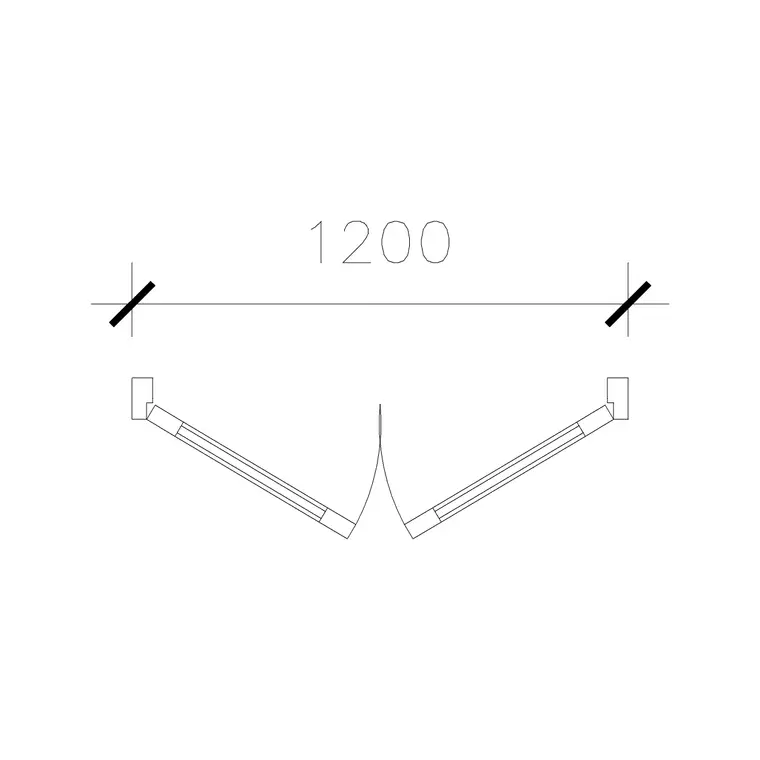
In plan, though, a flush door behaves exactly like any other hinged door: a leaf drawn open, a swing arc, and a frame in the wall opening. The blocks here often pair the flush door with its frame and lock detail in one DWG, so when you place the door you also place the frame allowance and can read the structural opening immediately. Keep the leaf, the frame and the swing on separate layers and the same block serves both a plain architectural plan and a detailed door schedule.
Standard flush door sizes
Laminated flush doors are made in tight standard modules because they are mass-produced, which makes them ideal for arraying across repetitive layouts. Common leaf widths are 600, 700, 750, 800 and 900 mm; in many markets an 800 mm leaf is the default room door and a 600–700 mm leaf is used for bathrooms and stores. Standard leaf height sits around 1981–2040 mm, with leaf thickness of 30–40 mm for a hollow-core flush door and up to 44 mm for a solid-core fire-rated version.
Allowing for the frame, an 800 mm flush door typically needs a structural opening of roughly 900 mm. Because the block is drawn full size, you place it in your opening and instantly see whether the wall gap you have drawn suits the standard leaf — which matters because flush doors are bought off-the-shelf in these exact sizes.
Inserting and arraying flush doors
These flush door blocks are drawn in millimetres, so insert at scale 1 in a millimetre drawing or set INSUNITS to Millimeters to let AutoCAD rescale automatically. Run INSERT, browse to the DWG, and pick the hinge side of the opening as the insertion point so the swing rotates about the hinge.
Flush doors come into their own where a plan repeats — a hotel corridor of identical rooms, a row of consulting rooms, a block of apartments with the same internal layout. Insert one door, set its hand with MIRROR, then COPY or ARRAY it down the corridor. Because every instance references the same block definition, a later change — swapping the handle position or the frame detail — updates the whole run in one edit through BEDIT.
Where laminated flush doors are specified
Flush doors dominate volume residential and institutional buildings: apartment blocks, student housing, hotels, hospitals, schools and offices. They are the standard internal door wherever cost and repetition rule, and the solid-core version is widely used as a fire door because the dense core gives a fire rating without changing the plain appearance.
Architects use these blocks to populate repetitive room layouts fast; interior designers use them where a clean, unornamented door suits a contemporary scheme; services and fire engineers care about which flush doors carry a fire rating. Pair the flush door blocks with the wooden door and panel door blocks in the doors category to mix door types across a single scheme while keeping every block on the same scale and layer convention.
Flush doors and fire ratings
A large share of flush doors in commercial buildings are fire doors, and the drawing has to say so even though the door looks identical to a non-rated one. The usual convention is to tag the door block with an attribute or a note giving its fire rating — FD30 or FD60 in many markets — and sometimes to add intumescent seal and smoke-seal symbols to the frame in the detail. Because the flush leaf looks the same rated or not, that schedule information is the only thing distinguishing them, so it has to live with the block.
Drawing each flush door as a tagged block lets you extract a door schedule that lists every door, its size, its hand and its fire rating in one table straight from the model. That schedule is exactly what the ironmongery and fire-strategy packages work from, which is why keeping the doors as clean, attributed blocks rather than loose lines pays off on any project with a fire-compartmentation requirement.
Keeping a tidy door layer
As with every door type, put your flush doors on a dedicated door layer so you can freeze them for a structural plan and thaw them for a detailed one. On a repetitive building this matters even more, because a single floor can carry dozens of identical flush doors and you want them all controlled together.
Give the door layer its own colour and lineweight, attach a reference attribute to each block, and the whole floor's doors become a schedulable set. When a door type recurs — and on a hotel or apartment plan the same flush door recurs constantly — WBLOCK the door and frame as one unit and array it, so the drawing stays light and every instance is guaranteed identical.
Free download
Browse the full library — DWG & DXF, no signup.
Questions
Frequently asked
What is a laminated flush door in CAD terms?+
It is a plain, flat-faced internal door — a hollow or solid core skinned with laminate or veneer. In elevation it draws as a plain rectangle with no panels; in plan it behaves like any hinged door, with a leaf and a swing arc.
Are the flush door blocks free for commercial use?+
Yes. Every flush door block downloads free in DWG and DXF with no signup, no watermark and no attribution requirement, and they are cleared for commercial project use.
What standard sizes do the flush door blocks come in?+
They are drawn full size to the common module — leaf widths of 600 to 900 mm and a leaf height around 2000 mm. Because flush doors are bought off-the-shelf in these sizes, the blocks let you check your opening against a real leaf.
Can I use a flush door block to show a fire door?+
Yes. A solid-core flush door is the standard fire door, and because it looks identical to a non-rated one you tag the block with an attribute or note giving its fire rating (such as FD30). That schedule data travels with the block for extraction.
Related downloads
Blocks for this guide

Popular blocks to download
Related categories
Related guides
Block landing
Free Wooden Door CAD Blocks — DWG Download
Download free wooden door CAD blocks in DWG and DXF — solid timber doors drawn in plan, elevation and section for AutoCAD 2004+. No signup, commercial use OK.
Block landing
Free Panel Door CAD Blocks — DWG Download
Download free panel door CAD blocks in DWG and DXF — two, four and six panel doors drawn in elevation and plan for AutoCAD. No signup, commercial use OK.
Block landing
Free Double Door CAD Blocks — DWG Download
Download free double door CAD blocks in DWG and DXF — twin-leaf doors with both swing arcs drawn in plan and elevation for AutoCAD. No signup, commercial OK.