Block landing · tall kitchen unit cad block
Free tall kitchen unit CAD blocks for AutoCAD
By Sumana Kumar · Published 19 Nov 2022 · Updated 29 Jan 2026
A tall kitchen unit is the full-height tower that runs floor to ceiling — the larder, the pantry, the broom cupboard, or the housing that stacks a built-in oven and a microwave. It is the unit that ends a run, frames a doorway, or bookends an island wall, and because it spans the whole height of the kitchen it sets the vertical proportion of the room. A correctly-drawn tall kitchen unit CAD block lets you place that mass accurately and check it against the ceiling, the worktop line and the door swings around it. This page collects free tall kitchen unit blocks in DWG and DXF — larder and pantry towers, fridge-freezer housings and oven towers — drawn full size for AutoCAD 2004 or later, free for personal and commercial use with no signup or watermark.
Tall units behave differently from base and wall cabinets in the drawing: they are read mainly in elevation and section, they break the lined-through wall-cabinet band, and they often house an appliance, so the block has to show the appliance aperture as well as the carcass. Get the tower right and it grounds the elevation; get it wrong and it either floats off the ceiling or fouls a door.
What a tall kitchen unit block represents
A tall unit — also called a tower, larder or full-height unit — is a single carcass that runs from the plinth to (or near) the ceiling, giving a column of storage or an appliance stack in one cabinet. In a CAD block it is drawn as the full-height face with its door divisions, the plinth recess at the floor matching the base units, and the top aligned to the wall-cabinet line or run up to a bulkhead. Where it houses an appliance, the block shows the aperture and the surrounding door pattern.
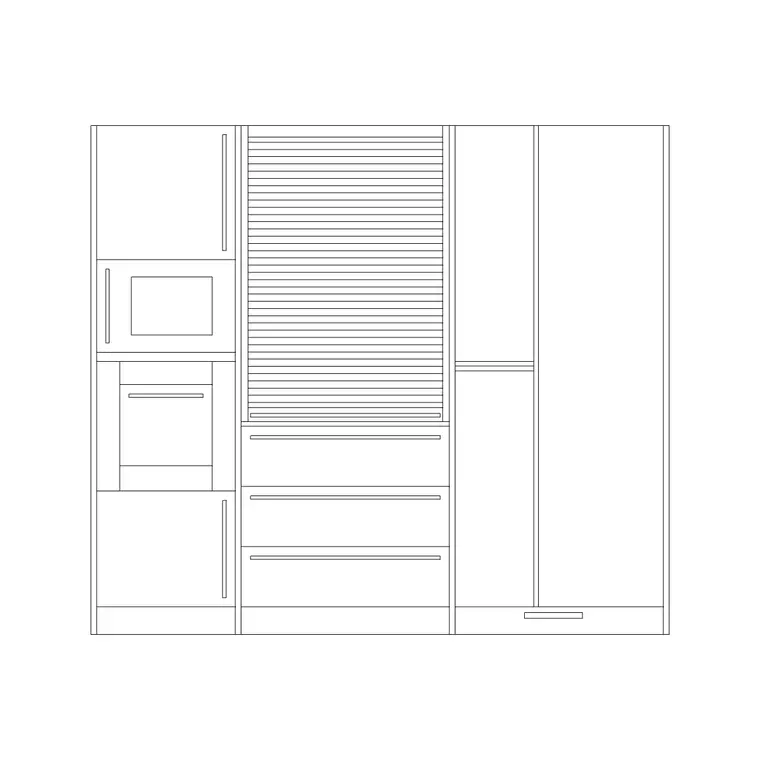
The set covers the towers you actually specify: a larder or pantry unit with a tall door or a pair of doors, a pull-out larder, a fridge-freezer housing built to wrap an integrated appliance, and an oven tower that stacks a built-in oven, a combi or microwave and a warming drawer with storage above and below. Each is a single block you can place at the end of a run, mirror, and edit once to update everywhere it appears.
Elevation and section, with the plan as a footprint
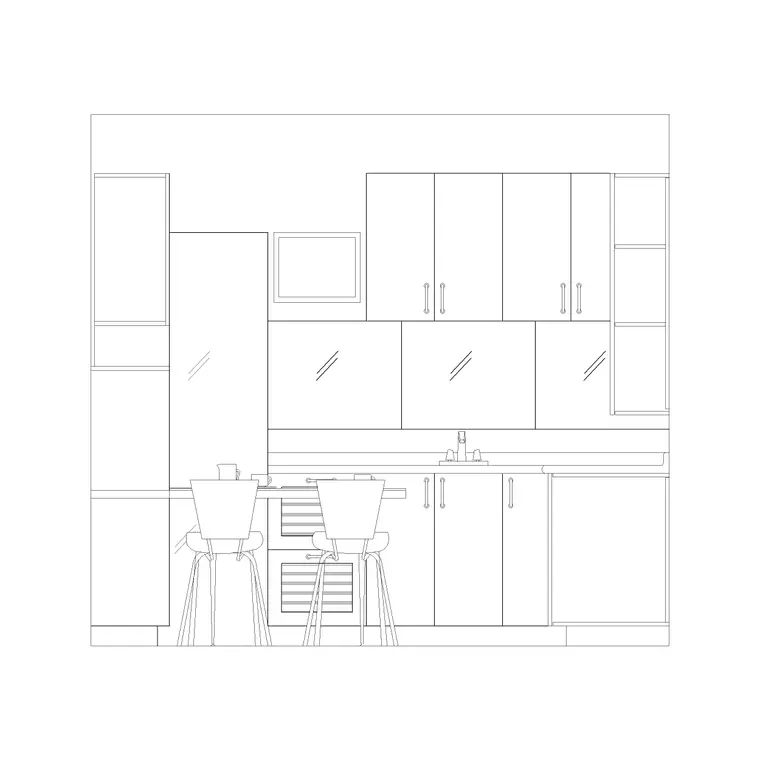
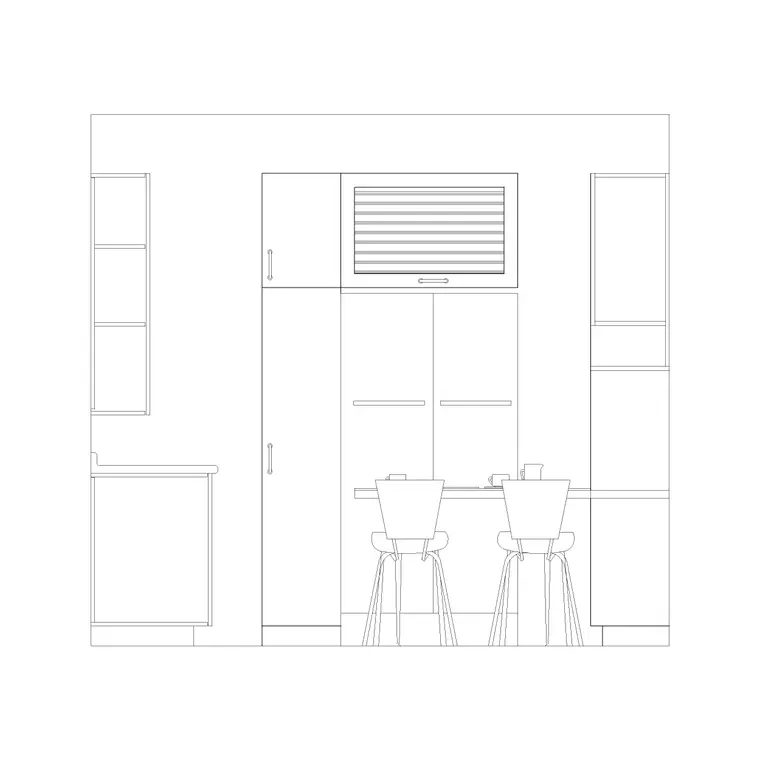
The elevation is the lead view for a tall unit because the whole point of the cabinet is its height and the way it divides vertically. The block shows the full face — the lower doors, the appliance aperture if there is one, the upper doors, the plinth at the bottom and the top lined to the wall-unit band or the ceiling. This is the view that tells the client and the joiner how the tower is split and where the oven sits.
The section is the setting-out view: it shows the internal shelves, the depth (matched to the base units so the worktop returns cleanly into the tower), the appliance void with its services, and how the unit meets the floor and ceiling. The plan view is a simple footprint — the carcass seen from above — used to fix the tower's wall position and confirm it sits flush with the base run. Keep the three views on their own layers so the elevation, the joinery section and the layout plan each draw only what they need.
Heights and footprints to design around
Tall units span the full kitchen height, so the figures to design around are the overall height and the matched depth. Overall height: typically 1970–2300 mm to align with a standard wall-unit top, with taller towers running to a ceiling bulkhead. Depth: usually matched to the base units at around 560–600 mm so the worktop dies neatly into the side of the tower. Module widths: commonly 400, 500 and 600 mm for larders, with fridge-freezer and oven housings most often at 600 mm to suit the appliance.
For an oven tower, the appliance apertures follow the appliances themselves — a built-in oven aperture is commonly around 600 mm wide and 590–600 mm tall, with a microwave or combi aperture above and a warming drawer below — but always confirm the exact aperture against the chosen appliance rather than assuming. Treat all of these as design-stage ranges that make the elevation read correctly, not as a fixed manufacturer spec.
Placing a tall unit and breaking the wall-cabinet line
Insert the tower in the elevation first, snapping its plinth to the floor line and its top to the wall-cabinet band or the ceiling, then confirm the footprint in plan against the base run. In a millimetre drawing place at scale 1, or set INSUNITS to millimetres so AutoCAD rescales on insertion. Because the tower is full height, it interrupts both the worktop and the lined-through wall units, so plan where it lands deliberately — at the end of a run, beside the hob wall, or flanking a doorway.
Watch two clashes as you place it. First, door and drawer swings: a tall larder door and an oven-tower door are large, so check they clear adjacent units, the worktop and any nearby room door. Second, the worktop junction: the worktop should return cleanly into the side of the tower, so position the tower so the base run finishes against it rather than leaving an awkward sliver. Once a tower works, COPY or mirror it to the matching end of the kitchen for a balanced elevation.
Where tall kitchen units are used
Tall units anchor the elevation in residential kitchens, apartments and utility rooms, and they reappear across the rest of a home: a full-height tower stands in for a hall storage cupboard, a utility-room broom cupboard, a home-office stationery column or a built-in wardrobe carcass, so the block is unusually reusable. In light commercial back-of-house, the same tower serves as a dry-goods larder or an appliance housing.
Kitchen designers use tall units to frame and balance a run and to integrate the oven and fridge-freezer cleanly; architects use them to confirm ceiling clearance and door coordination; interior designers use them to carry storage where wall and base units alone fall short. Pair the towers with base cabinets, wall cabinets and the worktop block to complete an elevation set, and keep them on the joinery layer so you can isolate the tall units when you draw the appliance and services coordination.
Integrating appliances and services into the tower
The oven and fridge-freezer towers are where a tall unit stops being simple joinery and becomes a coordination problem, which is exactly why a scaled block helps. An oven tower stacks heat-producing appliances, so it needs ventilation gaps and a power supply at the right height, and the apertures must match the specific appliances rather than a generic box; draw the apertures from the appliance dimensions and leave the surrounding door pattern to suit. A fridge-freezer housing wraps an integrated appliance with a fixing batten and a ventilation void at the back and top, so the carcass is drawn slightly larger than the appliance and the section shows that gap.
Keeping the tower as a scaled block lets you snap dimensions to the appliance apertures, the plinth, the worktop junction and the ceiling, which are the figures the joiner and the appliance fitter actually work to. Split the carcass, the appliance apertures and the services notes onto separate layers so the joinery drawing and the electrical coordination read independently from the same block — and WBLOCK a fully-worked oven tower so the next kitchen reuses the integration rather than re-solving it.
Free download
Browse the full library — DWG & DXF, no signup.
Questions
Frequently asked
How tall should a tall kitchen unit be drawn?+
Typically 1970–2300 mm overall so the top aligns with a standard wall-unit line, with taller towers run up to a ceiling bulkhead. The blocks are drawn so you can snap the plinth to the floor and the top to the wall-unit band or ceiling.
Do the tall unit blocks include oven and fridge-freezer housings?+
Yes. The set covers larder and pantry towers plus oven towers that stack a built-in oven, microwave and warming drawer, and fridge-freezer housings drawn to wrap an integrated appliance. Confirm the appliance apertures against your chosen appliance.
What depth are tall units drawn at?+
Usually matched to the base units at around 560–600 mm so the worktop returns cleanly into the side of the tower. The section view shows the depth and the appliance void so you can coordinate services.
Are the tall kitchen unit blocks free for commercial projects?+
Yes. Every tall unit block downloads free in DWG and, where available, DXF, with no signup, no watermark and no attribution requirement, and they are cleared for commercial use.
Related downloads
Blocks for this guide
Related categories
Related guides
Block landing
Free Bathroom Fixtures CAD Blocks — DWG Download
Download free bathroom fixtures CAD blocks in DWG and DXF — toilets, wash basins, bathtubs, showers and vanities drawn in plan and elevation. No signup, commercial OK.
Block landing
Free Gas Stove / Cooktop CAD Blocks — DWG
Free gas stove and cooktop CAD blocks in DWG and DXF — drawn in plan and elevation at true kitchen-module sizes for AutoCAD 2004+. No signup, commercial-use OK.
Block landing
Single Burner Hob CAD Block — Free DWG
Free single burner hob CAD blocks in DWG and DXF for compact kitchens and studios — plan and elevation, true sizing for AutoCAD 2004+. No signup, commercial OK.