Block landing · staircase plan cad block
Free staircase plan view CAD blocks for AutoCAD
By Saumyajit Maity · Published 11 Jun 2026 · Updated 28 Jun 2026
The plan view is the staircase drawing you place most: the stair seen from directly above, dropped into a floor plan to show where the building climbs. This page collects free staircase plan view CAD blocks in DWG and DXF — straight, dog-leg, L-shape, spiral and circular stairs all drawn in plan with the correct break line, direction arrow and up/down note — ready to insert into AutoCAD 2004 or later. Everything is free for personal and commercial work, with no signup and no watermark.
A stair plan is more than a set of parallel lines: it follows drawing conventions that tell a reader instantly how the stair behaves. The blocks here are drawn to those conventions so the plan reads correctly on every floor it appears on — the treads going the right way, the break line cutting the run where the floor above stops it, and the arrow pointing up. Place a scaled plan block and you are setting out a stair that a builder, a building-control officer and a coordinating engineer will all read the same way.
How a staircase is shown in plan
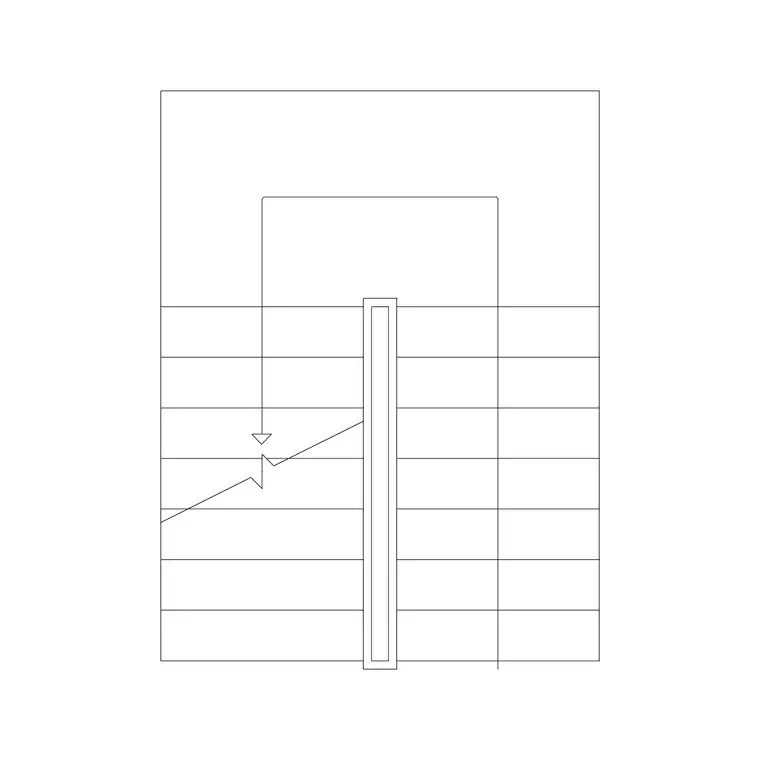
A staircase in plan is drawn as the run of treads seen from above, with several conventions that carry meaning. A direction-of-travel arrow runs along the walking line, labelled UP (and DN on the floor above). A break line — a diagonal or zig-zag cut — slices across the flight where the stair passes the ceiling level of the floor being drawn, so you only see the treads up to that point on each storey's plan. The nosings are drawn as the visible tread edges, and the balustrade or handrail runs along the sides.
These conventions exist so a single floor plan can show a multi-storey stair unambiguously. The break line is the key one: it is why the ground-floor plan shows the lower part of the flight and the first-floor plan shows the upper part, with the cut between them. The blocks here are drawn with the break line in place so they slot straight into the right floor without you having to add the convention by hand.
What's included across stair types
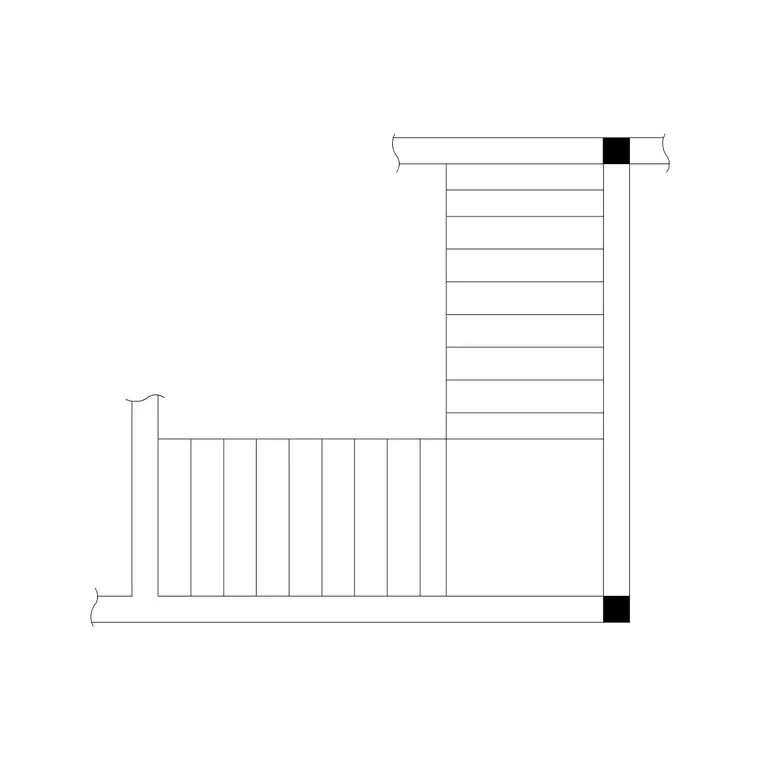
The plan blocks span the common stair geometries so you can drop the right footprint into any layout: a straight single flight, a dog-leg half-turn, an L-shape quarter-turn, a tightly-wound spiral, and a sweeping circular stair. Each is drawn to scale with its treads, landing (where it has one), break line and arrow, so the plan footprint is true to the space the stair occupies.
Because they are all drawn to the same conventions, you can swap one plan type for another at concept stage to test which stair fits the stairwell best, then keep the chosen footprint as the design develops. Where a plan block has a matching elevation available elsewhere on the site, the two coordinate so your floor plan and your stair section describe the same stair.
Setting out the stair on the floor plan
The plan view is where the stair gets coordinated with the building, so a few setting-out lines matter. Draw the stairwell walls first, then place the plan block so the bottom nosing sits at the floor level it serves and the run aligns with the wall it runs against. The break line should fall at the point where the floor or ceiling above interrupts the view of the flight — for a typical storey that is part way up the run.
Keep the stair on its own stair layer so you can freeze it for a clean shell plan and thaw it for the coordinated layout. Dimension the going and the flight width from the plan, and locate the bottom and top steps relative to the structural grid or the walls, because those are the figures the builder sets the stair out from. A clean, conventional plan is what lets building control and the contractor read the stair without ambiguity.
Inserting and orienting the block
The plan blocks are drawn full size in millimetres. Insert at scale 1 in a millimetre drawing, 0.001 in a metre drawing, or set INSUNITS to millimetres so AutoCAD rescales the block on insertion. Choose an insertion point that suits your setting-out — often the bottom nosing or a stairwell corner — so the stair lands at a datum you can dimension from.
Use ROTATE to align the run with the stairwell and MIRROR to flip the handedness or the up direction for the room. Because each plan is a single block reference, those moves keep the treads, the arrow and the break line coordinated. If you are showing the same stair on two floor plans, insert the block on both and adjust which part of the flight is visible relative to the break line so each storey reads correctly.
Plan view versus elevation and section
The plan view answers where the stair is and how it is arranged in the building; it is the layout view. It does not, on its own, prove the climb is comfortable or that the headroom works — those are questions for the elevation and the section. That is why a stair is usually described by a plan plus at least one vertical view.
Use the plan to position the stair, fix the footprint, locate the doors at each level, and array or mirror it into the layout. Then reach for an elevation or section to confirm the rise, the going relationship and the headroom along the run. Drawing both from coordinated blocks means the stair reads consistently from the floor plan a contractor uses to position it to the section building control checks for compliance.
Where staircase plan blocks are used
The plan view is the stair drawing that appears in essentially every architectural floor plan, so these blocks are the most broadly useful of the stair set: house plans, apartment layouts, office and commercial floor plates, public buildings, and any drawing where the building has more than one level. They are equally at home in a quick concept layout and a fully coordinated general arrangement.
Because the blocks are free and licence-clear, they suit student work, fast sketches and developed drawing sets alike. Pair them with the matching stair-type pages — spiral, circular, metal, dog-leg, L-shape and straight — when you need the elevation or section to go with the plan, and with the wider stairs category to fit out a whole building's vertical circulation from one consistent block library.
Free download
Browse the full library — DWG & DXF, no signup.
Questions
Frequently asked
How is a staircase shown in plan view?+
As the run of treads seen from above, with a direction-of-travel arrow labelled UP (or DN), the visible nosings and balustrade, and a break line cutting across the flight where the floor above interrupts the view. The conventions let a single floor plan show a multi-storey stair clearly.
What is the break line on a staircase plan for?+
The break line marks where the flight passes the ceiling of the floor being drawn, so each storey's plan shows only the part of the stair visible at that level. It is why the ground-floor plan shows the lower flight and the upper-floor plan shows the rest.
Which stair types are available as plan view blocks?+
Straight single flights, dog-leg half-turns, L-shape quarter-turns, spiral stairs and circular stairs are all drawn in plan with the correct conventions, so you can drop the right footprint into any floor layout.
Are the staircase plan view blocks free for commercial use?+
Yes. Every block downloads free in DWG and DXF with no signup, no watermark and no attribution requirement, and they are cleared for commercial project work.
Related downloads
Blocks for this guide

Related categories
Related guides
Block landing
Free Spiral Staircase CAD Blocks — DWG Download
Download free spiral staircase CAD blocks in DWG and DXF — plan and elevation, drawn to real tread radii for AutoCAD. No signup, free for commercial use.
Block landing
Free Circular Staircase CAD Blocks — DWG Download
Download free circular staircase CAD blocks in DWG and DXF — curved stairs in plan and elevation, drawn to scale for AutoCAD. No signup, commercial-use OK.
Block landing
Free Metal Staircase CAD Blocks — DWG Download
Download free metal staircase CAD blocks in DWG and DXF — steel stairs in plan and elevation with stringers and balustrade. No signup, commercial OK.