Block landing · staircase elevation cad block
Free staircase elevation CAD blocks for AutoCAD
By Sumana Kumar · Published 18 Dec 2022 · Updated 6 May 2026
The elevation is the staircase drawing that proves the climb works: the stair seen from the side, showing the treads and risers stepping up at a constant pitch with the balustrade following the line. This page collects free staircase elevation CAD blocks in DWG and DXF — straight, dog-leg, L-shape, spiral, circular and metal stairs drawn in elevation and section — ready to insert into AutoCAD 2004 or later. Everything is free for personal and commercial work, with no signup and no watermark.
Where a plan tells you where a stair is, the elevation tells you whether it is comfortable and safe. The blocks here are drawn to a real rise and going so the side view reads at true pitch — which is what lets you check the headroom along the flight, confirm the balustrade height, and see how the stair meets the floor and ceiling. Drop a scaled elevation block into a section and the vertical questions a plan can't answer become a matter of looking rather than calculating.
What a staircase elevation shows
A staircase elevation is the stair drawn from the side, so you see the true vertical geometry: the treads as horizontal lines, the risers as vertical lines, and the sawtooth pitch line running through the nosings from the bottom floor to the top. The balustrade or handrail is drawn at its real height above the nosings, and the structure under the stair — the strings, the soffit, or the steel — is shown where the view is a cut section rather than a pure outside elevation.
The key thing an elevation reveals that a plan cannot is height. You can read the floor-to-floor dimension, count the risers, see the headroom where the flight passes under the floor above, and confirm the guarding height. For a turning stair the elevation also shows the half-landing or quarter-landing as a flat break in the pitch, and for a spiral it shows the winding helix that proves the headroom around the climb.
Elevation versus section: the distinction
It is worth being precise about two related views. A true elevation looks at the stair from outside and shows what you would see — the visible side, the balustrade, the outer string. A section cuts through the stair and shows the structure inside: the underside of the treads, the soffit, the connection to floors and beams. Stair drawings often use the sectional version because the structure is what a builder or engineer needs.
The blocks here include both kinds. Where a block is a plain elevation it is ideal for presentation and for showing the stair against a building elevation; where it is a section it suits the stair detail sheet and the structural coordination. The download page notes which a block is, and many stairs ship the elevation and a section together so you can place whichever the drawing needs.
What's included across stair types
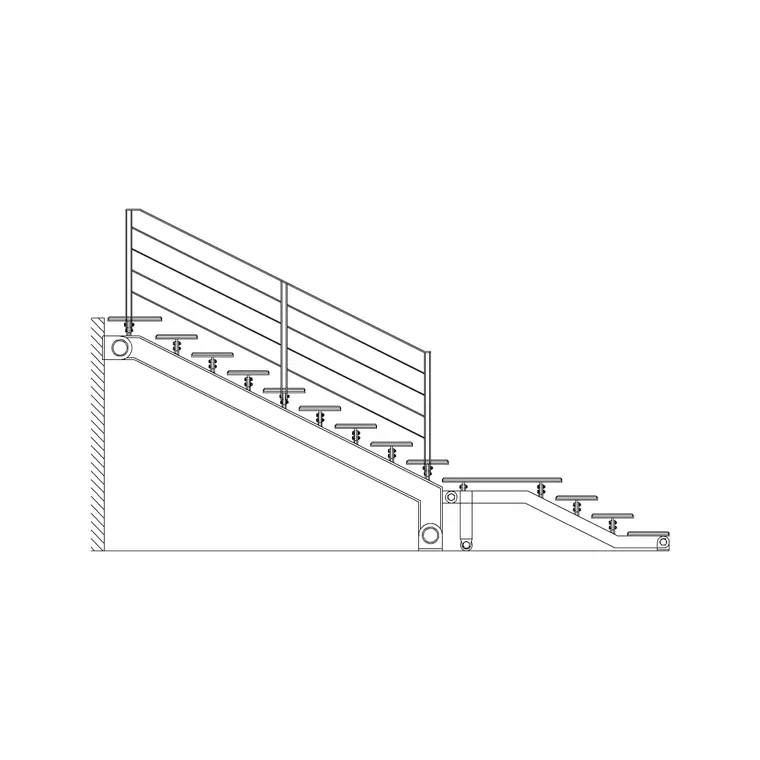
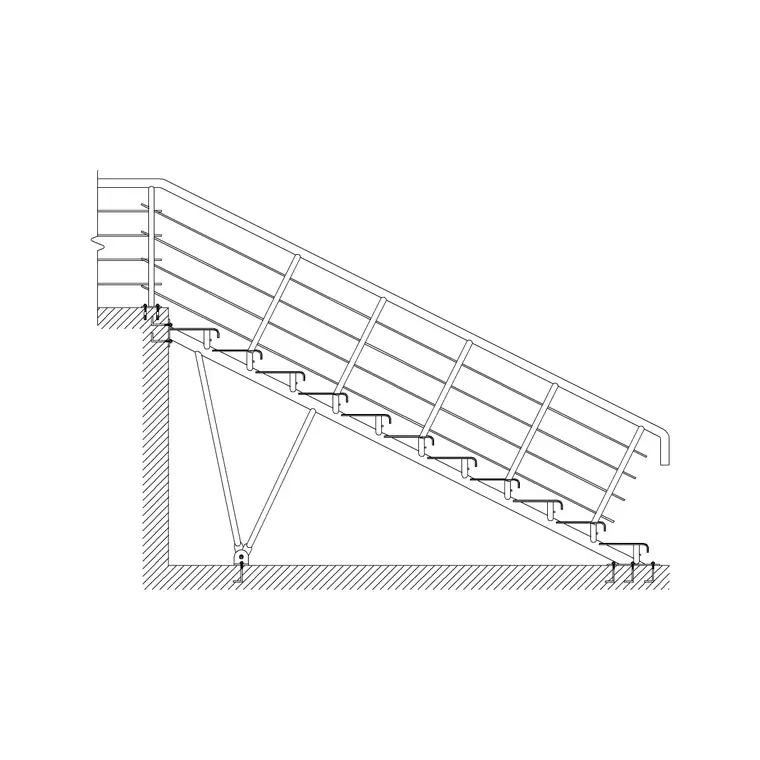
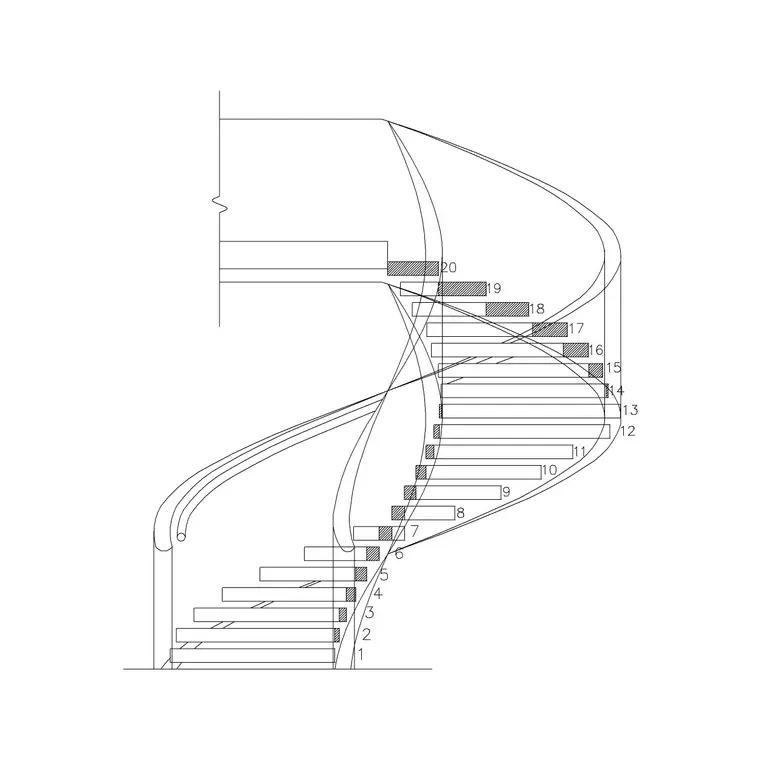
The elevation blocks cover the common stair geometries seen from the side: a straight flight as a single clean diagonal, a dog-leg showing both flights and the half-landing, an L-shape showing the flight and quarter-landing, a spiral as the winding helix, a circular stair as the curving balustrade, and a metal stair with its stringers and treads exposed. Each is drawn to scale so the pitch and the floor-to-floor height are true.
Because the elevations are drawn to match the plan conventions used across the site, a stair's plan and elevation coordinate — the same rise, going and flight width appear in both. That lets you build a complete stair drawing, plan plus vertical view, from coordinated blocks rather than reconciling two unrelated drawings.
Using the elevation to check the design
The elevation is where you verify the things that make a stair safe and comfortable. Measure the headroom vertically from the pitch line to the underside of the floor or stair above and confirm it clears a person along the whole flight — the tightest point is usually where the flight passes the floor opening. Check the balustrade height against the guarding requirement. Confirm the rise and going are in a comfortable relationship, since a steep elevation is immediately visible as an uncomfortable stair.
For a turning stair, the landing should show as a sensible flat pause; for a spiral, the helix should show clear height under the treads above. Placing the scaled elevation block makes all of these visual checks, but the figures themselves must be confirmed against your local building regulations — the block shows the geometry, not the compliance.
Inserting and aligning the block
The elevation blocks are drawn full size in millimetres. Insert at scale 1 in a millimetre drawing, 0.001 in a metre drawing, or set INSUNITS to millimetres so AutoCAD rescales on insertion. Align the elevation to your floor levels: a natural insertion point is the bottom of the stair at finished floor level, so the block seats on the lower floor line and the top of the flight meets the upper floor line at the correct height.
Use MIRROR to flip the up direction so the stair climbs the way your section reads, and keep the stair on a dedicated layer so the treads, the balustrade and any structure can be shown or hidden independently. Because the elevation is a single block reference, it sits cleanly into a building section and can be copied to other sections that show the same stair.
Where staircase elevation blocks are used
Stair elevations and sections appear on the drawings that describe how a stair is built and how it looks: building sections, stair detail sheets, structural coordination drawings, balustrade and joinery details, and presentation elevations where the stair is shown against the facade or the interior. Any drawing set with a stair needs at least one vertical view, which is what these blocks provide.
Because the blocks are free and licence-clear, they suit a quick concept section as readily as a developed detail package. Pair them with the matching staircase plan view blocks so each stair has a coordinated plan and elevation, and with the individual stair-type pages — spiral, circular, metal, dog-leg, L-shape and straight — when you need the full description of one particular stair across every view.
Free download
Browse the full library — DWG & DXF, no signup.
Questions
Frequently asked
What does a staircase elevation show?+
The stair seen from the side: treads and risers stepping up at a constant pitch, the floor-to-floor height, the balustrade at its real guarding height, and the headroom where the flight passes the floor above. It reveals the vertical geometry a plan view cannot.
What's the difference between a stair elevation and a stair section?+
An elevation looks at the stair from outside and shows the visible side and balustrade. A section cuts through the stair to reveal the structure inside — the tread soffit, strings and connections. Many stair blocks include both so you can place whichever the drawing needs.
Can I use the elevation block to check headroom?+
Yes. The elevation is drawn to a true rise and going, so you can measure headroom vertically from the pitch line to the floor or stair above and check it clears along the flight. Confirm the figure against your local building regulations — the block shows geometry, not compliance.
Are the staircase elevation blocks free for commercial use?+
Yes. Every block downloads free in DWG and DXF with no signup, no watermark and no attribution requirement, and they are cleared for commercial project work.
Related downloads
Blocks for this guide
Related categories
Related guides
Block landing
Free Spiral Staircase CAD Blocks — DWG Download
Download free spiral staircase CAD blocks in DWG and DXF — plan and elevation, drawn to real tread radii for AutoCAD. No signup, free for commercial use.
Block landing
Free Circular Staircase CAD Blocks — DWG Download
Download free circular staircase CAD blocks in DWG and DXF — curved stairs in plan and elevation, drawn to scale for AutoCAD. No signup, commercial-use OK.
Block landing
Free Metal Staircase CAD Blocks — DWG Download
Download free metal staircase CAD blocks in DWG and DXF — steel stairs in plan and elevation with stringers and balustrade. No signup, commercial OK.