Room guide · staircase cad blocks
Free staircase area CAD blocks for AutoCAD
By Saumyajit Maity · Published 9 Mar 2025 · Updated 11 Apr 2026
The staircase area is the vertical circulation of a home — the part of the plan that moves people between floors — and it is governed by geometry more strictly than almost any other space. Tread and riser dimensions, the going, the headroom, the landing and the handrail are not matters of taste; they follow rules that keep a stair comfortable and safe to climb. That makes the staircase the one area where a CAD block is not just a convenience but a way of getting the geometry demonstrably right.
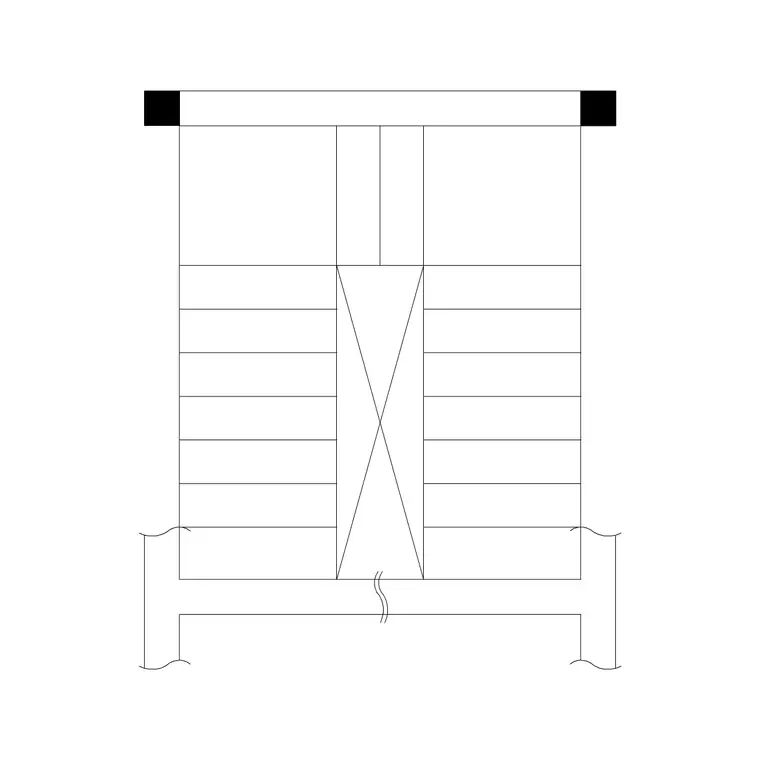
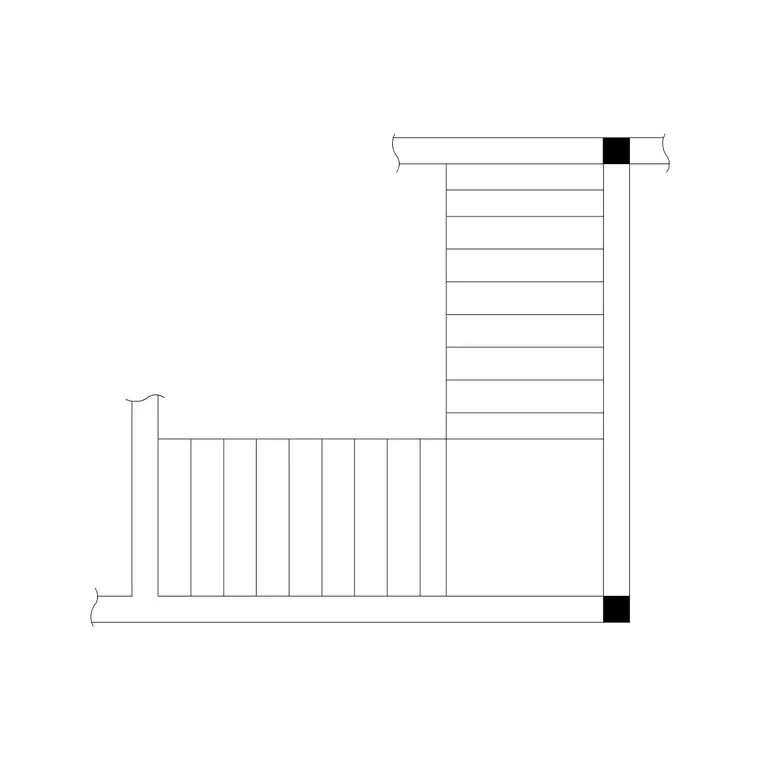
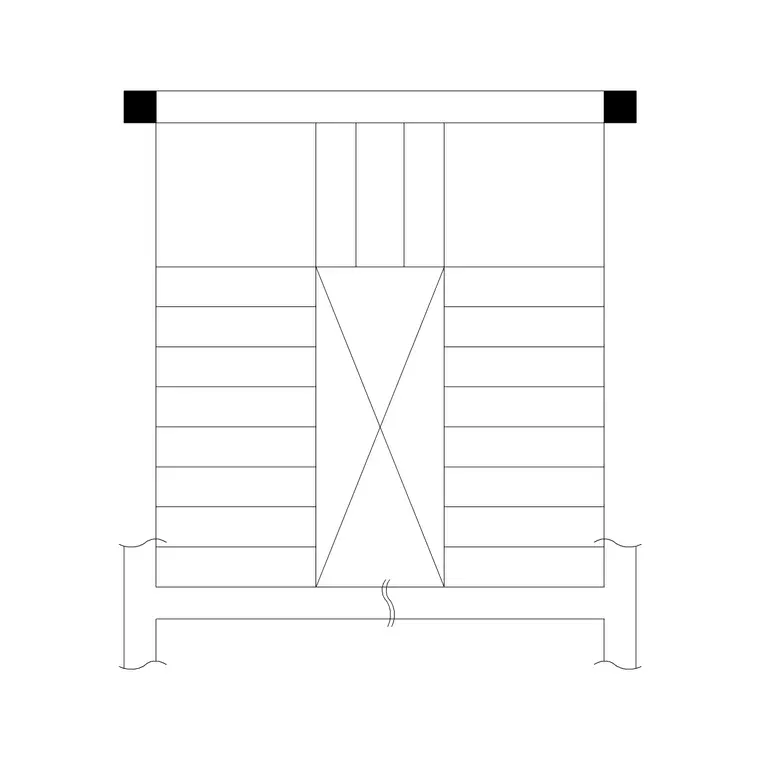
This page collects free staircase CAD blocks in DWG and DXF — straight flights, dog-leg, L-shape and U-shape stairs, and spiral and circular metal staircases — drawn to true millimetre scale in plan and ready to insert into AutoCAD 2004 or later. Every block is free for personal and commercial use with no signup, no watermark and no attribution required, whether you are laying out the main stair of a house or fitting a compact spiral into a tight footprint.
Because a stair has to land correctly on both floors and clear the ceiling on the way up, a scaled plan is essential — and the stair type you choose changes the footprint, the landing and the way the flight reads on the plan, which is why the blocks here cover several configurations.
Why the staircase is geometry-first
Every other room in this set is arranged for comfort; a staircase is arranged for safety and code. A stair has a fixed relationship between the riser (the height of each step), the tread or going (its depth), and the overall rise between floors. Get that relationship wrong and the stair is tiring, awkward or unsafe — too steep and people stumble, too shallow and it sprawls across the plan.
The number of steps is set by the floor-to-floor height divided by a comfortable riser, and the total length of the flight follows from the tread depth times that number. This is why a staircase is best started from a block drawn to correct proportions: it carries a sensible tread-and-riser relationship, so when you drop it into the plan and stretch it to your floor height, the geometry stays believable. The blocks here give you that honest starting geometry for each stair type.
Choosing the stair type for the footprint
The stair type is chosen to fit the available footprint and the way the floors line up. Each has a distinct plan signature.
- Straight flight: the simplest and easiest to climb, but the longest in plan — it needs a clear run end to end. - Dog-leg (half-turn): two flights with a half-landing, doubling back on itself to save length; a very common house stair. - L-shape (quarter-turn): turns ninety degrees at a landing, useful for fitting a stair into a corner. - U-shape: two parallel flights with a half-landing between, compact in length and landing the user back near the start. - Spiral and circular: the smallest footprint, winding around a central point — ideal where space is tight, though steeper and harder to move furniture up.
All of these are free blocks below. Pick the type that fits the plan and lands correctly on both floors, then refine the geometry to your floor height.
Landings, headroom and the handrail
A stair is more than its flights. Landings break long runs and allow direction changes; every dog-leg, L and U stair turns on a landing, and even a straight flight benefits from a landing top and bottom for a safe arrival. Draw the landings to a sensible size — at least as deep as the stair is wide so a person can pause and turn comfortably.
Headroom is the clearance you must check on the section as well as the plan: as the stair climbs, the floor or ceiling above must not force people to duck. The plan shows where the flight passes under the floor above; the section confirms there is enough head height the whole way.
The handrail and balustrade run the length of the flight and around any open landing edge and stairwell. Mark them on the plan, because they take up width and govern the clear walking width of the stair. A stair drawn without its handrail line looks wider than it really is.
Dimensions and clearances to design around
Use these as ranges and check against local building regulations, which govern stairs closely. Risers commonly fall around 150 to 200 mm and treads (the going) around 220 to 300 mm, with a consistent step throughout a flight — varying steps are a trip hazard. A comfortable stair width for a home is often 800 to 1000 mm or more.
Headroom above the pitch line is typically kept to around 2000 mm minimum so people do not hit their heads. Landings should be at least as deep as the stair width. A spiral or circular stair has a smaller overall footprint but steeper, winder treads, so its clear walking line is narrower than a straight flight of the same diameter suggests. These are starting figures; the governing dimensions come from the building code that applies, so confirm before finalising.
Placing the staircase in the plan
Work in millimetres, insert the stair block at scale 1, and use a dedicated stairs layer plus a separate layer for the handrail and balustrade. Place the stair where it lands correctly on both floors — the top of the flight must arrive at a usable point on the upper floor, clear of doors and with a landing to step onto, not into a wall.
Set the number of steps from the floor-to-floor height and a comfortable riser, then confirm the flight length on the plan fits the run available. Draw the landings, the handrail line both sides where needed, and the direction-of-travel arrow with an up/down note so the plan reads clearly. Check the headroom in a section where the flight passes under the floor above. Finally, confirm the stair does not block the rooms it serves — a flight that lands you facing a blank wall or that eats a doorway is a geometry that failed on the plan, which is exactly what drawing it to scale prevents.
Common staircase mistakes
The first mistake is inconsistent steps — mixing riser heights within a flight, which is both uncomfortable and a genuine trip hazard. Keep every riser and going equal across the flight.
The second is forgetting headroom, so the stair fits perfectly in plan but the floor above forces climbers to duck near the top; always check headroom in section.
The third is a stair that lands badly — at the top of the flight you step into a wall, a door swing or a cramped corner with no landing. Plan the arrival point on the upper floor as carefully as the start. The fourth is ignoring the handrail and balustrade width, drawing a stair that is narrower in use than it looks. And with spirals, the fourth becomes acute: a spiral that looks compact can be too steep and tight to move furniture or carry a person safely if rushed, so size its diameter honestly. Checking against the building code throughout is the safeguard behind all of these.
Free download
Browse the full library — DWG & DXF, no signup.
Questions
Frequently asked
Which staircase CAD block type should I use?+
Choose by footprint: a straight flight is easiest but longest, a dog-leg or U-shape saves length by doubling back, an L-shape fits a corner, and a spiral or circular stair has the smallest footprint where space is tight. The free blocks here cover all of these in plan.
What are typical stair riser and tread dimensions?+
Risers commonly fall around 150 to 200 mm and treads (the going) around 220 to 300 mm, kept consistent across the whole flight. These are starting ranges — stairs are tightly governed by building regulations, so always confirm against the code that applies to your project.
Do I need to check headroom on a staircase plan?+
Yes, and you must check it in section, not just plan. As the flight climbs it passes under the floor above, and you need to keep roughly 2000 mm minimum headroom over the pitch line so people do not hit their heads near the top of the stair.
Are these staircase CAD blocks free for commercial use?+
Yes. All straight, dog-leg, L-shape, U-shape, spiral and circular staircase blocks are free in DWG and DXF for personal and commercial work, with no signup, no watermark and no attribution required.
Related downloads
Blocks for this guide

Related categories
Related guides
Room guide
Free Bathroom CAD Blocks — Design a Bathroom
Design a full bathroom in AutoCAD with free CAD blocks — WC, basin, bath and shower drawn to scale in plan and elevation. DWG & DXF, no signup.
Room guide
Master Bathroom CAD Blocks — DWG Layouts
Design a master bathroom in AutoCAD with free CAD blocks — double vanity, freestanding bath, walk-in shower and WC drawn to scale. DWG & DXF, no signup.
Room guide
Powder Room CAD Blocks — Half-Bath DWG
Design a powder room or half-bath in AutoCAD with free CAD blocks — compact WC, small basin and vanity drawn to scale. DWG & DXF, no signup, commercial-use OK.