Block landing · sliding door cad block
Free sliding door CAD blocks for AutoCAD
By Sumana Kumar · Published 2 Sep 2025 · Updated 24 Mar 2026
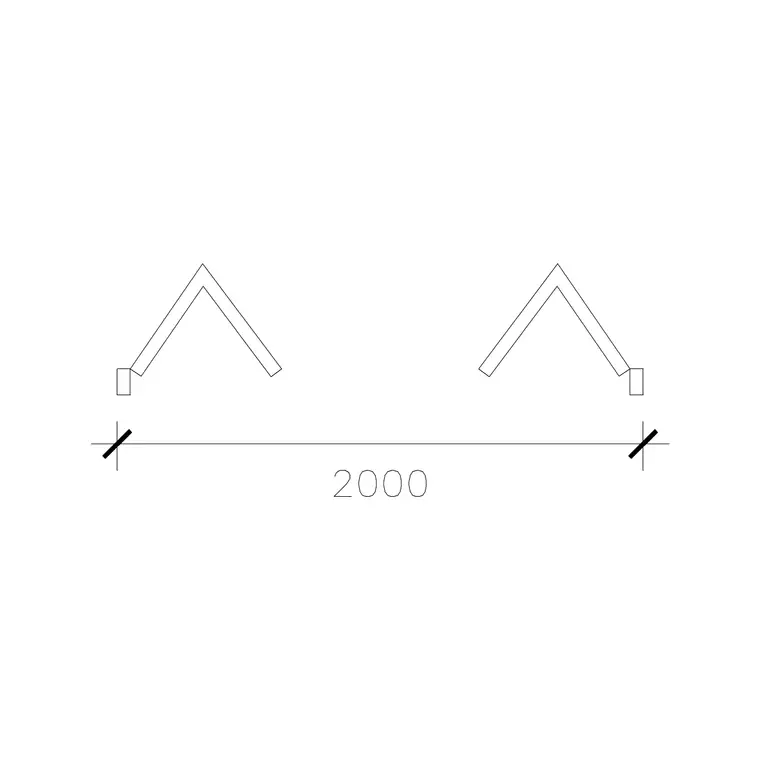
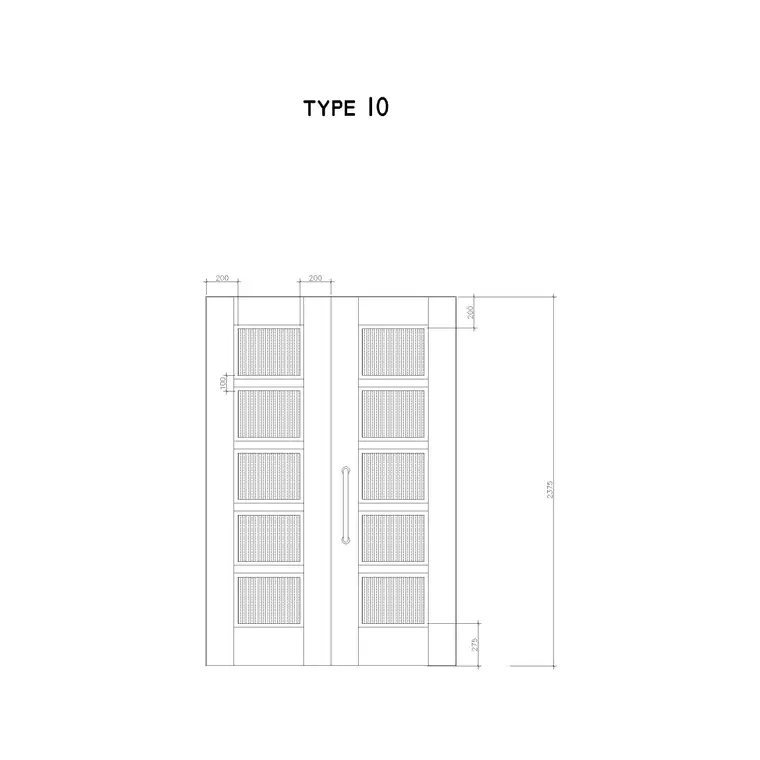
A sliding door slides sideways on a track instead of swinging, so it needs no arc of clear floor — which is exactly why designers reach for it when a swing will not fit. That changes how the door is drawn: there is no quarter-circle swing, but there is a track, an overlap and a parking zone where the moving leaf sits when open. A good sliding door CAD block captures all of that. This page collects free sliding door CAD blocks in DWG and DXF, drawn full size in plan and elevation for AutoCAD 2004 or later, free for personal and commercial use.
The whole appeal of a sliding door on a plan is that it reclaims the swing zone, so the block has to make clear where the leaf goes instead. Whether the leaf slides across the face of a wall or behind a glazed panel, the block shows the open and closed positions so you can read the real clear opening — which on a sliding door is never the full frame width.
How a sliding door reads in plan
A sliding door block shows the leaf in its closed position across the opening and, usually, a ghost of the leaf in its open position parked to one side, with the track line it runs on. Crucially there is no swing arc — that absence is the point of the door, and it is what frees the floor in front and behind. What the block must show instead is the clear opening when the door is fully slid back, because a single-leaf slider only ever opens to about half the total frame width.
For a surface-sliding door (the leaf slides across the face of the adjacent wall, as in a barn-door arrangement) the block shows the parking zone on the wall the leaf overlaps. For a patio-style sliding door, it shows two leaves where one slides behind the other. Either way the block keeps the track, the leaves and the opening on sensible layers so you can read the working aperture, which is the number that actually matters.
Surface slider, bypass and pocket variants
Sliding doors come in several arrangements and the block should match the one you are specifying. A single surface slider has one leaf that slides across the face of the wall beside the opening — simple, and the wall it parks against must be clear of switches and pictures. A bypass slider has two or more leaves that slide past each other on parallel tracks, the classic wardrobe and patio-door configuration, where the clear opening is at most the width of one leaf. A pocket slider hides the leaf inside the wall cavity when open — covered in detail on its own page, because it needs a stud cavity to receive the leaf.
Choosing the arrangement at block stage matters because each has a different clear opening and a different demand on the surrounding construction. A surface slider needs clear wall to park against; a bypass slider gives a smaller clear opening for the same frame; a pocket slider needs a wall thick enough to swallow the leaf. The scaled block lets you test each against the real situation.
Typical sliding door sizes
Internal sliding doors use leaf widths in the standard door range — 600 to 900 mm and up — but because a single slider only opens to about its own leaf width, a wide clear opening usually means a wider leaf or a bypass pair. Surface barn-style sliders often use a leaf 50–100 mm wider than the opening so the closed door overlaps the frame and seals the gap. Leaf height matches standard doors at around 2000 mm internally.
Patio and external sliding doors are larger: a two-leaf patio slider commonly spans 1500–3000 mm overall with leaves around 750–1500 mm each, and large lift-and-slide systems go much wider. The track and head detail carry the weight, so the structural opening height includes the track depth above the leaf. Because the blocks are full size, you place the door and read both the overall frame and the genuine clear opening when the leaf is slid back.
Inserting a sliding door and showing the open leaf
Insert these blocks at scale 1 in a millimetre drawing, or set INSUNITS to Millimeters so AutoCAD rescales automatically. Place the leaf across the opening, then check where the open leaf parks — for a surface slider, confirm the wall it overlaps is free of obstructions; for a bypass slider, confirm both tracks fit within the frame depth.
Keep the open-position ghost of the leaf in the block so the drawing shows the parking zone, which is the thing a sliding door demands that a swing door does not. Use ROTATE and MIRROR to set which way the door slides — left-opening or right-opening — to suit the wall it parks against. As a single block reference the door copies and schedules cleanly, and a BEDIT change updates every instance, which is useful where a run of identical sliding wardrobes or partitions repeats.
Where sliding doors win
Sliding doors are the answer wherever a swing arc is a problem: tight bathrooms and utility rooms where an inward swing would eat the floor, wardrobe and storage fronts where a swing would block the room, room dividers and partitions, and patio and balcony openings where a slider gives a wide glazed aperture without a leaf swinging into the garden or the room. Barn-style surface sliders have also become a strong design feature in their own right.
Architects and interior designers use these blocks to solve tight rooms and to draw patio and partition systems; accessibility designers value sliders because they need no swing space and can be easier to operate. Pair the sliding door blocks with the pocket door and bifold door blocks in the doors category — the three space-saving door types — so you can compare them on the same plan when a swing will not fit.
Sliding doors and the surrounding construction
More than a swing door, a sliding door makes demands on the wall around it, and drawing it as a scaled block is what reveals those demands early. A surface slider needs a clear run of wall as wide as the leaf, with no light switch, radiator, picture or return wall in the parking zone — the block's open-position ghost shows exactly where that zone falls. A bypass slider needs enough frame depth for two parallel tracks. A patio slider needs structural support over a wide opening for the track and the glass weight.
Because the clear opening of a sliding door is always less than the frame width, accessibility checks have to use the genuine aperture, not the overall size — a common trap that the scaled block helps you avoid. Keep the door on its own layer, tag it for scheduling, and where sliding wardrobes or partitions repeat, WBLOCK the assembly so the whole run stays consistent and the track and parking zones are guaranteed identical at every instance.
Free download
Browse the full library — DWG & DXF, no signup.
Questions
Frequently asked
Why does a sliding door block have no swing arc?+
Because the leaf slides sideways on a track instead of swinging, so it sweeps no floor. The block instead shows the track and the parked open position of the leaf, since reclaiming the swing zone is the whole reason to use a sliding door.
What clear opening does a single sliding door give?+
A single-leaf slider only opens to about its own leaf width, so the clear opening is roughly half the total frame. The blocks are drawn full size showing the open leaf, so you can read the genuine working aperture rather than the frame width.
What is the difference between a surface slider and a pocket slider?+
A surface slider parks the leaf across the face of the adjacent wall; a pocket slider hides the leaf inside the wall cavity when open. The surface slider needs clear wall to park against; the pocket slider needs a wall thick enough to receive the leaf.
Are the sliding door blocks free for commercial use?+
Yes. Every sliding door block downloads free in DWG and DXF with no signup, no watermark and no attribution requirement, and they are cleared for commercial project use.
Related downloads
Blocks for this guide

Related categories
Related guides
Block landing
Free Wooden Door CAD Blocks — DWG Download
Download free wooden door CAD blocks in DWG and DXF — solid timber doors drawn in plan, elevation and section for AutoCAD 2004+. No signup, commercial use OK.
Block landing
Free Laminated Flush Door CAD Blocks — DWG
Download free laminated flush door CAD blocks in DWG and DXF — flat-faced flush doors with frame in plan and elevation for AutoCAD. No signup, commercial OK.
Block landing
Free Panel Door CAD Blocks — DWG Download
Download free panel door CAD blocks in DWG and DXF — two, four and six panel doors drawn in elevation and plan for AutoCAD. No signup, commercial use OK.