Block landing · single swing door cad block
Free single swing door CAD blocks for AutoCAD
By Saumyajit Maity · Published 10 Jun 2026 · Updated 28 Jun 2026
The single swing door is the most fundamental door symbol in any plan: one leaf, hinged on one side, swinging through a quarter-circle arc. It is the block you place more than any other, and getting its swing arc right is the difference between a plan you can check clearances on and one you cannot. This page collects free single swing door CAD blocks in DWG and DXF, drawn full size in plan and elevation for AutoCAD 2004 or later, free for personal and commercial use.
The single swing door block exists to answer one question instantly: does the door clear everything around it? Because the leaf and its arc are drawn to scale, you can see at a glance whether the open door fouls a wall, a cupboard, a radiator or the next door along — the check that quietly governs whether a small room actually works.
Anatomy of a swing door symbol
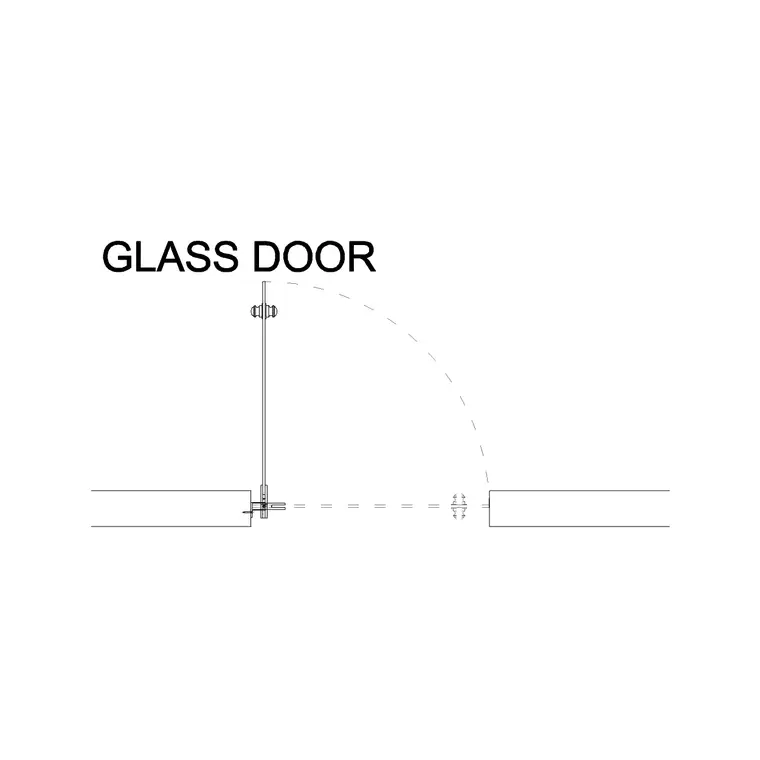
A single swing door in plan is three elements working together: the leaf, drawn as a thin rectangle open at about 90 degrees; the swing arc, a quarter-circle from the closed position to the open one, showing the zone the leaf sweeps; and the frame and reveal in the wall opening. The hinge sits at one end of the leaf, and the whole symbol reads the door's hand — left or right, opening in or out.
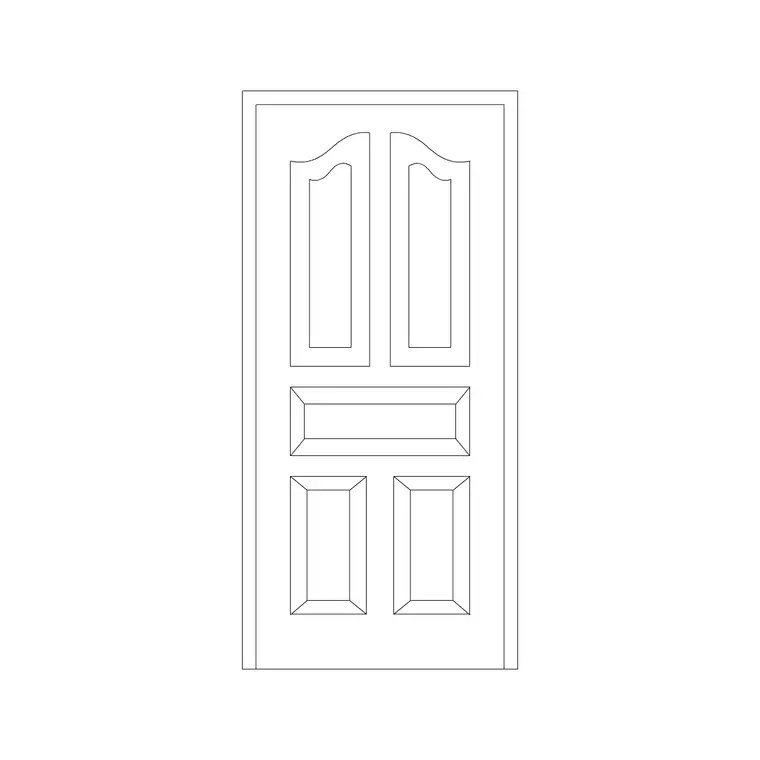
Drawing the door at 90 degrees open is the convention because it shows the full swing zone, even though the door is rarely held fully open in use. Some blocks also include a faint 45-degree or fully-open ghost to show the leaf's range. The elevation block, by contrast, simply shows the leaf face-on in its frame. The blocks here keep leaf, arc and frame on separate layers so the swing can be shown or hidden as the drawing scale demands.
Reading the swing: hand and direction
Two properties define how a swing door sits in an opening, and both are read straight off the plan symbol. The hand is which side the hinge is on — a left-hand door hinges on the left as you face it from the side it opens towards, a right-hand door on the right. The direction is whether the door opens into the room or out of it. Together these give four possibilities for any opening, and choosing correctly is a real design decision.
The rules of thumb are practical: doors usually open into the room they serve so they do not block a corridor; they open against the nearest wall so the leaf parks out of the way; and bathroom and small-room doors are often reconsidered if the inward swing eats the floor. Escape doors open in the direction of escape. Because the block is a single reference, you set the hand with MIRROR and the direction with ROTATE in seconds, then read the result against the room.
Typical single door sizes and clearances
Single swing doors use the standard internal door module: leaf widths of 600, 700, 750, 800 and 900 mm, a leaf height around 1981–2040 mm, and a leaf thickness of 35–45 mm internally. An 800 mm leaf is the common main-room and accessible width; 600–700 mm leaves suit bathrooms, stores and cupboards.
The clearance that matters is the swing zone: the leaf sweeps a quarter-circle of radius equal to the leaf width, so an 800 mm door needs an 800 mm radius of clear floor to open fully. Keep that zone free of fixed furniture, and keep a comfortable approach space — around 300 mm of clear wall on the latch side helps a person open the door without crowding the frame. The scaled block makes all of these checks visual rather than arithmetic.
Inserting a single swing door
Insert these blocks at scale 1 in a millimetre drawing, or set INSUNITS to Millimeters so AutoCAD rescales automatically. Pick the hinge corner of the opening as the insertion point, because the hinge is the point the swing rotates about and the natural handle for placing and editing the door.
Once placed, set the hand with MIRROR and the opening direction with ROTATE, then check the swing against the room. To repeat the door down a corridor of similar openings, COPY or ARRAY it; to change every instance at once — a different leaf width or a revised frame detail — edit the block definition with BEDIT and all references update. This single-door workflow is the foundation for every other door type, so it is worth making automatic.
Where single swing doors are used
Single swing doors are everywhere: they are the default internal door of houses, flats, offices, schools, clinics and shops, and the standard entrance to most individual rooms. Any room that one person passes through at a time, and that does not need extra width, gets a single swing door — which is the vast majority of doorways in any building.
Every discipline that touches a plan uses this block: architects setting out rooms, interior designers checking furniture against swings, accessibility consultants confirming clear widths, and fire engineers checking escape directions. Pair the single swing door blocks with the double door, sliding door and pocket door blocks in the doors category so you can swap door types as a layout tightens, all on one consistent scale and layer convention.
Using swings to test a tight layout
The single swing door is the quiet test of whether a small space works, because its arc reveals conflicts that a plain opening hides. Two doors in a corner that swing into each other, a door that swings across a light switch, a bathroom door whose arc covers the only spot for a towel rail — these clashes only show when the swing is drawn to scale. Placing the scaled block, rather than a bare gap in the wall, is what surfaces them early.
When a swing does not fit, the swing arc also points to the fix: rehang the door on the other side (MIRROR the block), reverse the opening direction (ROTATE), or switch to a sliding or pocket door that needs no arc at all. Keeping every door as a tagged block on its own layer means you can freeze the swings for a clean presentation plan and thaw them whenever you need to prove the doors clear — and schedule them all from one table when the design is set.
Free download
Browse the full library — DWG & DXF, no signup.
Questions
Frequently asked
What is a single swing door block?+
It is a single-leaf hinged door drawn in plan as a leaf, a quarter-circle swing arc and a frame in the opening. The arc shows the zone the leaf sweeps, so you can check clearances the moment you place the block.
How do I set the hand and opening direction?+
Insert the block at the hinge side, then use MIRROR to set which side the hinge is on (the hand) and ROTATE to set whether the door opens into or out of the room. The door stays a single editable reference.
Why is the door drawn open at 90 degrees?+
Drawing the leaf open at about 90 degrees, with its swing arc, shows the full zone the door sweeps so you can check clearances. It is the standard plan convention even though the door is rarely held fully open in use.
Are the single swing door blocks free?+
Yes. Every block downloads free in DWG and DXF with no signup, no watermark and no attribution requirement, and they are cleared for commercial project use.
Related downloads
Blocks for this guide
Related categories
Related guides
Block landing
Free Wooden Door CAD Blocks — DWG Download
Download free wooden door CAD blocks in DWG and DXF — solid timber doors drawn in plan, elevation and section for AutoCAD 2004+. No signup, commercial use OK.
Block landing
Free Laminated Flush Door CAD Blocks — DWG
Download free laminated flush door CAD blocks in DWG and DXF — flat-faced flush doors with frame in plan and elevation for AutoCAD. No signup, commercial OK.
Block landing
Free Panel Door CAD Blocks — DWG Download
Download free panel door CAD blocks in DWG and DXF — two, four and six panel doors drawn in elevation and plan for AutoCAD. No signup, commercial use OK.