Curated pack · restaurant cad blocks
Free restaurant CAD block pack for AutoCAD
By Sumana Kumar · Published 16 Apr 2025 · Updated 3 Mar 2026
A restaurant floor lives or dies by its cover count and its circulation, and both come down to how tightly you can lay out tables without crowding diners or the staff carrying plates between them. This free restaurant CAD block pack collects the seating and table blocks that drive that layout — dining tables for two to six, café and dining chairs, bar stools for the counter, and a high chair for the family covers — drawn to scale in DWG and DXF for AutoCAD 2004 or later. Everything is free for personal and commercial use, with no signup and no watermark.
Restaurant planning is a balancing act between covers and comfort. Pack the tables too tight and the diners are elbow to elbow and the servers cannot pass; spread them too far and the rent eats the margin. Because every block here is drawn at true dimensions, you can array the tables, check the gangway a server actually needs, and read the cover count off the plan rather than guessing it.
Use the pack for restaurants, cafés, bistros, bar areas and hotel dining. Start from the table-and-chair set, array it into a grid that respects the service aisles, then drop the bar stools along the counter and a high chair or two where the family tables sit.
What's in the restaurant pack
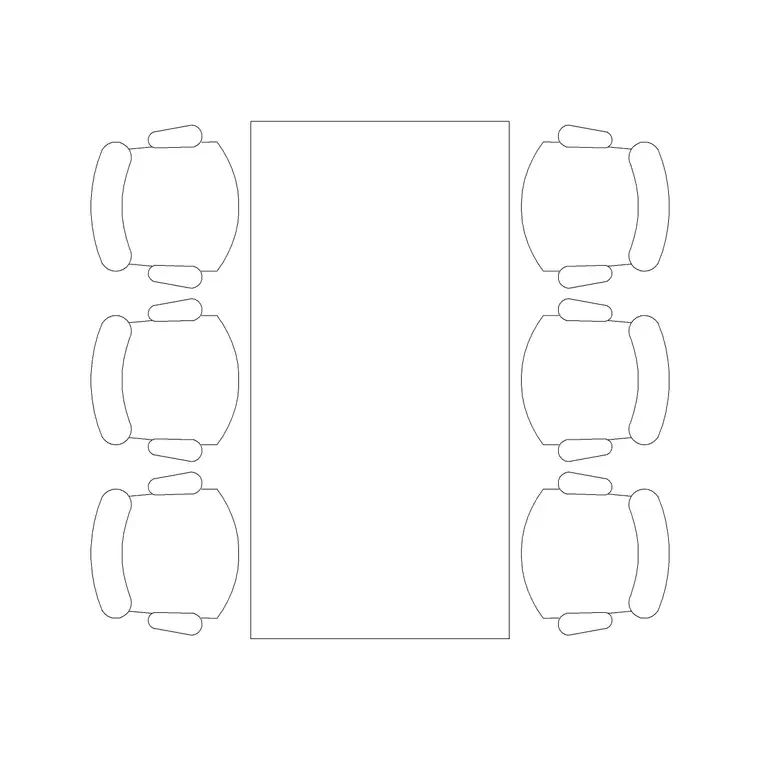
The pack covers the seating kit of a typical dining room. Tables: a six-seat dining table for larger parties and family covers, ready to scale down to four- and two-tops by trimming chairs. Counter seating: a wooden bar stool with a straight back for the bar or a high counter. Family seating: a baby/high chair to test the family covers. Scale figures to read circulation and a seated diner's reach.
Because the dining table is drawn to the standard cover module, you can array it across a floor and add or remove chairs to flex between two-, four- and six-tops without redrawing — which is exactly how a real layout is tuned to hit a cover target.
Restaurant dimensions to design around
Keep these ranges close as you lay out covers. Place setting: allow roughly 600 mm of table edge per diner so elbows do not clash. Table sizes: a two-top runs about 700 × 700 mm, a four-top about 1100–1200 × 700–800 mm, and a six-top about 1800 × 900 mm. Chair pull-out: leave 450–600 mm behind a seated chair to push back and stand.
Service aisles are the figure people forget: a single-server gangway between table backs wants about 900 mm, and a main service route or a path where two servers pass needs 1200 mm or more. Bar stools sit at a counter around 1050–1100 mm high with the stool seat near 750–800 mm and roughly 600 mm of counter width per stool. Drop the scaled blocks in and the cover count and the gangways become things you can see.
How to use the set
Start by marking the fixed points — the kitchen pass, the bar, the entrance and the WCs — because the service routes between them shape everything. Lay your main circulation and the server gangways first, then array the dining tables into the remaining floor, snapping the cover module to keep the spacing even.
Tune the mix: swap a six-top for two four-tops where parties are smaller, or pull tables together for a function. Add the bar stools along the counter and a high chair at the family tables. Keep checking the 600 mm-per-diner edge and the gangway widths against the blocks. Put tables, loose chairs, bar stools and circulation on separate layers so you can issue a covers plan, count the seats from the drawing, and freeze the furniture for a bare-shell issue.
Plan for covers, elevation for the bar
The covers layout is pure plan work: table footprints and chair pull-outs read from above, and that is the view that gives you the cover count and the gangway check. Array and mirror the table set in plan to fill the room, then nudge it until the numbers and the circulation both work.
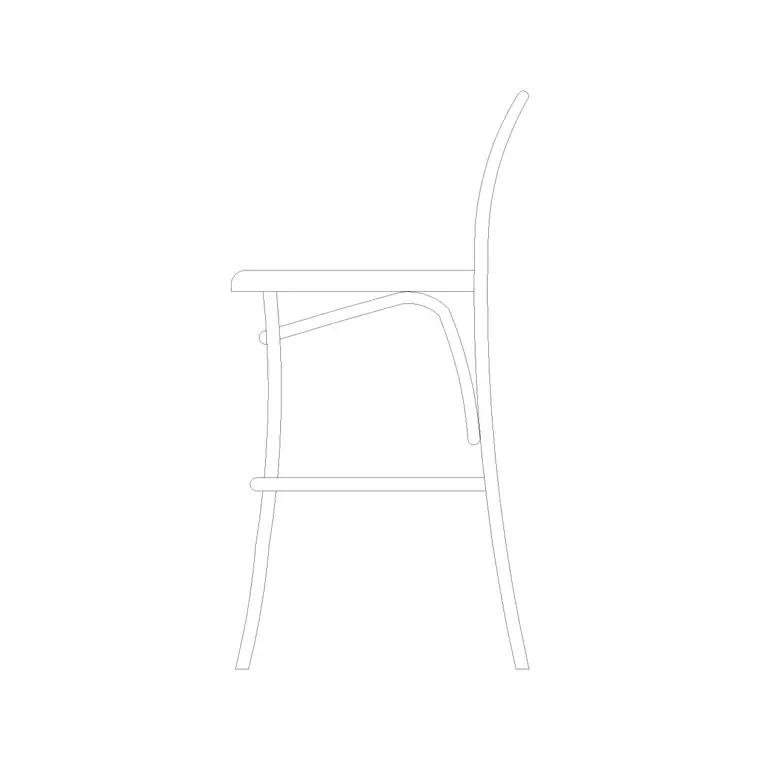
Elevation comes in for the bar and the interiors. A bar stool against a 1050–1100 mm counter has to be drawn at its real seat height so the elevation reads correctly, and a banquette or feature wall is set out in elevation too. The bar stool block ships an elevation and a side view, so you can build the counter section straight from it without redrawing the stool.
Per-item notes
6-person dining table — the flexible base unit. Array it for large covers, or remove chairs to make four- and two-tops. Pull two together for a function table.
Wooden bar stool with straight back — drawn in elevation and side view for the bar counter. Space them at roughly 600 mm centres along the counter and check the seat-to-counter gap reads comfortably in the elevation.
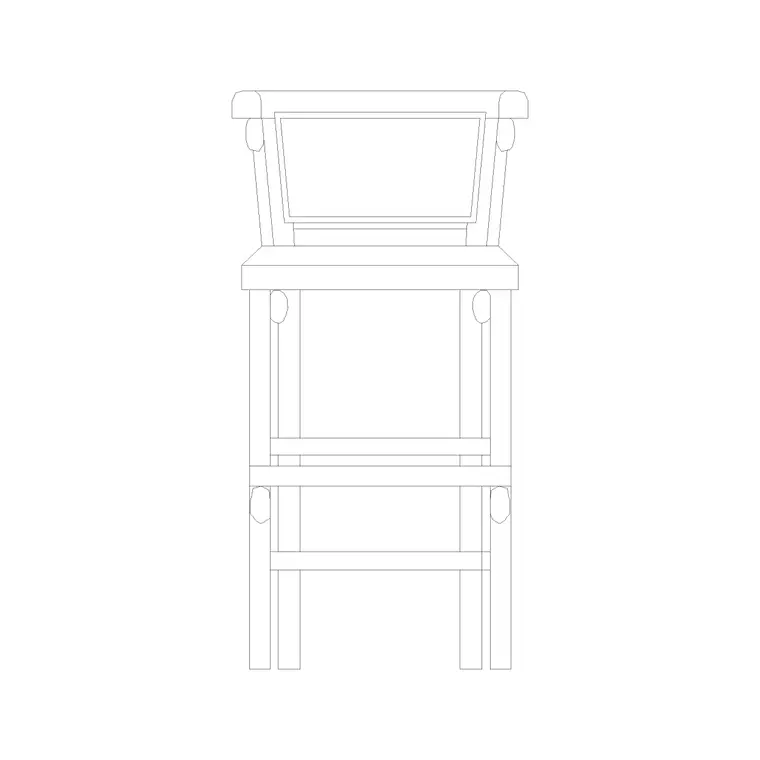
Restaurant baby/high chair — drawn in elevation for the family covers. Drop one beside a four-top to confirm the family table still leaves a server gangway when the high chair is pulled in.
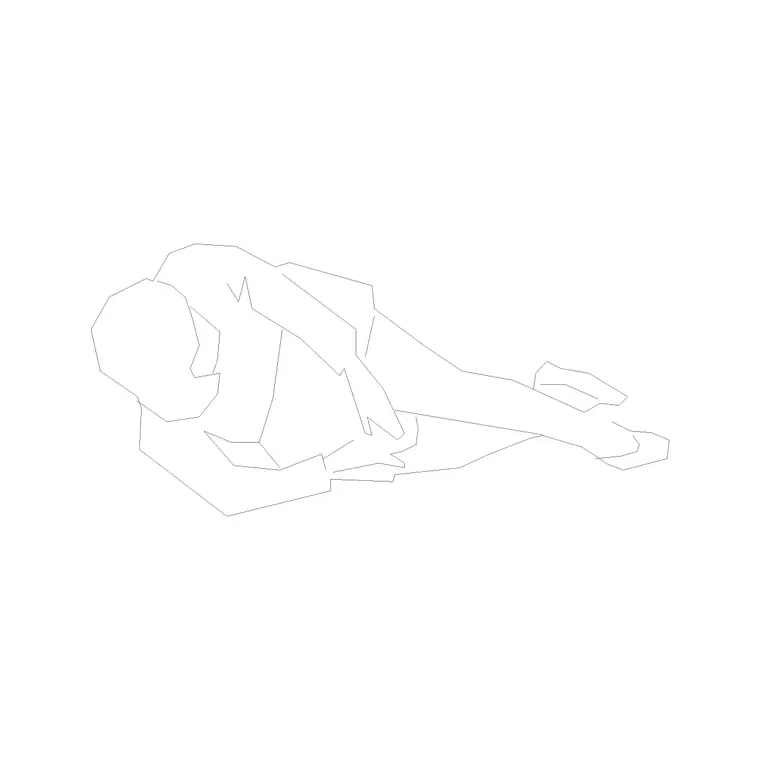
Human figure (plan) — place one at a table to confirm the seated reach and one in the gangway to prove a server can pass behind occupied chairs.
Who uses the restaurant pack
Restaurant and hospitality designers use it to test cover counts and circulation against a real floor area before committing a layout. Interior architects use it to fit out dining rooms, cafés and bar areas with scaled, believable furniture. Operators and consultants use it to model how many covers a unit can carry and where the service routes run.
Because the blocks are free and licence-clear, the pack suits a single café fit-out or a multi-site restaurant rollout. Pair it with the furniture category for additional seating and the people category for scale figures, so you can prove the whole dining experience — covers, comfort and service — works at human size from one consistent library.
Free download
Browse the full library — DWG & DXF, no signup.
Questions
Frequently asked
How much table edge should I allow per diner?+
Allow about 600 mm of table edge per place setting so diners' elbows do not clash. A two-top is roughly 700 mm square, a four-top about 1100–1200 mm long, and a six-top about 1800 mm long.
How wide does a restaurant service aisle need to be?+
Leave about 900 mm for a single-server gangway between table backs, and 1200 mm or more for a main service route or where two servers pass. The scaled blocks let you check this directly on the plan.
Do the restaurant blocks include bar and high chairs?+
Yes. The pack includes a wooden bar stool drawn in elevation and side view for counter seating, and a baby/high chair drawn in elevation for family covers, alongside the dining table and scale figures.
What units are the restaurant blocks drawn in?+
Full size in millimetres. Insert at scale 1 in a millimetre drawing, or set INSUNITS to millimetres so AutoCAD rescales automatically if your template uses different insertion units.
Related downloads
Blocks for this guide
Related categories
Related guides
Curated pack
Free Office CAD Block Pack — DWG & DXF
Free office CAD block pack in DWG and DXF — desks, workstations, conference tables and reception furniture in plan view. No signup, commercial-use OK.
Curated pack
Free Reception Area CAD Block Pack — DWG
Free reception area CAD block pack in DWG and DXF — reception desks, waiting seating and scale figures for lobby layouts. No signup, commercial-use OK.
Curated pack
Free Hotel CAD Block Pack — DWG & DXF
Free hotel CAD block pack in DWG and DXF — reception desks, lobby seating, dining and bar furniture for hotel layouts. No signup, commercial-use OK.