Room guide · reception lobby cad blocks
Free reception lobby CAD blocks for AutoCAD
By Sumana Kumar · Published 14 Jun 2024 · Updated 1 Apr 2026
A reception lobby is the first room a visitor reads, and in plan it is really two overlapping jobs: a working counter where a receptionist greets, checks in and screens people, and a waiting zone where guests sit until they are called through. Get the relationship between those two right and the whole entrance feels calm; get it wrong and you have queues crossing seated guests, or a receptionist who cannot see the door. This page collects free reception lobby CAD blocks in DWG and DXF — reception desks and counters, waiting sofas and lounge chairs, low tables, planters and overhead lighting — drawn to scale for AutoCAD 2004 or later, free for personal and commercial use with no signup or watermark.
The lobby is the room where circulation matters more than furniture count. A visitor walks in, finds the desk, is processed, then either leaves or waits, so the plan has to make that path obvious without a sign. Drawing it from scaled blocks lets you test the approach distance to the counter, the turning space at the entry doors, and the seated sightlines back to the desk before any of it is built. Because every item is a block reference, you can swap a straight counter for a curved one, or slide a sofa cluster a metre clear of the door swing, and the rest of the plan stays intact.
What a reception lobby has to do
A reception lobby is the controlled threshold between the public street and the private office. It performs greeting, wayfinding, access control and short-term waiting all in one space, which is why it carries a mix of block types that no other office room combines: a substantial counter, soft seating, and a generous amount of empty floor that is doing the real work of circulation.
The people using it fall into three groups, and the plan serves each differently. Arriving visitors need a clear line from the door to the desk. Waiting visitors need seats that face the desk or the door so they can see when they are called. Staff behind the counter need an unbroken view of the entrance and a screen position that does not put confidential information in a guest's line of sight. When you set blocks down, place the desk first against that triangle of door, screen and seating — everything else arranges around it.
Zones and circulation in the lobby plan
Split the lobby into a greeting zone, a waiting zone and the circulation that joins them. The greeting zone is the counter and the approach floor in front of it — keep a clear standing area so an arriving person and a departing person do not collide. The waiting zone is the seating cluster, set far enough back that the door swing and the queue never reach it. Circulation is the connective floor: the route from the entrance to the counter, and the onward route to the lifts, stairs or the door into the office proper.
The single most common circulation mistake is parking a sofa where the entrance doors open onto it, so plan the door swing as a block and keep furniture clear of that arc. Keep a comfortable through-route past the seating so a wheelchair or a delivery trolley can pass without anyone moving. If reception controls a security line or turnstiles, draw those as the boundary between public and private and let the counter sit just inside the public side.
The furniture and fixtures you place
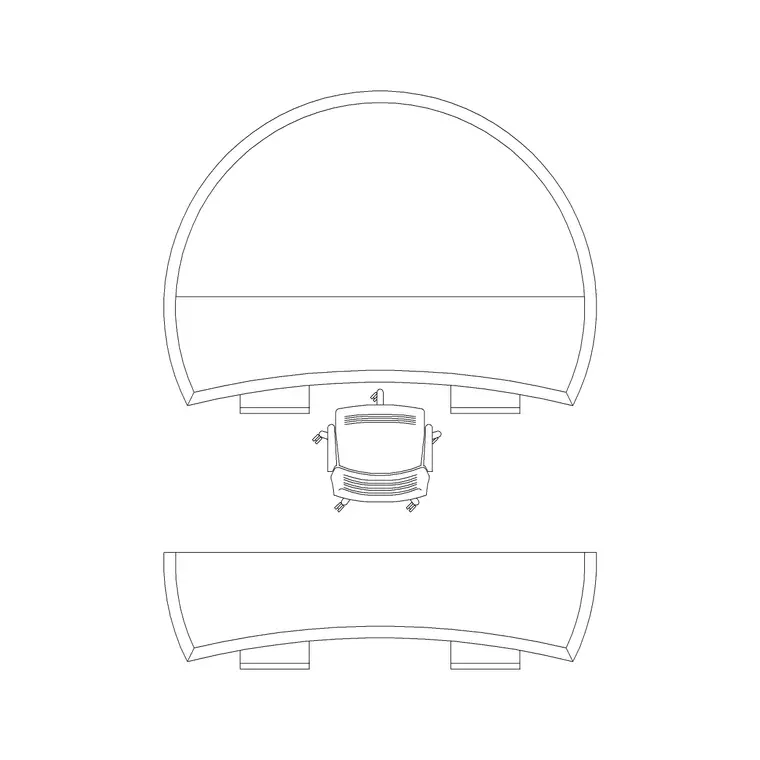
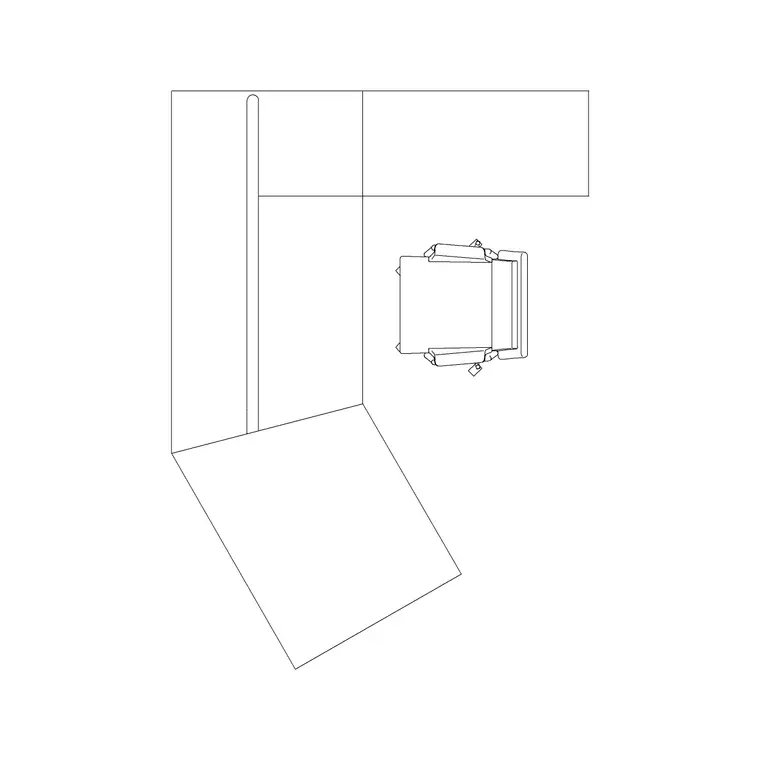
The hero block is the reception desk or counter, drawn in plan with the working side, the visitor-facing side and the kneehole shown so you can check that a seated receptionist reaches the front edge. Use the Reception Table block for a straight counter and the Curve Table where the entrance geometry wants a softer sweep; a Designer Table works as a feature desk in a higher-spec lobby.
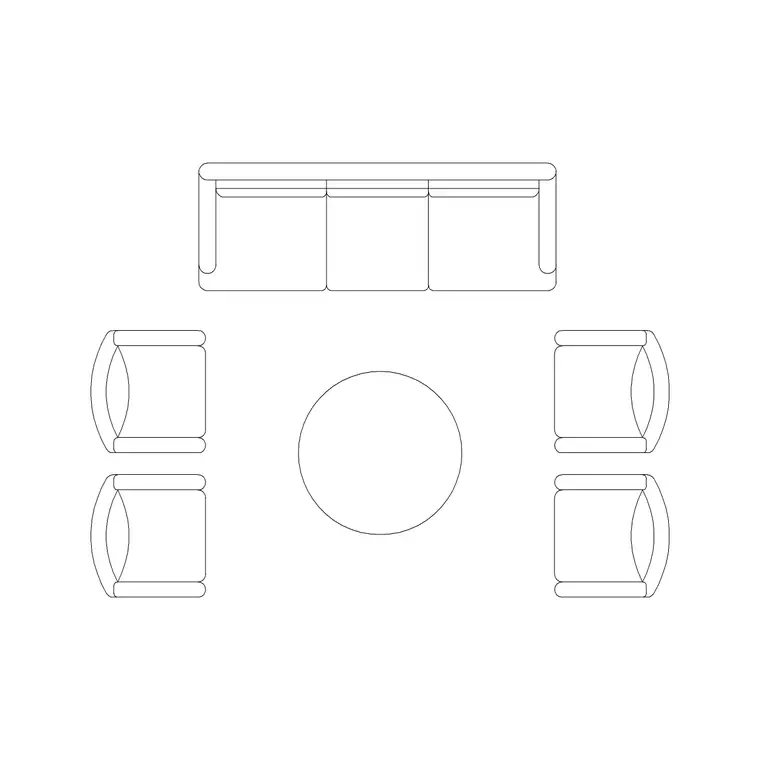
The waiting zone is built from a sofa set, lounge chairs and a low table — drop in the Sofa Set Plan and the Audi Chair Plan around a coffee table to make a recognisable cluster. Soften the room with an Indoor Plant near the glazing and an Art Frame on the feature wall behind the desk. Overhead, place a Ceiling Lamp grid or a feature Frisbi pendant over the waiting cluster so the lighting reads as deliberate rather than a uniform office grid. Each of these is a separate block, so you can re-space the seats or change the planter position without redrawing anything else.
Dimensions and clearances to design around
Treat every figure here as a design-stage range to confirm on site, never a fixed spec. A reception counter is commonly around 700–760 mm at the working desk height with a raised transaction shelf for visitors, and counter runs vary widely with the brief. Leave a generous standing zone in front of the counter so a small queue does not back into the door.
For the waiting cluster, allow a comfortable gap between the front edge of the seats and the coffee table so people can rise and pass, and keep a clear circulation route around the cluster. At the entrance, draw the full door swing and keep all furniture outside it. Where the lobby connects to lifts or a security line, hold a clear through-route wide enough for two-way movement and accessible use. Because these are ranges, set them as design intent and tighten each one against the actual products and the accessibility standard for your project.
Building the lobby plan from blocks
Start with the shell: the entrance doors with their swing, the back wall, and any security line or lift lobby opening. Insert the reception desk first, positioned so the receptionist faces the door, then check the approach floor in front of it is clear and the screen sits away from a visitor's sightline.
Next place the waiting cluster — sofa, chairs and low table — back from the door swing, facing the desk or the entrance. Add the planter and the wall art as locator blocks so the elevation and the lighting plan can pick them up. Put the desk and seating on a furniture layer, the planting and art on an accessories layer, and the pendants and downlights on a lighting layer, so the joinery drawing, the FF&E schedule and the reflected ceiling plan each pull only what they need. Finally, walk the plan as a visitor would — door, approach, counter, seat — and confirm nothing crosses that path.
Common reception lobby mistakes
The recurring errors are nearly all about circulation rather than furniture. Placing seating in the door swing is the classic; so is putting the counter where the receptionist's back is to the entrance. Both come from dropping furniture before the door and the sightlines are drawn — set those first.
Other traps: forgetting the queue space in front of the counter so an arriving group blocks the doorway; cramming so many seats in that the through-route disappears; and leaving the lighting as a flat ceiling grid that gives the waiting cluster no sense of place. On the technical side, watch that you scale the inserted blocks to your drawing units on insert, and keep furniture, accessories and lighting on separate layers so each consultant's drawing reads cleanly.
Free download
Browse the full library — DWG & DXF, no signup.
Questions
Frequently asked
What blocks make up a basic reception lobby plan?+
A reception desk or counter, a waiting cluster of a sofa and lounge chairs around a low table, a planter, a piece of feature art behind the desk, and overhead lighting. Place the desk first against the door-and-sightline triangle, then arrange the seating clear of the door swing.
How much space should I leave in front of the reception desk?+
Enough for a short queue and two-way movement so an arriving person and a departing one do not collide, and so a group does not back into the entrance doors. Treat it as a generous standing zone and confirm the exact figure against your accessibility standard.
Should the receptionist face the entrance?+
Yes. Position the desk so the receptionist has an unbroken view of the door, and keep any screen turned away from a visitor's line of sight. Setting the desk against that door-and-sightline relationship before anything else is the key move in the plan.
Are these reception lobby blocks free for commercial projects?+
Yes. Every block downloads in DWG and DXF for AutoCAD 2004 or later and is free for personal and commercial use with no signup or watermark.
Can I swap a straight counter for a curved one later?+
Yes. Each item is a block reference, so you can replace the Reception Table with the Curve Table or a Designer Table and the surrounding seating, planting and lighting stay exactly where they are.
Related downloads
Blocks for this guide

Related categories
Related guides
Room guide
Free Conference Room CAD Blocks — DWG Download
Download free conference room CAD blocks in DWG and DXF — large conference tables, chairs, screens and lighting for layouts. AutoCAD 2004+, no signup.
Room guide
Free Meeting Room CAD Blocks — DWG Download
Download free meeting room CAD blocks in DWG and DXF — small meeting tables, chairs, screen and planter for compact layouts. AutoCAD 2004+, no signup.
Room guide
Free Executive Cabin CAD Blocks — DWG Download
Download free executive cabin CAD blocks in DWG and DXF — manager desk, visitor chairs, meeting table and sofa for cabin layouts. AutoCAD 2004+, no signup.