Room guide · conference room cad blocks
Free conference room CAD blocks for AutoCAD
By Sumana Kumar · Published 21 Apr 2023 · Updated 28 May 2026
A conference room is a single table doing all the work, and the plan is mostly about the ring of space around it. The table seats a large group for presentations and formal sessions, and every other decision — the screen wall, the door position, the circulation gap behind the chairs — follows from where that table sits and how many it has to hold. This page collects free conference room CAD blocks in DWG and DXF — large conference tables in several seat counts, conference chairs, a presentation screen wall, planters and lighting — drawn to scale for AutoCAD 2004 or later, free for personal and commercial use with no signup or watermark.
Unlike an open office, a conference room is one composition, so it rewards drawing the table first and the room around it second. Pick the seat count, drop the matching conference table block, then test that everyone can pull a chair out and walk behind it without touching the wall, that the screen is visible from every seat, and that the door opens away from the head of the table. Because the table is a block reference, stepping a 12-seater up to a 20-seater is one swap, and the chair ring and circulation re-test from there.
What a conference room is for
A conference room is the large formal meeting space — the room booked for board-adjacent sessions, all-hands briefings, client presentations and training that needs a single big table. It differs from a small meeting room by scale and from a breakout by formality: people sit in fixed positions around one table, facing a presenter and a screen.
Because the table is large and the group is formal, sightlines rule the layout. Everyone must see the screen and the presenter, so the table's long axis usually points at the screen wall, and the head of the table sits nearest the display. The plan's quality is judged by whether the worst seat in the room still has a clear view and enough room to get in and out without disturbing neighbours.
The table, the screen wall and circulation
Set the conference table on the room's long axis with its near end toward the presentation wall. The screen wall is the focal plane — keep it clear of the door and any planting so nothing competes with the display. Around the table runs the circulation ring: the band of floor that lets every seated person push their chair back and walk out behind the others.
The critical move is keeping that ring continuous. If one side of the table is too close to a wall, the people on that side cannot leave without everyone standing, so the table is usually centred with an even circulation gap on both long sides. The door is best placed near the foot of the table, opening away from the seated group, so latecomers enter behind the room rather than across the presenter's sightline. Where the room is glazed, a circulation aisle along the glass keeps the daylight edge usable.
Conference tables, chairs and fixtures
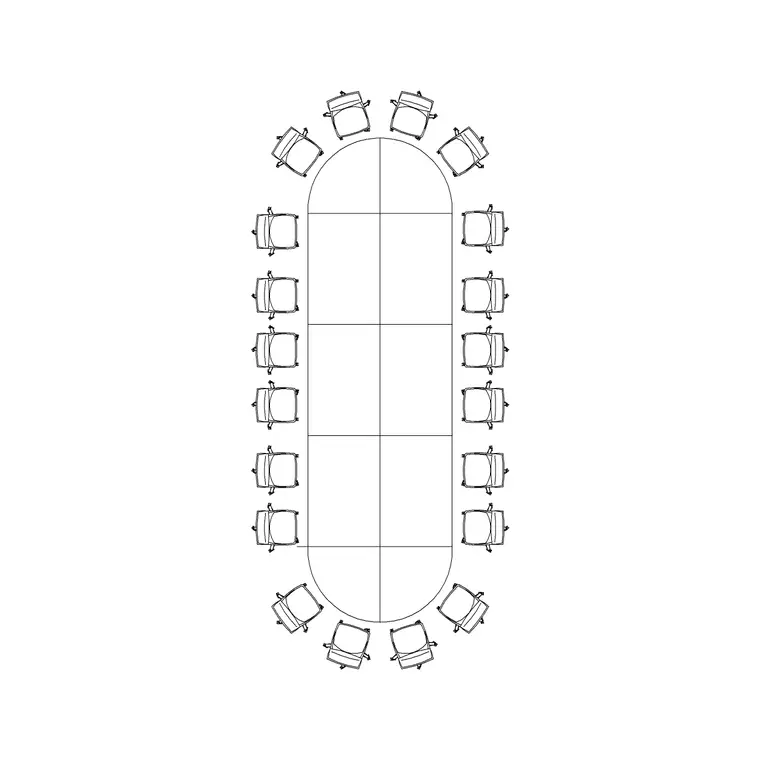
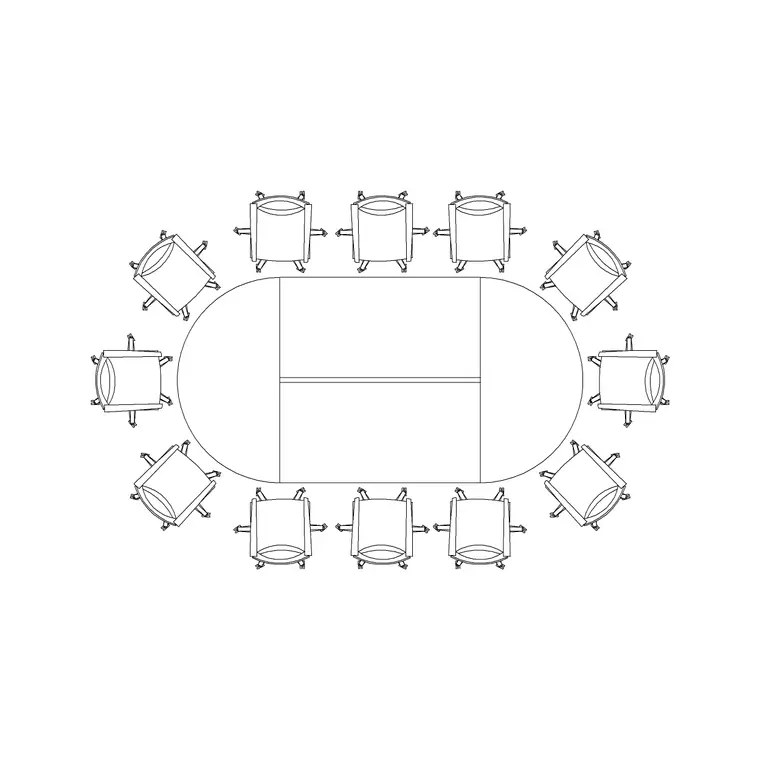
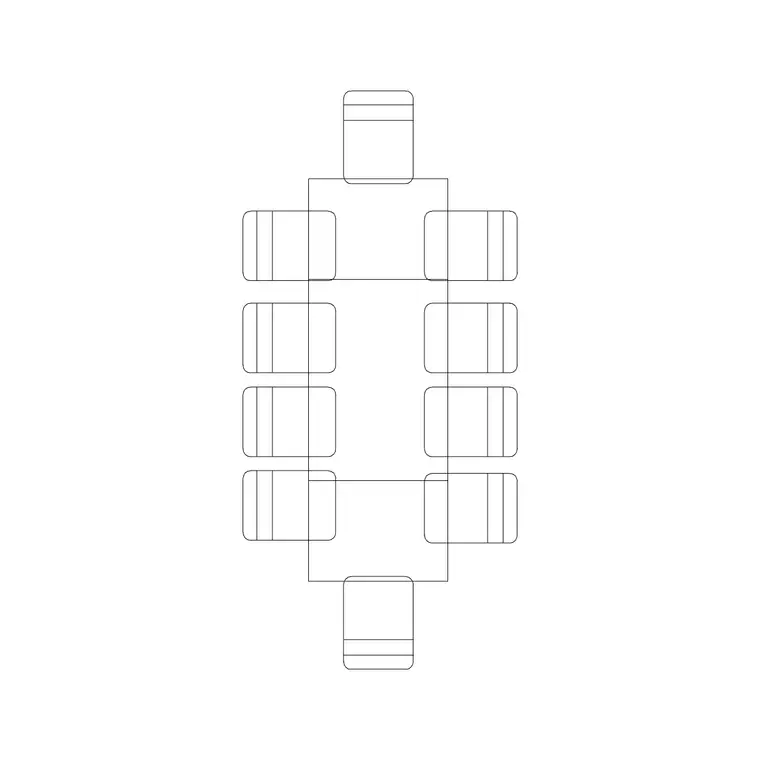
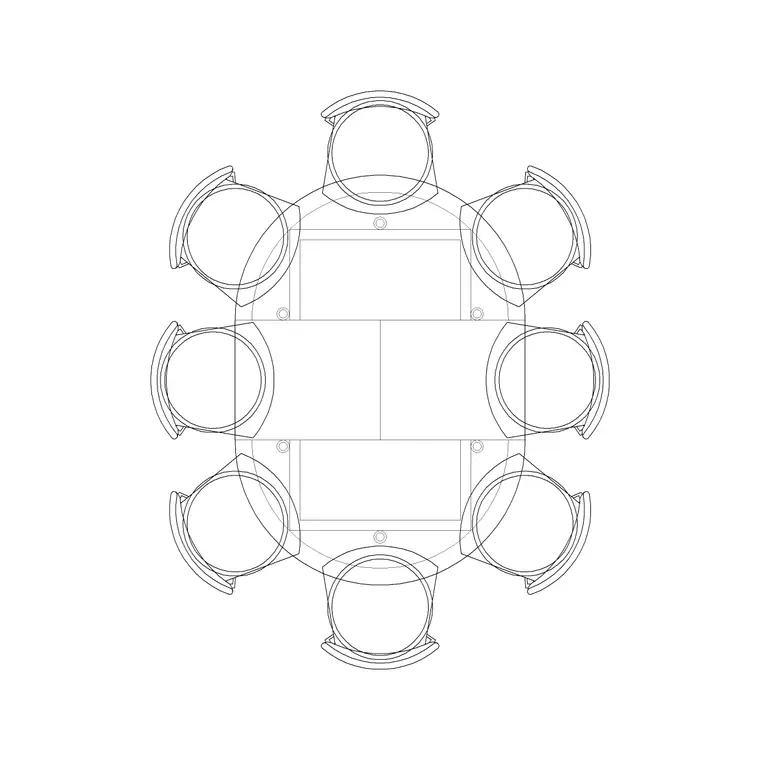
The hero block is the conference table, sized to the group. The 20P Conference Table anchors a large boardroom-scale conference room; the 12P Round Sides and 10P Rec Table suit mid-size formal sessions; the 8P Round Table works where the group is smaller but the room must still read as a conference space. Ring the table with the conference Chair block at even spacing so each seat has equal elbow room.
Dress the room with an Art Frame on a side wall, an Indoor Plant in a corner clear of the screen wall, and a deliberate lighting layout — a Ceiling Lamp grid over the table for even task light, or a row of Frisbi pendants down the table's long axis for a more designed feel. Keep the screen wall itself uncluttered. Each piece is a block reference, so you can re-space the chairs, rotate the table to suit the door, or change the table seat count without redrawing the room.
Dimensions and clearances to design around
Treat the figures as design-stage ranges to confirm against the real furniture. The governing dimension is the circulation gap between the table edge and the wall behind the chairs: it has to allow a person to sit, push the chair back, and walk out behind seated colleagues — comfortably more than just the seat-back swing. Plan that gap on every side the chairs occupy.
Per-seat width along the table sets the seat count: allow a generous elbow allowance per person rather than crowding the run, because cramped seats undercut the whole point of a formal room. The screen wall needs a viewing distance from the nearest seat that is not so close it strains and a farthest seat still within comfortable reading distance of the display. Draw the circulation ring and the per-seat width as the controlling dimensions, then size the table and the room around them and verify against your furniture and AV brief.
Building the conference room in AutoCAD
Draw the room shell, mark the presentation wall, and place the door near the foot of the table opening outward. Insert the conference table on the long axis with its near end toward the screen, centred so the circulation gap is even on both long sides.
Ring the table with chairs at equal spacing, then walk the worst seat: can that person leave without others standing, and can they see the screen? Add the corner planter and side-wall art as locator blocks, and lay the lighting over the table — a grid or a pendant row aligned to the table's long axis. Put the table and chairs on a furniture layer, planting and art on an accessories layer, and the pendants or downlights on a lighting layer so the FF&E schedule, the AV plan and the reflected ceiling plan each pull cleanly. Finish by confirming the door swing clears the nearest chairs.
Common conference room mistakes
The classic error is pushing the table to one wall so half the seats cannot be left without the whole row standing — centre the table and keep the circulation ring even. The second is a door that opens across the presenter's sightline, so every latecomer interrupts the room; move the door to the foot and have it open away from the group.
Other traps: seating people too close to or too far from the screen so the worst seat fails; crowding the per-seat width to claim a higher headcount than the room comfortably holds; and cluttering the screen wall with planting or art that competes with the display. On the CAD side, scale the table block to your units on insert, choose the table seat count before ringing chairs, and keep furniture, accessories and lighting on separate layers.
Free download
Browse the full library — DWG & DXF, no signup.
Questions
Frequently asked
How big a circulation gap do I leave around a conference table?+
Enough for a seated person to push their chair back and walk out behind seated colleagues — comfortably more than the seat-back swing alone. Keep that gap even on both long sides by centring the table, so no row is trapped against a wall.
Where should the conference room door go?+
Near the foot of the table, opening away from the seated group, so latecomers enter behind the room rather than crossing the presenter's sightline to the screen. Confirm the swing clears the nearest chairs.
How do I pick the conference table seat count?+
Match it to the largest group the room must hold, then allow a generous per-seat width so seats are not cramped. The 20P table suits large formal rooms; the 12P Round Sides, 10P Rec Table and 8P Round Table cover mid and smaller groups.
Where does the presentation screen go?+
On the room's short wall at the head of the table, clear of the door and any planting, with the table's long axis pointing at it. Check the nearest seat is not too close and the farthest seat can still read the display comfortably.
Are the conference room blocks free for commercial use?+
Yes. They download in DWG and DXF for AutoCAD 2004 or later, free for personal and commercial use with no signup or watermark.
Related downloads
Blocks for this guide
Related categories
Related guides
Room guide
Free Reception Lobby CAD Blocks — DWG Download
Download free reception lobby CAD blocks in DWG and DXF — reception desk, waiting sofas, planters and lighting in plan. AutoCAD 2004+, no signup.
Room guide
Free Meeting Room CAD Blocks — DWG Download
Download free meeting room CAD blocks in DWG and DXF — small meeting tables, chairs, screen and planter for compact layouts. AutoCAD 2004+, no signup.
Room guide
Free Executive Cabin CAD Blocks — DWG Download
Download free executive cabin CAD blocks in DWG and DXF — manager desk, visitor chairs, meeting table and sofa for cabin layouts. AutoCAD 2004+, no signup.