Block landing · pocket door cad block
Free pocket door CAD blocks for AutoCAD
By Saumyajit Maity · Published 20 Feb 2025 · Updated 14 May 2026
A pocket door is a sliding door that disappears entirely into a hollow pocket inside the wall when open — so it takes no floor for a swing and no wall face for parking. That makes it the most space-efficient door of all, but it is also the one most tied to the wall construction, because the wall has to be built to receive the leaf. A good pocket door CAD block shows that cavity, which is what makes the drawing buildable. This page collects free pocket door CAD blocks in DWG and DXF, drawn full size in plan for AutoCAD 2004 or later, free for personal and commercial use.
The defining feature of a pocket door on a plan is the cavity: a void inside the wall, as long as the leaf, into which the door slides out of sight. Drawing that pocket to scale is essential, because it determines how much solid wall you need on the pocket side — and it is the thing that distinguishes a pocket door from any other slider.
What the pocket door cavity means on the plan
A pocket door block in plan shows the leaf in two states: closed across the opening, and a ghost of the leaf inside the wall cavity when open. The cavity itself — the pocket — is drawn as a void within the wall thickness, with the track at the head and the leaf shown sitting inside it. That pocket has to be at least as long as the leaf, so for an 800 mm door you need roughly 800 mm of wall beyond the opening with nothing fixed to it.
That is the catch the block makes visible: the pocket section of wall cannot carry a light switch, a socket, a radiator, a heavy picture or a structural load, because it is hollow and the door moves through it. Drawing the cavity to scale forces you to confirm there is enough plain wall to swallow the leaf, which is the single most common reason a pocket door does or does not work in a given position. Keep the leaf, the cavity and the track on separate layers so the detail reads clearly.
Single and double pocket doors
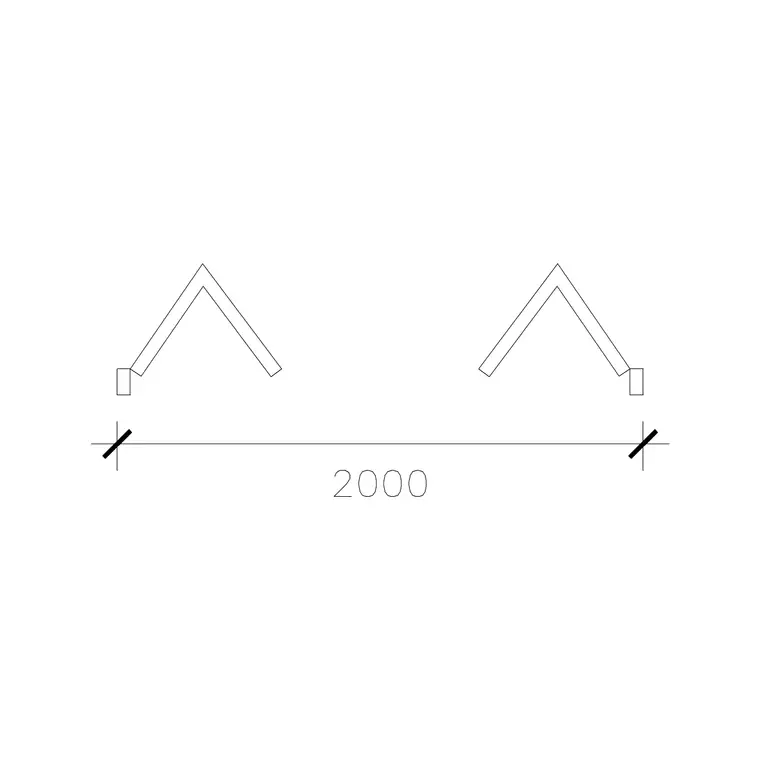
Pocket doors come in single and double versions, and the block should match. A single pocket door has one leaf sliding into one pocket on one side of the opening — the common arrangement, needing a clear pocket the width of the leaf to one side. A double pocket door has two leaves sliding apart into pockets on both sides, meeting at the centre when closed — the choice for a wide opening between two rooms that you want to vanish completely, needing a pocket on each side.
The double version is popular for connecting living and dining spaces, or a bedroom and en-suite, where you want the option of one large open room. Because it needs a pocket on both sides, it doubles the demand on clear wall, so the scaled block is doubly important for checking the wall around the opening. Choose the configuration at block stage and the drawing immediately shows whether the surrounding wall can accommodate it.
Typical pocket door sizes
Pocket doors use standard leaf widths — 600 to 900 mm internally — with the same leaf height around 2000 mm. The defining dimension is the pocket: the cavity must be at least the leaf width long, and the wall must be thick enough to house the cavity frame, typically built in a stud wall of around 100–125 mm or more so the leaf and its slides fit within the wall thickness.
For a single 800 mm pocket door you therefore need roughly 800 mm of clear wall beside the opening for the pocket, plus the opening itself — so an 800 mm pocket door consumes around 1600 mm of wall length in total. A double pocket door needs a pocket on each side. These are the figures the block lets you lay out directly, because the leaf and cavity are drawn full size and you can see exactly how much wall the assembly claims.
Inserting a pocket door and checking the wall
Insert these blocks at scale 1 in a millimetre drawing, or set INSUNITS to Millimeters so AutoCAD rescales automatically. Place the opening, then position the cavity to one side (or both, for a double) and check that the wall length on the pocket side is clear and long enough to take the leaf. Use MIRROR to put the pocket on the other side of the opening if the wall on one side is obstructed.
Because the pocket lives inside the wall, coordinate the block with your wall layer: the pocket section must align with a stud wall, not a solid masonry one, unless the masonry is built with a proprietary pocket frame. Keep the pocket door as a single block reference so it schedules as one door type, and where the same pocket door recurs — a run of en-suites, say — array it and update all instances with one BEDIT change.
Where pocket doors are used
Pocket doors are the go-to where space is genuinely tight and a clear wall face is wanted: small bathrooms and en-suites where a swing would dominate the room, utility and store rooms, and connections between rooms where you want the door to vanish completely so the spaces read as one when open. The double pocket door is a favourite for opening up living and dining areas. Pocket doors also help accessibility, since they need no swing space.
Architects and interior designers specify them to solve tight plans and to create flexible, openable rooms; they coordinate closely with the structural and partition design because the wall must be built to receive the door. Pair the pocket door blocks with the sliding door and bifold door blocks in the doors category — the three space-saving alternatives to a swing — so you can weigh them against each other on the same plan.
Coordinating the pocket with the construction
More than any other door, a pocket door has to be designed with the wall, not just placed in it, and the block is the tool that forces that coordination. The pocket is a hollow stud cavity, so the contractor builds it during the wall framing, not as an afterthought — which means it has to appear on the plan early enough for the wall design to allow for it. The scaled block, showing the cavity within the wall thickness, is what makes the pocket part of the wall set-out rather than a surprise on site.
The practical checks the block supports are simple but decisive: is there enough clear wall to take the leaf, is the wall a stud wall that can house the pocket, and is the pocket side free of switches, sockets, pipes and structure. Drawing the door and its cavity to scale answers all three at a glance. Keep the door on its own layer, tag it for scheduling, and WBLOCK a recurring pocket-door-and-wall assembly so the cavity is drawn identically everywhere it appears.
Free download
Browse the full library — DWG & DXF, no signup.
Questions
Frequently asked
What is a pocket door in a CAD block?+
A pocket door is a sliding door that disappears into a hollow cavity inside the wall when open. The block shows the leaf closed across the opening and parked inside the wall pocket, plus the cavity void that the wall must be built to receive.
How much wall does a pocket door need?+
The pocket must be at least the leaf width long, so a single 800 mm pocket door needs roughly 800 mm of clear wall beside the opening, plus the opening itself — about 1600 mm of wall in total. A double pocket door needs a pocket on each side.
Can a pocket door go in any wall?+
It needs a wall that can house the cavity — usually a stud wall thick enough to take the leaf and its slides, with the pocket side kept clear of switches, sockets, pipes and structure. The scaled block helps you confirm the wall suits the pocket.
Are the pocket door blocks free for commercial use?+
Yes. Every pocket door block downloads free in DWG and DXF with no signup, no watermark and no attribution requirement, and they are cleared for commercial project use.
Related downloads
Blocks for this guide

Popular blocks to download
Related categories
Related guides
Block landing
Free Wooden Door CAD Blocks — DWG Download
Download free wooden door CAD blocks in DWG and DXF — solid timber doors drawn in plan, elevation and section for AutoCAD 2004+. No signup, commercial use OK.
Block landing
Free Laminated Flush Door CAD Blocks — DWG
Download free laminated flush door CAD blocks in DWG and DXF — flat-faced flush doors with frame in plan and elevation for AutoCAD. No signup, commercial OK.
Block landing
Free Panel Door CAD Blocks — DWG Download
Download free panel door CAD blocks in DWG and DXF — two, four and six panel doors drawn in elevation and plan for AutoCAD. No signup, commercial use OK.