Curated pack · parking cad blocks
Free parking layout CAD block pack for AutoCAD
By Sumana Kumar · Published 16 Mar 2026 · Updated 10 Apr 2026
A parking layout is a geometry problem before it is anything else: bays of a set size, aisles wide enough to turn into them, and the cars themselves to prove the bays work. This free parking layout CAD block pack gives you the pieces — a car in plan, paving textures for the surfacing, a lighting column for the car park, and a scale figure for the footways and crossings — in DWG and DXF, drawn to true dimensions and ready to insert into AutoCAD 2004 or later. Everything is free for personal and commercial work, with no signup and no watermark.
Use the pack to set out surface car parks, driveways, parking courts, service yards and the parking element of a wider site plan. Because the car block is drawn at true vehicle size, dropping it into a bay tells you straight away whether the bay and the aisle in front of it actually work — a check that a blank rectangle cannot give you.
Parking is also one of the most standards-driven parts of a layout: bay sizes, aisle widths, accessible bay provision and circulation are all governed by local design standards and planning conditions. The blocks here are about testing a layout against real vehicle dimensions; always confirm the specific bay and aisle figures your scheme must meet.
What's in the parking pack
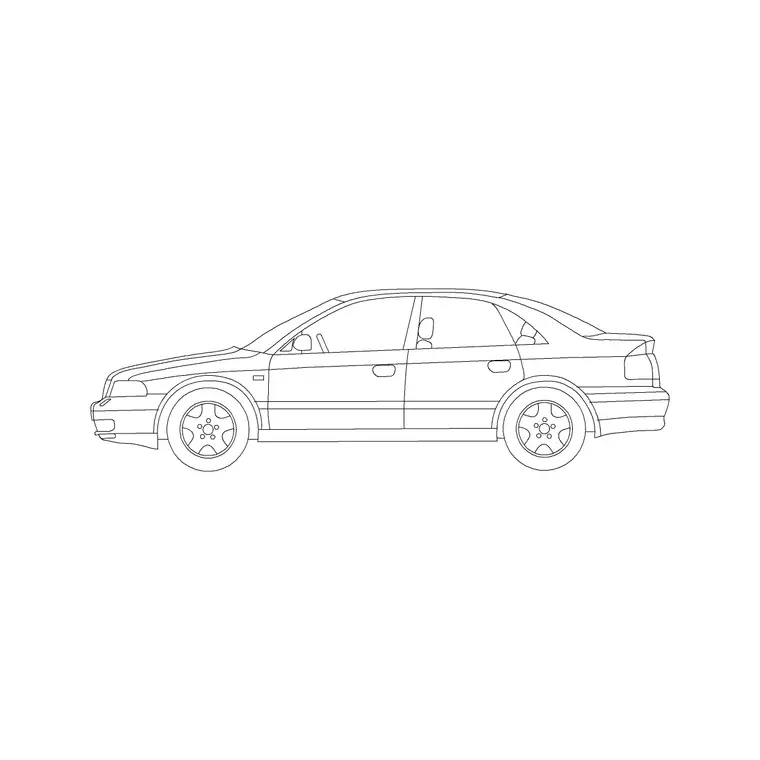
The pack focuses on the few things a parking layout actually needs. Vehicles: a sedan car in plan to occupy a bay and prove the geometry — copy it across a row to read the parked condition. Surfaces: paving textures for the parking surface, the footways and the crossing points. Lighting: a column for the car park lighting layout. Scale and movement: a human figure in plan for the footways, the accessible route and the crossings between bays.
For more vehicle types — vans, a turning lorry, motorcycles, bicycles — the vehicles category extends the set, and the paving and lighting categories carry more surface and column options for the wider hard-landscape and lighting layers.
Setting out bays and aisles
Begin with the bay grid. A standard car parking bay is commonly drawn around 2.4–2.5 m wide by 4.8–5.0 m long, with accessible bays wider to allow transfer space, but the exact figures are set by your local standard, so confirm them before you set out. Draw one bay, then array it along the run to build a row. The aisle between two facing rows of 90-degree bays typically needs to be wide enough for a car to turn into a bay in one or two moves — again a standards figure to check.
Now drop the car block into a few bays. If the parked cars sit comfortably within the bay lines and a car can swing out of a bay into the aisle without clipping the cars opposite, the geometry works. This visual check, with a real vehicle footprint in the bay, catches the cramped aisle that a bare grid hides.
Accessible bays and pedestrian routes
Accessible parking needs more than a wider bay — it needs a safe, step-free route from the bay to the building entrance. Use the scale figure to set out and check that route: the dropped kerb or flush crossing where it leaves the parking area, the clear width of the footway alongside the bays, and the absence of any point where a wheelchair user would have to pass behind a parked car in the carriageway.
Place accessible bays close to the entrance and on the layout's most direct route, then walk the figure from the bay to the door on the plan. Keep the accessible route on its own layer so it can be highlighted on the access drawing and checked against the standard's requirements, which are stricter than for general bays.
Surfacing, marking and drainage layers
A parking surface carries several layers of information, so separate them as you build. Put the paving and surfacing texture on a hard-landscape layer, the bay markings and arrows on a marking layer, and the lighting columns on a lighting layer. Drawn this way, the same file produces a clean surfacing drawing, a separate marking layout and a lighting plan without redrawing the bays.
Drainage matters in a car park because the surface has to shed water without ponding across the bays and aisles. While this pack does not include gully blocks, leaving the drainage on its own layer alongside the falls keeps it coordinated with the surfacing and the bay layout, so a gully does not end up stranded under a parked car or in the middle of a circulation route.
Who uses the parking pack
Civil and infrastructure drafters use it to set out surface car parks and service yards. Architects use it for the parking element of a site plan and for planning submissions that have to demonstrate adequate, compliant provision. Highway designers use the car block to check bay and aisle geometry against standards. Students use it for site-planning studio work where scaled, licence-clear vehicles matter.
Pair the pack with the vehicles category for vans, lorries and cycles to test mixed parking and servicing, paving for more surface options, and the wider site-plan and landscape packs to set the parking into its surroundings.
Proving the layout works in use
A parking layout passes or fails on how it behaves when it is full, and scaled blocks let you simulate that on paper. Fill a representative run of bays with copies of the car block, then test the awkward cases: a driver reversing out of an end bay, a car waiting in the aisle while another manoeuvres, a vehicle turning at the head of the row. If the parked cars and the moving car can coexist without the aisle jamming, the layout is robust; if they clash, you have found the problem at the drawing stage rather than on the opening day.
The same approach applies to the pedestrian experience. Walk the scale figure from the furthest bay to the building, across the crossings and along the footways, and confirm nobody is forced into the carriageway behind reversing cars. Because every check is done with a true-size block rather than an abstraction, the layout you sign off is one you have effectively driven and walked before a wheel ever turns on site.
Free download
Browse the full library — DWG & DXF, no signup.
Questions
Frequently asked
What's included in the parking pack?+
A car in plan to prove bay geometry, paving textures for the surfacing, a lighting column for the car park, and a human figure for the footways and accessible route. The vehicles category adds vans, lorries and cycles for mixed layouts.
Are the parking blocks free for commercial projects?+
Yes. Every block downloads free in DWG and, where available, DXF, with no signup, no watermark and no attribution requirement, and all are cleared for commercial use.
What size should a parking bay be?+
A standard bay is commonly drawn around 2.4–2.5 m wide by 4.8–5.0 m long, with accessible bays wider for transfer space — but bay and aisle dimensions are set by your local design standard, so confirm the figures your scheme must meet before setting out.
How do I check that an aisle is wide enough?+
Drop the scaled car block into a bay and swing it out into the aisle. If a car can leave a bay in one or two moves without clipping the cars in the facing row, the aisle works. Fill a run of bays with copies to test the full condition.
Related downloads
Blocks for this guide


Related categories
Related guides
Curated pack
Free Landscape CAD Block Pack — DWG & DXF
A free landscape CAD block pack in DWG and DXF — trees, shrubs, fences, paving, lighting and figures for AutoCAD landscape plans. No signup, commercial-use OK.
Curated pack
Free Street Furniture CAD Block Pack — DWG
A free street furniture CAD block pack in DWG and DXF — street lights, fences, gates, paving and figures for public realm plans. No signup, commercial OK.
Curated pack
Free Site Plan CAD Block Pack — DWG Download
A free site plan CAD block pack in DWG and DXF — trees, vehicles, paving, fencing, lighting and figures to dress site and block plans. No signup, commercial OK.