Curated pack · modern furniture cad blocks
Free modern furniture CAD block pack for AutoCAD
By Sumana Kumar · Published 25 Aug 2024 · Updated 15 Mar 2026
Modern furniture has a recognisable geometry: low horizontal lines, generous seat depths, slim metal or tapered legs, and large unbroken planes. Drawing it convincingly in AutoCAD means starting from blocks that already carry that proportion, so this free modern furniture CAD block pack gathers the pieces a contemporary scheme leans on — modular and sectional sofas, low coffee tables, sideboards, accent chairs and console units — in DWG and DXF, drawn at true millimetre sizes and ready to insert into AutoCAD 2004 or later. Every file is free for personal and commercial work, with no signup and no watermark.
Use the pack to lay out open-plan living rooms, loft apartments, showrooms and reception lounges where a clean modern look is the brief. Because the blocks are scaled, the moment a sectional lands on the page you can read the circulation gap behind it, the reach across a coffee table, and whether the sofa run actually fits the wall you have given it.
The thing that separates a modern layout from a traditional one is restraint: fewer, larger pieces with deliberate breathing space around them. A pack built for that intent gives you big-footprint blocks — a deep modular sofa, a long low sideboard — rather than a clutter of small items, so your plan reads the way the finished room will.
What's in the modern furniture pack
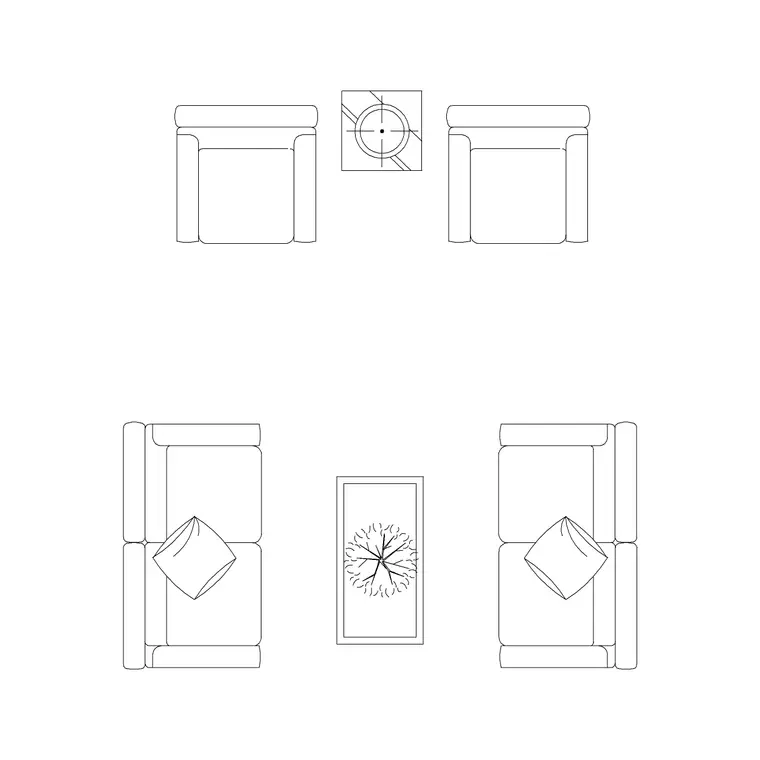
The pack covers the core of a contemporary living space. Seating: modular and L-shaped sectional sofas, two- and three-seat straight sofas with low arms, and accent or lounge chairs with slim profiles. Tables: low rectangular and round coffee tables, nesting side tables and slim console tables. Storage: long low sideboards, media units and floating-look shelving footprints.
The pieces share the low, horizontal language of modern design, so they sit together as a coherent set rather than a mismatched grab-bag. Drop a modular sofa, a low coffee table and a sideboard into the same room and the proportions already agree.
Typical modern furniture sizes to design around
Keep these ranges to hand when you check a layout. A modern three-seat sofa runs roughly 2000–2400 mm long and 900–1000 mm deep — deeper than a traditional sofa because of the lounging proportion. An L-shaped sectional commonly spans 2600–3200 mm on its long arm. Coffee tables sit low, around 300–400 mm high, and 1000–1200 mm long. Sideboards run 1600–2200 mm long and a shallow 400–450 mm deep.
For circulation, leave at least 400–450 mm between a sofa front and a coffee table so legs clear, and 700–900 mm for a walkway behind a sofa that backs onto a route. Because the blocks are drawn at real size, these checks are a glance, not a calculation.
Building a modern living layout from the set
Start by anchoring the largest piece — usually the sectional or main sofa — against the longest wall or to define the seating zone in an open plan. Place the coffee table central to the seating, then bring in an accent chair to close the conversation group at an angle rather than square, which reads more contemporary.
Run the sideboard along a blank wall or behind the sofa as a low divider in an open-plan space. Keep the furniture on its own layer so you can freeze it for a clean shell plan and thaw it for the furnished version, and so the modern pieces stay separate from any architectural linework.
Per-item notes
- Modular / sectional sofa: the workhorse of the set. Treat each module as a unit you can mirror or array to extend the run, and watch the corner module's footprint against the room corner. - Low coffee table: keep it centred on the seating and check the 400 mm leg gap; a round table softens an otherwise rectilinear group. - Sideboard / media unit: shallow depth is the giveaway of a modern piece — at 400–450 mm it reads light against the wall and leaves circulation intact. - Accent chair: place it off-axis to break the grid; one well-placed chair does more for a modern scheme than a matched pair.
Each block inserts as a single reference you can copy, rotate and rescale, and a later edit to the block definition updates every instance at once.
Plan view for layouts, elevation for presentation
For space planning you work in plan: the sofa, table and sideboard footprints seen from above, arrayed and mirrored to test the room. The plan blocks are what you use to confirm the seating group fits and the circulation reads.
For mood boards, client presentations and interior elevations you switch to elevation, where the low horizontal lines of modern furniture are at their most expressive — a long sideboard and a low sofa drawn face-on immediately communicate the style. Where a block ships both views, one download carries you from the layout into the presentation drawing.
Who reaches for a modern pack
Interior designers use it to turn around contemporary concept layouts quickly. Architects use it to furnish open-plan apartments and lofts with believable, scaled pieces. Showroom and retail designers use it to lay out vignettes. Students use it for studio and portfolio work where a clean, current aesthetic and licence-clear blocks both matter.
Pair the modern furniture set with the lighting and accessories categories — a slim floor lamp and a framed art piece finish the scheme — to dress a whole room from one consistent, free block library.
Free download
Browse the full library — DWG & DXF, no signup.
Questions
Frequently asked
What makes these blocks 'modern' rather than generic furniture?+
The pieces are drawn with the proportions of contemporary furniture — low, deep seating, slim legs, long shallow storage and large unbroken planes — so a layout built from them reads as a modern scheme rather than a traditional one.
Are the modern furniture blocks free for commercial use?+
Yes. Every block downloads free in DWG and, where available, DXF, with no signup, no watermark and no attribution requirement, and they are cleared for commercial project use.
What scale are the blocks drawn at?+
Full size in millimetres. Insert at scale 1 in a millimetre drawing, 0.001 in a metre drawing, or set INSUNITS to millimetres so AutoCAD rescales automatically when your template uses different units.
Can I extend a modular sofa to fit a longer wall?+
Yes. Treat each module as a block you can copy or array along the run, then close the end with a corner or arm module. Because they share the same depth and module logic, the extended sofa stays consistent.
Related downloads
Blocks for this guide
Related categories
Related guides
Curated pack
Free Classical Furniture CAD Block Pack — DWG
Free classical furniture CAD blocks in DWG/DXF — rolled-arm sofas, carved tables, wingback chairs and classical lamps. No signup, commercial use OK.
Curated pack
Free Minimalist Interior CAD Block Pack — DWG
Free minimalist interior CAD blocks in DWG/DXF — clean-line sofas, plain tables and pared-back storage for AutoCAD. No signup, commercial use OK.
Curated pack
Free Luxury Interior CAD Block Pack — DWG/DXF
Free luxury interior CAD blocks in DWG/DXF — relaxers, dressing tables, statement seating and decorative lamps for high-end schemes. No signup needed.