Curated pack · luxury interior cad blocks
Free luxury interior CAD block pack for AutoCAD
By Sumana Kumar · Published 25 Sep 2025 · Updated 28 Apr 2026
Luxury interiors are defined less by a single shape than by generosity and statement pieces: deep relaxer chairs, mirrored dressing tables, oversized seating, and decorative lighting placed to be noticed. Laying out a high-end scheme in AutoCAD means giving those statement pieces room to perform, which is far easier when each one is already drawn to its true, often generous, footprint. This free luxury interior CAD block pack gathers the pieces a premium scheme leans on — luxury relaxers and recliners, dressing tables and vanities, statement seating and decorative table lamps — in DWG and DXF for AutoCAD 2004 or later. Everything is free for personal and commercial work, with no signup and no watermark.
Use the pack for high-end residential, hotel suites, spa lounges, dressing rooms and showrooms where the brief is generous and expressive. Because the blocks are scaled, you can confirm that a luxury relaxer has the recline clearance it needs, that a dressing table has the stool pull-out and the lit-mirror reach, and that the statement pieces aren't crammed.
The quiet rule of luxury layouts is space around the object. A statement chair only reads as a statement if it isn't fighting for room. Working from correctly scaled blocks lets you give each piece the clearance it deserves and prove the plan still works — which is the difference between opulent and overcrowded.
What's in the luxury pack
The set is built around generous, expressive pieces. Seating: luxury relaxers and recliners with extended footprints, oversized lounge and wing chairs, and deep statement sofas. Dressing and grooming: dressing tables and vanities with stools, often paired with a lit mirror. Lighting: decorative table lamps to crown a console, vanity or bedside.
These are deliberately larger-footprint blocks than a standard furniture pack, because the generosity is the point. Each is drawn so its true claim on the floor — including the recline or pull-out it needs — is visible the moment it lands.
Designing for clearance and recline
Luxury seating often moves. A relaxer or recliner needs space in front and sometimes behind to extend, so allow for the reclined footprint, not just the upright one — commonly an extra 400–600 mm in front for the leg rest. A dressing table needs the stool to pull out (allow ~600 mm in front) and the user to sit and reach the mirror.
Draw the extended or in-use position as a check, even if you only present the at-rest state. The scaled blocks make this easy: insert the relaxer, sketch its recline envelope, and confirm it clears the coffee table or the foot of the bed before you commit the layout.
Sizes to design around for high-end pieces
Reach for these ranges. A luxury relaxer or recliner runs roughly 850–950 mm wide and 950–1050 mm deep upright, extending to 1500–1700 mm of total depth when reclined. A dressing table is typically 1000–1400 mm wide and 450–550 mm deep, with the mirror above and a stool of about 450 mm in front. Statement lounge chairs read wide, around 800–1000 mm.
Give these pieces generous surrounds — a metre of clear floor around a statement chair is not excessive in a luxury scheme. The scaled blocks let you confirm that generosity rather than guess at it.
Per-item notes
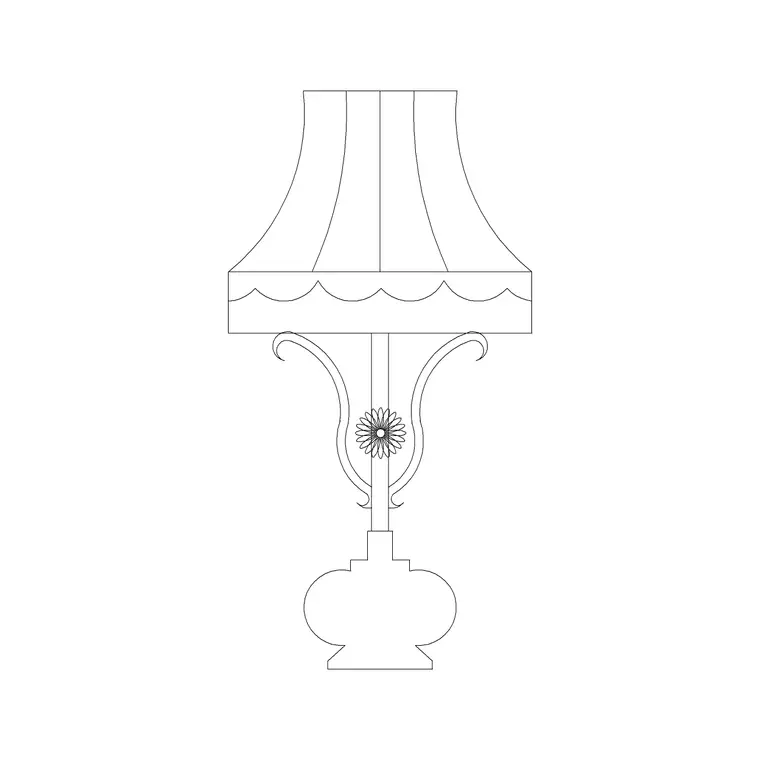
- Luxury relaxer / recliner: always check the reclined envelope, not just the upright footprint; this is the single most common clash in a luxury layout. - Dressing table / vanity: pair it with the stool pull-out and the seated reach to the mirror; position it for good light, ideally near a window or with the decorative lamp beside it. - Statement seating: give it a clear surround and place it where it commands the room — facing a view, a fireplace, or as the focal piece of a suite. - Decorative table lamp: in a luxury scheme the lamp is jewellery; place it on a console or vanity in elevation to finish the composition.
Every block is a single reference you can copy, rotate and rescale, with edits flowing to all instances.
Plan for layout, elevation for the statement
For the layout you work in plan: the generous footprints arranged with their clearances and recline envelopes checked. The plan blocks are what you place to prove the suite or lounge breathes.
For presentation, interior elevations and the all-important client board you switch to elevation, where luxury pieces are at their most persuasive — a tufted relaxer, a mirrored vanity and a decorative lamp drawn face-on sell the scheme. Where a block ships both views, one download carries the layout and the showpiece elevation.
Who uses a luxury pack
Interior designers use it for high-end residential, hospitality and spa schemes where statement pieces and generous space are the brief. Architects use it to furnish suites and penthouses with appropriately scaled, expressive blocks. Showroom and yacht/aviation interior designers use it where premium presentation matters. Students use it for hospitality and luxury-residential studio projects with licence-clear blocks.
Pair the luxury set with the lighting category for decorative lamps and the accessories category for framed art and mirrors, so an entire premium room is dressed from one consistent, free library.
Free download
Browse the full library — DWG & DXF, no signup.
Questions
Frequently asked
What makes a block suitable for a luxury scheme?+
Luxury blocks are drawn with the generous footprints and statement proportions of high-end furniture — deep recliners, wide vanities, oversized seating — and account for in-use envelopes like a recline or a stool pull-out, so the plan reflects the space a premium piece really needs.
Are the luxury interior blocks free for commercial use?+
Yes. Every block downloads free in DWG and, where available, DXF, with no signup, no watermark and no attribution requirement, and they are cleared for commercial project use.
How do I check a recliner's clearance in AutoCAD?+
Insert the relaxer block upright, then sketch its reclined envelope in front (allow roughly 400–600 mm extra for the leg rest) and confirm it clears the coffee table or bed. Because the block is scaled, the check is visual.
What scale and units are the blocks drawn at?+
Full size in millimetres. Insert at scale 1 in a millimetre drawing, or set INSUNITS to millimetres so AutoCAD rescales automatically if your template uses different units.
Related downloads
Blocks for this guide

Related categories
Related guides
Curated pack
Free Modern Furniture CAD Block Pack — DWG/DXF
Free modern furniture CAD block pack in DWG/DXF — modular sofas, low coffee tables, sideboards and accent chairs. No signup, commercial use OK.
Curated pack
Free Classical Furniture CAD Block Pack — DWG
Free classical furniture CAD blocks in DWG/DXF — rolled-arm sofas, carved tables, wingback chairs and classical lamps. No signup, commercial use OK.
Curated pack
Free Minimalist Interior CAD Block Pack — DWG
Free minimalist interior CAD blocks in DWG/DXF — clean-line sofas, plain tables and pared-back storage for AutoCAD. No signup, commercial use OK.