Block landing · male figure cad block
Free male figure CAD blocks for AutoCAD
By Sumana Kumar · Published 9 Feb 2026 · Updated 15 May 2026
Every populated drawing needs a believable mix of people, and male figures are a core part of that mix. This page collects free male figure CAD blocks in DWG — men drawn as scale figures in plan and elevation, at true proportions — ready to insert into AutoCAD 2004 or later. Every file is free for personal and commercial work, with no signup and no watermark.
Male scale figures perform the same essential job as any person in a drawing: they set the scale and animate the space. The point of keeping both male and female figures, in a range of poses and heights, is that it lets you build a crowd that looks like the real users of a building rather than a row of identical silhouettes. Use these blocks in building elevations, interior elevations, sections, streetscapes and presentation plans wherever a space needs bringing to life.
What's in a male figure block
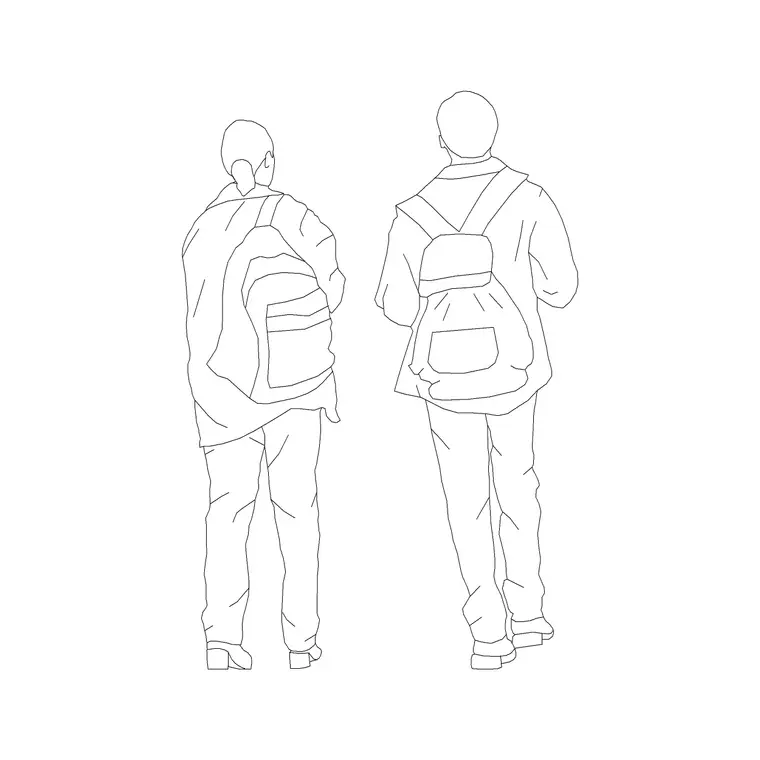
These male figures are drawn as clean scale figures - silhouettes or lightly detailed outlines in natural standing, walking or seated poses. As with all scale figures, the value lies in correct height and proportion, not in elaborate detail, so the figure reinforces the drawing rather than competing with it.
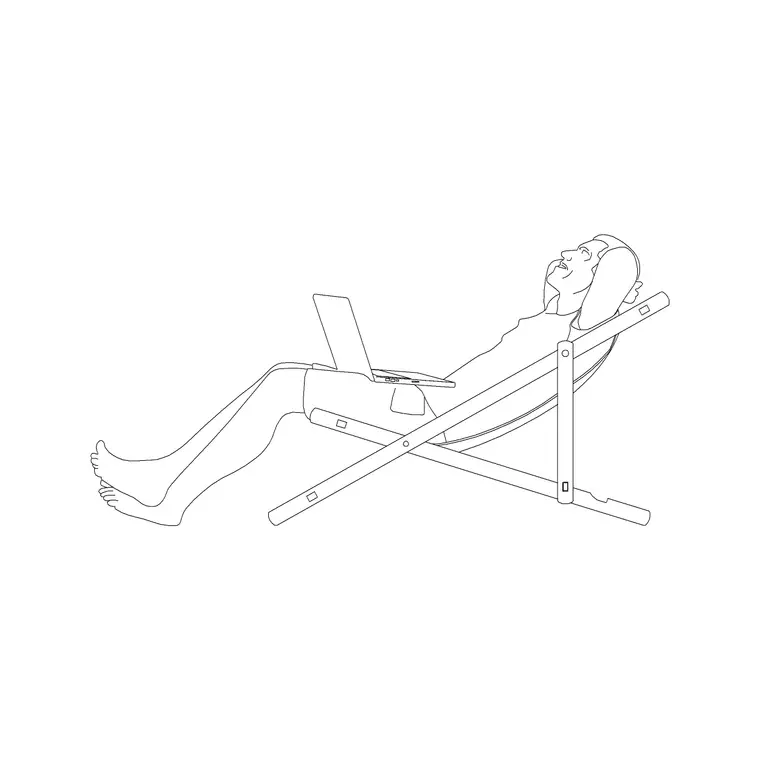
The set spans the views you need: plan-view figures seen from above for floor plans, elevation figures seen front-on or in profile for sections and streetscapes, and seated figures for furniture and interior work. Combining male and female figures across these views is what gives a presentation drawing its variety, so it is worth keeping a small range of each to hand in your library.
Dimensions to design around
Scale figures are drawn against the human envelope, and useful averages help you size and place them. An adult male figure is often drawn at around 1750-1850 mm tall, sitting toward the upper-middle of the adult range, with eye level near 1600-1700 mm. Shoulder width is typically a little broader than a female figure, in the region of 460-550 mm, and the reach height with fingertips up sits around 2100-2200 mm.
These are drawing guides rather than statements about real people, and it is the variation between figures that makes a crowd convincing. Drop a male figure beside a 2000-2100 mm doorway and it should clear the head with a comfortable gap; place one next to a worktop and the hip near 950-1000 mm confirms the counter height. Designing against a real human envelope keeps the scale of the whole drawing honest.
Plan and elevation views
For floor plans, occupancy diagrams and circulation studies you use plan-view male figures, seen from above as a shoulder oval with the head as a circle. They read cleanly at small plot scales and let you show occupancy and movement without clutter.
For building elevations, interior elevations, sections and streetscapes you switch to elevation figures, seen front-on or in profile at full height, so they set the storey heights and bring the architecture to scale. Many people downloads cover both views, so you can populate a plan and its matching section from the same library. Always match the view to the drawing, because a figure in the wrong view stands out as a mistake.
How to insert and place the block
These figures are drawn full size in millimetres. Insert at scale 1 in a millimetre drawing, 0.001 in a metre drawing, or set INSUNITS to millimetres so AutoCAD rescales the block on insertion. Use INSERT or drag the DWG from a tool palette and place the figure where it reads best.
In elevations and sections, snap the feet to the ground line so the figure stands on the floor; in plans, place a plan-view figure where occupancy needs showing. Keep the people on a dedicated muted layer so they sit behind the architecture and can be frozen for a clean technical issue. Mirror and rotate copies, vary the height slightly, and mix in female and child figures so the crowd never looks cloned.
Where male figures are used
Male scale figures belong in every drawing meant to show a space in use. Workplace, retail, hospitality, healthcare, transport and residential projects all benefit from a realistic crowd, and male figures are an essential part of it. In an interior elevation a male figure at a reception desk confirms the counter works; in a streetscape he helps the pavement read as a genuine public place.
They are especially useful on competition boards and in portfolios, where a drawing populated with a believable, varied group signals that the project was designed for real people. Because the blocks are free and licence-clear, you can use the same figures from concept sketch to final presentation set without any concern about rights or attribution.
Combining figures for a natural scene
The most convincing populated drawings come from mixing figures deliberately. Combine male and female figures, adults and children, and standing, walking and seated poses, then vary the heights, builds and facing directions across the group. A space used by commuters, shoppers or families should be populated by a crowd that looks like them.
In practice, keep a small, varied set in your library and assemble groups from it rather than copying one figure across a drawing. Place standing figures where people pause, walking figures along routes, and seated figures where there is somewhere to sit. This modest care is what turns a flat technical drawing into a scene that reads as a real place designed around the people who will use it.
Free download
Browse the full library — DWG & DXF, no signup.
Questions
Frequently asked
What height are the male figures drawn at?+
Adult male figures are often drawn at around 1750-1850 mm tall, with eye level near 1600-1700 mm. These are drawing averages; varying the heights across a crowd makes a populated drawing look more natural.
Do the male figures come in plan and elevation?+
Yes. Plan-view male figures suit floor plans and circulation studies, while elevation figures suit sections, building elevations and streetscapes. Each download page lists the view it ships in.
Are the male figure blocks free for commercial projects?+
Yes. Every figure downloads free in DWG with no signup, no watermark and no attribution requirement, and they are cleared for commercial use.
Why keep both male and female figures in my library?+
A crowd reads as believable only when it reflects the real mix of people who use a space. Keeping male and female figures, plus children and varied poses, lets you build a natural, inclusive group quickly.
Related downloads
Blocks for this guide
Related categories
Related guides
Block landing
Human Figure Plan CAD Blocks — Free DWG
Download free human figure plan-view CAD blocks in DWG — people seen from above, drawn to scale for floor plans and circulation. AutoCAD 2004+, no signup.
Block landing
Human Figure Elevation CAD Blocks — Free DWG
Free human figure elevation CAD blocks in DWG — people drawn front-on and in profile to scale your sections and streetscapes. AutoCAD 2004+, no signup.
Block landing
Standing Person Scale Figure CAD Blocks (Free)
Free standing person scale figure CAD blocks in DWG — clean, true-height figures to set the scale of plans, sections and elevations. AutoCAD 2004+, no signup.