Block landing · lounge chair cad block
Free lounge chair CAD blocks for AutoCAD
By Saumyajit Maity · Published 6 Aug 2023 · Updated 1 Mar 2026
A lounge chair is the low, relaxed seat built for sitting back rather than sitting up — the reading chair by a window, the designer easy chair in a hotel lobby, the soft seat in a breakout zone. A scaled lounge chair CAD block lets you place that relaxed posture into a layout with the right footprint and the right low profile. This page collects free lounge chair CAD blocks in DWG and DXF — angled easy chairs, mid-century lounge chairs with footstools, and soft contemporary loungers — drawn at true millimetre dimensions and ready to insert into AutoCAD 2004 or later. Everything is free for personal and commercial work, with no signup and no watermark.
Use these blocks to set out a reading corner, dress a lobby seating cluster, or place a feature chair beside a fireplace or window. Because the blocks are scaled, you can confirm the chair has room to recline and that a footstool or side table still leaves a clear path through the room.
How a lounge chair differs from an armchair
Lounge chair and armchair overlap, but the lounge chair leans further toward relaxation: a lower seat, a more reclined back angle and often a longer seat for stretching out. A classic lounge chair frequently comes with a matching footstool or ottoman, turning it into a near-recline seat without the mechanism of a true recliner. The block should reflect that low, raked posture so your elevations read as 'relax' rather than 'sit upright'.
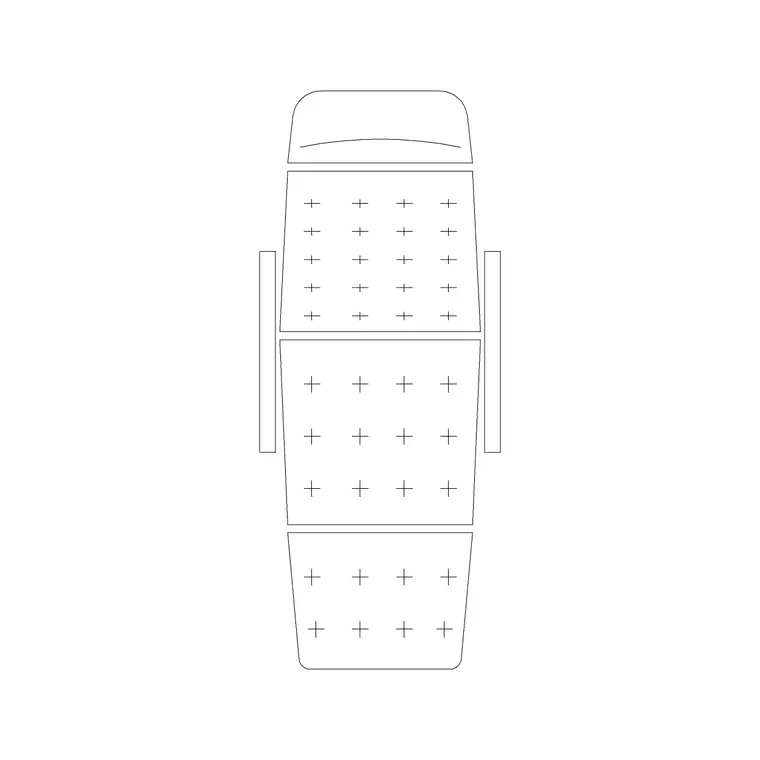
In plan, a lounge chair can be slimmer than a boxy club armchair — the frame is often more open, with the back angled away — so the footprint reads as a longer, leaner shape. Drawing it to that profile keeps a seating cluster believable. Keep the seat, the back and any footstool on tidy layers so you can place the chair with or without its stool depending on the scheme.
Typical lounge chair dimensions to design around
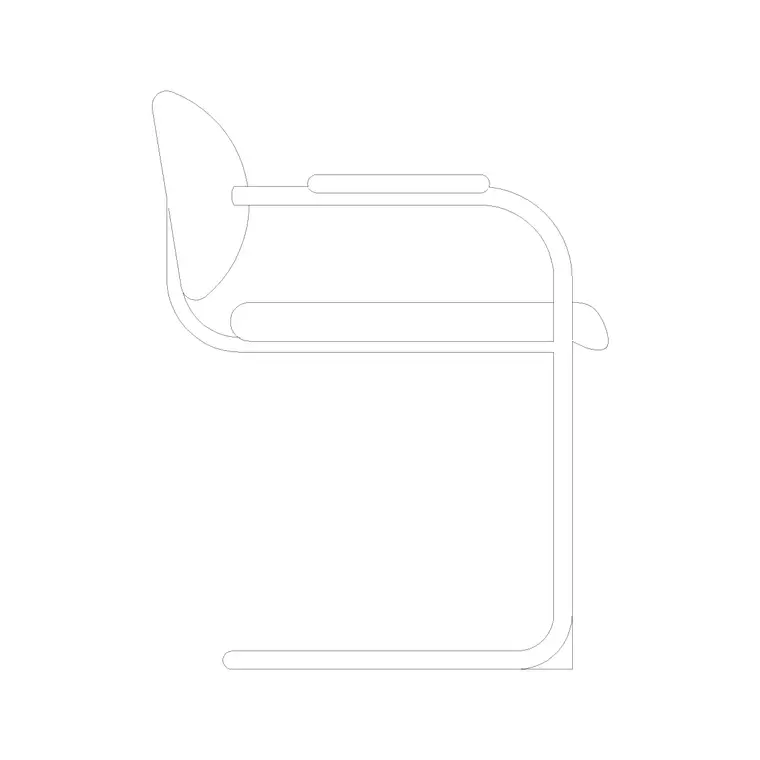
Design around these figures. Overall width: 650–850 mm. Overall depth (more if reclined or with a footstool): 800–1000 mm, extending to 1300–1500 mm with the footstool in front. Seat height: 360–420 mm — low, for a reclined posture. Seat depth: 500–600 mm. Backrest height: 750–1000 mm, often raked back rather than upright.
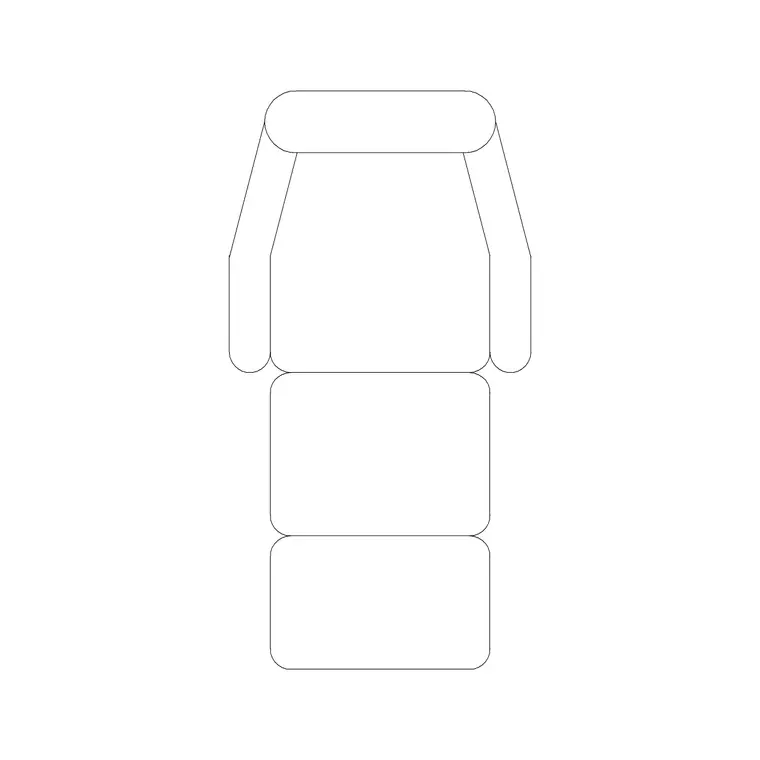
When you add the footstool, remember it pushes the chair's effective footprint well forward, so check the clearance in front: a lounge chair with its stool out can occupy 1.3–1.5 m of floor depth. Placing the scaled block, footstool included, makes that reach obvious so a feature chair doesn't end up blocking a walkway.
Plan for layouts, elevation for the feature view
For furniture layouts you work in plan: the lounge chair angled into a reading corner or a lobby cluster, footstool placed in front if used. The plan block is what you position against a window, beside a fireplace or in a paired set across a low table. Keep it on a furniture layer so you can freeze the seating for a clean structural plan.
For interior elevations, sections and presentation boards you switch to a side or front view, where the low seat and raked back read as the relaxed feature piece it is. A lounge chair in side elevation is a strong way to show a reading corner or a lobby vignette. Many downloads here carry both views in one DWG.
How to insert and place the block
The lounge chair blocks are drawn full size in millimetres. Insert at scale 1 in a millimetre drawing, 0.001 in a metre template, or set INSUNITS to millimetres so AutoCAD rescales on insertion.
Use INSERT or drag from a tool palette, pick the centre of the seat as the insertion point, and rotate the chair toward the view, the window or the conversation. Lounge chairs are usually placed singly or in pairs and angled deliberately, so ROTATE the block freely once placed. If the design uses the matching footstool, insert it separately and snap it to the front of the seat so the pair moves as a considered set.
Where lounge chair blocks are used
Lounge chair blocks suit relaxed, considered spaces: residential reading corners and snugs, hotel lobbies and lounges, members' clubs, spa relaxation rooms, library and study quiet zones, boutique retail seating and office breakout areas. Pair them with the sofa, side-table and ottoman blocks to build a lounge cluster that reads as designed rather than filled.
Because they are free and licence-clear, they suit hospitality fit-outs, residential schemes, student portfolios and concept boards where a believable feature chair matters. The same block carries from a concept sketch through to a coordinated FF&E drawing without redrawing the seating.
Placing a lounge chair as a feature piece
A lounge chair is often a designer statement, not just a seat, so where you place it carries weight. The strongest positions are the ones that give the chair something to face — a window with a view, a fireplace, a piece of art — and enough space around it to read as deliberate rather than crammed. Because the block is scaled, you can test that the chair sits in its own pool of space, with the footstool out and a side table within reach, without crowding the circulation.
Keeping the chair as a block reference also makes it easy to try positions: copy the block, rotate each instance toward a different focal point, and compare the options in plan before committing. When the placement works, leaving the chair and its footstool grouped — or WBLOCKed together — means the considered pairing moves as one unit if the layout shifts, so the feature you set up so carefully survives the next round of changes.
Free download
Browse the full library — DWG & DXF, no signup.
Questions
Frequently asked
What's the difference between a lounge chair and an armchair?+
A lounge chair sits lower and more reclined, built for relaxing rather than sitting upright, and often comes with a matching footstool. An armchair is a more upright, general-purpose upholstered seat. The lounge chair block reflects that lower seat and raked-back posture.
How much floor space does a lounge chair with a footstool need?+
With the footstool out in front, a lounge chair can occupy 1.3–1.5 m of floor depth. Place the scaled block with its stool to confirm it doesn't reach into a walkway or circulation route.
Are these lounge chair CAD blocks free for commercial use?+
Yes. Every lounge chair block downloads free in DWG and, where available, DXF, with no signup, no watermark and no attribution requirement, and they are cleared for commercial project use.
What units are the lounge chair blocks drawn in?+
Full size in millimetres. Insert at scale 1 in a millimetre drawing, or set INSUNITS to millimetres so AutoCAD rescales automatically if your template uses different units.
Related downloads
Blocks for this guide
Related categories
Related guides
Block landing
Free Office Chair CAD Blocks — DWG Download
Download free office chair CAD blocks in DWG and DXF — task chairs, swivel chairs and executive seats drawn in plan and elevation, AutoCAD 2004+, no signup.
Block landing
Free Bar Table CAD Blocks — DWG Download
Download free bar table CAD blocks in DWG and DXF — round, square and rectangular high bar tables in plan and elevation for AutoCAD. No signup, commercial-use OK.
Block landing
Free Restaurant Table CAD Blocks — DWG Download
Download free restaurant table CAD blocks in DWG and DXF — 2, 4 and 6 cover tables with chairs drawn in plan and elevation for AutoCAD. No signup, commercial-use OK.