Block landing · double door cad block
Free double door CAD blocks for AutoCAD
By Saumyajit Maity · Published 6 Apr 2024 · Updated 26 Mar 2026
A double door is two leaves hung in one wide opening, meeting at the centre — the door you use when a single leaf cannot give enough width or enough presence. Because the opening is wider and there are two swing arcs to track, a correctly-drawn double door CAD block saves you from the fiddly job of mirroring and aligning two leaves every time. This page collects free double door CAD blocks in DWG and DXF, drawn full size in plan and elevation for AutoCAD 2004 or later, free for personal and commercial use.
The key thing a double door block gets right is the pair of swing arcs. Two leaves opening into a room sweep a much larger zone than a single door, and that combined swing is exactly what governs how much clear floor you must keep in front of a wide opening — a hall, a meeting room, a main entrance.
What a double door block shows
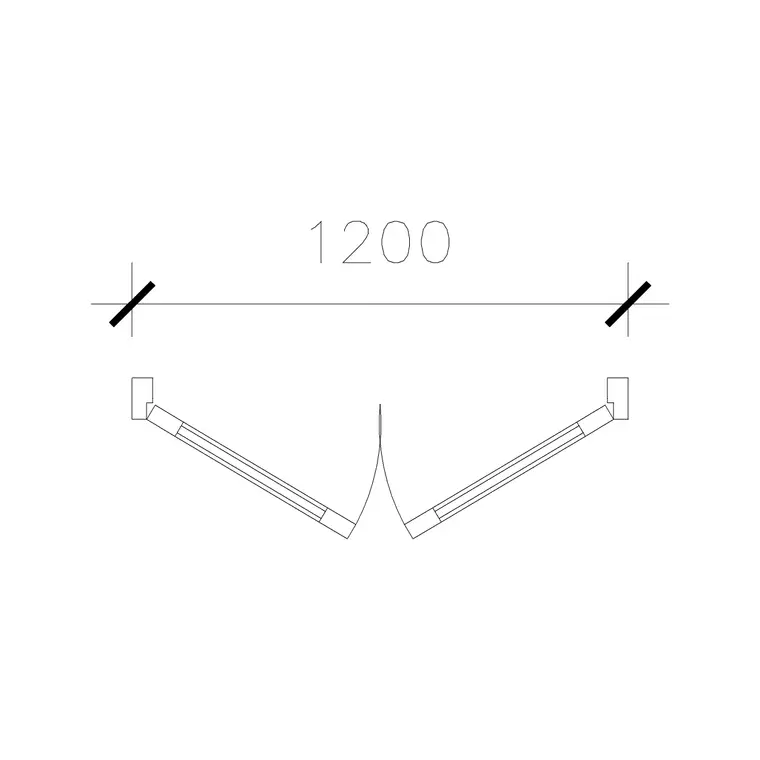
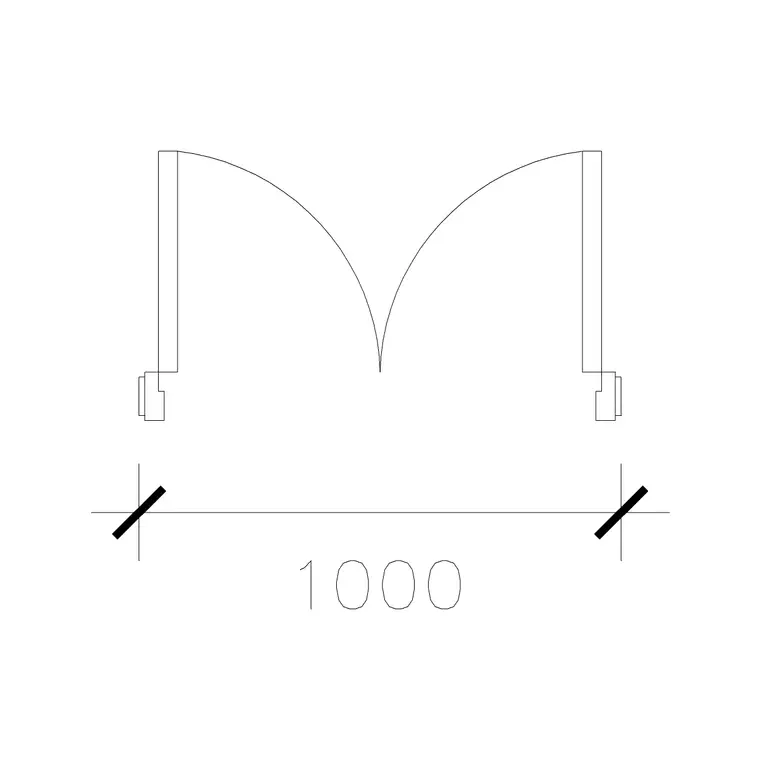
In plan, a double door block shows two leaves, each drawn open at about 90 degrees, with a swing arc for each, meeting at the centre of the opening. The two leaves are mirror images, and the block keeps them aligned and correctly handed so you do not have to construct the symmetry yourself. The combined swept zone — two quarter-circles side by side — is what you read against the room to confirm the doors clear furniture and circulation.
In elevation, a double door reads as two leaves side by side within a single wide frame, often with a central meeting stile and sometimes a fixed top light above. The leaves can be equal (a true pair) or unequal (a leaf-and-a-half, where a narrow secondary leaf is normally bolted shut and opened only for moving furniture). The blocks here cover both, on separate layers, so one DWG serves the plan layout and the elevation.
Equal pair vs leaf-and-a-half
There are two common double-door configurations and they suit different jobs. An equal pair has two leaves of the same width, opened together for a symmetrical, generous opening — the right choice for a formal entrance, a boardroom or a reception. A leaf-and-a-half (or one-and-a-half-leaf) has a wide main leaf used for everyday traffic and a narrow secondary leaf, normally held shut on flush bolts, opened only when you need the full width for furniture or equipment.
The leaf-and-a-half is the workhorse in commercial corridors and care buildings because it gives a normal walking door most of the time and a wide opening on demand. Choosing the right configuration in the block stage matters, because the everyday clear width — and therefore the accessibility check — depends on which leaf is the active one. Place the configuration that matches the use, and the scaled block lets you read the active clear width directly.
Typical double door sizes
Double doors span a wide range because the whole point is extra width. A pair of equal leaves often uses two standard leaves — so two 600 mm leaves give a roughly 1200 mm opening, two 750 mm leaves about 1500 mm, and two 900 mm leaves about 1800 mm clear of frame. Leaf-and-a-half sets pair a wide main leaf (800–900 mm) with a narrow secondary (300–450 mm). Leaf height matches single doors at around 2000 mm, taller for grand entrances.
Allowing for the central meeting stile and the two side frames, the structural opening is the sum of the leaf widths plus roughly 100–150 mm. Because these blocks are drawn full size, you place the pair and read the real opening and the combined swing against your plan, which is the only reliable way to size a wide entrance correctly.
Inserting and handing a double door
Insert these blocks at scale 1 in a millimetre drawing, or set INSUNITS to Millimeters so AutoCAD rescales on insertion. Because a double door is symmetrical, the insertion point is usually the centre of the opening rather than a hinge — pick the centre of the meeting stile so the two leaves sit evenly in the wall gap.
Use ROTATE to choose whether the pair opens into or out of the space, and MIRROR if you are using a leaf-and-a-half and need the wide leaf on the other side. Keep the whole double door as one block reference so it copies and schedules as a single door type. Where the same wide opening recurs — a run of identical meeting rooms, say — array the block and let one BEDIT change update them all.
Where double doors are used
Double doors appear wherever an opening must be wide, grand or moveable: main building entrances, reception and lobby doors, boardrooms and function rooms, hall and assembly entrances, hospital corridors that have to pass beds and trolleys, and the dividing doors between large connected rooms. The leaf-and-a-half version is standard in commercial and healthcare corridors; the equal pair is the choice for formal and presentation entrances.
Architects use these blocks to draw entrances and wide internal openings at the right width; healthcare and access consultants check the clear opening and swing against trolley and wheelchair requirements; fire engineers care about double doors as escape routes. Pair the double door blocks with the single swing door and vestibule door blocks in the doors category to draw a complete entrance sequence on one consistent scale.
Swing zones, escape routes and reuse
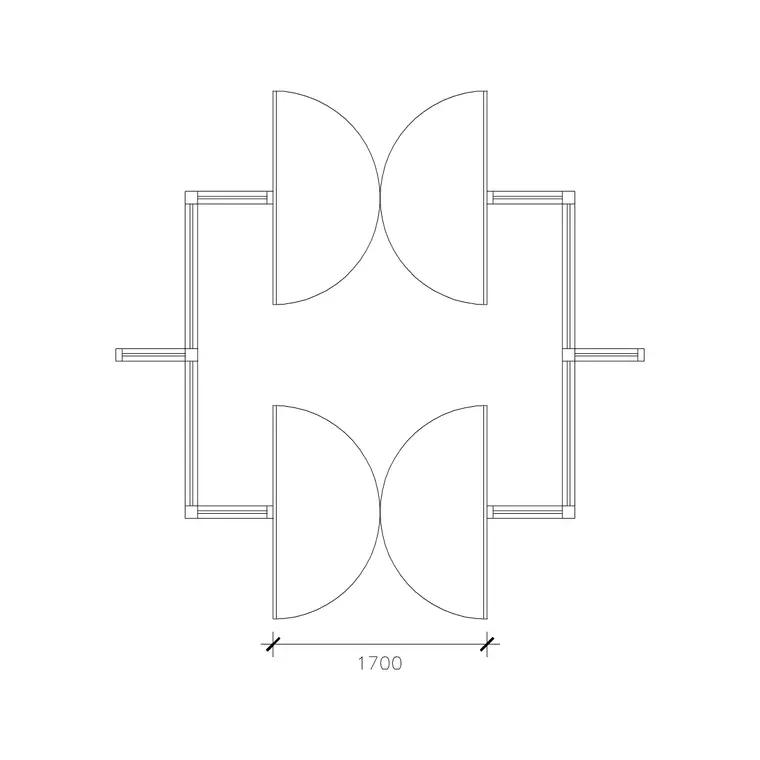
The combined swing of a double door is its most important plan feature, because two leaves sweep a large area and that zone must stay clear. On an outward-opening entrance the swing reaches into the external space or the lobby; on an inward-opening one it eats into the room. Drawing the block with both arcs lets you check at a glance that nothing — furniture, a second door, a column — fouls the swing, which is the classic clash a wide opening creates.
Double doors are frequently part of an escape route, so the clear opening width and the direction of opening (escape doors open in the direction of travel) are design-critical, and the scaled block lets you verify them directly. As always, keep doors on their own layer, tag each with a reference attribute for scheduling, and WBLOCK a recurring double door with its frame so a whole run of identical wide openings stays consistent and light in the drawing.
Free download
Browse the full library — DWG & DXF, no signup.
Questions
Frequently asked
What is a double door block in AutoCAD?+
It is a single block showing two door leaves hung in one wide opening, meeting at the centre, each with its own swing arc in plan. The block keeps the two leaves mirrored and aligned so you do not have to construct the symmetry by hand.
What is the difference between an equal pair and a leaf-and-a-half?+
An equal pair has two same-width leaves opened together for a symmetrical wide opening. A leaf-and-a-half has a wide main leaf for everyday use and a narrow secondary leaf, normally bolted shut, opened only when the full width is needed.
What opening width do double doors give?+
It depends on the leaves. Two 600 mm leaves give roughly 1200 mm, two 750 mm about 1500 mm, and two 900 mm about 1800 mm clear of frame. The blocks are drawn full size so you can read the real opening against your plan.
Are the double door blocks free for commercial use?+
Yes. Every double door block downloads free in DWG and DXF with no signup, no watermark and no attribution requirement, and they are cleared for commercial project use.
Related downloads
Blocks for this guide
Related categories
Related guides
Block landing
Free Wooden Door CAD Blocks — DWG Download
Download free wooden door CAD blocks in DWG and DXF — solid timber doors drawn in plan, elevation and section for AutoCAD 2004+. No signup, commercial use OK.
Block landing
Free Laminated Flush Door CAD Blocks — DWG
Download free laminated flush door CAD blocks in DWG and DXF — flat-faced flush doors with frame in plan and elevation for AutoCAD. No signup, commercial OK.
Block landing
Free Panel Door CAD Blocks — DWG Download
Download free panel door CAD blocks in DWG and DXF — two, four and six panel doors drawn in elevation and plan for AutoCAD. No signup, commercial use OK.