Block landing · l shape sofa cad block
Free L-shape sofa CAD blocks for AutoCAD
By Sumana Kumar · Published 7 Mar 2026 · Updated 16 Jun 2026
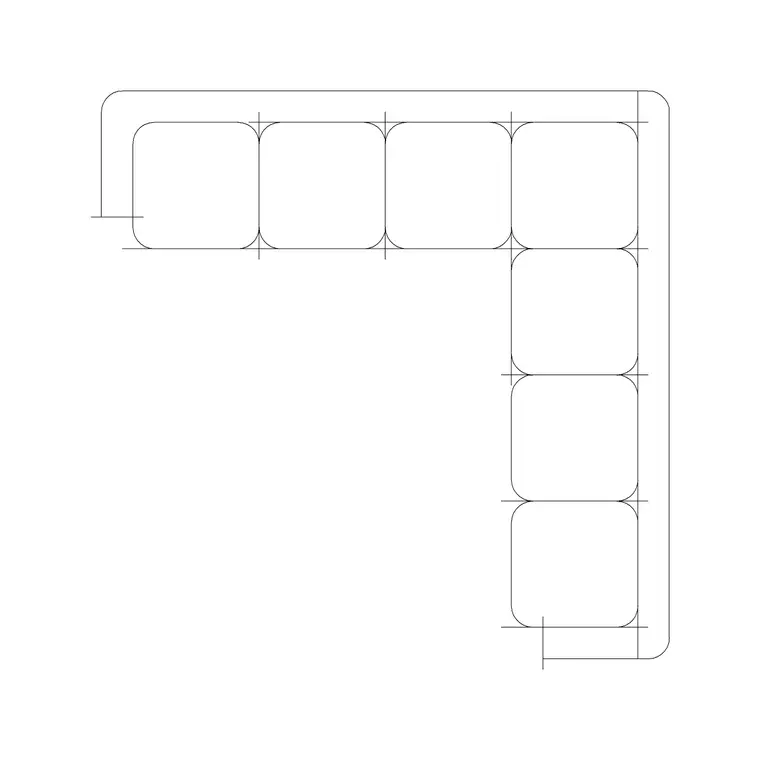
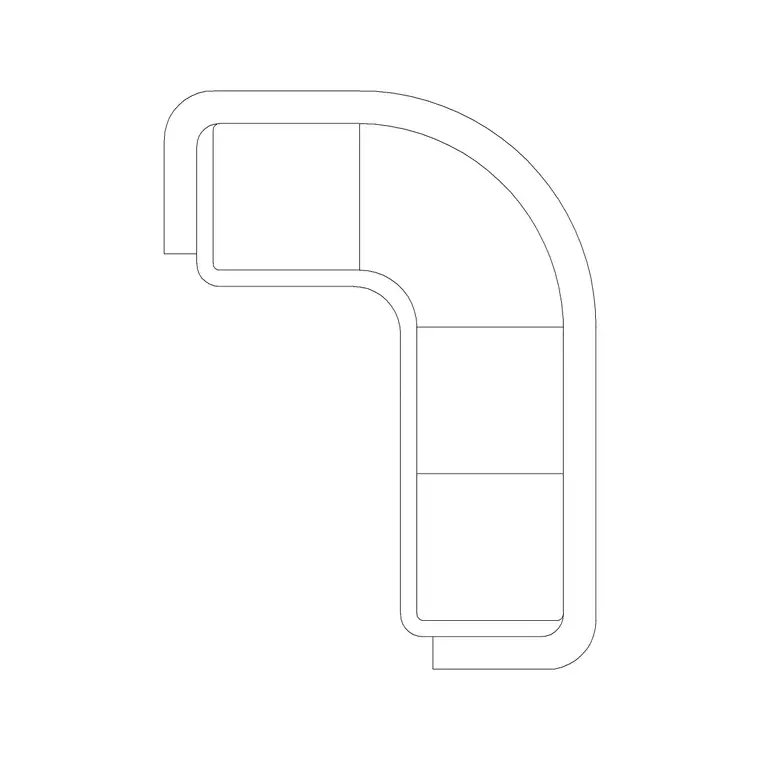
An L-shape sofa — the corner sofa or sectional — wraps two walls or turns a corner to give a lot of seating from a single piece, which makes it a favourite for open-plan living. A scaled L-shape sofa CAD block lets you fit that larger, two-directional footprint into a layout and confirm it actually turns the corner the way the room needs. This page collects free L-shape sofa CAD blocks in DWG and DXF — corner sofas, sectionals and chaise-end sofas in plan — drawn at true millimetre dimensions and ready to insert into AutoCAD 2004 or later. Everything is free for personal and commercial work, with no signup and no watermark.
Use these blocks to anchor an open-plan lounge, wrap a corner with seating, or zone a large living-dining space. Because the block is scaled, you can confirm the L fits both walls, faces the right way and leaves circulation around it the moment it lands.
How an L-shape sofa changes a layout
Unlike a straight sofa, an L-shape has handedness and direction — it returns to the left or to the right, and which way it faces is the first thing to get right. A left-hand-facing and a right-hand-facing L are mirror images, and choosing the wrong one puts the long return against the wrong wall, blocking a window or a doorway. Because the block is scaled and oriented, you can drop it in, see which way it returns, and MIRROR it if you need the other hand.
The L also does something a straight sofa can't: it defines a zone. Floated in an open-plan space, an L-shape turns its back to the dining area and its seats to the lounge, splitting one big room into two readable zones. Placing the scaled block lets you test that zoning move on the plan before committing the room to it.
Typical L-shape sofa dimensions
Design around these figures, remembering an L has two lengths. Main run: 2400–3200 mm. Return (the short leg or chaise): 1500–2000 mm. Depth of each run: 850–1000 mm, with a chaise return often deeper at 1500–1700 mm so it doubles as a lounger. Seat height: 400–450 mm; arm and back heights as for a standard sofa.
The L's overall envelope is what governs the room — a 3000 × 1800 mm L needs both of those clear dimensions plus circulation, so it suits a generous or open-plan space rather than a small room. Placing the scaled block against both walls catches the common error of an L that fits one wall but overshoots the other into a doorway or a walkway.
Left-hand vs right-hand: getting the orientation right
The single most important check with an L-shape is the orientation. Stand (in your mind) where a person sits, facing out from the sofa: if the return runs off to your left, it is a left-hand sofa; to your right, a right-hand one. The blocks here are drawn in plan so the return is visible, and the MIRROR command flips the hand in one step if the drawn orientation is the opposite of what your room needs.
Get this wrong and the consequences are real: the chaise ends up blocking the route to the kitchen, or the long run covers the window. Because the block is scaled and you can see the return, you resolve the handedness on the plan in seconds rather than discovering it on delivery day.
How to insert and orient the block
The L-shape blocks are drawn full size in millimetres. Insert at scale 1 in a millimetre drawing, 0.001 in a metre template, or set INSUNITS to millimetres so AutoCAD rescales on insertion.
Use INSERT or drag from a tool palette, pick a consistent insertion point such as the outer corner of the L, and rotate the sofa so the long run sits against the main wall. If the return is on the wrong side, MIRROR the block across the appropriate axis to switch hands. Place the L first since it anchors and zones the room, then add the coffee table and any armchairs. As a single block reference it copies and updates cleanly.
Where L-shape sofa blocks are used
L-shape blocks suit larger and open-plan seating: open-plan living-dining rooms, family lounges and media rooms, apartment great-rooms, hotel suites, members'-club corners and large reception lounges. Pair them with the coffee-table, ottoman, U-shape and sofa-set blocks to complete a generous seating layout.
Because they are free and licence-clear, they suit residential schemes, hospitality fit-outs, student portfolios and concept plans for open-plan spaces. The same block carries from a layout sketch through to a coordinated FF&E drawing without redrawing the seating.
Using the L to zone an open-plan room
The L-shape sofa is one of the most useful tools for organising an open-plan space, because its back becomes a soft divider. Float the L so its long run separates the lounge from the dining or kitchen zone, and the single big room reads as two: seating on one side facing the television or fireplace, circulation and dining on the other. Placing the scaled block lets you test that division precisely — enough walkway behind the sofa back, the chaise return not jutting into the dining chairs, the seats addressing the right focal point.
Keeping the L as a block reference makes the zoning easy to refine: slide it deeper into the room to enlarge the lounge, or pull it back to widen the walkway, and the plan updates without redrawing. When the arrangement works, WBLOCK the lounge zone — L-shape, coffee table and rug — as a reusable cluster so the next open-plan scheme starts from a zoning move that already reads correctly.
Free download
Browse the full library — DWG & DXF, no signup.
Questions
Frequently asked
What's the difference between a left-hand and right-hand L-shape sofa?+
Sitting on the sofa and facing out, if the short return runs off to your left it is a left-hand sofa; to your right, a right-hand one. They are mirror images. The blocks are drawn in plan so the return is visible, and the MIRROR command flips the hand in one step.
How big is an L-shape sofa block?+
An L has two lengths: a main run of about 2400–3200 mm and a return of about 1500–2000 mm, each 850–1000 mm deep (a chaise return is deeper). Place the scaled block against both walls to confirm the full envelope fits the room.
Are these L-shape sofa CAD blocks free for commercial use?+
Yes. Every block downloads free in DWG and, where available, DXF, with no signup, no watermark and no attribution requirement, and they are cleared for commercial project use.
What units are the L-shape sofa blocks drawn in?+
Full size in millimetres. Insert at scale 1 in a millimetre drawing, or set INSUNITS to millimetres so AutoCAD rescales automatically if your template uses different insertion units.
Related downloads
Blocks for this guide
Popular blocks to download
Related categories
Related guides
Block landing
Free Office Chair CAD Blocks — DWG Download
Download free office chair CAD blocks in DWG and DXF — task chairs, swivel chairs and executive seats drawn in plan and elevation, AutoCAD 2004+, no signup.
Block landing
Free Bar Table CAD Blocks — DWG Download
Download free bar table CAD blocks in DWG and DXF — round, square and rectangular high bar tables in plan and elevation for AutoCAD. No signup, commercial-use OK.
Block landing
Free Restaurant Table CAD Blocks — DWG Download
Download free restaurant table CAD blocks in DWG and DXF — 2, 4 and 6 cover tables with chairs drawn in plan and elevation for AutoCAD. No signup, commercial-use OK.