Block landing · kitchen worktop cad block
Free kitchen worktop CAD blocks and details
By Saumyajit Maity · Published 12 Dec 2023 · Updated 10 May 2026
The worktop is the layer that ties a kitchen together — the continuous surface that runs over the base units, returns around corners, oversails the island, and cuts out for the sink and hob. Because it sits on top of everything else, the worktop CAD block is less about a fixed size and more about an outline you shape to the run, plus the edge and junction details that make it read as a real surface. This page collects free kitchen worktop blocks and details in DWG and DXF — straight runs, corner returns, island tops, edge profiles and sink and hob cut-outs — drawn full size for AutoCAD 2004 or later, free for personal and commercial use with no signup or watermark.
A worktop is drawn in plan as the surface outline with its overhang and cut-outs, and in section as the slab thickness, the edge profile and the upstand. Getting it right means the base units, the appliances and the splashback all coordinate to one continuous surface — which is exactly what a fabricator templates from and a joiner installs to.
What a kitchen worktop block represents
A worktop (countertop) is the horizontal work surface that sits on the base cabinets and spans the run, taking the sink and hob as cut-outs and finishing with an edge profile and, often, an upstand or splashback at the back. In a CAD block it is drawn in plan as the surface outline — including the small front overhang past the cabinet faces and the cut-outs for the sink and hob — and in section as the slab with its thickness, edge detail and back upstand. The worktop block is really a family of outlines and details rather than one fixed object, because every kitchen's surface is a different shape.
The set covers what you actually draw: straight-run worktop outlines, L- and U-shaped corner returns with the joint indicated, island and peninsula tops with their seating overhang, a range of edge profiles (square, bullnose, chamfer, undermount), and ready-made sink and hob cut-out templates. Each is a block or outline you place over the base run and trim to length, so you build the surface to suit rather than forcing a fixed module.
Plan for the surface, section for the edge and thickness
In plan the worktop is drawn as the top outline over the base cabinets, with three things shown: the front overhang past the cabinet faces, the cut-outs for the sink and hob, and the joints where lengths meet at corners or stop against a tall unit. This is the view a stone or solid-surface fabricator templates from, so the cut-out positions and the overhang have to be right. You array nothing here — you draw the actual shape of the surface for this kitchen.
The section is where the worktop becomes three-dimensional. It shows the slab thickness, the edge profile at the front (square, bullnose, chamfered or an undermount detail at a sink), the upstand or splashback at the back, and the way the worktop sits on the base carcass with its overhang. The edge profile in particular is a design and a cost decision, so having it as a detail to drop in is useful. Keep the plan outline and the section detail on separate layers so the layout and the fabrication drawing read independently.
Worktop dimensions to design around
A worktop's plan size follows the run, but its cross-section and overhangs follow standard figures worth designing around. Depth: typically around 600–650 mm to match the base units plus a small front overhang of roughly 20–40 mm past the cabinet faces. Thickness: commonly 20–40 mm for stone and solid surface, around 38 mm for a postformed laminate, with thicker built-up edges where a chunkier look is wanted. Height of the finished surface: usually 850–920 mm, set by the base carcass plus plinth.
The upstand at the back is often around 80–100 mm where used, and a seating overhang on an island runs to roughly 300 mm for knee room. Cut-outs follow the appliance: a sink and a hob each need an aperture matched to the specific product, set back from the front edge with enough surface in front and behind. As always these are design-stage ranges that make the section and the cut-outs read correctly — confirm the cut-out sizes against the actual sink and hob before fabrication.
Drawing the worktop over the base run
Build the base cabinet run first, then draw or insert the worktop outline over it; in a millimetre drawing work at scale 1, or set INSUNITS to millimetres so any inserted detail rescales on insertion. Offset the surface outline past the cabinet faces by the front overhang, return it around corners following the run, and oversail it where it forms a breakfast bar or an island seating edge. Where two lengths meet — at an L or a long run — indicate the joint, because the fabricator and joiner need to know where the seams fall.
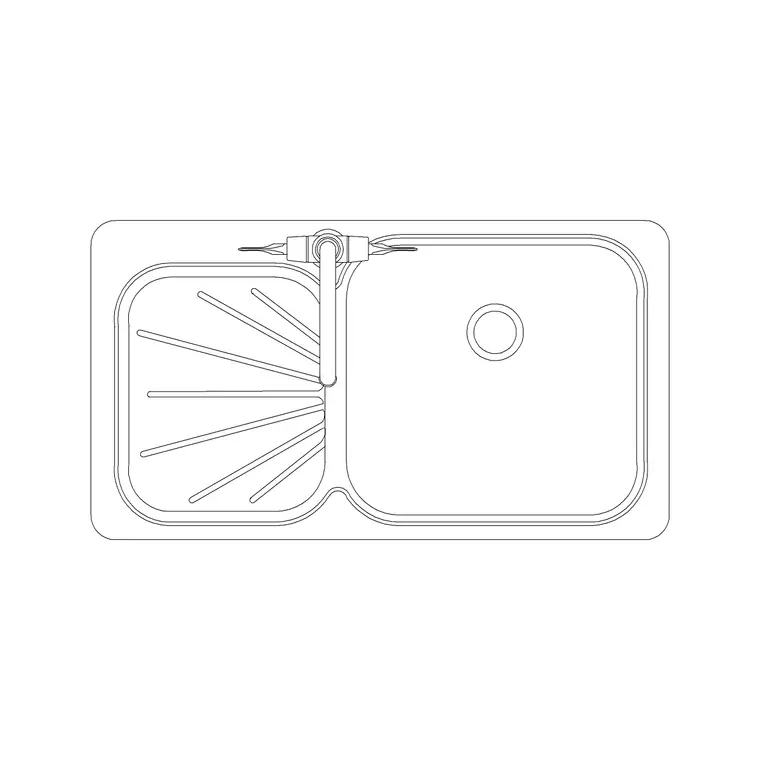
Then drop in the cut-outs: place the sink and hob blocks on the worktop and cut the apertures to suit, leaving sensible surface in front and behind each. Add the edge profile and upstand from the section detail. Keeping the worktop on its own layer, separate from the base units and the sink and hob, lets you produce a clean cabinet plan, a worktop fabrication plan and a section from the same drawing — exactly the set a stone or solid-surface fabricator templates and prices from.
Where worktop blocks are used
Worktop outlines and details appear in every kitchen drawing that goes beyond a concept sketch: residential kitchens, apartments, utility rooms and the back-of-house in light commercial kitchens. The same surface-and-edge approach extends to adjacent joinery — a vanity top in a bathroom, a reception counter, a utility-room surface — so the edge profiles and cut-out details are reusable beyond the kitchen.
Kitchen specialists and fabricators rely on the worktop plan and section to template, price and cut the surface, since the cut-outs, joints and edge profile are what they actually make. Interior designers use the section to communicate the edge detail and the upstand. Architects use the plan to confirm the surface coordinates with the cabinets, the appliances and the splashback. Pair the worktop with the base cabinets, the sink unit and the hob to complete the run, and keep it on its own layer so the fabrication drawing isolates cleanly from the cabinetry.
Cut-outs, joints and edges, the details that go to the fabricator
A worktop drawing is one of the few kitchen drawings that goes straight to a fabricator as a template, so the details have to be honest. The cut-outs are the first: a sink and a hob aperture each need to match the specific product and sit with enough surface in front and behind for strength and use, and an undermount sink cut-out differs from an inset one — draw them from the product, not a generic rectangle. Mark the cut-out positions and sizes clearly because a wrong aperture in stone is an expensive mistake.
The joints are the second: stone and solid-surface tops come in finite slab sizes, so a long run or an L-shape needs seams, and where those seams fall is a design and a structural decision the drawing should show. The edge profile is the third — square, bullnose, chamfer or a built-up edge — which the section carries as a detail that affects both look and cost. Keep the surface outline, the cut-outs, the joints and the edge detail legible on the fabrication layer, and WBLOCK your standard edge profiles and cut-out templates so the next kitchen reuses known-good details rather than redrawing them.
Free download
Browse the full library — DWG & DXF, no signup.
Questions
Frequently asked
What depth and thickness should a kitchen worktop be drawn at?+
Typically around 600–650 mm deep to match the base units plus a 20–40 mm front overhang, with a slab thickness commonly 20–40 mm for stone and solid surface. The section detail carries the thickness and edge profile; treat the figures as design-stage ranges.
Do the worktop blocks include sink and hob cut-outs?+
Yes. The set includes ready-made sink and hob cut-out templates you place on the worktop outline, with separate details for undermount and inset sinks. Always confirm the aperture against the specific sink and hob before fabrication.
How do I show worktop joints on the plan?+
Indicate the seam line where two lengths meet at a corner or a long run, since stone and solid-surface tops come in finite slab sizes. The fabricator needs to know where the joints fall, so mark them on the worktop fabrication layer.
Are the kitchen worktop blocks free for commercial use?+
Yes. Every worktop block and detail downloads free in DWG and, where available, DXF, with no signup, no watermark and no attribution requirement, and they are cleared for commercial project use.
Related downloads
Blocks for this guide
Related categories
Related guides
Block landing
Free Bathroom Fixtures CAD Blocks — DWG Download
Download free bathroom fixtures CAD blocks in DWG and DXF — toilets, wash basins, bathtubs, showers and vanities drawn in plan and elevation. No signup, commercial OK.
Block landing
Free Gas Stove / Cooktop CAD Blocks — DWG
Free gas stove and cooktop CAD blocks in DWG and DXF — drawn in plan and elevation at true kitchen-module sizes for AutoCAD 2004+. No signup, commercial-use OK.
Block landing
Single Burner Hob CAD Block — Free DWG
Free single burner hob CAD blocks in DWG and DXF for compact kitchens and studios — plan and elevation, true sizing for AutoCAD 2004+. No signup, commercial OK.